

Xiaohongshu (RedNote) User Profile & Notes Scraper
Pricing
from $4.99 / 1,000 notes
Xiaohongshu (RedNote) User Profile & Notes Scraper
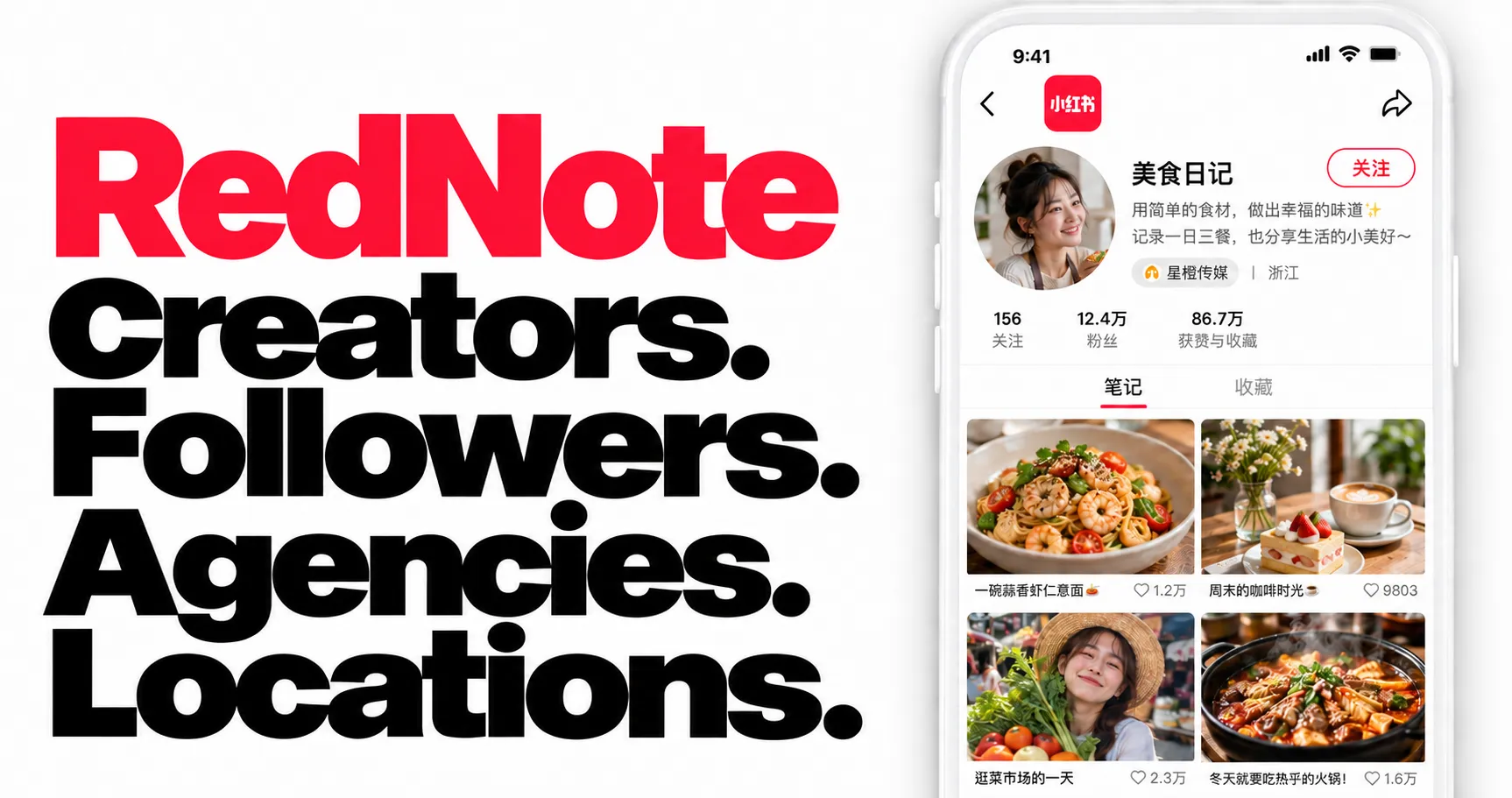
Research RedNote (Xiaohongshu) creators: bios, follower counts, agency affiliations and source-reported locations when available. Collect profiles only or add posts with engagement, images and video URLs. Accepts profile links, RedNote IDs and post links. Export JSON, CSV or Excel.
Pricing
from $4.99 / 1,000 notes
Rating
0.0
(0)
Developer

Zen Studio
Maintained by CommunityActor stats
0
Bookmarked
1K
Total users
281
Monthly active users
a day ago
Last modified
Categories
Share
RedNote (Xiaohongshu / 小红书) User Profile & Notes Scraper | Creator Profiles, Agency Affiliations & Posts (2026)
From Zen Studio. Creators of RedNote Search and Douyin Search, which have ranked #1 for “rednote” and “douyin”, respectively, in Apify Store relevance results, with 100,000+ combined lifetime runs.
Why choose this actor?
- Shortlist creators with more than a follower count. Get public bios, RedNote handles, follower and following counts, plus agency affiliations and source-reported locations when available. Find creators that fit your niche and market.
- Add the posts behind the profile. Collect captions, image and video URLs, and post-level engagement (likes, saves, comments and shares). Set a post limit for each creator, or switch off note collection for profile-only research.
- Start from a profile or a post. Paste profile links, RedNote IDs or post links. A post link resolves to its author, so you can move from an interesting post to researching the creator behind it.

Try one creator profile
Open the actor’s input page, switch to JSON and paste this. Replace the example with your creator’s profile link, then start the run.
This trial returns the profile object and skips post collection, so there are no note charges. Agency affiliations and locations depend on what RedNote provides; location labels describe a broad region, not a street address.
To include posts, set includeNotes to true and choose maxNotesPerProfile. Profiles and collected notes are charged separately. Large profiles can stop before the requested count when the result-size limit is reached.
Apify Free plan: 15 lifetime preview runs, one profile and up to 20 notes per run.
Continue your research
| Zen Studio · RedNote & Likee |
 Creator Profiles Creator ProfilesYou are here  RedNote Search RedNote SearchKeyword search  Note Detail Note DetailDetails & subtitles  Comments CommentsComments & replies  Likee Scraper Likee ScraperVideos and MP4 files |
Copy to your AI assistant
How to Scrape a Xiaohongshu User Profile
Basic: one creator with posts
Multiple creators, capped budget
Profile only, no posting history
This skips note collection and note charges, returning the profile with an empty notes array.
Input Parameters
| Parameter | Type | Default | Description |
|---|---|---|---|
profileUrls | array | required | One or more Xiaohongshu user references: profile URLs, bare 24-character user IDs, xhslink.com share links, RedNote IDs (小红书号), or post links (/explore/<id>, resolved to the post's author). Each profile runs independently. |
includeNotes | boolean | true | Include creator posts. Set to false for profiles only, with no note charges. |
maxNotesPerProfile | integer | 100 | Maximum notes per profile. 0 removes the count cap; source availability, result size, budget and run time still limit collection. |
Accepted reference formats:
- Profile URL:
https://www.xiaohongshu.com/user/profile/65c381340000000011014d37 - Bare user ID:
65c381340000000011014d37(24 hex characters) - Share link:
https://xhslink.com/m/Ap1vXtgAixh(resolved automatically), copied from the creator's profile or from any of their posts; a post share link resolves to the post's author - RedNote ID (小红书号):
95690072122orPatellana(the public handle shown on a creator's profile page) - Post link:
https://www.xiaohongshu.com/explore/6a173b10000000000803cefa— resolves to the post's author and scrapes their profile
A creator's display name (the nickname on the profile) is not accepted: several accounts can carry the same one, so it points to no single profile. Use the RedNote ID (小红书号) shown next to it.
What Data Can You Extract from a Xiaohongshu Profile?
Every dataset row is one user: the full profile object with the collected posts nested inside.
Top-level row:
_user_id: the resolved 24-character user ID_input: the exact reference you supplied (URL or ID)profile: the full profile object (below)notes: array of collected posts (below)
Profile (profile):
- Identity:
userid,red_id(public handle),nickname,desc(bio),gender,images/imageb(avatar URLs),share_link - Audience & activity:
fans(followers),follows(following),liked,collected,ndiscovery,note_num_stat(posted/liked/collected),interactions(Following / Followers / Likes & Collects) - Location:
ip_location(province or city),location - Verification & brand:
red_official_verified,red_official_verify_type,user_role_type,tags(MCN affiliation),user_brand,red_club_info,buyer_info - Layout & relationship state:
tab_visible,tab_public,banner_info,level,fstatus,blocked,blocking, plus the remaining structured fields, all passed through untouched
Each note (notes[]):
- IDs & type:
id,type(video/normal),cursor - Text:
title,display_title,desc(with hashtags inline) - Timing:
create_time(Unix),time_desc(e.g.04-27),last_update_time - Engagement:
likes,collected_count,comments_count,share_count,nice_count,view_count - Media:
images_list(gallery with per-image URL + dimensions),video_info_v2(stream metadata),has_music - Flags & commerce:
sticky(pinned),is_goods_note,price,recommend - Context:
ip_location(when present),ats(@-mentions),advanced_widgets_groups,widgets_context,user(compact author block),infavs,inlikes,niced
Output Example
Chaining Into the Comments Scraper
Each collected post includes its id. Pass it directly to the Comments or Note Detail actor; this dataset does not add a ready-made post URL.
That id is still all you need. Pass it straight into the RedNote Comments Scraper, which accepts bare 24-character note IDs:
A typical pipeline: scrape a creator's profile here → take the id of their top-engagement notes → fetch the full comment threads with the Comments Scraper.
Advanced Usage
Research a creator's posting history
Competitive benchmark across several creators
Track a single creator's latest posts on a schedule
Notes come back in the order Xiaohongshu serves them (newest first, pinned posts near the top), so a small maxNotesPerProfile keeps you on the most recent activity.
Integrations and scheduling
Run the RedNote profiles scraper on a schedule in Apify Console, hourly or daily for brand and trend monitoring. Each run can call a webhook when it finishes, so n8n, Make and Zapier flows pick up new rows without polling. The Apify API and the Apify MCP server take the same input, for scripts and AI agents.
Pricing: Pay Per Event (PPE)
Two billable results. Each profile you scrape is one profile-result; each note written to your dataset is one profile-note-result. Profiles and notes are billed separately.
| Result charges | What it is | Price |
|---|---|---|
profile-result | One creator profile | $0.0299 flat |
profile-note-result | One note in the output | from $0.00499 (rate depends on your Apify plan) |
Profile-only mode: turn off Include notes and you pay just the per-profile rate, with zero note charges, the cheapest way to harvest profiles in bulk.
Note pricing by Apify plan:
| Your Apify plan | Per 1,000 notes | Per note |
|---|---|---|
| Free / no discount | $5.99 | $0.00599 |
| Bronze | $5.49 | $0.00549 |
| Silver | $4.99 | $0.00499 |
| Gold | $4.99 | $0.00499 |
Only collected notes count toward the note charge. Collection stops at your note cap, available run budget or the result-size limit, whichever is reached first.
Free tier: 15 lifetime runs, ~1 profile and ~20 notes from the first profile, no credit card.
FAQ
What is RedNote (Xiaohongshu / Little Red Book)? RedNote is the international name of Xiaohongshu (小红书, literally "Little Red Book", often abbreviated XHS), China's leading lifestyle and social-commerce platform. Its creators drive beauty, fashion, food, and travel trends; this actor captures their full public profile and posting history.
Which profile reference formats are accepted?
Profile URLs (xiaohongshu.com/user/profile/<id>), bare 24-character user IDs, xhslink.com share links (resolved automatically), RedNote IDs (小红书号) — both numeric (e.g. 95690072122) and alphanumeric (e.g. Patellana) — and post links (xiaohongshu.com/explore/<id>), which resolve to the post's author and scrape their profile.
A creator's display name (nickname) is not accepted, because several accounts can carry the same one. Use the RedNote ID (小红书号) shown next to it on the profile page.
Where do I find a user's profile URL?
Open the creator's page in the Xiaohongshu app or web, tap Share, and copy the link. Both the long profile URL and the short xhslink.com share link work. A share link copied from one of the creator's posts works too: it resolves to the post's author.
Why is there no clickable link for each note?
This output preserves each post's id without adding a ready-made URL. Both the Comments and Note Detail actors accept that ID directly.
How many notes will I get?
Up to 100 per profile by default. Set maxNotesPerProfile to a positive number to choose a cap, or 0 to remove the count cap. Results still depend on source availability, run time, budget and the size of the nested profile record. For large accounts (roughly 750+ posts) the actor can stop early at that result-size limit. It never does so quietly: the row then carries a notes_partial_notice field, the run status message says the same, and profile.note_num_stat.posted holds the creator's full post count.
Can I get just the profile without paying for notes?
Yes. Turn off Include notes (includeNotes: false). You get the full 68-field profile with an empty notes array, billed at the per-profile rate only, with no note charges. This skips post collection and its note charges for bulk profile lookups.
What's IP location?
Xiaohongshu attaches a coarse geographic label (province or city, e.g. Hunan, Shanghai) to the profile, and to individual notes when available.
Are avatars and note images included?
Yes. profile.images / profile.imageb are direct CDN URLs to the avatar, and each note's images_list carries the full gallery with per-image URLs and dimensions.
Do video notes include the video?
Each video note carries video_info_v2 with stream metadata. The cover image is in images_list.
What happens if one profile in a batch fails? The run continues with the rest. Whatever was collected for the failing profile (the profile object and any notes gathered before the failure) is still saved.
How fresh is the data? Live from Xiaohongshu at run time, no cache.
Do I need a Xiaohongshu account or cookies? No. Paste a profile URL, user ID, or share link and run; no account, cookie export, or QR login is involved.
How do I export the data? The dataset downloads as JSON, CSV, Excel, XML, or HTML from the run's Storage tab, or via the Apify API. JSON preserves the nested notes array best.
Can I find creators by keyword first?
Yes, chain from search: run RedNote Search Scraper on your niche keywords, take the author.userid from high-engagement notes, and feed those IDs into this actor for the full profile and back-catalogue.
Is it legal to scrape Xiaohongshu profiles? The actor collects publicly visible profile and post data only, nothing behind a login. You are responsible for complying with Xiaohongshu's terms of service and applicable data protection law (GDPR, CCPA, PIPL); profiles are personal data, so check your legal basis before storing or republishing them.
More Zen Studio scrapers for Chinese platforms
- RedNote Search Scraper
- RedNote Comments Scraper
- RedNote Product Search Scraper
- RedNote Note Detail Scraper
- RedNote Product Reviews Scraper
Also from the same studio (name, then account/slug for the URL https://apify.com/account/slug):
- Douban Scraper (
zen-studio/douban-scraper) - Douban Reviews Scraper (
zen-studio/douban-reviews-scraper) - Douban Group Scraper (
zen-studio/douban-group-scraper) - Zhihu Scraper (
zen-studio/zhihu-scraper) - Weibo Search Scraper (
zen-studio/weibo-search-scraper) - Weibo Comments Scraper (
zen-studio/weibo-comments-scraper) - Kwai Search Scraper (
zen-studio/kwai-search-scraper) - Kwai Comments Scraper (
zen-studio/kwai-comments-scraper) - RedNote Live Recorder (
zen-studio/rednote-live-recorder) - RedNote Product Detail Scraper (
zen-studio/rednote-product-detail-scraper) - Douyin Search Scraper (
zen-studio/douyin-search-scraper) - Douyin Profile Scraper (
zen-studio/douyin-profile-scraper) - Douyin Video Scraper (
zen-studio/douyin-video-scraper) - Douyin Comments Scraper (
zen-studio/douyin-comments-scraper) - Douyin Transcripts Scraper (
zen-studio/douyin-transcripts-scraper) - Douyin Creator Rankings Scraper (
zen-studio/douyin-xingtu-rankings-scraper) - Douyin Live Recorder (
zen-studio/douyin-live-recorder) - Douyin Hot Search Scraper (
zen-studio/douyin-hot-search-scraper) - Douyin Product Search Scraper (
zen-studio/douyin-product-search-scraper) - Xigua Video Search Scraper (
zen-studio/xigua-video-search-scraper) - Xigua Video Detail Scraper (
zen-studio/xigua-video-detail-scraper) - Bilibili Video Scraper (
zen-studio/bilibili-video-scraper) - Bilibili Danmaku Scraper (
zen-studio/bilibili-danmaku-scraper) - TikTok Shop Review Scraper (
zen-studio/tiktok-shop-review-scraper) - Naver Search Scraper (
zen-studio/naver-search-scraper) - Shopee Product Detail Scraper (
zen-studio/shopee-product-detail-scraper) - Shopee Product Reviews Scraper (
zen-studio/shopee-product-reviews-scraper) - Shopee Product Scraper (
zen-studio/shopee-product-scraper) - Shopee Live Scraper (
zen-studio/shopee-live-scraper) - Taobao Search Scraper (
zen-studio/taobao-search-scraper) - Taobao Product Detail Scraper (
zen-studio/taobao-detail-scraper) - Taobao Seller Products Scraper (
zen-studio/taobao-seller-products-scraper) - JD.com Search Scraper (
zen-studio/jd-com-search-scraper) - 1688 Wholesale Scraper (
zen-studio/1688-wholesale-scraper) - Alibaba Scraper (
zen-studio/alibaba-scraper) - 1688 Reviews Scraper (
zen-studio/1688-reviews-scraper) - Goofish (Xianyu) Search Scraper (
zen-studio/goofish-xianyu-search-scraper) - Goofish (Xianyu) Seller Scraper (
zen-studio/goofish-xianyu-seller-scraper) - Goofish (Xianyu) Item Detail Scraper (
zen-studio/goofish-xianyu-item-detail-scraper) - Goofish (Xianyu) Item Comments & Q&A Scraper (
zen-studio/goofish-xianyu-item-comments-scraper) - Goofish (Xianyu) Reverse Image Search Scraper (
zen-studio/goofish-xianyu-visual-search-scraper) - Coupang Review Scraper (
zen-studio/coupang-review-scraper) - Coupang Search Scraper (
zen-studio/coupang-search-scraper) - Coupang Product Detail Scraper (
zen-studio/coupang-detail-scraper) - Anjuke For-Sale Listings Scraper (
zen-studio/anjuke-real-estate-scraper) - Anjuke New-Home Scraper (
zen-studio/anjuke-new-home-scraper) - Anjuke Rental Listings Scraper (
zen-studio/anjuke-rent-scraper) - Anjuke Listing Detail Scraper (
zen-studio/anjuke-sale-detail-scraper) - 58.com Real Estate Scraper (
zen-studio/58-real-estate-scraper) - Autohome (Che168) Used-Car Scraper (
zen-studio/che168-car-scraper)
Full directory: Zen Studio on Apify
Support
- Bugs: Issues tab
- Features: Issues tab
Legal Compliance
Extracts publicly available data. Users must comply with Xiaohongshu's terms and data protection regulations (GDPR, CCPA, PIPL).
Pull any Xiaohongshu (小红书) creator's public profile and available posts: follower counts, source-reported location, verification, bio, plus per-note likes, collects, comments, image galleries, and video URLs. One nested row per profile, ready to chain into the RedNote Comments Scraper.


