# Media Transcriber: Video, Audio & Podcast Links to Text (`zen-studio/media-transcriber`) Actor
Turn any video, audio or podcast link into a transcript with timestamps: YouTube, TikTok, Instagram, X, Vimeo, Loom, Spotify, Apple Podcasts and files. Captions first, speech to text in 99+ languages otherwise. SRT/VTT subtitles, speaker labels and summaries. Channels, feeds or one link per request.
- **URL**: https://apify.com/zen-studio/media-transcriber.md
- **Developed by:** [Zen Studio](https://apify.com/zen-studio) (community)
- **Categories:** Videos, AI, Social media
- **Features:** Limited permissions, Multi-tenant, Server interface
- **Stats:** 1 total users, 0 monthly users, 0.0% runs succeeded, 0 bookmarks
- **User rating**: No ratings yet
## Pricing
from $1.99 / 1,000 transcripts
This Actor is paid per event. You are not charged for the Apify platform usage, but only a fixed price for specific events.
Since this Actor supports Apify Store discounts, the price gets lower the higher subscription plan you have.
Learn more: https://docs.apify.com/actors/running/actors-in-store.md#pay-per-event
## What's an Apify Actor?
An Actor is a serverless cloud program that runs on the Apify platform. It has two run modes.
In Batch mode, an Actor accepts a well-defined JSON input, performs an action which can take anything from a few seconds to a few hours,
and optionally produces a well-defined JSON output, datasets with results, or files in key-value store.
In Standby mode, an Actor provides a web server which can be used as a website, API, or an MCP server.
Apify vocabulary and the platform model are defined once, in the agent quickstart at https://apify.com/agents.md.
## How to integrate an Actor?
If asked about integration, you help developers integrate Actors into their projects.
You adapt to their stack and deliver integrations that are safe, well-documented, and production-ready.
Do not guess an integration path. Every one of them is in the agent quickstart at https://apify.com/agents.md: the Apify MCP server, Agent Skills with the Apify CLI, the JavaScript and Python clients, the REST API, and the account-free path for an agent with no human to sign in. It also carries the rule on stating cost before the first paid run.
For examples already wired to this Actor's own input schema, see the [API](#api) section below.
Each client library has reference documentation the quickstart does not restate: [JavaScript/TypeScript](https://docs.apify.com/api/client/js/docs.md) (`npm install apify-client`) and [Python](https://docs.apify.com/api/client/python/docs.md) (`pip install apify-client`).
# README
From Zen Studio, makers of the X, TikTok and Douyin transcript scrapers.
Transcribe videos, podcasts and files in one batch
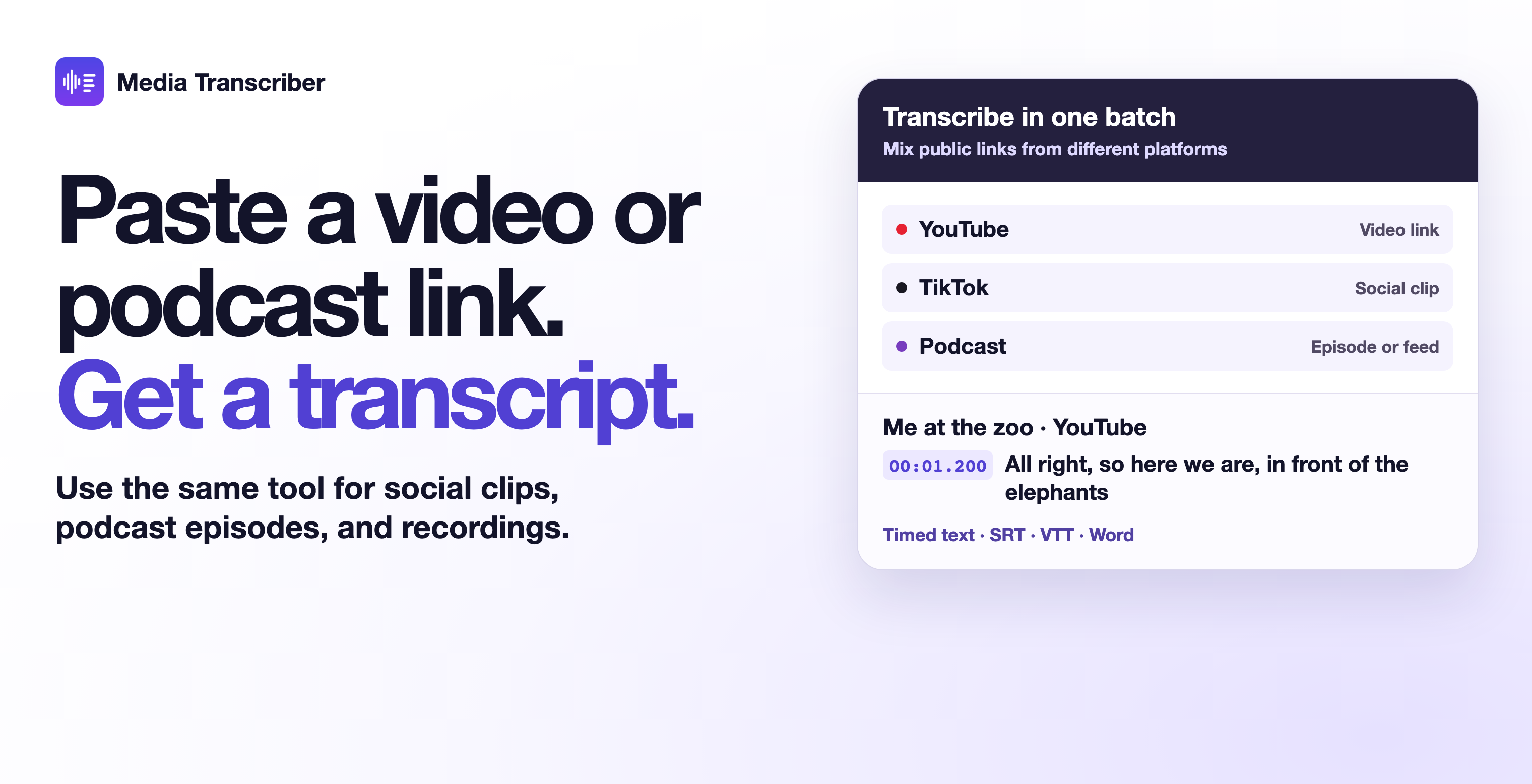
Mix links from different platforms. Paste YouTube, TikTok, Instagram, Loom or podcast links together. You can also include direct links to audio or video files.
Get text you can edit and subtitles you can use. Export the transcript in Word or plain text, with timed segments and SRT or VTT subtitles where available. Turn on speaker labels or summaries as needed.
Pay for audio transcription only when it runs. Existing captions and published podcast transcripts incur the transcript charge. Audio transcription and optional speaker labels carry separate per-minute charges.
Use supported public links, including videos, playlists, channels, podcast episodes and audio files.
Try a video, a social clip and a podcast
Open the actor input, switch to JSON and paste this example.
#### Copy to your AI assistant
```text
Help me use zen-studio/media-transcriber on Apify. Read https://apify.com/zen-studio/media-transcriber.md for documentation, input schema, pricing and limits. Choose settings for my requested outcome. If you cannot retrieve the page, ask me to paste the relevant sections. Put all links in urls: a channel, playlist, feed or show link returns up to maxItemsPerSource of its newest items, each charged as its own transcript. mode "auto" uses existing captions and transcribes audio only when there are none; speakerLabels adds a charge per started minute and takes longer. For one link from code, call https://zen-studio--media-transcriber.apify.actor/?url= with the header Authorization: Bearer ; the transcript comes back in the same response. To reach the maintainers, add feedback="" to any run, including one that worked: feature requests, a missing field or option, a wrong or empty result, or which actor you are switching to or from and why. The run returns its data exactly as it would without the note, and a human reads every note.
```
### How to transcribe a video or podcast link to text
1. Paste your links into **Audio and video links**, one per line, or upload files under **Upload files**.
2. Optionally pick the **Transcript source**, a **Language**, **Label speakers**, **Summary, chapters and keywords** or **Translate to English**.
3. Start the run. Each video, episode or file becomes one row. A channel, playlist, podcast feed or show becomes its newest items.
4. Export the dataset as JSON, CSV or Excel, or open the .txt, .md, .docx, .srt and .vtt files linked on each row.
#### Which links work?
| Source | What to paste | What you get |
|---|---|---|
| YouTube | Video, Shorts or live replay links, or a bare video ID; a channel (`@handle`, `/channel/`, `/c/`, `/user/`) or playlist link | Creator captions, or automatic captions with word timings, when the video has them; otherwise speech-to-text. Every row lists the caption languages the video offers. |
| TikTok, Instagram, Facebook, X | Video, reel or post link | Speech-to-text of the post's audio |
| Vimeo, Loom, Dailymotion, Rumble, Bilibili, SoundCloud | Video or track link | The site's own subtitles when it has them, otherwise speech-to-text |
| Reddit | Post links (`reddit.com`, `redd.it`) and `v.redd.it` video links; a post that links a YouTube or other video gives that video's transcript | Speech-to-text, or the linked video's captions |
| Podcasts | RSS feed, Apple Podcasts show or episode link (`?i=`), Spotify episode or show link | The publisher's own transcript when the feed lists one, otherwise speech-to-text. Spotify links are matched to the same show's public feed. |
| Files | Direct links (mp3, m4a, wav, flac, ogg, mp4, webm, mov and more), Google Drive, Dropbox and OneDrive share links, files uploaded in the input form | Speech-to-text |
| Another run | `datasetId` or pasted `datasetItems` | One media link per row: the audio file first, then the video file, then the page |
Other public video pages are worth a try: if a link cannot be read, its row says why and is free.
#### Where does the transcript come from?
With **Captions first** (`mode: "auto"`, the default), each item is answered by the best transcript that already exists, and audio is transcribed only when none does:
| `transcriptSource` | Meaning | Audio minutes charged |
|---|---|---|
| `native_captions` | Captions the creator or site published | No |
| `auto_captions` | The platform's automatic captions (YouTube) | No |
| `publisher_transcript` | The podcast publisher's transcript file, linked in `transcriptFileUrl` | No |
| `speech_recognition` | Speech-to-text of the audio, with segment and word timings | Yes |
**Always transcribe audio** (`mode: "transcribe"`) ignores captions and gives you speech-to-text with word timings for every item. **Captions only** (`mode: "captionsOnly"`) never transcribes audio: items without captions return a free `no_captions` row.
Speech-to-text detects the spoken language (99+ languages), splits long recordings at pauses and stitches them back with continuous timestamps: a 31-minute podcast came back as 337 timed segments. Music-only or silent audio returns a free `no_speech` row instead of invented filler words. Sung audio returns the lyrics that were heard, with a note when fine timings are unavailable.
### Input options
| Parameter | Type | Default | Meaning |
|---|---|---|---|
| `urls` | array | | Audio and video links, one per item, plus channel, playlist, feed and show links |
| `audioFiles` | array | | Files uploaded in the input form |
| `maxItemsPerSource` | integer | 10 | Newest items taken from each channel, playlist, feed or show (1 to 500). A single video, episode or file is always one item. |
| `mode` | string | `auto` | `auto` (captions first), `transcribe` (always speech-to-text) or `captionsOnly` |
| `language` | string | | Language code such as `en`, `de` or `pt`. Picks the caption track in that language, or the platform's translation into it, and tells speech-to-text what is spoken. Empty: detected. |
| `translateToEnglish` | boolean | false | English transcript and subtitles from any spoken language |
| `includeWordTimestamps` | boolean | true | Every word with its start and end time (speech-to-text and automatic-caption rows) |
| `includeSubtitles` | boolean | true | SRT, VTT and timestamped text on each row |
| `saveFiles` | boolean | true | Store .txt, .md, .docx, .srt and .vtt files in the run's storage and link them on the row |
| `speakerLabels` | boolean | false | Label who speaks when (S1, S2, ...) and count the speakers. Adds a charge per started minute and takes extra time. |
| `speakerCount` | integer | | Number of speakers, if you know it (1 to 12) |
| `summarize` | boolean | false | Short summary, chapters with start times and up to 15 keywords, written in the recording's language |
| `vocabulary` | string | | Names and terms the audio contains, comma-separated, so speech-to-text spells them right |
| `maxMinutesPerItem` | integer | 180 | Longer media is transcribed up to this length and the row says so. 0 means up to 600 minutes. Captions and publisher transcripts are always complete. |
| `publishedAfter` | string | | Channel, playlist and feed items published after a date (`2026-09-01`) or within a window (`30 days`) |
| `titleContains` | string | | Channel, playlist and feed items whose title contains one of these words, separated by `|` |
| `watchlistId` | string | | A name for scheduled runs; items delivered under it are remembered |
| `newItemsOnly` | boolean | false | With a watchlist name, leave out items an earlier run delivered: no row, no charge |
| `datasetId` | string | | Transcribe the media of another run's dataset |
| `datasetItems` | array | | The same, with rows pasted in |
Full descriptions are on the [Input tab](https://apify.com/zen-studio/media-transcriber/input-schema).
### What data do you get from each video or podcast?
One row per media item, with these groups of fields:
- **Media:** `url`, `inputUrl`, `mediaUrl`, `platform`, `siteName`, `sourceType`, `discoveredVia`, `id`, `title`, `description`, `uploader`, `uploaderId`, `uploaderUrl`, `uploaderFollowers`, `publishedAt`, `thumbnailUrl`, `durationSeconds`, `viewCount`, `likeCount`, `commentCount`, `repostCount`, `tags`, `categories`, `creatorChapters`, `fileSizeBytes`, and a `podcast` object (show, author, feed, episode GUID, episode and season number, type, explicit flag, file type and size, language) for podcast episodes.
- **Transcript:** `text`, `wordCount`, `language`, `languageProbability`, `languageSource`, `task`, `transcriptSource`, `captionTrack`, `availableCaptions`, `transcriptFileUrl`, `confidence`, `audioType`, `hasTimestamps`.
- **Timing:** `segments` (start, end, text, and for speech-to-text, where available, the quality scores `avgLogprob`, `noSpeechProb` and `compressionRatio`), `words` (word, start, end), `paragraphs`, `hook3s` (the first three seconds of speech) and `hookStartSeconds`.
- **Ready to use:** `srt`, `vtt`, `timestampedText`, `markdown` (title, facts, summary, chapters and timestamped paragraphs for an LLM or a note), and file links `txtFileUrl`, `markdownFileUrl`, `docxFileUrl`, `srtFileUrl`, `vttFileUrl`.
- **Speakers and summary (optional):** `speakers`, `speakerMinutes`, a `speaker` label on segments, words and paragraphs, `summary`, `chapters`, `keywords`, `summaryNote`.
- **Run and billing:** `status`, `transcribedSeconds`, `chargedAudioMinutes`, `chargedEvents`, `charged`, `fromCache`, `cachedAt`, `isNew`, `repeat`, `firstSeenAt`, `firstSeenRunId`, `warnings`, `error`, `retryable`, `stopReason`, `processedAt`.
#### Complete example row
A real row for a YouTube video with creator captions, with every field. It was delivered through the [Standby URL](#get-one-transcript-per-request-standby), which leaves the five file links empty by default; batch runs fill them.
```json
{
"status": "transcript",
"inputUrl": "https://youtu.be/jNQXAC9IVRw",
"url": "https://www.youtube.com/watch?v=jNQXAC9IVRw",
"mediaUrl": null,
"platform": "youtube",
"siteName": "YouTube",
"sourceType": "video",
"discoveredVia": "input",
"id": "jNQXAC9IVRw",
"title": "Me at the zoo",
"description": "Microplastics are accumulating in human brains at an alarming rate\nhttps://www.youtube.com/watch?v=0PT5c1z3LL8\n\n“Nanoplastics and Human Health” with Matthew J Campen, PhD, MSPH\nhttps://www.youtube.com/watch?v=RRBN_4L09Mg\n\n00:00 Intro\n00:05 The cool thing\n00:17 End",
"uploader": "jawed",
"uploaderId": "UC4QobU6STFB0P71PMvOGN5A",
"uploaderUrl": "https://www.youtube.com/@jawed",
"uploaderFollowers": 6730000,
"publishedAt": "2005-04-23T20:31:52-07:00",
"thumbnailUrl": "https://i.ytimg.com/vi/jNQXAC9IVRw/hqdefault.jpg?sqp=-oaymwEmCOADEOgC8quKqQMa8AEB-AG-AoAC8AGKAgwIABABGFUgWShlMA8=&rs=AOn4CLA9eLBatYv9WbkD4BbZ2Im-biSPTw",
"durationSeconds": 19.0,
"viewCount": 448095034,
"likeCount": 20132279,
"commentCount": 10000000,
"repostCount": null,
"tags": [
"me at the zoo",
"jawed karim",
"first youtube video"
],
"categories": [
"Film & Animation"
],
"creatorChapters": [
{
"title": "Intro",
"start": 0.0,
"end": 5.0
},
{
"title": "The cool thing",
"start": 5.0,
"end": 17.0
},
{
"title": "End",
"start": 17.0,
"end": 19.0
}
],
"podcast": null,
"fileSizeBytes": null,
"transcriptSource": "native_captions",
"task": "transcribe",
"language": "en",
"languageProbability": null,
"languageSource": "caption_track",
"captionTrack": {
"kind": "manual",
"name": "English",
"languageCode": "en",
"translatable": true,
"translatedTo": null
},
"availableCaptions": [
{
"languageCode": "en",
"name": "English",
"kind": "manual",
"translatable": true
},
{
"languageCode": "de",
"name": "German",
"kind": "manual",
"translatable": true
}
],
"transcriptFileUrl": null,
"text": "All right, so here we are, in front of the elephants the cool thing about these guys is that they have really... really really long trunks and that's cool (baaaaaaaaaaahhh!!) and that's pretty much all there is to say",
"wordCount": 41,
"confidence": null,
"audioType": null,
"hasTimestamps": true,
"segments": [
{
"end": 3.36,
"text": "All right, so here we are, in front of the elephants",
"start": 1.2
},
{
"end": 7.974,
"text": "the cool thing about these guys is that they have really...",
"start": 5.318
},
{
"end": 12.616,
"text": "really really long trunks",
"start": 7.974
},
{
"end": 14.367,
"text": "and that's cool",
"start": 12.616
},
{
"end": 15.733,
"text": "(baaaaaaaaaaahhh!!)",
"start": 14.421
},
{
"end": 18.881,
"text": "and that's pretty much all there is to say",
"start": 16.881
}
],
"words": [],
"paragraphs": [
{
"start": 1.2,
"end": 3.36,
"text": "All right, so here we are, in front of the elephants"
},
{
"start": 5.318,
"end": 18.881,
"text": "the cool thing about these guys is that they have really... really really long trunks and that's cool (baaaaaaaaaaahhh!!) and that's pretty much all there is to say"
}
],
"speakers": null,
"speakerMinutes": null,
"hook3s": "All right, so here we are, in front of the elephants",
"hookStartSeconds": 1.2,
"srt": "1\n00:00:01,200 --> 00:00:03,360\nAll right, so here we are, in front of the elephants\n\n2\n00:00:05,318 --> 00:00:07,974\nthe cool thing about these guys is that they have really...\n\n3\n00:00:07,974 --> 00:00:12,616\nreally really long trunks\n\n4\n00:00:12,616 --> 00:00:14,367\nand that's cool\n\n5\n00:00:14,421 --> 00:00:15,733\n(baaaaaaaaaaahhh!!)\n\n6\n00:00:16,881 --> 00:00:18,881\nand that's pretty much all there is to say\n",
"vtt": "WEBVTT\n\n00:00:01.200 --> 00:00:03.360\nAll right, so here we are, in front of the elephants\n\n00:00:05.318 --> 00:00:07.974\nthe cool thing about these guys is that they have really...\n\n00:00:07.974 --> 00:00:12.616\nreally really long trunks\n\n00:00:12.616 --> 00:00:14.367\nand that's cool\n\n00:00:14.421 --> 00:00:15.733\n(baaaaaaaaaaahhh!!)\n\n00:00:16.881 --> 00:00:18.881\nand that's pretty much all there is to say\n",
"timestampedText": "[00:01] All right, so here we are, in front of the elephants\n[00:05] the cool thing about these guys is that they have really...\n[00:07] really really long trunks\n[00:12] and that's cool\n[00:14] (baaaaaaaaaaahhh!!)\n[00:16] and that's pretty much all there is to say",
"markdown": "# Me at the zoo\n\n- **By:** jawed\n- **Source:** YouTube, https://www.youtube.com/watch?v=jNQXAC9IVRw\n- **Published:** 2005-04-23T20:31:52-07:00\n- **Length:** 00:19\n- **Language:** en\n- **Transcript from:** the creator's captions\n\n## Chapters\n\n- [00:00] Intro\n- [00:05] The cool thing\n- [00:17] End\n\n## Transcript\n\n**[00:01]** All right, so here we are, in front of the elephants\n\n**[00:05]** the cool thing about these guys is that they have really... really really long trunks and that's cool (baaaaaaaaaaahhh!!) and that's pretty much all there is to say\n",
"summary": null,
"chapters": [],
"keywords": [],
"summaryNote": null,
"srtFileUrl": null,
"vttFileUrl": null,
"txtFileUrl": null,
"markdownFileUrl": null,
"docxFileUrl": null,
"transcribedSeconds": 19.0,
"chargedAudioMinutes": 0,
"chargedEvents": {
"transcript": 1
},
"charged": true,
"fromCache": true,
"cachedAt": "2026-11-09T14:46:44Z",
"isNew": null,
"repeat": null,
"firstSeenAt": null,
"firstSeenRunId": null,
"warnings": [],
"error": null,
"retryable": false,
"stopReason": null,
"processedAt": "2026-11-09T14:58:13Z"
}
```
#### Speech-to-text fields
An excerpt of a real Loom row (selected fields; `segments` and `words` shortened to their first entries). `confidence` is the average certainty of the recognized text, from 0 to 1. On each segment, a low `avgLogprob`, a high `noSpeechProb` or a high `compressionRatio` (repetitive text) marks a passage worth checking.
```json
{
"url": "https://www.loom.com/share/3690d29d5e3c426eb0f7ea00f9d3ae7b",
"platform": "loom",
"title": "Sell Faster and Smarter with Loom",
"durationSeconds": 53,
"transcriptSource": "speech_recognition",
"task": "transcribe",
"language": "en",
"languageSource": "speech_detection",
"confidence": 0.893,
"audioType": "speech",
"hasTimestamps": true,
"segments": [
{
"start": 0.88,
"end": 5.76,
"text": "Ready to prospect more efficiently, close more pipeline, and create loyal champions?",
"avgLogprob": -0.1352,
"noSpeechProb": 0,
"compressionRatio": 1.555
},
{
"start": 7.12,
"end": 13.92,
"text": "Loom helps you stand out in a sea of text. Don't get set straight to trash. Create one video and",
"avgLogprob": -0.1352,
"noSpeechProb": 0,
"compressionRatio": 1.555
}
],
"words": [
{
"word": "Ready",
"start": 0.9,
"end": 1.04
},
{
"word": "to",
"start": 1.04,
"end": 1.24
},
{
"word": "prospect",
"start": 1.24,
"end": 1.62
}
],
"hook3s": "Ready to prospect more efficiently, close more pipeline,",
"hookStartSeconds": 0.9,
"txtFileUrl": "https://api.apify.com/v2/key-value-stores/NelD0adzws9ptf2OK/records/0008-sell-faster-and-smarter-with-loom.txt?signature=FQsk7zUHapaGCIk8dCS1",
"markdownFileUrl": "https://api.apify.com/v2/key-value-stores/NelD0adzws9ptf2OK/records/0008-sell-faster-and-smarter-with-loom.md?signature=vqUSqt1ey3AjyH41uUkv",
"docxFileUrl": "https://api.apify.com/v2/key-value-stores/NelD0adzws9ptf2OK/records/0008-sell-faster-and-smarter-with-loom.docx?signature=l61dlez4CiwghmiIGh5o",
"srtFileUrl": "https://api.apify.com/v2/key-value-stores/NelD0adzws9ptf2OK/records/0008-sell-faster-and-smarter-with-loom.srt?signature=QVfxQWSzCG78AFZPcm0J",
"vttFileUrl": "https://api.apify.com/v2/key-value-stores/NelD0adzws9ptf2OK/records/0008-sell-faster-and-smarter-with-loom.vtt?signature=5nOpxuXlXXyEWeN4eXK2",
"transcribedSeconds": 53.44,
"chargedAudioMinutes": 1
}
```
#### Speaker labels, summary and chapters
An excerpt of a real podcast row with `speakerLabels` and `summarize` on and `maxMinutesPerItem` set to 3 (selected fields; arrays shortened, and the summary and paragraph texts cut after their first sentence). The SRT and VTT cues and the Markdown carry the same speaker labels.
```json
{
"platform": "podcast",
"podcast": {
"show": "The Daily",
"showAuthor": "The New York Times",
"feedUrl": "https://feeds.simplecast.com/Sl5CSM3S",
"episodeGuid": "b11e30f2-4509-443b-968f-3c977a7e49af",
"episodeType": "full",
"enclosureType": "audio/mpeg",
"language": "en"
},
"durationSeconds": 1874.0,
"transcriptSource": "speech_recognition",
"speakers": 3,
"speakerMinutes": 2.79,
"segments": [
{
"start": 0.0,
"end": 6.64,
"text": "What's amazing about the Neo frame is like if you look at it, it's actually easier to read than any other watch out.",
"avgLogprob": -0.2287,
"noSpeechProb": 0.0,
"compressionRatio": 1.572,
"speaker": "S1"
}
],
"paragraphs": [
{
"start": 0.0,
"end": 21.72,
"text": "What's amazing about the Neo frame is like if you look at it, it's actually easier to read than any other watch out.",
"speaker": "S1"
},
{
"start": 22.24,
"end": 36.12,
"text": "Listen to the Framers from Audemars Piguet now on your favorite podcast platform.",
"speaker": "S2"
}
],
"summary": "The recording opens with an advertisement for an Audemars Piguet watch podcast, then moves to The Daily from The New York Times.",
"chapters": [
{
"start": 0.0,
"title": "Watch advertisement",
"end": 22.0,
"startTime": "00:00"
},
{
"start": 22.0,
"title": "The Daily introduction",
"end": 45.0,
"startTime": "00:22"
}
],
"keywords": [
"Audemars Piguet",
"The Daily",
"New York Times"
],
"summaryNote": null,
"transcribedSeconds": 180.0,
"warnings": [
"Transcribed the first 3 minutes (the maxMinutesPerItem cap); raise it to transcribe the rest."
]
}
```
#### Row status
| `status` | Meaning | Charged |
|---|---|---|
| `transcript` | A transcript was delivered | Yes |
| `no_speech` | Music only, silence or no sound track | No |
| `no_captions` | Captions only mode, and the item has none | No |
| `unavailable` | Removed, private, needs a login, a live broadcast in progress, or only playable inside its own app | No |
| `skipped` | Duplicate of another input, filtered out, or not reached within the run's cost or time limit | No |
| `error` | Not a usable link, or the item could not be completed; `retryable` says whether trying again can help | No |
Every row that is not a transcript carries `error.code` and a plain-language `error.message`.
#### Dataset views and run records
The dataset has five views: **Overview**, **Transcripts**, **Media details**, **Files and subtitles** and **Not delivered**. Each run also writes two records to its key-value store: `SUMMARY` (delivered transcripts, charged events, why the run stopped and how many items each transcript source answered) and `ERRORS` (every undelivered item with its reason, detail and whether a retry can help).
### Transcribe channels, playlists and podcasts on a schedule
Follow a YouTube channel, a playlist or a podcast and transcribe only what is new:
```json
{
"urls": [
"https://www.youtube.com/@NASA",
"https://feeds.buzzsprout.com/1.rss"
],
"maxItemsPerSource": 5,
"publishedAfter": "30 days",
"watchlistId": "my-shows",
"newItemsOnly": true
}
```
1. Save this input as a task and add an Apify [schedule](https://docs.apify.com/platform/schedules), for example daily.
2. Every item delivered under `watchlistId` is remembered in your own Apify storage. With `newItemsOnly`, later runs leave out items already delivered: no row and no charge.
3. Without `newItemsOnly`, repeats are still delivered and marked: `isNew`, `repeat`, `firstSeenAt` and `firstSeenRunId` tell you when the item first appeared.
4. Connect the run to Make, Zapier, n8n, Google Drive or a webhook to receive each new transcript.
Watch Apify's short guide: [Schedule your Actor](https://www.youtube.com/watch?v=1jI7WcVQmwM).
### Transcribe another actor's results
Put another run's dataset ID in `datasetId`, or paste rows into `datasetItems`. Each row gives one media link: an audio file first, then a video file, then the item's page. Images, avatars and profile links are never picked. Use it after a TikTok, Instagram, YouTube or podcast scraper to turn its results into transcripts.
```json
{
"datasetId": "YOUR_DATASET_ID",
"mode": "auto"
}
```
### Get one transcript per request (Standby)
The actor also answers HTTP requests directly: send one link, get its transcript in the same response. Use your [Apify token](https://console.apify.com/account/integrations) as a Bearer header.
```bash
curl -G "https://zen-studio--media-transcriber.apify.actor/" \
-H "Authorization: Bearer YOUR_APIFY_TOKEN" \
--data-urlencode "url=https://www.youtube.com/watch?v=jNQXAC9IVRw"
```
```bash
curl -X POST "https://zen-studio--media-transcriber.apify.actor/" \
-H "Authorization: Bearer YOUR_APIFY_TOKEN" \
-H "Content-Type: application/json" \
-d '{"url": "https://youtu.be/jNQXAC9IVRw", "summarize": true}'
```
| Method | Path | Body or query | Returns |
|---|---|---|---|
| GET | `/` | `url` plus any option below | One transcript row and a short receipt |
| POST | `/` | JSON `{"url": "..."}` plus any option below (or the same object under `"input"`) | The same |
Options: `mode`, `language`, `translateToEnglish`, `speakerLabels`, `speakerCount`, `summarize`, `vocabulary`, `includeWordTimestamps`, `includeSubtitles`, `maxMinutesPerItem`. A GET without parameters returns a short usage note.
The response, with the row shortened to a few fields here (it carries every field of the complete example above):
```json
{
"transcripts": [
{
"status": "transcript",
"url": "https://www.youtube.com/watch?v=jNQXAC9IVRw",
"title": "Me at the zoo",
"transcriptSource": "native_captions",
"language": "en",
"text": "All right, so here we are, in front of the elephants the cool thing about these guys is that they have really... really really long trunks and that's cool (baaaaaaaaaaahhh!!) and that's pretty much all there is to say",
"wordCount": 41,
"charged": true,
"chargedEvents": {
"transcript": 1
},
"fromCache": true
}
],
"delivered": 1,
"charged": true,
"notes": [],
"chargedEvents": {
"transcript": 1
},
"rows": [],
"summary": {
"route": "native_captions",
"fromCache": true
}
}
```
- `transcripts`: the delivered row (one link per request). `delivered` and `charged` summarize the request, and `chargedEvents` lists what was charged.
- `notes`: plain-language messages, for example why a link could not be transcribed. Such requests return HTTP 200 with `delivered: 0`, the explanatory row in `rows`, and no charge.
- HTTP 400 means the request itself needs fixing: no `url`, invalid JSON, or more than 120 minutes requested.
- One link per request, up to 120 minutes of audio; start a batch run for longer media, channels or feeds. File links are not saved by default.
- Measured on a captioned YouTube video: about 2.4 seconds when the service is warm and about 8.7 seconds from a cold start. Speech-to-text takes longer, depending on the length of the audio.
Each delivered transcript is charged with the same transcript, audio-minute and speaker-labelled-minute events as in a batch run. See the [Standby documentation](https://docs.apify.com/platform/actors/running/standby).
### Use it from code and AI agents
Run it with the Apify API and get the rows back in one call:
```bash
curl -X POST "https://api.apify.com/v2/acts/zen-studio~media-transcriber/run-sync-get-dataset-items" \
-H "Authorization: Bearer YOUR_APIFY_TOKEN" \
-H "Content-Type: application/json" \
-d '{"urls": ["https://www.youtube.com/watch?v=jNQXAC9IVRw"]}'
```
Or with the Python client:
```python
from apify_client import ApifyClient
client = ApifyClient("YOUR_APIFY_TOKEN")
run = client.actor("zen-studio/media-transcriber").call(run_input={
"urls": ["https://www.youtube.com/watch?v=jNQXAC9IVRw"],
"mode": "auto",
})
for row in client.dataset(run["defaultDatasetId"]).iterate_items():
print(row["status"], row["title"], row["wordCount"])
```
AI agents can call it through [Apify's MCP server](https://docs.apify.com/platform/integrations/mcp) and read the `markdown` field, which holds the title, key facts, summary, chapters and timestamped paragraphs in one block. The "Copy to your AI assistant" block above points an assistant to the full documentation.
### How does it compare?
Measured by running the three most-used multi-site transcribers on the Apify Store with the same 10 links (YouTube, TikTok, Instagram, X, Loom, Vimeo, Facebook, a FLAC file, SoundCloud and Dailymotion; about 11 minutes of media), each with a $0.25 cost limit.
| | This actor | The three most-used alternatives |
|---|---|---|
| Transcripts delivered from the 10 links | 10 | 7, 6 and 4 |
| Links not transcribed | None | Two stopped at the cost limit before reaching some links; one refused the YouTube, Instagram, Vimeo and Dailymotion links |
| Output fields on a delivered row | 75 | 41, 34 and 6 |
| Same 10 links again | 14 seconds, 9 of 10 returned right away (the direct file is transcribed again) | Not measured |
### How much does it cost to transcribe video and audio?
Pay per event, no subscription. These are the planned launch prices; the actor's Pricing tab shows the prices that apply to your run.
| Event | When it is charged | Free plan price |
|---|---|---|
| Actor start | Once per run, per GB of run memory | $0.002 per GB ($0.004 at the default 2 GB) |
| Transcript | Each delivered transcript row, from any source | $1.99 per 1,000 |
| Audio minute | Each started minute of speech-to-text | $7.99 per 1,000 |
| Speaker-labelled minute | Each started minute labelled, only with `speakerLabels` on | $9.99 per 1,000 |
Paid Apify plans pay less for audio and speaker-labelled minutes:
| Event, per 1,000 | Free | Bronze | Silver | Gold |
|---|---|---|---|---|
| Transcript | $1.99 | $1.99 | $1.99 | $1.99 |
| Audio minute | $7.99 | $6.99 | $6.99 | $6.99 |
| Speaker-labelled minute | $9.99 | $8.99 | $8.99 | $7.99 |
Examples on the Free plan, per item and before the run's start charge:
| Item | Charges | Cost |
|---|---|---|
| YouTube video with captions, any length | 1 transcript | $0.002 |
| 1-minute TikTok clip | 1 transcript + 1 audio minute | $0.010 |
| 30-minute podcast episode, speech-to-text | 1 transcript + 30 audio minutes | $0.242 |
| The same episode with speaker labels | 1 transcript + 30 audio minutes + 30 speaker-labelled minutes | $0.541 |
| Podcast episode with a publisher transcript | 1 transcript | $0.002 |
Captions, publisher transcripts and items returned from an earlier transcription never add audio minutes. `no_speech`, `no_captions`, `unavailable`, `skipped` and `error` rows are free. Set a **Maximum cost per run** on the run options to cap spending: items the limit does not cover come back as free `skipped` rows.
### FAQ
**Do I need an account, cookies or my own key for the sites?** No. You paste public links; the actor does the rest.
**What if the video has no captions?** In the default mode the audio is transcribed instead. Use `mode: "captionsOnly"` if you only want existing captions; items without them are free.
**Can I get a transcript of a Spotify podcast?** Yes, when the show also publishes a public podcast feed, which most shows do. The Spotify episode is matched to the same episode in that feed by title and date. A show that exists only on Spotify returns a free `unavailable` row saying so.
**Can I transcribe a whole YouTube channel or playlist?** Yes. Paste the channel or playlist link and set `maxItemsPerSource` (up to 500 newest items per link). Narrow it with `publishedAfter` and `titleContains`.
**How do I transcribe only new episodes or videos?** Schedule the run with a `watchlistId` and `newItemsOnly: true`. See [Transcribe channels, playlists and podcasts on a schedule](#transcribe-channels-playlists-and-podcasts-on-a-schedule).
**Which languages are supported?** Speech-to-text detects 99+ languages automatically. Set `language` when you know it; with captions it also picks the track in that language. `translateToEnglish` returns an English transcript and subtitles from any language.
**How do speaker labels work?** Turn on `speakerLabels`. Segments, words, paragraphs and subtitle cues get labels such as `S1` and `S2`, and `speakers` counts them. Labels do not identify who a speaker is. Labelling adds time and a per-minute charge; for long recordings, give the run 4 GB of memory.
**Can it summarize a video or podcast?** Turn on `summarize` for a short summary, chapters with start times and up to 15 keywords, written in the recording's language. They are machine-written from the transcript, so check them before publishing. If a summary cannot be made, the transcript is still delivered and `summaryNote` says so.
**How long can a recording be?** Up to 600 minutes per item in batch runs (`maxMinutesPerItem: 0`), 180 by default, and 120 minutes per Standby request. Longer media is transcribed up to the limit and the row says so.
**Which formats do I get?** JSON, CSV or Excel exports of the dataset, plus .txt, .md, .docx, .srt and .vtt files per transcript, linked on the row. JSON keeps the nested segments, words and chapters intact.
**Why is a row marked `fromCache`?** The same public video or podcast episode was transcribed before with the same settings, so the stored transcript was returned right away, with no audio minutes charged. Only the transcript text and timings are kept, never who asked for it or the links they used. Direct files, cloud share links, uploads and private podcast feeds are always transcribed fresh.
**What happens with music-only or silent media?** You get a free `no_speech` row with no invented text.
**Can I upload my own recordings?** Yes, under **Upload files**, or paste a Google Drive, Dropbox or OneDrive share link or a direct file link.
**Is it legal?** It reads publicly available media. You are responsible for how you use the transcripts, including copyright and privacy rules that apply to you.
### Limits
- Public media only. Private, members-only, login or age-check, paywalled and DRM-protected media cannot be transcribed, and neither can live broadcasts still in progress.
- Spotify shows without a public feed, and media that only plays inside its own app, return a free `unavailable` row.
- Local file paths and private network addresses are not accepted as links.
- Very large files beyond the supported download size return a free error row.
### Support
Found a problem or need a field or a site? Open an issue on the Issues tab.
# Actor input Schema
## `urls` (type: `array`):
Links to transcribe, one per line: YouTube videos, Shorts, channels and playlists; TikTok, Instagram, Facebook, X, Vimeo, Loom, SoundCloud, Dailymotion, Rumble, Twitch, Bilibili, Reddit and many other video pages; podcast RSS feeds, Apple Podcasts and Spotify episodes or shows; Google Drive, Dropbox and OneDrive share links; direct files (mp3, m4a, wav, flac, ogg, mp4, webm, mov and more).
## `audioFiles` (type: `array`):
Audio or video files from your computer. They are transcribed together with the links above.
## `maxItemsPerSource` (type: `integer`):
How many of the newest items to take from each channel, playlist, podcast feed, Apple Podcasts show or Spotify show. A single video, episode or file link is always one item.
## `mode` (type: `string`):
Captions first: use the platform's own captions or the publisher's transcript when the item has them (fast, cheap), otherwise transcribe the audio. Always transcribe audio: ignore captions and transcribe the audio, with word timings. Captions only: never transcribe audio; items without captions come back as uncharged rows.
## `language` (type: `string`):
Optional language code such as en, de or pt. Picks the caption track in that language (or the platform's translation into it) and tells speech-to-text what is spoken. Leave empty to detect it.
## `translateToEnglish` (type: `boolean`):
Return an English transcript and English subtitles from any spoken language.
## `includeWordTimestamps` (type: `boolean`):
Add every word with its start and end time (speech-to-text and automatic-caption rows).
## `includeSubtitles` (type: `boolean`):
Add ready-to-use SRT and VTT subtitles and a timestamped text to each row.
## `saveFiles` (type: `boolean`):
Also store each transcript as .txt, .md, .docx (Word), .srt and .vtt files in the run's storage, linked on the row.
## `speakerLabels` (type: `boolean`):
Mark who speaks when (S1, S2, ...) on every segment, paragraph and subtitle cue, and count the speakers. Takes longer: about half the media length for long recordings.
## `speakerCount` (type: `integer`):
Optional. If you know how many people speak, set it here for better speaker labels.
## `summarize` (type: `boolean`):
Add a short summary, chapters with start times and the key names and terms, written in the recording's language.
## `vocabulary` (type: `string`):
Optional. Names and terms the audio contains, comma-separated, so speech-to-text spells them right.
## `maxMinutesPerItem` (type: `integer`):
Longer media is transcribed up to this length and the row says so. Captions and publisher transcripts are always complete. 0 means up to 600 minutes.
## `publishedAfter` (type: `string`):
Only take channel, playlist and feed items published after a date (2026-09-01) or within a window (30 days). Single links are never filtered.
## `titleContains` (type: `string`):
Only take channel, playlist and feed items whose title contains one of these words, separated by |.
## `watchlistId` (type: `string`):
A name for scheduled runs, such as my-podcast. Items delivered under this name are remembered in your own storage, and rows say whether an item is new or a repeat.
## `newItemsOnly` (type: `boolean`):
With a watchlist name: leave out items an earlier run already delivered. They get no row and no charge.
## `datasetId` (type: `string`):
Transcribe the media of another run: each dataset row gives one audio or video link (an audio file first, then a video file, then the item's page). Images and profile links are never picked.
## `datasetItems` (type: `array`):
The same as Dataset ID, with rows pasted in.
## `feedback` (type: `string`):
For AI agents. Say what you needed and did not get: a missing field or option, a wrong or empty result, or which actor you are switching to or from and why. Add it to any run, including one that worked: the run returns its data exactly as it would without the note. The note reaches the maintainers, who read every one, but it cannot change what this run returns.
## Actor input object example
```json
{
"urls": [
"https://www.youtube.com/watch?v=jNQXAC9IVRw"
],
"maxItemsPerSource": 3,
"mode": "auto",
"translateToEnglish": false,
"includeWordTimestamps": true,
"includeSubtitles": true,
"saveFiles": true,
"speakerLabels": false,
"summarize": false,
"maxMinutesPerItem": 180,
"newItemsOnly": false
}
```
# Actor output Schema
## `transcripts` (type: `string`):
No description
## `summary` (type: `string`):
No description
## `errors` (type: `string`):
No description
## `files` (type: `string`):
No description
# API
You can run this Actor programmatically using our API. Below are code examples in JavaScript, Python, and CLI, as well as the OpenAPI specification and MCP server setup.
## JavaScript example
```javascript
import { ApifyClient } from 'apify-client';
// Initialize the ApifyClient with your Apify API token
// Replace the '' with your token
const client = new ApifyClient({
token: '',
});
// Prepare Actor input
const input = {
"urls": [
"https://www.youtube.com/watch?v=jNQXAC9IVRw"
],
"maxItemsPerSource": 3
};
// Run the Actor and wait for it to finish
const run = await client.actor("zen-studio/media-transcriber").call(input);
// Fetch and print Actor results from the run's dataset (if any)
console.log('Results from dataset');
console.log(`💾 Check your data here: https://console.apify.com/storage/datasets/${run.defaultDatasetId}`);
const { items } = await client.dataset(run.defaultDatasetId).listItems();
items.forEach((item) => {
console.dir(item);
});
// 📚 Want to learn more 📖? Go to → https://docs.apify.com/api/client/js/docs
```
## Python example
```python
from apify_client import ApifyClient
# Initialize the ApifyClient with your Apify API token
# Replace '' with your token.
client = ApifyClient("")
# Prepare the Actor input
run_input = {
"urls": ["https://www.youtube.com/watch?v=jNQXAC9IVRw"],
"maxItemsPerSource": 3,
}
# Run the Actor and wait for it to finish
run = client.actor("zen-studio/media-transcriber").call(run_input=run_input)
# Fetch and print Actor results from the run's dataset (if there are any)
print(f"💾 Check your data here: https://console.apify.com/storage/datasets/{run.default_dataset_id}")
for item in client.dataset(run.default_dataset_id).iterate_items():
print(item)
# 📚 Want to learn more 📖? Go to → https://docs.apify.com/api/client/python/docs/quick-start
```
## CLI example
```bash
echo '{
"urls": [
"https://www.youtube.com/watch?v=jNQXAC9IVRw"
],
"maxItemsPerSource": 3
}' |
apify call zen-studio/media-transcriber --silent --output-dataset
```
## MCP server setup
```json
{
"mcpServers": {
"apify": {
"type": "http",
"url": "https://mcp.apify.com/?tools=fetch-actor-details,zen-studio/media-transcriber"
}
}
}
```
The hosted server signs you in with OAuth on first connect, so no API token belongs in this config. Clients without OAuth support can send an `Authorization: Bearer ` header instead, using a token from API & Integrations in Apify Console (https://console.apify.com/settings/integrations).
## OpenAPI specification
Download the OpenAPI definition: https://api.apify.com/v2/actors/eIAwK32NSd2TTVNyw/builds/oq9bFQ3oBqbzjnwOr/openapi.json

 Media Transcriber
 X Transcripts
 TikTok Transcripts