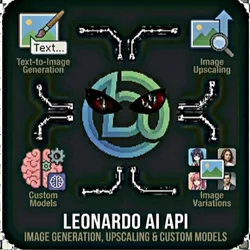
Leonardo AI API - Image Generation, Upscaling & Custom Models
Pricing
from $0.01 / 1,000 results
Leonardo AI API - Image Generation, Upscaling & Custom Models
Generate stunning AI images with Leonardo AI's powerful image generation models. Create images from text prompts, upscale existing images, generate variations, and access custom-trained models through a simple interface.
Pricing
from $0.01 / 1,000 results
Rating
0.0
(0)
Developer

The Howlers
Maintained by CommunityActor stats
0
Bookmarked
13
Total users
0
Monthly active users
2 months ago
Last modified
Categories
Share
Generate stunning AI images with Leonardo AI. Create images from text prompts, upscale existing images, generate variations, and use custom-trained models. Perfect for content creation, marketing, game assets, and creative automation.
BYOK (Bring Your Own Key) -- you provide your own API credentials.
Before You Start
This actor requires your own API credentials to fetch real data.
Where to get your key: Your Leonardo AI API key (from app.leonardo.ai/api-access)
You can test with Demo Mode first (free, no key needed) to see the output format before committing.
Quick Start
Test with Demo Mode (free, no API key needed)
Run with real data
Input Parameters
| Parameter | Type | Default | Required | Description |
|---|---|---|---|---|
task | string | "generate_image" | Yes* | The operation to perform with Leonardo AI |
prompt | string | - | No | Text description of the image to generate |
negativePrompt | string | - | No | What to avoid in the generated image |
modelId | string | - | No | Leonardo AI model ID to use for generation |
presetStyle | string | - | No | Preset style to apply |
width | integer | 1024 | No | Image width in pixels (must be divisible by 8) |
height | integer | 1024 | No | Image height in pixels (must be divisible by 8) |
numImages | integer | 1 | No | Number of images to generate (1-8) |
guidanceScale | number | 7 | No | How closely to follow the prompt (1-20, higher = more literal) |
seed | integer | - | No | Random seed for reproducible results |
public | boolean | false | No | Make generation publicly visible |
alchemy | boolean | false | No | Enable Alchemy for higher quality output |
photoReal | boolean | false | No | Enable PhotoReal for photorealistic images |
generationId | string | - | No | Generation ID for get_generation, upscale, or variations |
imageId | string | - | No | Image ID for upscale or variation operations |
upscaleMultiplier | number | 2 | No | Upscale factor (1.5 or 2) |
apiKey | string | - | Yes* | Your Leonardo AI API key (from app.leonardo.ai/api-access) |
webhookUrl | string | - | No | URL to receive results via webhook for automation platforms |
demoMode | boolean | true | No | Run with sample data for testing (no API calls made) |
*Required when Demo Mode is off.
Pricing
This actor uses pay-per-event billing:
| Event | Description | Price |
|---|---|---|
| Image Generated | Each image generated via Leonardo AI | $0.02 |
Demo mode is free -- no charges for sample data.
Troubleshooting
"API key is required"
You have Demo Mode turned off but didn't provide an API key. Either:
- Turn Demo Mode on to test with sample data
- Add your API key in the input
"API error 403" or "Unauthorized"
Your API key is invalid, expired, or doesn't have access to this specific API endpoint. Double-check your key and account permissions.
"API error 429" or "Rate limit"
Too many requests. Wait a minute and try again, or reduce the number of items per run.
No results or empty dataset
Check the run log for error messages. Common causes:
- Invalid input format (check the examples above)
- API key without proper permissions
- The target data doesn't exist or is too small to track
How do I test without an API key?
Enable Demo Mode in the input. This returns realistic sample data so you can verify the output format works for your workflow.
Built by John Rippy | Actor Arsenal