Nov 25, 2025
Introducing Actor permissions
New
Actor
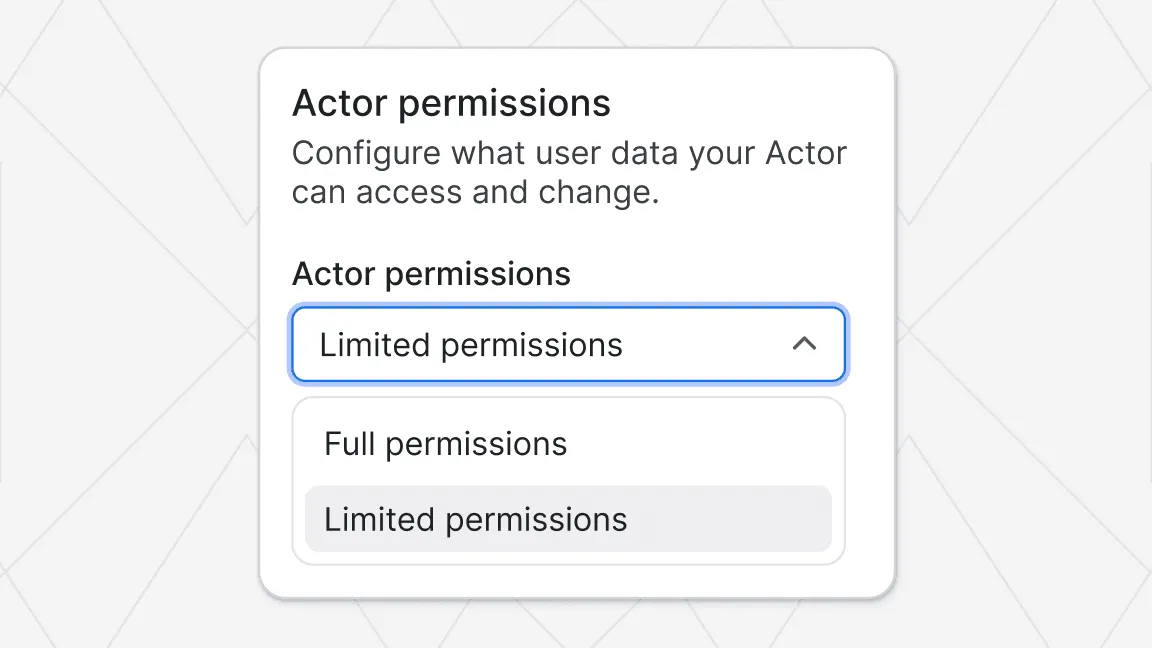
We’re introducing a new permissions model for Actors: instead of broad account-level access by default, there are now two levels: Limited permissions and Full permissions. While we already monitor what data Actors access, this update takes things further by shifting the platform to a secure-by-default, least privilege model. Similar to how mobile platforms (Android and iOS) handle app permissions, each Actor now declares the access it needs, and users get clearer visibility and control over what level of access Actors they use require.
What’s changed
Two new permission levels:
- Limited permissions: restrict access to only the Actor’s own storages and storages explicitly given access to via input.
- Full permissions: grant Actors the same broad access as before, allowing access to all of a user’s Apify account data when run.
Actors now also display a permissions badge in Console, so users can instantly see the access level they require.
Why it matters
This update greatly improves transparency and platform security:
- End-users get a clearer view of what access each Actor requests.
- Actor developers are encouraged to use the least privileged access level, which leads to better security by default and increased trust.
What it means for you
- For users:
- You can review the permissions badge on Actors before running them to check what level of access they need.
- For Actor developers:
- Review your existing Actors and migrate to Limited permissions where feasible. This will help you receive a better Actor quality score , increasing your chance to earn a Rising star badge and rank more favorably in Apify Store.
- Use the documentation to guide your migration and test your Actor under Limited permissions.
- If you need Full permissions, clearly document why that level is required in Actor README.
For more information, see the documentation and the Actor migration guide .