

Domain WHOIS (RDAP) & DNS Lookup, No Login
Pricing
from $1.30 / 1,000 domain lookups
Domain WHOIS (RDAP) & DNS Lookup, No Login
Bulk WHOIS lookup over official registry RDAP plus live DNS records: registrar, creation and expiry dates, days to expiry, status, nameservers, DNSSEC and A/AAAA/MX/NS/TXT records for up to 5,000 domains. No login, no API key.
Pricing
from $1.30 / 1,000 domain lookups
Rating
0.0
(0)
Developer

Cliqto Media
Maintained by CommunityActor stats
0
Bookmarked
2
Total users
1
Monthly active users
7 days ago
Last modified
Categories
Share
Check a list of domain names and get WHOIS-style registration data from the official registry RDAP service, plus live DNS records, in one row per domain. You get the registrar, creation and expiry dates, days until expiry, status codes, nameservers, DNSSEC and A, AAAA, MX, NS, TXT, CNAME, SOA or CAA records. No login and no API key.
Paste up to 5,000 domains or URLs. A run with the four prefilled domains finishes in a few seconds; 1,000 domains cost about $1.50.
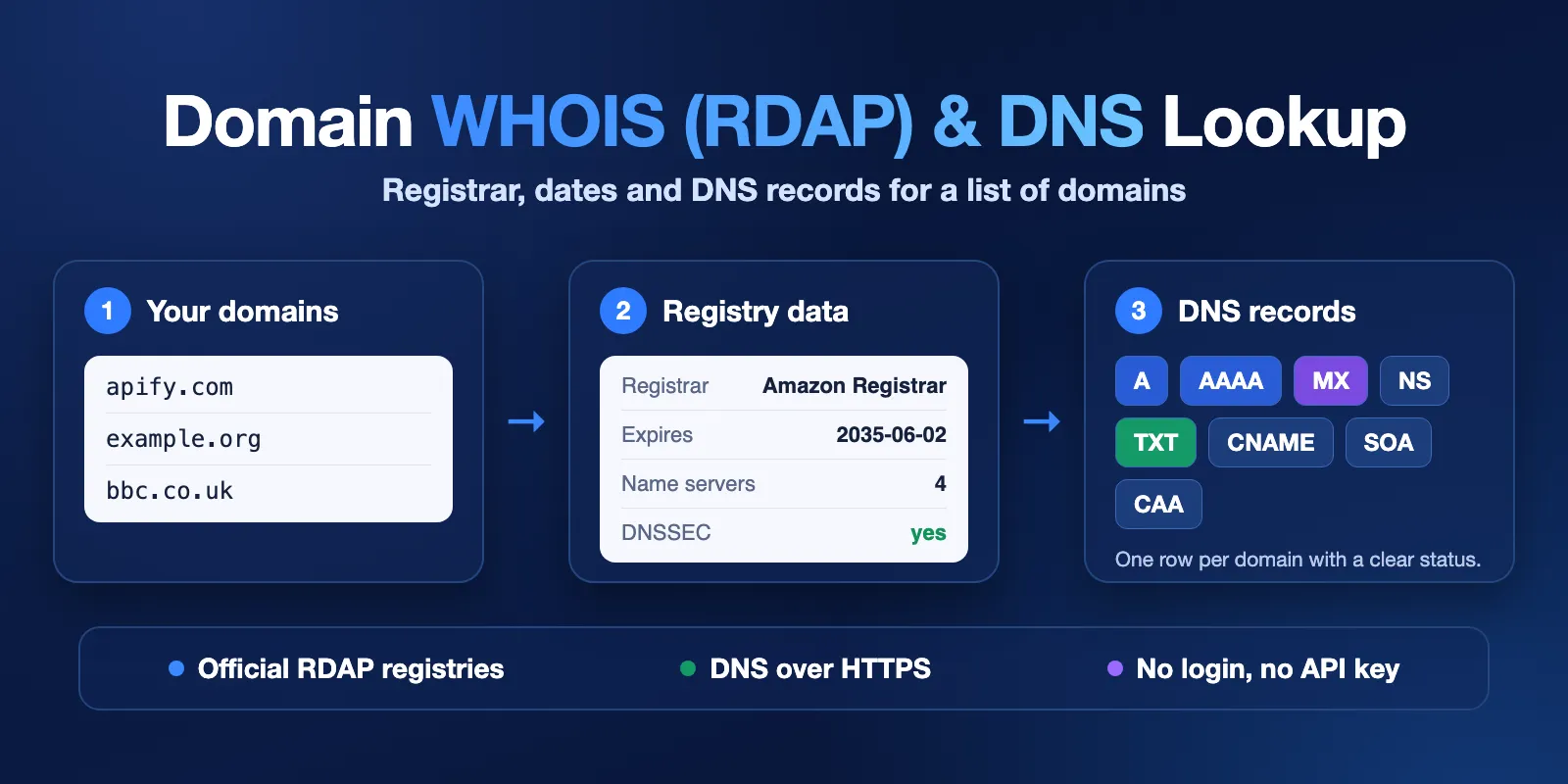
Table of contents
- What it does
- Quick start
- Use cases
- Input
- Output
- Pricing and limits
- API, export and integrations
- Troubleshooting
- FAQ
- Support
What it does
For each domain, the Actor asks two public sources:
- RDAP, the modern replacement of WHOIS. It asks the registry of the domain's top-level domain (for example Verisign for
.com, Public Interest Registry for.org, Nominet for.uk). The server is found in the IANA RDAP bootstrap file. - DNS over HTTPS, from Google Public DNS or Cloudflare 1.1.1.1. If one fails, the other is tried.
Both answers go into one Dataset row. Every row has a clear lookupStatus.
Good fit
- Find domains that expire soon in a portfolio (
expiresAt,daysUntilExpiry). - Check which registrar and nameservers a list of domains uses.
- Check mail and verification setup (MX, TXT with SPF, CAA) for many domains at once.
- Check whether domain names are registered (
registered,not_found).
Not a fit / limits
- No registrant data. The Actor never reads the owner's name, address, e-mail or phone. Registries hide most of it anyway.
- No port 43 WHOIS. Some country-code registries have no public RDAP service, for example
.it,.es,.ru,.jp,.se,.dk,.so. For these you get DNS records andrdapStatus: rdap_unavailable, not registration data. - Some registries share little. For example DENIC (
.de) does not publish the registrar or expiry date. These fields arenullthen. - Best effort. Data comes from public services as they answer at run time. We do not promise that every field is present or correct.
- Not for spam. Registry terms (for example Verisign and PIR) forbid using this data for mass advertising or unsolicited e-mail. Use it for your own domains, research or security work.
Quick start
- Open the Input tab.
- Put your domains in Domains (
domains), one per line. The field is prefilled with four examples. - Keep the defaults: RDAP on, DNS on, record types A, AAAA, MX, NS, TXT, Google resolver.
- Click Start.
- Open the Output tab and the dataset table. The table has three views:
- Domains — status, registrar, dates and nameservers;
- DNS records — DNS response code and records by type;
- Registry details — registrar IDs, RDAP sources and links.
Expected result: one row per unique domain. Domains that are not registered get lookupStatus: not_found.
Use cases
| Buyer job | Input path | Key fields | Next step |
|---|---|---|---|
| Expiry watch for a domain portfolio | domains | expiresAt, daysUntilExpiry, registrar | Sort by daysUntilExpiry; run on a schedule |
| Registrar and DNS audit | domains, recordTypes | registrar, nameservers, dns.NS, dnssec | Export to CSV or Excel |
| E-mail setup check | includeRdap: false, recordTypes: ["MX","TXT"] | dns.MX, dns.TXT | Filter rows with empty dns.MX |
| Is this name registered? | domains | registered, lookupStatus | Keep rows with not_found |
Input
Input fields
| Field | Plain name | Type | Required | Default / prefill | Allowed values | Effect |
|---|---|---|---|---|---|---|
domains | Domains | array of strings | yes | prefill: apify.com, example.org, a made-up .com, repubblica.it | 1–5,000 domain names or URLs | The domains to check |
includeRdap | Registration data (RDAP) | boolean | no | true | true / false | Registrar, dates, status, nameservers, DNSSEC |
includeDns | DNS records | boolean | no | true | true / false | Live DNS records |
recordTypes | DNS record types | array | no | A, AAAA, MX, NS, TXT | A, AAAA, CNAME, MX, NS, TXT, SOA, CAA | One DNS query per type and domain |
dnsResolver | DNS resolver | string | no | google | google, cloudflare | Resolver asked first |
How domains is cleaned:
- URLs and subdomains become the registrable domain:
https://www.shop.example.co.uk/pagebecomesexample.co.uk. - Internationalised names become punycode:
münchen.debecomesxn--mnchen-3ya.de. - Duplicates (also in different letter case) are checked once.
- Invalid values are not checked and not charged. They are listed in
RUN_SUMMARY.invalidInputs. - If no value is a valid domain, the run fails at once with a message that names the bad values.
At least one of includeRdap and includeDns must be on. With DNS off, domains under a TLD without public RDAP (for example .it) have nothing to return. They are listed in RUN_SUMMARY.invalidInputs and not charged. If no domain is left, the run fails with a message that names those TLDs.
Input example
Expected output: 4 rows. apify.com and example.org are complete. The made-up domain is not_found. repubblica.it is partial, because .it has no public RDAP service, but its DNS records are there.
Output
Output fields
| Field | Meaning | Can be empty? |
|---|---|---|
input | The value as you entered it | no |
domain | Registrable domain that was checked | no |
tld | Top-level domain, for example com or co.uk | no |
lookupStatus | complete, partial, not_found or error | no |
registered | true / false from the registry; null if unknown | yes |
rdapStatus | found, not_found, rdap_unavailable, error, skipped | no |
registrar, registrarIanaId | Sponsoring registrar | yes |
registrarUrl | Registrar website | yes |
registrarAbuseEmail | Registrar abuse mailbox, only role addresses like abuse@ | yes |
createdAt, updatedAt, expiresAt | Registration dates, ISO 8601 UTC | yes |
daysUntilExpiry, domainAgeDays | Whole days, computed at check time | yes |
status | EPP status codes, for example client transfer prohibited | empty list |
nameservers | Nameservers according to the registry | empty list |
dnssec | Whether the delegation is DNSSEC-signed | yes |
dnsResponseCode | NOERROR, NXDOMAIN, SERVFAIL or REFUSED | yes |
dns | Records by type, for example {"MX": ["10 mx.example.com"]} | yes |
rdapUrl | The exact RDAP URL, so you can open the source record | yes |
rdapServer, rdapServerSource | RDAP server used, and where it came from: iana_bootstrap or known_registry_endpoint | yes |
registrarRdapUrl | Link to the registrar's own RDAP record, if the registry gives it | yes |
rdapDatabaseUpdatedAt | When the registry last updated its RDAP database | yes |
dnsResolver | Resolver that answered: google or cloudflare | yes |
error, errorCode | What failed, for example RDAP_NOT_AVAILABLE, RATE_LIMITED | yes |
checkedAt, source | Check time and sources used | no |
Rows appear in the order the lookups finish, not in input order. Sort by input or domain if you need a fixed order.
Empty values: a missing single value is null, a missing list is []. There are no empty strings.
In dns, [] means "no records of this type" and null means "this query failed". After NXDOMAIN the other types are not asked, so they show [].
Lookup status
lookupStatus | Meaning | Charged? |
|---|---|---|
complete | Every requested part answered | yes |
partial | Some data returned, but one part failed or the TLD has no RDAP | yes |
not_found | The registry says the domain is not registered (or DNS says NXDOMAIN when RDAP is off) | yes |
error | No useful data at all | no |
Output example
Trimmed row for apify.com from a real run (TXT and AAAA shortened):
DNS records are returned as the domain owner published them. Some records, such as CAA iodef or DMARC rua, can contain an e-mail address.
Run summary
Each run also writes RUN_SUMMARY to the Key-value store. It has the run status (COMPLETE or PARTIAL), the reason for a partial run, counts by status, invalid inputs, domains that were not checked, request statistics and warnings. For example, it lists the TLDs that have no RDAP service.
Pricing and limits
Pricing unit
You pay per event:
| Event | Price | When |
|---|---|---|
| Domain lookup | $1.50 per 1,000 domains (lower on Bronze, Silver and Gold plans) | Each row with complete, partial or not_found |
| Actor start | $0.0005 per run | Once per run, charged by Apify |
Not charged: rows with lookupStatus: error, invalid inputs and duplicates. Platform usage (compute, storage) is included in these prices; you do not pay it on top.
Cost examples (Free plan price)
| Scenario | Domains | Charge |
|---|---|---|
| Prefill | 4 | about $0.0065 |
| Small list | 100 | about $0.15 |
| Portfolio | 1,000 | about $1.50 |
| Maximum input | 5,000 | about $7.50 |
Set Maximum cost per run in the run options to cap the spend. When the cap is reached, the Actor stops, saves the rows it has, and marks the run PARTIAL with CHARGE_LIMIT. Unchecked domains are listed in RUN_SUMMARY.unprocessedDomains.
Speed and limits
- Up to 5,000 unique domains per run. For more, split the list into several runs.
- The Actor keeps request rates low for each registry (at most 10 requests per second to Verisign) and waits when a server asks it to slow down.
- Some registries limit RDAP on their side. SWITCH (
.ch) answered only about 40–70 lookups in a row in our tests and then returned rate-limit errors; Nominet (.uk) allows about 2 lookups per second and a daily maximum. The Actor slows down for these registries, but long.chor.uklists can get rows witherrorCode: RATE_LIMITEDorHOST_CIRCUIT_OPEN. Such a row still has its DNS records and ispartial. - Measured on 256 MB with a mixed list (mostly
.com,.net,.org): 2,000 domains took about 9 minutes and 5,000 domains about 22 minutes. Lists with many.chor.ukdomains run slower because of the registry limits above. The default timeout is 1 hour.
API, export and integrations
- API: start the Actor with the Apify API and read the Dataset items.
- Export: download the Dataset as JSON, CSV, Excel or XML from the Output tab.
- Scheduling: create a schedule in Apify Console to check the same list every week, for example for expiry dates.
- Webhooks / no-code: send a webhook when the run finishes, or use the Apify integrations for Make, Zapier or n8n.
Use with AI agents (MCP)
- MCP server URL with only this Actor:
https://mcp.apify.com?tools=cliqtomedia/domain-whois-dns-lookup - Smallest useful input:
{"domains": ["apify.com"]} - Key output fields:
lookupStatus(complete / partial / not_found / error),registrar,expiresAt,nameservers,dns. - A run with a few domains takes a few seconds. Cost: $0.0015 per domain plus $0.0005 per run on the Free plan.
- Limits: up to 5,000 domains per run; no registrant data; some TLDs have no RDAP (
rdapStatus: rdap_unavailable).
Troubleshooting
Registration fields are empty, but DNS works
Symptom: rdapStatus: rdap_unavailable, lookupStatus: partial.
Reason: the registry of this TLD has no public RDAP service known to the Actor.
Action: use the DNS data, or check the registry website by hand. RUN_SUMMARY.warnings lists these TLDs.
Registrar or expiry date is null for a complete row
Reason: some registries, for example DENIC for .de, do not publish these fields in RDAP. This is the registry's choice, not a failed lookup.
The run is PARTIAL with LOOKUP_ERRORS
Reason: a source did not answer for some domains, for example after repeated rate limits or timeouts. Those rows have errorCode such as SOURCE_UNAVAILABLE or RATE_LIMITED.
Action: run again later with only those domains. Rows with lookupStatus: error are not charged.
If 100 lookups in a row fail, the sources are down. The Actor then stops, so it does not write an error row for every domain. The run is PARTIAL (or failed, if nothing worked), and the domains it did not check are in RUN_SUMMARY.unprocessedDomains.
The run is PARTIAL with DEADLINE
Reason: the run timeout was too short for the list. Unchecked domains are in RUN_SUMMARY.unprocessedDomains.
Action: raise the timeout or split the list.
FAQ
Do I need a WHOIS API key or an account at a registry?
No. RDAP and DNS over HTTPS are public. You only need an Apify account.
Is this the same as WHOIS?
RDAP is the official successor of WHOIS for domain registries. It gives the same registration facts in a structured JSON format.
Why do I not get the owner's name or e-mail?
The Actor does not collect personal data of registrants. Most registries hide it for privacy reasons anyway.
How fresh is the data?
Each row is checked live at checkedAt. Registry data can lag behind registrar changes by a short time; rdapDatabaseUpdatedAt shows when the registry last refreshed it.
Support
For bugs or questions, open an issue in the Issues tab of this Actor. Include the run ID and the domains that look wrong. Do not send API tokens or private data.


