


contextractor - Trafilatura based
DeprecatedPricing
Pay per usage
contextractor - Trafilatura based
DeprecatedExtract clean, readable content . Uses Trafilatura, the top rated library, to strip away navigation, ads, and boilerplate—leaving just the text you need.
Pricing
Pay per usage
Rating
0.0
(0)
Developer

Glueo
Maintained by CommunityActor stats
1
Bookmarked
12
Total users
1
Monthly active users
7 hours ago
Last modified
Categories
Share
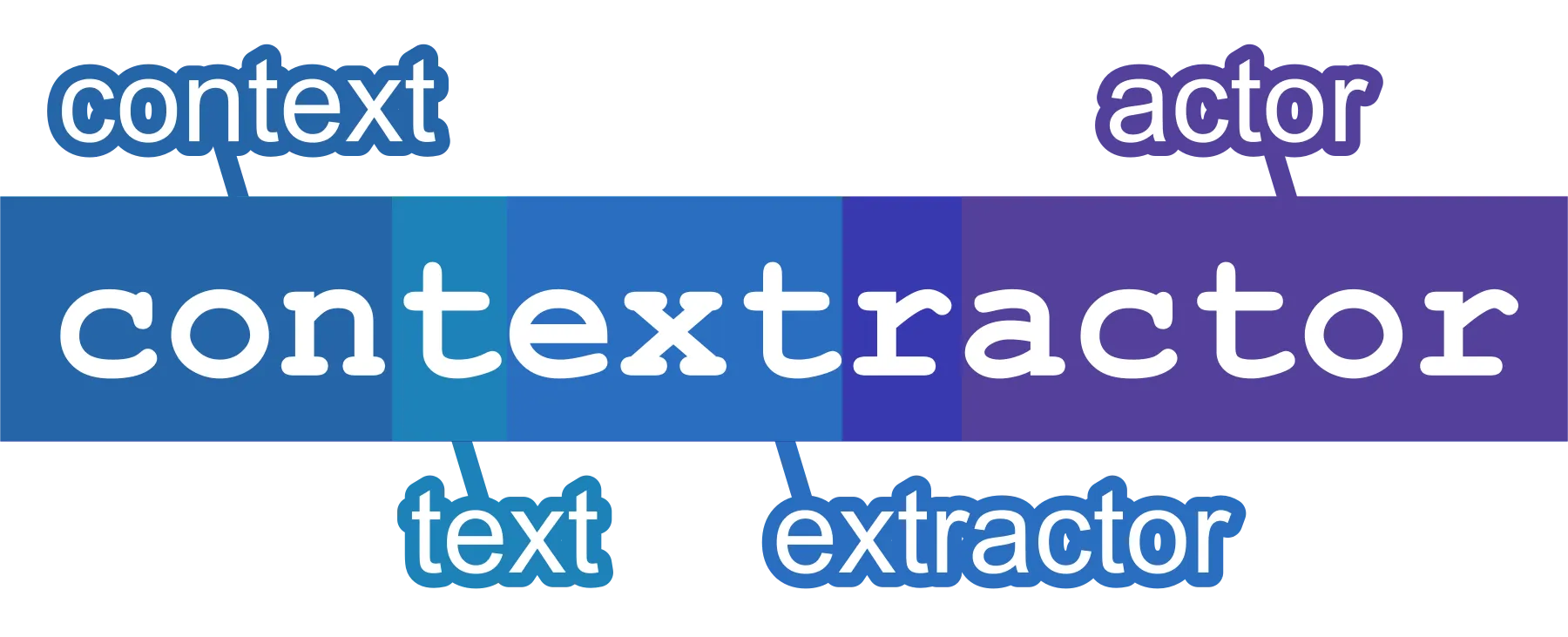
Contextractor
Crawl any website and extract clean, boilerplate-free main content as
Markdown, plain text, JSON, HTML, or raw original HTML — ready to feed
LLMs, RAG pipelines, and vector databases. Contextractor uses the
rs-trafilatura extraction
engine to strip away navigation, ads, and cookie banners, and an adaptive
Crawlee + Playwright crawler that automatically switches
between a real browser and fast HTTP — with proxy rotation and anti-blocking
handled for you.
Point it at a single page or crawl an entire site: Contextractor returns only the content that matters, in the exact format your AI workflow needs.
What can Contextractor do?
- Extract clean main content — the rs-trafilatura engine isolates the article body and removes navigation, headers, footers, ads, and cookie banners.
- Five output formats — Markdown, plain text (
txt), JSON, cleaned HTML, and the original raw HTML, saved individually or together. - Adaptive crawling — automatically switches between a headless browser (for JavaScript-heavy pages) and fast raw HTTP per page; or force Chromium, Firefox, or HTTP-only.
- Whole-site crawling — follow links with a CSS selector and scope the crawl with include/exclude URL globs, sitemaps, and depth and page limits.
- Tunable extraction — choose
precision,balanced, orrecall, and toggle tables, links, images (alt text), and comments. - Built-in anti-blocking — proxy rotation, persistent session pools, and automatic IP/fingerprint rotation when a block is detected.
- Page metadata — captures title, author, publication date, description, site name, and detected language.
- Handles modern pages — dismisses cookie modals, waits for selectors or network idle, scrolls lazy-loaded content, and accepts custom cookies and HTTP headers for logged-in or gated pages.
- Deduplication — skip already-seen pages by canonical URL or by extracted-content hash.
Designed for LLMs, RAG, and AI pipelines
Contextractor turns messy web pages into clean, structured text that's ready for AI:
- Build RAG knowledge bases — crawl docs, blogs, or help centers and ingest clean Markdown into a vector database.
- Feed and contextualize LLMs — supply boilerplate-free content as context for ChatGPT, Claude, or your custom GPTs.
- Create training and fine-tuning datasets — gather large volumes of clean article text.
- Bulk content processing — summarize, translate, classify, or proofread pages at scale.
- Content and SEO research — archive competitor or reference content as plain text or JSON.
Each output format is suited to a different job:
| Format | Best for |
|---|---|
markdown | Chunking and embeddings, chat context, notebooks — the default for RAG. |
txt | Lightweight NLP, keyword stats, and simple text pipelines. |
json | Structured, programmatic downstream processing. |
html | Layout-aware processing or feeding other HTML tools. |
original | The full, unmodified page for re-processing, archival, or auditing. |
How does it work?
Contextractor runs a simple three-stage pipeline for every page:
- Crawl — an adaptive Crawlee + Playwright crawler fetches each page and follows
links within the scope you set (selectors, URL globs, depth, sitemaps), respecting
robots.txtwhen enabled. - Extract — the rs-trafilatura engine isolates the main content and discards navigation, ads, and cookie modals, using your chosen precision/balanced/recall mode.
- Output — each page is emitted in the formats you selected, with an MD5
hashand byte length, and saved to your dataset or key-value store.
How to use Contextractor
No code required — run it straight from the Apify Console:
- Add your start URLs — one or more pages or site sections you want to extract.
- Choose what to save and where — the
Savefield takesformat-destinationtokens (e.g.Markdown → Key-value store,Original HTML → Dataset). Pick a format for each destination you want; selecting the same format for both the dataset and the key-value store saves it to both. - (Optional) Set the crawl scope and behavior — link selector, include/exclude
URL globs, depth, and page limits to follow links across a site; enable proxy
rotation,
robots.txt, or render waits as needed. - Click Start and watch the run progress live.
- Download your data — from the dataset (JSON, CSV, Excel) or the key-value store, or pull it programmatically via the Apify API.
Every option is documented in the input form and in the Input table below.
Input
Configure Contextractor entirely from the input form in the Apify Console — every field below is also editable as JSON. Start URLs are the only required field; everything else has a sensible default.
| Field | Type | Default | Description |
|---|---|---|---|
startUrls | array | required | URLs to extract content from |
crawlerType | enum (playwright-adaptive | playwright-firefox | playwright-chromium | cheerio) | "playwright-adaptive" | Browser engine or HTTP client for crawling. playwright-adaptive automatically switches between browser and HTTP client per page. cheerio uses raw HTTP only (fastest, no JS). |
renderingTypeDetectionRatio | number | 0.1 | (Adaptive only) Ratio (0–1) of pages on which the crawler runs a rendering-type detection probe. Higher values are more accurate but slower. |
globs | array | [] | Glob patterns matching URLs of pages that will be included in crawling. Setting this option allows you to customize the crawling scope. For example https://{store,docs}.example.com/** lets the craw… |
exclude | array | [] | Glob patterns matching URLs of pages that will be excluded from crawling. Note that this affects only links found on pages, but not Start URLs, which are always crawled. |
selector | string | "" | CSS selector for links to enqueue. Leave empty to disable link enqueueing. |
keepUrlFragment | boolean | false | URL fragments (the parts of URL after a #) are not considered when the scraper determines whether a URL has already been visited. Turn this on to treat URLs with different fragments as different page… |
useSitemaps | boolean | false | If enabled, the crawler looks for sitemap.xml at the root of each start URL domain and enqueues matching URLs from it in addition to link-following. |
deduplication | enum (minimal | standard | aggressive) | "standard" | Deduplication level applied on top of Crawlee's built-in URL deduplication. standard (default): skip pages whose was already extracted, across all handler types. aggressive: al… |
respectRobotsTxtFile | boolean | false | If enabled, the crawler will consult the robots.txt file for each domain before crawling pages. |
initialCookies | array | optional | Cookies that will be pre-set to all pages the scraper opens. This is useful for pages that require login. The value is expected to be a JSON array of objects with name and value properties. For e… |
customHttpHeaders | object | optional | HTTP headers that will be added to all requests made by the crawler. This is useful for setting custom authentication headers or other headers required by the target website. The value is expected to… |
maxRequestsPerCrawl | integer | 0 | Maximum number of requests the crawler will handle. Counts handled page outcomes (successes and final failures), including start URLs and pagination pages. The crawler automatically finishes after re… |
maxResultsPerCrawl | integer | 0 | Maximum number of results that will be saved to dataset. The scraper will terminate after reaching this number. 0 means unlimited. |
maxCrawlDepth | integer | 0 | Maximum link depth from Start URLs. Pages discovered further from start URLs than this limit will not be crawled. 0 means unlimited. |
initialConcurrency | integer | 0 | Initial number of browser pages or HTTP clients running in parallel. Crawlee auto-scales up to maxConcurrency. 0 lets Crawlee pick the default. |
maxConcurrency | integer | 3 | Maximum number of browser pages running in parallel. Kept low by default because the browser crawler cannot abort in-flight pages, so concurrency is the only hard cap on peak memory — large pages can… |
maxRequestRetries | integer | 3 | Maximum number of retries for failed requests on network, proxy, or server errors. |
mode | enum (precision | balanced | recall) | "balanced" | Extraction mode. precision minimizes noise (may miss some content); recall maximizes content (may include noise); balanced is the default. |
includeComments | boolean | true | Include HTML comments in the extracted text. |
includeTables | boolean | true | Include table content in the extracted text. |
includeImages | boolean | false | Include image alt text and captions in the extracted text. |
includeLinks | boolean | true | Include hyperlinks in the extracted text. |
languageCode | string | "" | Filter extracted content by language code (e.g. "en"). Leave empty to accept any language. |
save | array | ["markdown-kvs"] | What to save and where, as format-destination tokens. Format is one of txt, markdown, json, html, original (raw page HTML before extraction); destination is dataset (inline in the datas… |
datasetName | string | optional | Name or ID of the dataset for storing results. Leave empty to use the default run dataset. |
keyValueStoreName | string | optional | Name or ID of the key-value store for content files. Leave empty to use the default store. |
requestQueueName | string | optional | Name of the request queue for pending URLs. Leave empty to use the default queue. |
storeSkippedUrls | boolean | false | If enabled, pushes a dataset record for each URL skipped during crawling (excluded by globs, robots.txt, depth limit, or concurrency cap). Can produce high record volume — enable for auditing only. |
proxyConfiguration | object | optional | Enables loading websites from IP addresses in specific geographies and to circumvent blocking. |
proxyRotation | enum (recommended | per-request | until-failure) | "recommended" | Proxy rotation strategy. recommended automatically picks the best proxies. per-request uses a new proxy for each request. until-failure uses one proxy until it fails. |
sessionPoolName | string | optional | Name for a persistent, shared session pool. Sessions (IP + cookies) are saved under this key and reused across Actor runs. Useful when proxies are frequently blocked — previously working sessions are… |
maxSessionRotations | integer | 10 | Maximum number of session (IP + browser fingerprint) rotations per request on block detection. Independent of maxRequestRetries. Set to 0 to disable session rotation. |
navigationTimeoutSecs | integer | 60 | Maximum time to wait for page navigation in seconds |
blockMedia | boolean | true | Block loading of images, stylesheets, fonts (.woff), PDFs, and ZIPs. On by default: it cuts browser memory and bandwidth substantially, which helps avoid out-of-memory on large pages. Disable it (set… |
waitForSelector | string | "" | Wait for this CSS selector to appear before extracting content. The request fails and is retried if the selector does not appear within the timeout. Leave empty to disable. |
softWaitForSelector | string | "" | Wait for this CSS selector to appear before extracting content. Unlike waitForSelector, the request continues even if the selector does not appear within the timeout. Leave empty to disable. |
waitForDynamicContentSecs | integer | 0 | Maximum seconds to wait for dynamic page content to load after navigation. The crawler continues when the network goes idle or this timeout elapses, whichever comes first. 0 disables this wait. Also… |
waitUntil | enum (load | domcontentloaded | networkidle | commit) | "load" | When to consider navigation finished. networkidle waits for 500ms of network silence (best for JS-heavy SPAs, slower); load waits for the load event (default, good for most articles); domcontentloade… |
headless | boolean | true | Run browser in headless mode |
ignoreCorsAndCsp | boolean | false | Ignore Content Security Policy and Cross-Origin Resource Sharing restrictions. Enables free XHR/Fetch requests from pages. |
closeCookieModals | boolean | true | Automatically handle cookie consent: Ghostery-based ad/tracker blocking, accepting consent walls that replace the page (e.g. consent-or-pay) via the site’s own consent manager and re-fetching the art… |
maxScrollHeight | integer | 5000 | Maximum pixels (px) to scroll down the page until all content is loaded. Setting to 0 disables scrolling. |
userAgent | string | "" | Custom User-Agent string for the browser. Leave empty to use the default browser User-Agent. |
ignoreHttpsErrors | boolean | false | Ignore HTTPS certificate errors. Use at your own risk. |
Crawler and extraction options
The most important multiple-choice settings and what each value means. See the Input table above for the full list of fields.
crawlerType (default playwright-adaptive)
| Value | Title |
|---|---|
playwright-adaptive | Adaptive switching (Recommended) |
playwright-firefox | Headless browser (Firefox+Playwright) |
playwright-chromium | Headless browser (Chromium+Playwright) |
cheerio | Raw HTTP client (Cheerio) |
deduplication (default standard)
| Value | Title |
|---|---|
minimal | Minimal — Crawlee URL dedup only |
standard | Standard — + canonical URL (default) |
aggressive | Aggressive — + content hash |
mode (default balanced)
| Value | Title |
|---|---|
precision | Precision (less noise) |
balanced | Balanced (default) |
recall | Recall (more content) |
proxyRotation (default recommended)
| Value | Title |
|---|---|
recommended | Recommended |
per-request | Rotate per request |
until-failure | Use until failure |
waitUntil (default load)
| Value | Title |
|---|---|
load | Load event |
domcontentloaded | DOM content loaded |
networkidle | Network idle |
commit | Commit |
What data does Contextractor return?
Every crawled page becomes one dataset record. Successful pages carry
status: "success" with the extracted content and metadata; failed and skipped
pages are recorded too, so nothing is silently dropped.
| Field | Description |
|---|---|
url | The original request URL. |
status | Record outcome: success, failed, or skipped. |
metadata | Extracted page metadata: title, author, publishedAt, description, siteName, languageCode. |
crawl | Crawl provenance: loadedUrl (final URL after redirects), loadedTime, httpStatusCode, depth (link distance from a start URL), referrerUrl (the linking page). |
original | The raw page HTML as a content node — hash (MD5) and bytes always present; content, or key + url, added when original is saved. |
txt, markdown, json, html | One content node per saved format — hash and bytes, plus inline content (dataset) or a key + url reference (key-value store). |
errors, retryCount, crawledTime | On failed records only: the error messages, number of retries, and when the request was abandoned. |
skipReason | On skipped records only: robotsTxt, limit, enqueueLimit, filters, redirect, or depth. |
Example success record (default settings — Markdown saved to the key-value store):
Where your content is saved
- Key-value store (default) — each format is stored as a separate file keyed
{format}-{md5(url)}.{ext}(e.g.markdown-1a2b3c4d….md), and the dataset record references it bykeyandurl. Best for large content and bulk download. - Dataset — the extracted content is embedded inline in each record under
content. Best when you want everything in a single JSON, CSV, or Excel export.
Choose one or both with the Save option.
Integrations and automation
Contextractor outputs standard JSON and Markdown, so its results drop straight into AI and data pipelines:
- Apify API & SDKs — start runs, stream the dataset, and fetch key-value-store files programmatically from Python or JavaScript.
- Scheduling & monitoring — schedule recurring runs and monitor them from the Apify Console.
- MCP server — expose the Actor to AI agents through the Model Context Protocol.
- No-code connectors — pipe results into Make, Zapier, n8n, Google Drive, Slack, and more via Apify's integrations.
- LLM frameworks — feed the extracted Markdown or JSON into LangChain, LlamaIndex, or a vector database such as Pinecone, Qdrant, Weaviate, or Chroma for retrieval-augmented generation.
FAQ
Is it legal to scrape website content?
Scraping publicly available, non-personal data is generally legal in most
jurisdictions. Contextractor can honor each site's robots.txt (enable Respect
robots.txt), and you remain responsible for complying with each site's Terms of
Service and for how you use extracted content — especially copyrighted material you
intend to republish.
Why is some content missing or noisy?
Switch the extraction mode: precision removes more boilerplate (and may drop
borderline content), while recall keeps more (and may include some noise). For
pages that load content with JavaScript, add a Wait for selector, increase
Wait for dynamic content, or raise Max scroll height so lazy-loaded sections
appear before extraction.
How do I avoid getting blocked?
Enable Proxy configuration with proxy rotation, set a Session pool name to reuse working sessions across runs, and allow session rotations so the crawler switches IP and fingerprint when a block is detected.
How do I crawl an entire website?
Set a Link selector (e.g. a[href]) to follow links, then bound the crawl with
include/exclude URL globs, Max crawl depth, and Max requests per crawl. Enable
Use sitemaps to also pull URLs from each domain's sitemap.xml.
How do I remove duplicate pages?
Use Deduplication: standard (the default) skips pages whose canonical URL was
already extracted; aggressive additionally skips pages with identical extracted text;
minimal keeps only Crawlee's built-in URL deduplication.
Found a bug or have a feature request?
Contextractor is actively maintained — please open an issue on the Issues tab, and we'll take a look.


