Refinery — HTML to Text Cleaner for RAG Pipelines
Pricing
from $2.00 / 1,000 html extractions
Refinery — HTML to Text Cleaner for RAG Pipelines
HTML to text cleaner for RAG pipelines and LLM token reduction. Strip scripts, nav, and layout junk from HTML before chunking and embedding. Rust core, ~2ms per page, $0.002/page. Works with Firecrawl, Crawl4AI, Playwright output.
Pricing
from $2.00 / 1,000 html extractions
Rating
0.0
(0)
Developer

Lare Labs
Maintained by CommunityActor stats
0
Bookmarked
1
Total users
0
Monthly active users
18 hours ago
Last modified
Categories
Share
Refinery — HTML to LLM text cleaner for RAG pipelines
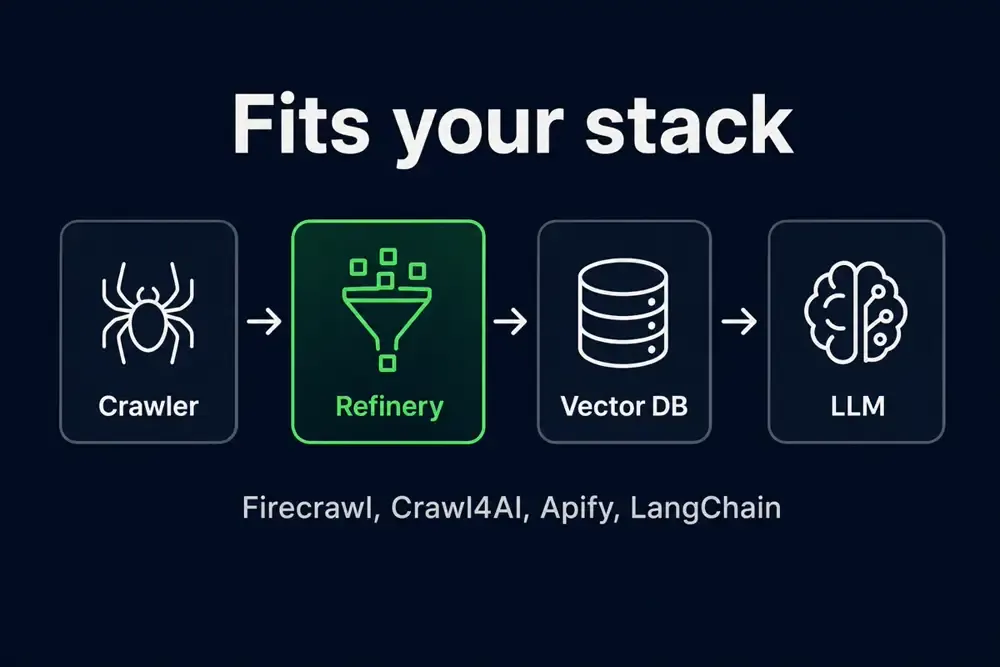
Refinery is a fast HTML to text extraction engine built for RAG pipeline builders who need clean, token-efficient input for large language models. It delivers serious LLM token reduction by stripping scripts, navigation, ads, and layout junk from pages you already fetched. Use it as an HTML cleaner in your crawl stack — feed it raw HTML from Firecrawl, Crawl4AI, Playwright, or any Apify scraper and get chunk-ready text back in ~2–8ms.
What it does: Refinery takes bloated HTML (URLs or raw HTML payloads) and returns clean plain text with word count, language detection, and timing metadata. It is not a crawler — it is a post-fetch text extraction step that sits between your scraper and your embedding pipeline. At $0.002/page with a Rust core processing each page in 2–8ms, it cuts token costs, improves embedding quality, and replaces slow BeautifulSoup preprocessing on every worker.

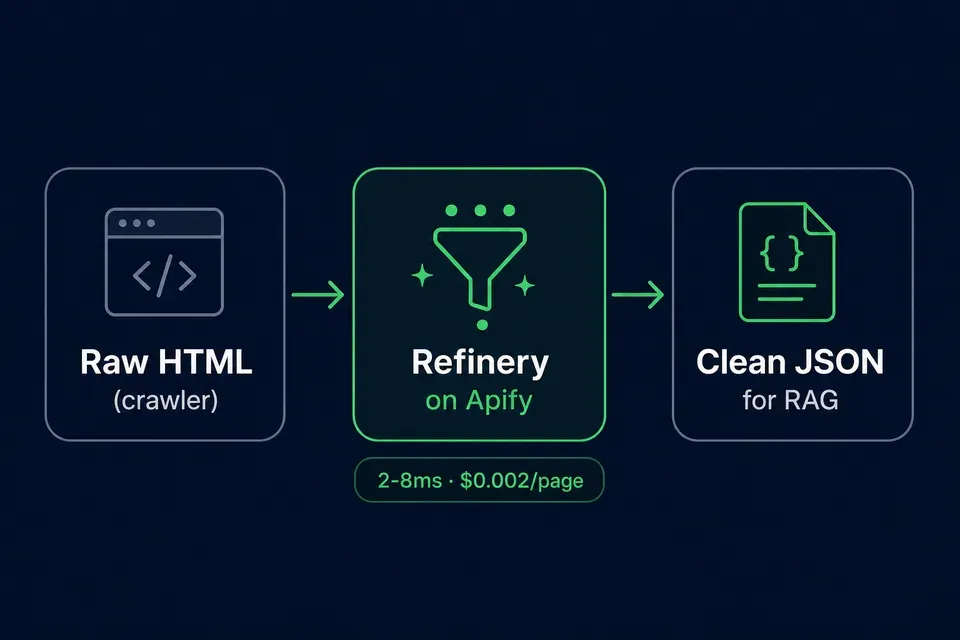
Reduce LLM token cost — HTML cleaner for RAG
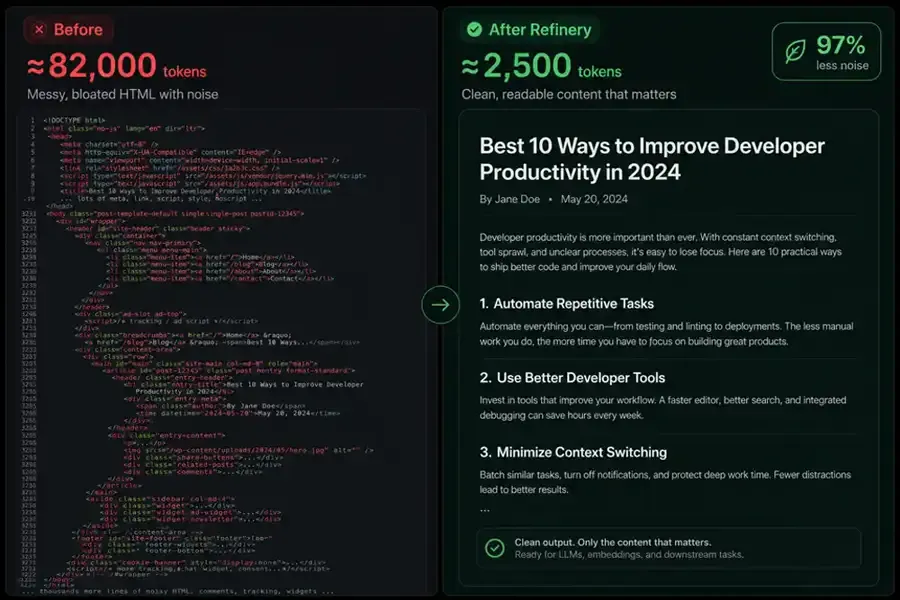
News-style homepages and heavy DOM pages often waste tokens on chrome. Refinery returns main-body text plus word_count so you can budget embeddings — up to ~97% fewer estimated tokens on bloated HTML (your mileage varies).
Clean social feed HTML for chunking and embeddings
Scraped timelines and comment threads ship messy DOM — scripts, sidebars, widgets. Refinery keeps post body text and normalizes @mentions / #hashtags for RAG chunking without paying for layout noise.
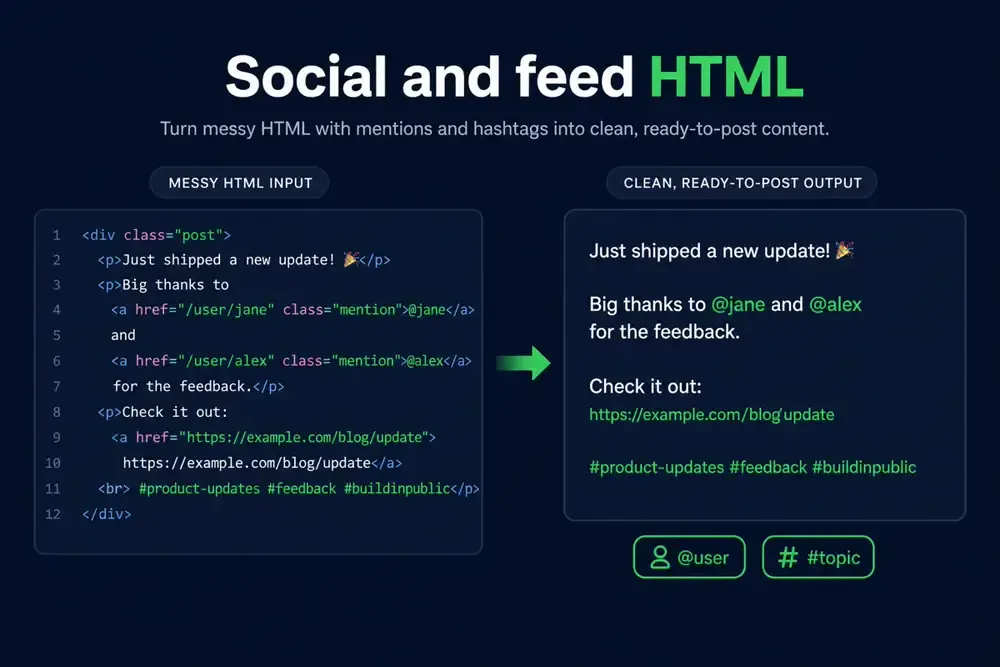
Paste raw_payload from your scraper, or pass URLs if you already fetch HTML elsewhere.
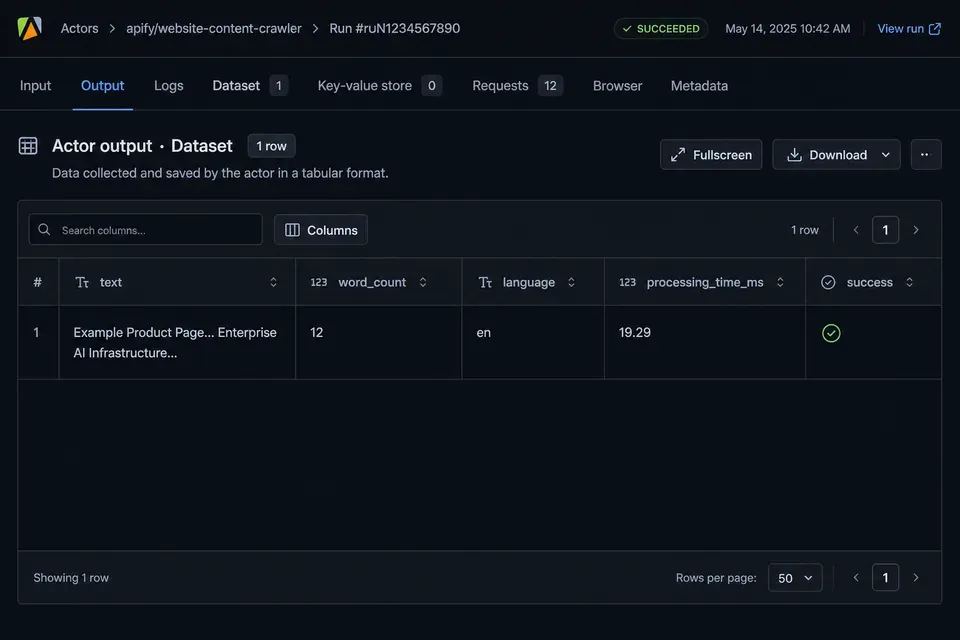
Apify Console output — clean text and word count
Run Try actor with the prefilled example.com URL — each dataset row includes text, word_count, and timing:
Bulk HTML cleaning for crawl batches
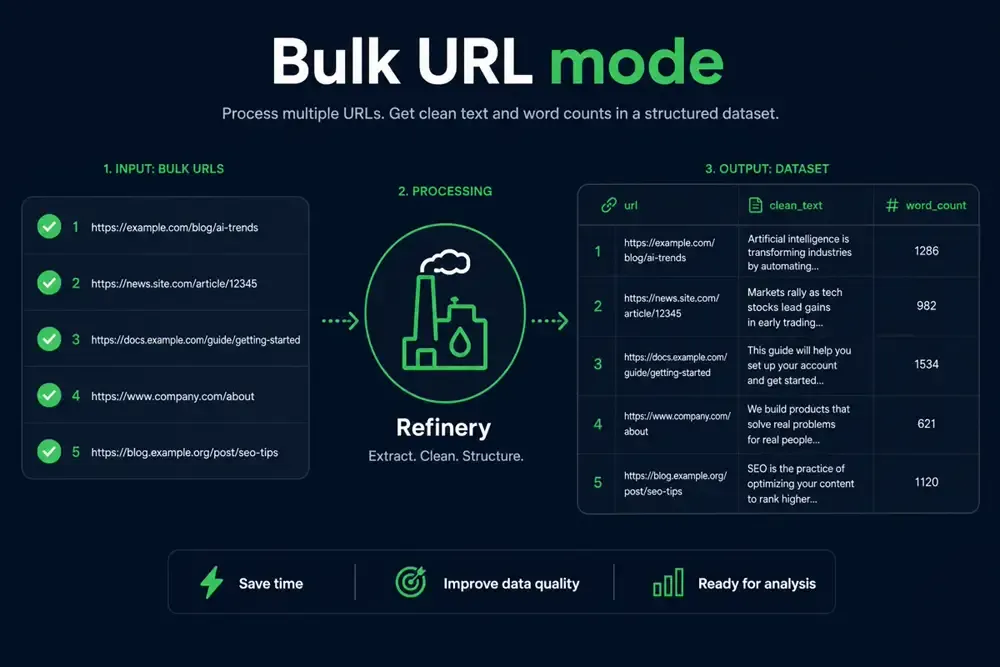
Send many URLs in one run — each row gets text, word_count, and processing_time_ms. Ideal after a sitemap pass, Firecrawl export, or Apify crawler dataset.
Who uses this HTML text extractor
- RAG and agent builders cutting OpenAI / Anthropic token spend on page HTML
- Scrape pipelines that already fetch HTML (Firecrawl, Crawl4AI, Playwright, Apify Web Scraper)
- Teams replacing per-worker BeautifulSoup with a fast HTML parser API on Apify
Refinery is not a web crawler. It is an HTML-to-text preprocessing step after fetch.
Try the HTML to LLM cleaner (3 demos)
Demo 1 is prefilled in Console. Paste Demo 2 or Demo 3 to see different modes.
Demo 1 — Quick URL
Demo 2 — Bloated news homepage
Demo 3 — Paste HTML (middleware)
Output — text, word_count, language, timing
| Field | Use it for |
|---|---|
text | Chunking, embeddings, LLM context |
word_count | Cost estimates |
processing_time_ms | Latency monitoring |
Firecrawl, Crawl4AI, and BeautifulSoup alternative
| You already use… | Refinery's job |
|---|---|
| Firecrawl, Crawl4AI | Clean their HTML before chunking — fetch with them, clean with Refinery |
| Apify Web Scraper, Website Content Crawler | Clean the html field in your dataset |
| BeautifulSoup (self-hosted) | Same job, ~281× faster hot path in our benchmarks — pay per page on Apify instead of worker CPU |
Pricing — HTML extraction on Apify
| Event | Cost |
|---|---|
| HTML extraction | $0.002 / page |
| ~1,000 pages | ~$2.05 |
Integrate via Apify API (JavaScript and Python)
JavaScript
Python
FAQ — HTML cleaning for LLM and RAG
Is Refinery a replacement for Firecrawl or Crawl4AI?
No. Fetch with Firecrawl or Crawl4AI, then clean with Refinery. Refinery does not crawl URLs on its own schedule — it strips noise from HTML you already have (or fetches URLs you pass in this run).
How do I reduce RAG token cost from bloated HTML?
Run Refinery on raw HTML before chunking and embedding. Use word_count in the output to estimate savings. Remove scripts, styles, nav, and footer chrome so embeddings only see article body text.
Is this a BeautifulSoup alternative for HTML text extraction?
Yes — same preprocessing job (HTML → clean text), implemented in Rust for low latency. Use it when you want a managed Apify step instead of BeautifulSoup on every worker.
Can I clean HTML after Apify Web Scraper or Website Content Crawler?
Yes. Pass each page's HTML via raw_payload, or pipe URLs from your crawl. Refinery returns plain text ready for chunking.
Does Refinery handle JavaScript SPAs?
Only if you pass rendered HTML from a browser crawler (Playwright, Puppeteer, Firecrawl). Refinery cleans DOM; it does not execute JavaScript.
Can Refinery scrape social feeds or X / Twitter?
No login or feed scraping. Pass saved timeline HTML via raw_payload — Refinery extracts post text and normalizes @mentions / #hashtags.
Support — LareLabs
LareLabs · Apify Store listing · Console
Rust core · Apify Actor · Update WebPs in assets/store/, upload PNGs to Imgur, edit image_urls.json, then run embed + sync scripts.