
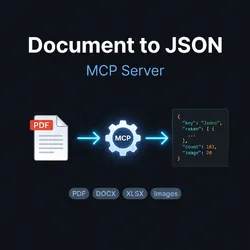
Document to JSON – PDF Invoice & Statement Parser
Pricing
Pay per event + usage
Document to JSON – PDF Invoice & Statement Parser
Convert PDF invoices, bank statements, and contracts into structured JSON with AI. OCR for scanned files. One public URL in, clean JSON out. Built as an MCP tool for AI agents.
Pricing
Pay per event + usage
Rating
0.0
(0)
Developer

opportunity-biz
Maintained by CommunityActor stats
1
Bookmarked
1
Total users
1
Monthly active users
3 months ago
Last modified
Categories
Share
Document-to-JSON Converter
Turn PDFs into structured JSON in seconds. AI-powered, no coding needed.


🚀 What does it do?
Paste a PDF URL → get structured JSON. That's it.
Powered by AI. Instead of rigid templates or fragile regex, an AI model actually reads and understands each document — so it adapts to any layout, language, or vendor, and even handles scanned files. That's why the same tool works on an Italian invoice, a Spanish receipt, or an English contract without any configuration.
Perfect for:
- Accountants — extract invoice data (numbers, dates, totals, VAT, IBAN)
- Developers — automate document processing in your apps
- Business analysts — convert bank statements to spreadsheets
- Legal teams — extract contract clauses and dates automatically
📋 Supported documents
| Type | What you get | Price |
|---|---|---|
| Invoice | Seller, buyer, line items, totals, VAT, IBAN, payment info | $0.01 |
| Bank Statement | All transactions, balances, fees, account holder | $0.015 |
| Contract | Parties, key clauses, dates, financial terms, jurisdiction | $0.02 |
| Generic | Full text + tables from any document | Free during launch |
✨ Example output
🧪 Live examples — try them now
Run the Actor on these public sample PDFs (synthetic data) to see the extraction quality for yourself:
| Type | Sample PDF | What the AI extracts (highlights) |
|---|---|---|
| Invoice | sample-invoice.pdf | Invoice INV-2026-0042, seller + buyer with VAT IDs, 2 line items, VAT 22%, grand total €1,889.78 — confidence 1.0 |
| Bank statement | sample-bank-statement.pdf | 7 transactions auto-categorized, opening/closing balances reconciled to €8,655.28 — confidence 1.0 |
| Contract | sample-contract.pdf | 2 parties + roles, effective/expiry/renewal dates, fee €5,000, 5 key clauses with summaries, jurisdiction — confidence 0.95 |
Just paste one of these URLs as file_url, pick the matching document_type, and run. Each extraction takes ~15–20 seconds.
🎯 Why this Actor?
| Feature | Benefit |
|---|---|
| AI understanding | An AI reads documents like a human — adapts to any layout, no templates or rules to maintain |
| Multi-language | English, Italian, Spanish (OCR) |
| OCR included | Works with scanned documents too |
| Validation | Auto-checks totals and dates for accuracy |
| Pay per use | No subscription, pay only for what you process |
🔧 How to use
- Get a public PDF URL (Dropbox, Google Drive, your server)
- Select the document type
- Run the Actor
- Get your JSON in seconds
That's it. No configuration, no API keys needed.
💰 Pricing
| Document type | Price |
|---|---|
| Invoice | $0.01 ($10/1000) |
| Bank statement | $0.015 ($15/1000) |
| Contract | $0.02 ($20/1000) |
| Generic | Free during launch |
Pay-per-event via Apify. Pay only for successful extractions. No subscription, no hidden fees.
🔒 Privacy
- PDFs are processed and not stored after extraction
- Data is available in your private dataset
- All API keys stay encrypted
📚 Supported OCR languages
eng (English), ita (Italian), spa (Spanish)
Combine with + for multi-language scanned documents: eng+ita+spa (default)
🤖 Built for AI agents (MCP)
This Actor is an MCP server: AI agents can call it directly as a tool to turn any
PDF into JSON, with zero configuration — just pass a public file_url. Specialized
tools (parse_invoice, parse_bank_statement, parse_contract) and a free
parse_generic_document make it easy for an LLM to pick the right one for the task.
🔌 Integrations
Replace
YOUR_APIFY_TOKENwith your token from Apify → Settings → Integrations.
Claude Code (CLI)
Claude Desktop / Cursor (MCP)
Add to your MCP config (claude_desktop_config.json or Cursor's mcp.json):
The agent then sees parse_invoice, parse_bank_statement, parse_contract, and
parse_generic_document as tools and calls them on its own.
REST API (any language)
One call in, JSON out — run-sync-get-dataset-items returns the result directly:
Python
JavaScript / TypeScript
n8n
Use an HTTP Request node (POST) to the REST API URL above, or the official
Apify node → select document-to-json-mcp → set file_url and document_type.
Great for "watch inbox → extract invoice → append to Google Sheet" workflows.
LangChain / CrewAI / any MCP framework
Point your agent framework's MCP client at
https://mcp.apify.com/?actors=opportunity-biz/document-to-json-mcp — the parsing
tools are exposed automatically.


