

YouTube Comments Scraper
Pricing
from $2.00 / 1,000 results
YouTube Comments Scraper
Extract YouTube comments, threaded replies, author details, sentiment, spam scores, and video analytics at scale.
Pricing
from $2.00 / 1,000 results
Rating
0.0
(0)
Developer

REXREUS D.O
Maintained by CommunityActor stats
0
Bookmarked
2
Total users
1
Monthly active users
2 months ago
Last modified
Categories
Features
Share
YouTube Comments Scraper
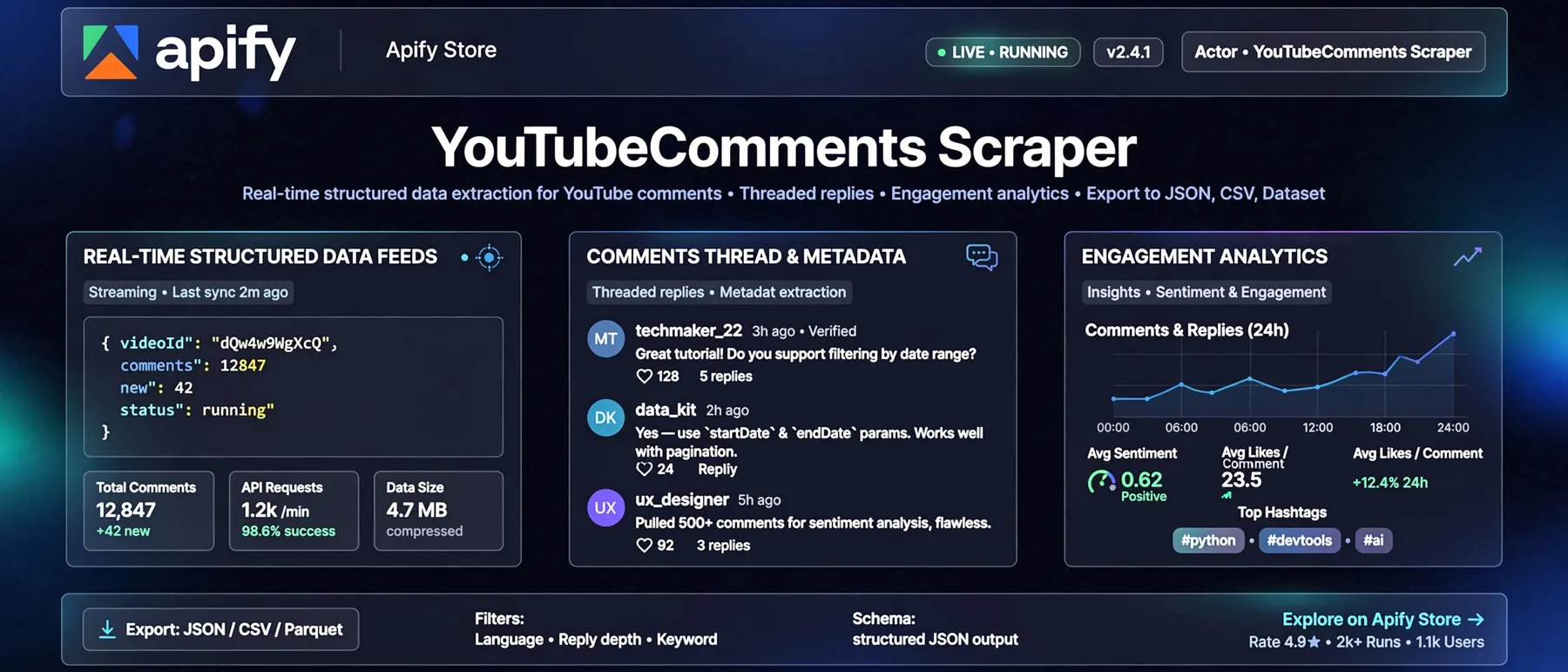
Extract YouTube comments, threaded replies, author details, sentiment, spam scores, and video analytics at scale.
Direct HTTP InnerTube client · zero browser overhead · privacy-friendly public data



Why this Actor?
| Feature | What you get |
|---|---|
| Threaded Replies | Complete discussion threads linked via parentCommentId with full nested hierarchy. |
| Sentiment Analysis | Pre-scored sentiment (POSITIVE, NEUTRAL, NEGATIVE) evaluated via deterministic lexicon analysis. |
| Spam & Bot Detection | Automated spamScore (0.00 to 1.00) detecting promotional spam, bot repetition, and suspicious links. |
| Language Detection | ISO 639-1 language tags (en, id, es, ja, etc.) on every comment for multilingual analysis. |
| Influencer & Creator Badges | Instant identification of verified accounts, channel owners (isOwner), and high-engagement influencers. |
| Engagement Statistics | Comprehensive per-video summary records with reply rate, sentiment distribution, and view/like ratios. |
| Keyword & Metric Filtering | Pre-filter comments by inclusion/exclusion keywords, language codes, and minimum like counts. |
| Zero Browser Overhead | Direct HTTP streaming architecture running on 256 MB memory with ultra-low compute unit consumption. |
Quick start
- Open YouTube Comments Scraper on Apify Console.
- In the YouTube Video URLs field, enter one or more YouTube video URLs (e.g.
https://www.youtube.com/watch?v=dQw4w9WgXcQ). - Click Start and monitor the live progress.
- Export your clean dataset in JSON, CSV, or Excel format.
How it works
- Watch-Page Bootstrap: Resolves video metadata and client tokens directly via lightweight HTTP GET requests.
- InnerTube Next Stream: Streams top-level comment batches and threaded replies using native YouTube endpoints.
- Analytics Pipeline: Enriches each comment with sentiment ratings, spam scores, language identification, and creator flags.
- Structured Delivery: Pushes clean, buyer-focused records (
comment,video,stats) to the Apify dataset in batched memory-safe flushes.
Input parameters
Basic Input
Full Input with Advanced Filtering
Input Fields Table
| Parameter | Type | Default | Description |
|---|---|---|---|
startUrls | Array | Required | List of YouTube URLs (watch?v=, /shorts/, /live/, youtu.be/). Max 50 per run. |
maxComments | Integer | 1000 | Maximum top-level comments to fetch per video (1 - 50,000). |
includeReplies | Boolean | true | When enabled, fetches nested replies under each top-level comment. |
maxRepliesPerComment | Integer | 50 | Maximum replies to fetch per comment thread (0 - 500). |
sort | String | "top" | Comment sort order: "top" (popular comments) or "newest" (recent comments). |
concurrency | Integer | 2 | Parallel video scraping workers (1 - 4). |
includeKeywords | Array | [] | Filter to only export comments containing any of these keywords (case-insensitive). |
excludeKeywords | Array | [] | Exclude comments containing any of these keywords. |
languages | Array | [] | Filter by ISO language codes (e.g. ["en", "id", "es"]). |
minLikes | Integer | null | Export comments with at least this many likes. |
Output data structure
The Actor pushes three clean record types into the default dataset:
1. Comment Record (recordType: "comment")
2. Video Metadata Record (recordType: "video")
3. Engagement Summary Record (recordType: "stats")
Cost, limits & performance
- Compute Memory: 256 MB (minimal tier).
- Execution Speed: Up to 100 comments per second via HTTP pipelining.
- Compute Unit Efficiency: Typically consumes under 0.002 CU per 1,000 comments.
- Proxy Requirements: None required for standard workloads.
- Pagination Boundary: YouTube anonymous endpoints reliably return up to ~1,200 comments per video. When this threshold is reached, runs are marked with
status: "PARTIAL"to inform data pipelines accurately.
Recipes
Recipe 1: Brand Sentiment & Competitor Audit
Analyze viewer perception on competitor product reviews or announcements:
Recipe 2: Influencer & Community Creator Discovery
Identify high-impact commenters and verified channel creators in your niche:
Recipe 3: Multilingual Campaign Monitoring
Track English and Indonesian feedback while filtering out promotional bot spam:
Troubleshooting
| Status | HTTP Code | Cause & Recommended Action |
|---|---|---|
NOT_FOUND | 404 | Video does not exist, is private, or has been removed. Check the input URL. |
PARTIAL | 200 | Requested comment cap reached or YouTube anonymous pagination threshold encountered. Scraped rows remain valid. |
BLOCKED | 403 / 429 | Temporary YouTube rate limiting. Lower concurrency or pause before re-running. |
ERROR | 400 / 500 | Invalid URL format or internal network failure. Verify URL allowlist. |
Frequently asked questions (FAQ)
1. Does this scraper require a YouTube API key or login account?
No. The scraper accesses publicly available YouTube data without requiring an API key, Google login, or browser session cookies.
2. How many comments can I extract per video?
You can request up to 50,000 comments. Due to YouTube's public pagination boundaries, anonymous streams generally reach up to approximately 1,200 top-level comments and replies. The scraper marks capped runs as PARTIAL without dropping existing records.
3. Can I export comments in CSV format?
Yes. Apify Console allows instant downloads in CSV, JSON, Excel, and XML formats. The dataset schema includes pre-flattened fields specifically optimized for spreadsheet analysis.
4. How does the sentiment and spam analysis work?
Sentiment and spam analysis run locally in-memory during extraction using specialized linguistic lexicons. They do not make external API calls, ensuring high execution speed and zero extra latency.
5. Is it safe and compliant for commercial use?
The Actor extracts only publicly visible data without bypassing authentication walls or accessing private user profiles, following Apify's standard compliance guidelines.
Run on Apify Console
Start extracting comments immediately on the Apify Platform.
License
Proprietary. All Rights Reserved. Copyright (c) 2026 REXREUS. See for full legal terms.


