Instagram Ads Scraper
Scrape Instagram ads from any URL or keyword from the Instagram (Meta) Ads Library. Get data points like media, engagement, captions, and targeting data. The best Instagram Ads API alternative that lets you export, schedule, and integrate data.
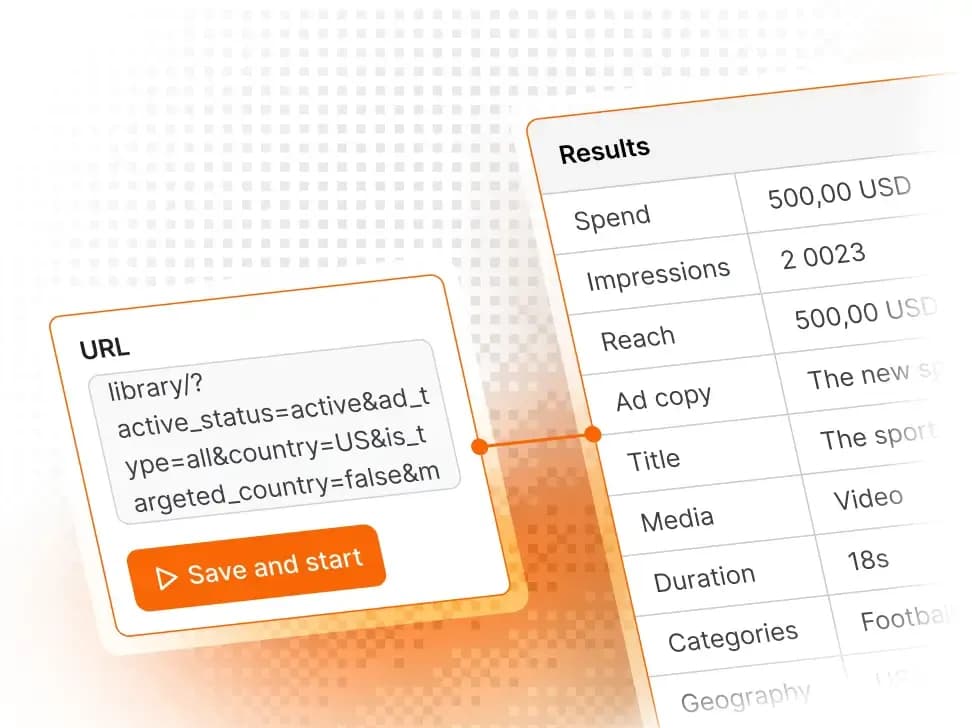
Publicly accessible, real-time data from Instagram ads
What data can Instagram Ads Scraper extract?
Scrape ads from any Instagram platform without login or rate limits. Extract structured data using unofficial Instagram Ad APIs. Get clean results in JSON, CSV, Excel, or via API.
Input
Output
[ { "adId": null, "pageID": "6815841748", "pageId": "6815841748", "endDate": 1730185200, "inputUrl": "https://www.facebook.com/ads/library/?active_status=all&ad_type=political_and_issue_ads&country=ALL&is_targeted_country=false&media_type=all&publisher_platforms[0]=instagram&search_type=page&view_all_page_id=6815841748", "isActive": false, "pageInfo": { "page": { "_fromStrapi": true, "id": "6815841748", "name": "Barack Obama" }, "adLibraryUser": null, "adLibraryPageInfo": { "pageInfo": { "hiddenAds": 0, "hasBlankAds": false, "relatedPages": [], "pageIsDeleted": false } }, "adLibrarySystemStatus": { "systemStatus": { "status": "NO_KNOWN_ISSUES", "activeIssues": [] } } }, "pageName": "Barack Obama", "gatedType": "ELIGIBLE", "menuItems": [], "startDate": 1730098800, "categories": [ "POLITICAL" ], "entityType": "person_profile", "adArchiveID": "1068208845315432", "adArchiveId": "1068208845315432", "collationId": "2195727750828998", "reportCount": null, "archiveTypes": [], "isAaaEligible": false, "isProfilePage": false, "pageIsDeleted": false, "collationCount": 43, "hideDataStatus": "NONE", "hasUserReported": false, "totalActiveTime": null, "endDateFormatted": "2024-10-29T07:00:00.000Z", "hiddenSafetyData": false, "publisherPlatform": [ "FACEBOOK", "INSTAGRAM" ], "politicalCountries": [ "US" ], "startDateFormatted": "2024-10-28T07:00:00.000Z", "stateMediaRunLabel": null, "regionalRegulationData": { "finserv": { "isDeemedFinserv": false, "isLimitedDelivery": false }, "twAntiScam": { "isLimitedDelivery": false } }, "containsSensitiveContent": false, "targetedOrReachedCountries": [], "containsDigitalCreatedMedia": false }, { "adId": null, "pageID": "6815841748", "pageId": "6815841748", "endDate": 1730185200, "inputUrl": "https://www.facebook.com/ads/library/?active_status=all&ad_type=political_and_issue_ads&country=ALL&is_targeted_country=false&media_type=all&publisher_platforms[0]=instagram&search_type=page&view_all_page_id=6815841748", "isActive": false, "pageInfo": { "page": { "_fromStrapi": true, "id": "6815841748", "name": "Barack Obama" }, "adLibraryUser": null, "adLibraryPageInfo": { "pageInfo": { "hiddenAds": 0, "hasBlankAds": false, "relatedPages": [], "pageIsDeleted": false } }, "adLibrarySystemStatus": { "systemStatus": { "status": "NO_KNOWN_ISSUES", "activeIssues": [] } } }, "pageName": "Barack Obama", "gatedType": "ELIGIBLE", "menuItems": [], "startDate": 1730098800, "categories": [ "POLITICAL" ], "entityType": "person_profile", "adArchiveID": "905278001536597", "adArchiveId": "905278001536597", "collationId": "2283104208737584", "reportCount": null, "archiveTypes": [], "isAaaEligible": false, "isProfilePage": false, "pageIsDeleted": false, "collationCount": null, "hideDataStatus": "NONE", "hasUserReported": false, "totalActiveTime": null, "endDateFormatted": "2024-10-29T07:00:00.000Z", "hiddenSafetyData": false, "publisherPlatform": [ "FACEBOOK", "INSTAGRAM" ], "politicalCountries": [ "US" ], "startDateFormatted": "2024-10-28T07:00:00.000Z", "stateMediaRunLabel": null, "regionalRegulationData": { "finserv": { "isDeemedFinserv": false, "isLimitedDelivery": false }, "twAntiScam": { "isLimitedDelivery": false } }, "containsSensitiveContent": false, "targetedOrReachedCountries": [], "containsDigitalCreatedMedia": false }, { "adId": null, "pageID": "23402039579", "pageId": "23402039579", "endDate": null, "inputUrl": "https://www.facebook.com/ads/library/?active_status=active&ad_type=all&country=ALL&is_targeted_country=false&media_type=all&publisher_platforms[0]=instagram&search_type=page&view_all_page_id=23402039579", "isActive": true, "pageInfo": { "page": { "_fromStrapi": true, "id": "23402039579", "name": "CONVERSE" }, "adLibraryUser": null, "adLibraryPageInfo": { "pageInfo": { "hiddenAds": 0, "hasBlankAds": false, "relatedPages": [], "pageIsDeleted": false } }, "adLibrarySystemStatus": { "systemStatus": { "status": "NO_KNOWN_ISSUES", "activeIssues": [] } } }, "pageName": "CONVERSE", "gatedType": null, "menuItems": [], "startDate": null, "categories": [], "entityType": "brand_page", "adArchiveID": "3878669552269238", "adArchiveId": "3878669552269238", "collationId": null, "reportCount": null, "archiveTypes": [], "isAaaEligible": false, "isProfilePage": false, "pageIsDeleted": false, "collationCount": null, "hideDataStatus": "NONE", "hasUserReported": false, "totalActiveTime": null, "endDateFormatted": "2026-01-07T08:00:00.000Z", "hiddenSafetyData": false, "publisherPlatform": [ "INSTAGRAM" ], "politicalCountries": [], "startDateFormatted": "2026-01-05T08:00:00.000Z", "stateMediaRunLabel": null, "regionalRegulationData": { "finserv": { "isDeemedFinserv": false, "isLimitedDelivery": false }, "twAntiScam": { "isLimitedDelivery": false } }, "containsSensitiveContent": false, "targetedOrReachedCountries": [], "containsDigitalCreatedMedia": false }, { "adId": null, "pageID": "23402039579", "pageId": "23402039579", "endDate": null, "inputUrl": "https://www.facebook.com/ads/library/?active_status=active&ad_type=all&country=ALL&is_targeted_country=false&media_type=all&publisher_platforms[0]=instagram&search_type=page&view_all_page_id=23402039579", "isActive": true, "pageInfo": { "page": { "_fromStrapi": true, "id": "23402039579", "name": "CONVERSE" }, "adLibraryUser": null, "adLibraryPageInfo": { "pageInfo": { "hiddenAds": 0, "hasBlankAds": false, "relatedPages": [], "pageIsDeleted": false } }, "adLibrarySystemStatus": { "systemStatus": { "status": "NO_KNOWN_ISSUES", "activeIssues": [] } } }, "pageName": "CONVERSE", "gatedType": null, "menuItems": [], "startDate": null, "categories": [], "entityType": "brand_page", "adArchiveID": "3878669552269238", "adArchiveId": "3878669552269238", "collationId": null, "reportCount": null, "archiveTypes": [], "isAaaEligible": false, "isProfilePage": false, "pageIsDeleted": false, "collationCount": null, "hideDataStatus": "NONE", "hasUserReported": false, "totalActiveTime": null, "endDateFormatted": "2026-01-07T08:00:00.000Z", "hiddenSafetyData": false, "publisherPlatform": [ "FACEBOOK", "INSTAGRAM" ], "politicalCountries": [], "startDateFormatted": "2026-01-05T08:00:00.000Z", "stateMediaRunLabel": null, "regionalRegulationData": { "finserv": { "isDeemedFinserv": false, "isLimitedDelivery": false }, "twAntiScam": { "isLimitedDelivery": false } }, "containsSensitiveContent": false, "targetedOrReachedCountries": [], "containsDigitalCreatedMedia": false }, { "adId": null, "spend": null, "pageID": "380039845369159", "pageId": "380039845369159", "endDate": 1767772800, "fevInfo": null, "currency": "", "inputUrl": "https://www.facebook.com/ads/library/?active_status=all&ad_type=all&country=ALL&is_targeted_country=false&media_type=all&publisher_platforms[0]=instagram&search_type=page&start_date[min]=2025-01-07&start_date[max]&view_all_page_id=380039845369159", "isActive": true, "pageInfo": { "page": { "_fromStrapi": true, "id": "380039845369159", "name": "SHEIN" }, "adLibraryUser": null, "adLibraryPageInfo": { "pageInfo": { "hiddenAds": 0, "hasBlankAds": false, "relatedPages": [], "pageIsDeleted": false } }, "adLibrarySystemStatus": { "systemStatus": { "status": "NO_KNOWN_ISSUES", "activeIssues": [] } } }, "pageName": "SHEIN", "gatedType": "ELIGIBLE", "menuItems": [], "startDate": 1767772800, "categories": [ "UNKNOWN" ], "entityType": "person_profile", "adArchiveID": "2417736712062508", "adArchiveId": "2417736712062508", "collationId": "1194877899425288", "reportCount": null, "archiveTypes": [], "isAaaEligible": false, "isProfilePage": false, "pageIsDeleted": false, "reachEstimate": null, "collationCount": 1, "hideDataStatus": "NONE", "hasUserReported": false, "totalActiveTime": 9722, "endDateFormatted": "2026-01-07T08:00:00.000Z", "hiddenSafetyData": false, "publisherPlatform": [ "FACEBOOK", "INSTAGRAM", "AUDIENCE_NETWORK" ], "politicalCountries": [], "startDateFormatted": "2026-01-07T08:00:00.000Z", "stateMediaRunLabel": null, "impressionsWithIndex": { "impressionsText": "<100", "impressionsIndex": 0 }, "regionalRegulationData": { "finserv": { "isDeemedFinserv": false, "isLimitedDelivery": false }, "twAntiScam": { "isLimitedDelivery": false } }, "containsSensitiveContent": false, "targetedOrReachedCountries": [], "containsDigitalCreatedMedia": false }, { "adId": null, "spend": null, "pageID": "380039845369159", "pageId": "380039845369159", "endDate": 1767772800, "fevInfo": null, "currency": "", "inputUrl": "https://www.facebook.com/ads/library/?active_status=all&ad_type=all&country=ALL&is_targeted_country=false&media_type=all&publisher_platforms[0]=instagram&search_type=page&start_date[min]=2025-01-07&start_date[max]&view_all_page_id=380039845369159", "isActive": true, "pageInfo": { "page": { "_fromStrapi": true, "id": "380039845369159", "name": "SHEIN" }, "adLibraryUser": null, "adLibraryPageInfo": { "pageInfo": { "hiddenAds": 0, "hasBlankAds": false, "relatedPages": [], "pageIsDeleted": false } }, "adLibrarySystemStatus": { "systemStatus": { "status": "NO_KNOWN_ISSUES", "activeIssues": [] } } }, "pageName": "SHEIN", "gatedType": "ELIGIBLE", "menuItems": [], "startDate": 1767772800, "categories": [ "UNKNOWN" ], "entityType": "person_profile", "adArchiveID": "597853286754995", "adArchiveId": "597853286754995", "collationId": "1576924000006512", "reportCount": null, "archiveTypes": [], "isAaaEligible": false, "isProfilePage": false, "pageIsDeleted": false, "reachEstimate": null, "collationCount": 1, "hideDataStatus": "NONE", "hasUserReported": false, "totalActiveTime": 9361, "endDateFormatted": "2026-01-07T08:00:00.000Z", "hiddenSafetyData": false, "publisherPlatform": [ "FACEBOOK", "INSTAGRAM", "AUDIENCE_NETWORK" ], "politicalCountries": [], "startDateFormatted": "2026-01-07T08:00:00.000Z", "stateMediaRunLabel": null, "impressionsWithIndex": { "impressionsText": "<100", "impressionsIndex": 0 }, "regionalRegulationData": { "finserv": { "isDeemedFinserv": false, "isLimitedDelivery": false }, "twAntiScam": { "isLimitedDelivery": false } }, "containsSensitiveContent": false, "targetedOrReachedCountries": [], "containsDigitalCreatedMedia": false }] Range of scraping features
Get real-time and historical Instagram ad data. Easy export to JSON, CSV, Excel, or via API. Automate, schedule, and monitor your scraping runs.
 Scalable ad scraping
Scrape a few ads or thousands effortlessly. Perfect for one-time campaigns or ongoing monitoring. With built-in pagination and rate-limit handling, your workflow stays smooth from start to finish.
 Automated scheduling and monitoring
Run your scrapers hourly, daily, or on custom intervals - automatically. Get alerts when something fails, retry automatically, and review logs anytime. Automation does the heavy lifting while you focus on insights.
Powered by the Apify platform
Features of Instagram Ads Scraper
We know your use cases — here’s the stack to make them happen.
Flexible ad sourcing
Scrape ads directly from the Instagram Ad Library using advanced options. Filter by country, language, ad type, media type, activity status, and even date range for precise results.
Active, cross-platform, and historical ad tracking
Scrape ads published across Instagram and other Meta platforms: Facebook, Instagram, Messenger, Threads, WhatsApp, and Audience Network. Track campaign history, spot regional trends, and build long-term datasets for performance comparison.
In-depth Instagram advertising intelligence
Retrieve detailed ad data, including advertiser name, ad ID, verified status, total number of ads, start/end dates, and visibility timeframe. Check targeting info, spend indicators, and reach metrics when available.
Complete creative and message analysis
Extract ad elements such as images, videos, carousels, text, CTAs, and even multiple versions of the same campaign. Analyze how brands communicate, test variations, and engage audiences.
How to scrape Instagram ads
Scraping Instagram ad data for your research or marketing projects is quick and simple. You won’t need APIs, start scraping in just a few steps and export your data in any format you need: CSV, JSON, Excel, or via API.
Sign up for an Apify account01
Using your email or GitHub account, create a free account, no credit card required. Your account gives you access to thousands of scrapers.
Find a scraper for scraping Instagram ads02
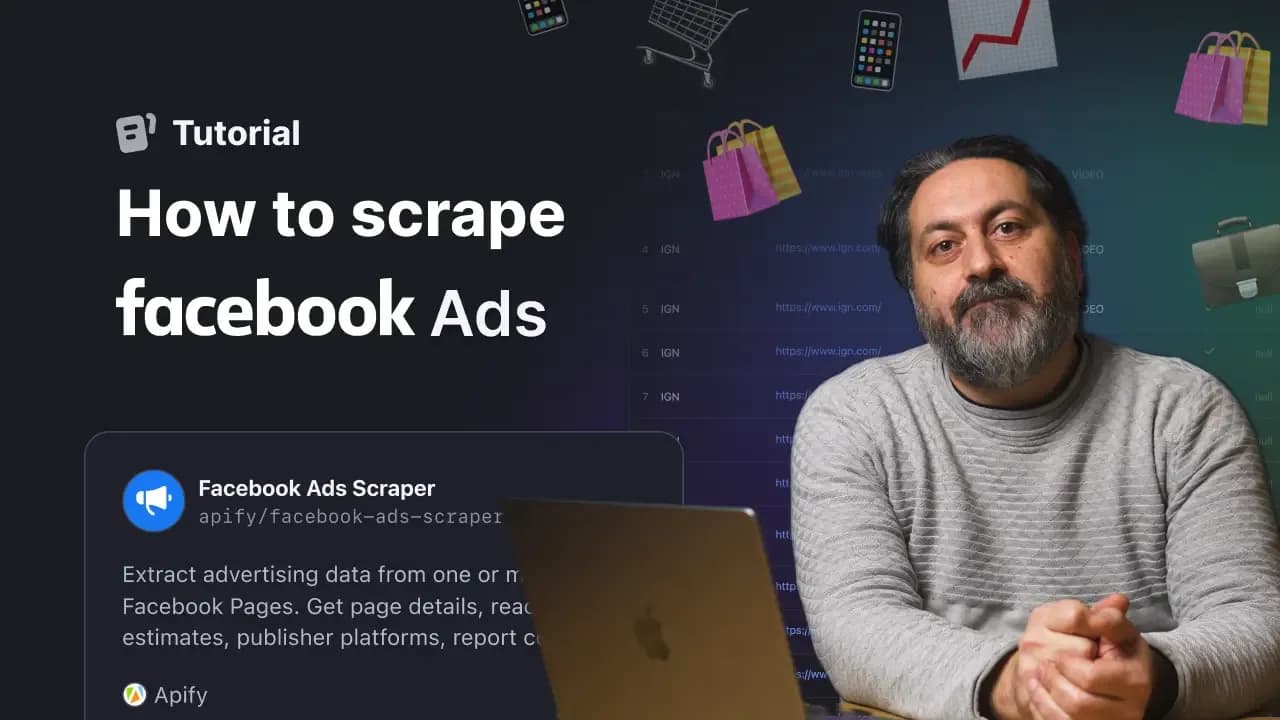
In Apify Store, search for Facebook Ads Library Scraper.
Head over to Meta Ad Library03
Choose the country, advertisement category, and page name or keyword. Then filter the results by Instagram platform, but also language, activity, media type, timeframe, or even audience size before scraping them.
Paste the URLs from the Meta Ad Library and click "Start"04
Enter the URL of the Meta Ads Library pages you want to scrape, then click “Start.”
Export Instagram advertisement data05
View your data in the UI, or export it into any popular format, like JSON, CSV, Excel, or even via API.
Yes, scraping any site, including Instagram, is legal as long as you don’t extract personal data. Any publicly posted data is fair game. Read more in our post about the legality of web scraping.
No, you don’t need to log in. Instagram Ads Scraper extracts publicly available information from the Instagram Ad Library, not personal accounts. As such, no cookies or logins are needed.
Yes, all data is scraped from Instagram Ad Library in real time. Your database can be updated at any time. You can also scrape old or inactive ads.
Yes, Instagram Ads Scraper can extract political ads. Like with any other ad in the Meta Ad Library, just pick the country, select political ads, and you’ll be able to scrape them either by keyword or by a specific page. You’ll get datapoints like ad spend, how long it ran, and more.
Instagram Ads Scraper uses the pay-per-result (PPR) model. You only pay for the dataset items the Actor outputs, not platform usage. Using the Apify Free plan, you can scrape up to 1,000 ads. On the paid Starter plan, you can scrape over 9,800 ads per month. For more on this, check out Instagram Ads Scraper’s pricing tab.
Yes, but you’re relying on the Meta Ads Library search when doing so. The scraper accepts just one URL per run, but if you search for a keyword instead of an ad page, you'll get ads from various pages corresponding to that keyword. Currently, this is the best way to scrape multiple Instagram ad profiles at the same time.
You can see sponsored Instagram posts in the Branded Content part of Meta Ads Library by looking up brands or creators. You can see which posts and reels on Instagram were sponsored. To see a specific creator’s sponsored posts, we recommend you use Instagram Post Scraper.
Yes, Instagram Ads Scraper can be customized. Please contact Apify’s Sales department for more on this. If you have some specific questions about this scraper, we recommend you ask our devs directly by posting your question in the Issues tab.
Once you’ve scraped the data you need, you can download all of it via the overview of your run or via the Storage tab. In either case, click on the button that says Export. Then, select the format of your choice. You can pick from JSON, Excel, and XML, among others.
Yes, currently, you can scrape image and video URLs with Instagram Ads Scraper; you can find them as originalImageUrl, videoSdUrl, and videoHdUrl in your dataset. You can also configure the scraper to extract ads specifically by media type: images, videos, or even memes. Instagram Ad Library has those filters in the Media type section.
If you need to extract the images themselves, you can download them with the Dataset Image Downloader & Uploader. This step will transfer all files to your drive.
Yes, you can scrape Instagram video ads (reels ads) with this scraper. Start by opening the Meta Ad Library and adding a keyword to scrape ads by, for example, "pandas". Alternatively, choose a specific page or brand to scrape from, for example, WWF.
After this step, in the Filters section, choose Instagram as the platform and Videos as the media type. This will show you all the video ads published on Instagram for that page. Now, copy the filtered Ad Library URL and paste it into the Instagram Ads Scraper. The scraper will then extract the video ads for you.
Social media ads are a booming business, and Instagram is a wildly popular platform. Knowing who is advertising what and what they’re spending will give you a good idea of what’s happening in your industry, allowing you to figure out your own market position more easily.
You can view sponsored Instagram posts in the Branded Content section of the Meta Ad Library. Just choose Instagram, search for a brand or creator, and you’ll see which posts and reels were marked as sponsored and when that collaboration was active. If you want to get more details from a specific creator’s sponsored posts or reels, Instagram Post Scraper is a great option because it automates the process and gives you structured data.
At the moment, you can’t browse all sponsored posts on Instagram through the Meta Ad Library. You’ll always need to start from a specific brand or creator to see their sponsored content.
You can find Instagram promotions in the Meta Ad Library, which is Meta’s public database of ads. It includes both active and inactive ads, and you can search by page, keyword, location, ad type, or platform. Since Meta covers multiple platforms, all Instagram ads are stored there as well. You can extract these ads as structured data by using an Instagram Ads scraper.
You can find Instagram ads examples in the Meta Ad Library, which shows both active and inactive ads from any advertiser. Just search for a brand or keyword, then filter the results by platform (Instagram). If you want to save or analyze these ads at scale, you can paste the filtered URL into the Instagram Ads Scraper.
To see Instagram carousel ads examples, open the Meta Ad Library, search for the brand or keyword you’re interested in, and filter by Instagram (if available). Then you can copy that URL into the Instagram Ads Scraper to extract all carousel creatives, captions, and ad details automatically.


Integrate Instagram Ads data with apps and platforms
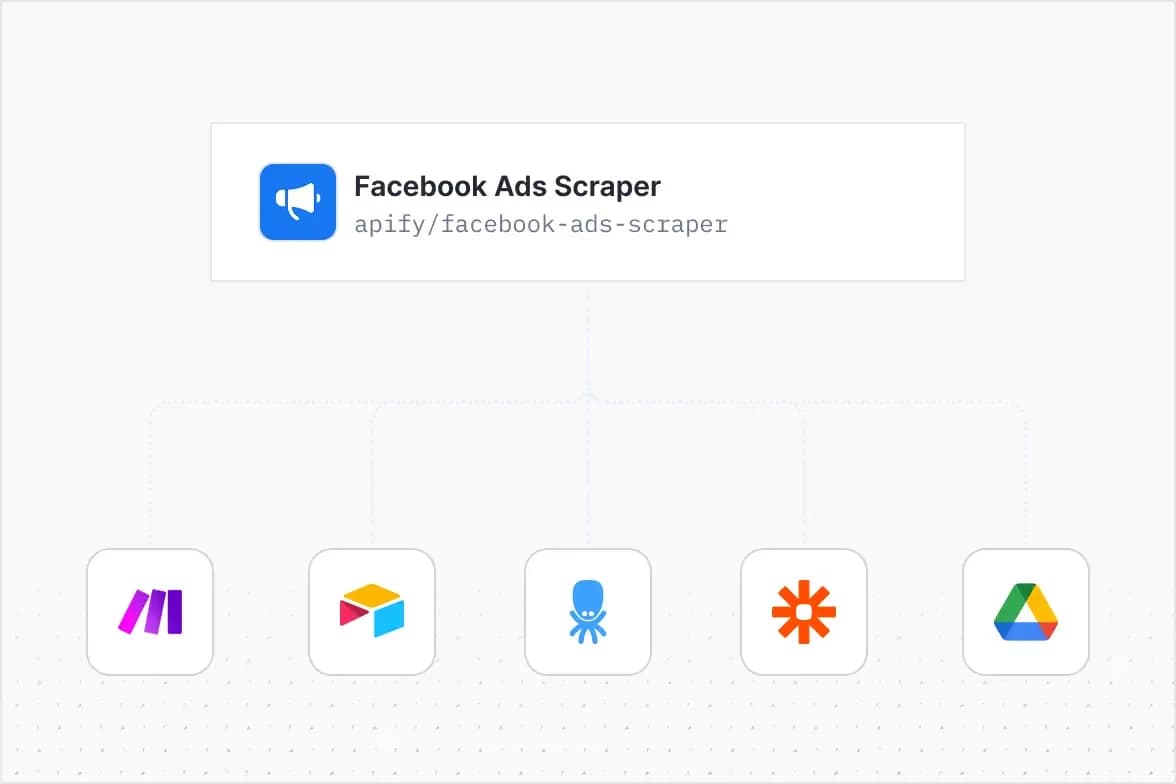
With Apify, you can schedule scrapers automatically and integrate your workflows with over 20 services like Make, n8n, Airtable, Zapier, Google Drive, GitHub, and more. Connect your Apify tasks with cloud services to enhance automation and analytics.
I don't see a situation where you shouldn't use social media scrapers from Apify. Given the cost and quality

Ahmed Gaber
Co-Founder & CTO @ Diligent AI
Social media scraping made simple
Get full access to social media APIs for platforms like TikTok, YouTube, BlueSky, X (Twitter), and Mastodon. Extract posts, videos, comments, and insights for analysis, lead generation, or market research. You don’t need to know code, and you get full customization options.
Using Apify has helped us focus on the problem we're trying to solve, and it's been a home run. The infrastructure positions Apify as a unique player in this [scraping] space, especially with their ability to handle the complexities of scraping and data processing.

Ted Benson
Founder @ Steamship
Agent-ready Instagram scraping
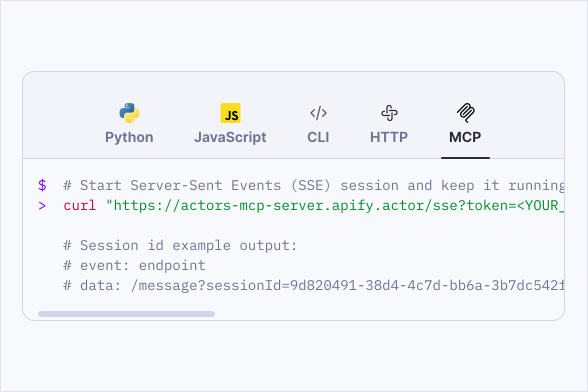
All Instagram scrapers support MCP for integration into your AI workflows. Process Instagram data for automation, ad research, or to train your AI models.