
Google Maps Leads & Email Finder API
Pricing
from $10.00 / 1,000 lead results
Google Maps Leads & Email Finder API
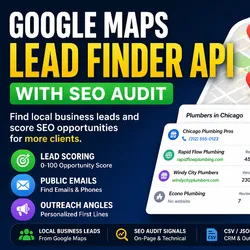
Extract local business leads from Google Maps with emails, phones, websites, ratings, reviews, addresses, and social links. Perfect for cold outreach, local SEO prospecting, agency lead generation, and sales research. Export clean lead data in JSON or CSV format.
Pricing
from $10.00 / 1,000 lead results
Rating
0.0
(0)
Developer

Shahab Uddin
Maintained by CommunityActor stats
0
Bookmarked
25
Total users
4
Monthly active users
5 months ago
Last modified
Categories
Share
Extract local business leads from Google Maps with emails, phone numbers, websites, addresses, categories, ratings, reviews, and contact details. Use this actor for cold outreach, local SEO prospecting, agency lead generation, and sales research.
This google maps email finder is built for teams that want google maps leads without extra complexity. It works as a google maps scraper, business email finder, and local lead generation tool in one simple workflow. Search by a business keyword and location, then collect local business leads with business phone numbers, websites, ratings, reviews, contact pages, and emails when they are publicly visible. It is useful for local SEO leads, agency prospecting, sales research, and CSV exports.
What this Actor does
- Searches Google Maps for a business keyword in a location.
- Collects local business leads with names, categories, addresses, phone numbers, websites, ratings, reviews, and Google Maps URLs.
- Visits business websites to find publicly visible emails when email discovery is enabled.
- Finds contact/about pages based on
emailScanDepth. - Extracts visible emails,
mailto:emails, and common obfuscated emails. - Collects visible Facebook, Instagram, LinkedIn, Twitter, and YouTube links when enabled.
- Deduplicates leads and returns simple sales-friendly lead rows.
Who it is for
- Agencies building outreach lists for local businesses.
- Sales teams doing local lead generation.
- Freelancers looking for local SEO leads and agency prospecting targets.
- Founders and operators building local business lead lists.
- Teams that want a simple google maps email finder without extra reporting layers.
Use cases
- Find local business leads
- Build cold outreach lists
- Find businesses with websites and emails
- Prospect for local SEO clients
- Generate agency sales leads
- Export leads to CSV
Input
Use one business keyword and one location per run.
Field notes:
keyword: business type or niche to search, such asdentist,plumber, orroofing contractor.location: city, state, or country.maxResults: how many leads to keep after filtering and deduplication. Use 10 for 2-3 minute Apify runs.includeEmailDiscovery: visit business websites to find public emails.emailScanDepth:1scans the homepage,2adds one contact/about page, and3adds up to two contact/about pages.maxWebsitesToEnrich: cap website visits to keep runs predictable. Use 3 or fewer for short runs.dedupeBy: remove duplicates byplaceId,website_or_phone, orbusiness_name_location.
Output
The dataset contains only lead rows. No summaries, logs, or placeholder rows are written to the dataset.
Dataset views:
Leads: businessName, category, phone, primaryEmail, website, rating, reviewCount, leadScore, leadGradeContacts: businessName, phone, primaryEmail, emails, contactPage, socialsExport: businessName, category, address, phone, website, primaryEmail, googleMapsUrl, rating, reviewCount
The actor also saves OUTPUT.json with:
summarytopLeadslimitations
Email discovery
When includeEmailDiscovery is enabled, the actor:
- Visits the website homepage.
- Visits contact/about pages depending on
emailScanDepth. - Extracts
mailto:emails. - Extracts visible emails from page text.
- Extracts common obfuscated emails such as
[at]and(dot). - Rejects fake, placeholder, and no-reply emails.
- Deduplicates matches.
- Chooses
primaryEmailfrom the best available public email.
If no email is found:
emailsis[]primaryEmailis""hasEmailisfalse
Pricing / billing notes
Billing Notes:
Only business lead rows are written as billable dataset results. Summary reports and internal logs are saved to OUTPUT.json and do not create extra result charges.
Recommended pricing:
$5 per 1,000 leads at launch.
Recommended thumbnail text:
Google Maps Leads+ Emails+ Phones+ Websites
Keep the thumbnail text simple.
Limitations
- Only publicly visible data is collected.
- Email availability depends on business websites.
- Some websites may block enrichment.
- Google Maps results can vary by location, language, and timing.
- Some businesses do not show websites, phone numbers, or ratings on their listings.
FAQ
Does it find emails for every business?
No. It only returns emails that are publicly visible on business websites.
Does it create fake or guessed emails?
No. If no public email is found, the actor returns an empty email list and an empty primaryEmail.
What does leadScore mean?
leadScore is a simple 0-100 score based on whether the lead has a phone, email, website, rating, review count, social links, and address.
What does leadGrade mean?
A: 80+B: 60-79C: 40-59D: below 40
Can I export results to CSV?
Yes. The dataset is structured so you can export leads to CSV from Apify.


