

IndiaMART Scraper | Supplier Phone, GST Flag, 27 Cities
Pricing
from $1.25 / 1,000 suppliers
IndiaMART Scraper | Supplier Phone, GST Flag, 27 Cities
Scrape IndiaMART B2B supplier leads by product or category: company name, phone number, city, state, price, GST & email verification. No login, no API key. Export to CSV/JSON or use in Claude, ChatGPT & any MCP AI agent.
Pricing
from $1.25 / 1,000 suppliers
Rating
0.0
(0)
Developer

The Mine Works
Maintained by CommunityActor stats
0
Bookmarked
18
Total users
8
Monthly active users
a day ago
Last modified
Categories
Share
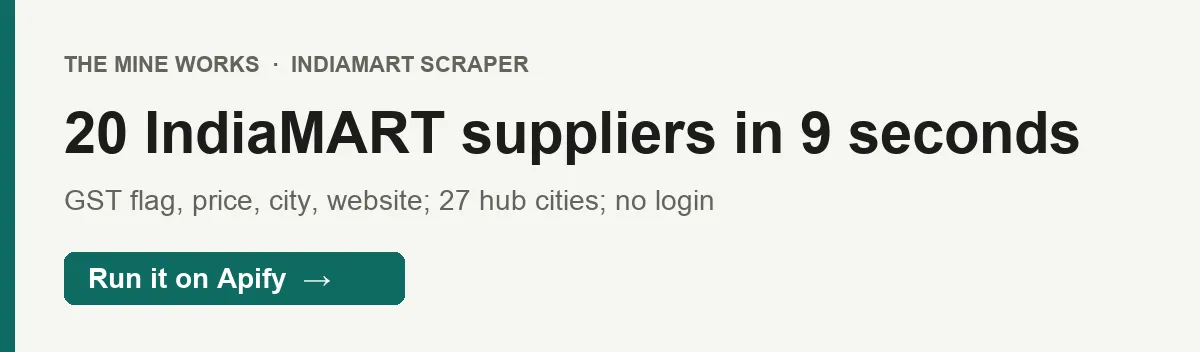
From The Mine Works, makers of Threads Scraper and B2B Leads Finder, with over 140,000 runs across 170+ public actors. This actor ranks #3 for "indiamart" in Apify Store search.
Type a product the way a buyer would (industrial pumps, ball valves, pvc pipes manufacturers in ahmedabad) and get IndiaMART's suppliers for it: company name, phone number, city, the product they list with its price, GST and email verification flags, years on IndiaMART and their website or IndiaMART profile. The actor finds the right IndiaMART category for your words, then reads the category's public pages across India's main supplier cities. No IndiaMART login and no API key.
Why choose this actor?
- A phone number on every supplier we sampled. In our test of the live build on 2 October,
industrial pumpsreturned 20 suppliers in 9 seconds, all 20 with a phone number, a GST verified flag and a listed price. A run on 11 September returned 464 ball valve suppliers in 196 seconds, every one with a phone number and 436 of them GST verified. - Plain words in, the right category out. IndiaMART organises suppliers by category pages. The actor asks IndiaMART's own search suggestions which category your words mean, drops words like "manufacturers", "suppliers" or "best", and reads a city out of the query ("... in surat"). On 11 September,
pvc pipes suppliers in suratresolved to the PVC Pipes category in Surat and returned 28 suppliers. - Pay only for suppliers delivered, once each. Suppliers are deduplicated by IndiaMART's supplier ID across all pages before anything is charged. A query that matches no category, a city with no page, and the summary row cost nothing beyond the $0.005 start fee. From $1.25 per 1,000 suppliers on Gold.

Part of The Mine Works Leads and business directories family: B2B Leads Finder, Google Maps Email Scraper, Skip Trace Lookup, JustDial Scraper, 2GIS Places Scraper, Yandex Maps Scraper.
Try it in one minute
Paste this into the JSON tab of the input page and press Start:
You get 10 suppliers from IndiaMART's all-India Industrial Pumps page in a few seconds. Clear the city box if the Console form filled in Mumbai for you: a city limits the run to that one city's page.
Give the product in searchQuery in any of three ways: plain words (ball valves), a buyer's phrase with a city (pvc pipes manufacturers in ahmedabad), or a pasted IndiaMART category link (https://dir.indiamart.com/impcat/ball-valves.html or https://dir.indiamart.com/surat/pvc-pipes.html). API callers who send query, keyword, search, searchTerm, product or category instead are understood too. city narrows the run to one city, and maxResults caps the number of suppliers.
Apify's free plan includes $5 of credit every month, which covers about 2,400 suppliers at this actor's Free plan price ($0.002 a supplier plus the $0.005 start fee, in runs of about 450 suppliers).
Copy to your AI assistant
Key features
- 13 fields per supplier.
company_name,contact_number,city,category,company_url,glusr_id,display_id,email_verified,gst_verified,member_since,product_title,priceandscraped_at. - The all-India page plus 27 supplier hub cities. IndiaMART shows about 28 suppliers per category page, and its "Show More Results" button needs a phone login (OTP). So with no city set, the actor reads the all-India page, then the same category in 27 hub cities (Mumbai, Delhi, Ahmedabad, Bengaluru, Chennai, Pune, Hyderabad, Kolkata, Jaipur, Surat, Coimbatore, Rajkot, Noida, Gurgaon, Ghaziabad, Thane, Faridabad, Nashik, Indore, Vadodara, Nagpur, Ludhiana, Kanpur, Lucknow, Bhiwandi, Navi Mumbai and Secunderabad), each adding a different set. That reached 464 suppliers for ball valves.
- Category matching from plain language. IndiaMART's own suggestions pick the category, with an exact name match ranked first; if no suggestion fits, the actor tries the name and its plural as category pages. Filler words such as manufacturers, suppliers, dealers, exporters, best and price are ignored.
- City from the input, the query or the link. "in Surat", "at Morbi" or a known city at the end of the query sets the city once IndiaMART's city suggestions confirm it is a city, and a city in a pasted IndiaMART link sets it too. A state name in the city field is dropped (
Morbi Gujaratbecomes Morbi), and if IndiaMART spells the city differently, its own city suggestion is tried once. - Normalised Indian phone numbers. Ten digit numbers come back as
+91-XXXXXXXXXX, ready for a dialer or a CRM. - Stops before it wastes your money. The page walk ends at
maxResults, when your run's maximum charge is reached, after 4 city pages in a row add nothing new, or after 4 failed page loads in a row. Every request uses a fresh proxy IP, and a blocked or failed request is retried up to 3 times.
How to use it
Basic: one product across India
Leave city empty. The run reads the all-India page and then the 27 hub cities until it has 500 suppliers or the category runs out; on 11 September this returned 464 suppliers from 28 pages in 196 seconds.
One city only
A city reads that city's single category page, so expect up to about 28 suppliers (28 for leather gloves in Chennai on 11 September). For more suppliers in one region, run without a city and filter the rows on city afterwards.
Buyer phrasing, with the city inside the query
The actor reads this as the product "pvc pipes" in the city Ahmedabad. A city given in the city field wins over one in the query.
Sourcing shortlist: GST verified suppliers with a price
Filter the rows on gst_verified equal to true and on rows that have a price, then sort by member_since to put long established suppliers first. Group by city to see where the category clusters before you ask for quotations.
Weekly supplier snapshot for a category
Save it as a task and schedule it weekly (for example 0 6 * * 1). Each run returns the suppliers IndiaMART shows that week; compare glusr_id lists between weeks to see who joined or left the pages, and price to track listed prices. Without monitorMode the actor does not remember earlier runs, so every run is charged for every supplier it returns; with it on, each run delivers and charges only suppliers you have not received before (see "Run it on a schedule").
Input parameters
| Parameter | Type | Default | What it does |
|---|---|---|---|
searchQuery | string | none (form prefill: industrial pumps) | The product, a buyer's phrase with an optional city, or an IndiaMART category URL. The schema does not mark it required, but a run without it ends at once with a summary row (stop_reason: "no_query") and charges nothing beyond the start fee. |
maxResults | integer (1 to 1,000) | 100 (form prefill: 25) | Most suppliers to return. Without a city, the 28 page walk tops out at a few hundred per category (464 for ball valves on 11 September), so values above about 500 rarely add more. |
city | string | none (form prefill: Mumbai) | One Indian city, such as Mumbai, Delhi, Bengaluru or Morbi. Limits the run to that city's page (about 28 suppliers). Leave it empty for all India plus the 27 hub cities. |
proxyConfiguration | object | Apify residential proxy, country India | The proxy for IndiaMART's pages. Each request gets a fresh IP. |
"Form prefill" values fill the Console form for you but are not defaults. Note that the form prefills Mumbai in city: clear it for an all-India run.
Run options. The default timeout is 300 seconds and the default memory is 512 MB. A full all-India walk took 196 seconds for 28 pages, so raise the timeout to 600 seconds if you ask for more than about 400 suppliers.
What data do you get?
One row per supplier, taken from the first product card of that supplier the run meets. Fields IndiaMART does not show for a supplier are left out of the row rather than sent as null.
The supplier: company_name, company_url (the supplier's own website when the listing names one, otherwise its IndiaMART profile page), glusr_id (IndiaMART's supplier ID, used for deduplication), member_since (time on IndiaMART, such as 21 yrs), city.
Contact and trust signals: contact_number (+91-XXXXXXXXXX for a ten digit Indian number, exactly the number the listing shows), email_verified (true or false, as IndiaMART marks it), gst_verified (true when IndiaMART marks the supplier's GST as verified; left out otherwise).
The product card: product_title, price (as listed, in rupee notation such as ₹ 30,000), display_id (IndiaMART's listing ID), category (the IndiaMART category the run resolved to, such as Industrial Pumps), scraped_at.
The number is the one IndiaMART displays on the listing, which can be an IndiaMART call forwarding number rather than the supplier's direct line; the actor returns it exactly as shown. IndiaMART's cards do not carry a state, so rows have the city only.
Each run ends with one _type: "summary" row: suppliers, charged_for, query, category, category_via (how the category was found, such as suggested "Ball Valves"), city, pages_fetched, stop_reason (max_results, pages_exhausted, no_new_suppliers, pages_unavailable, charge_limit, city_not_found, no_category, no_query or, in monitor mode, monitor_no_new) and the actor's own cost estimate. It is never charged. Skip rows that have a _type field when you load suppliers.
Stable fields for automations
These 11 fields were present in every supplier row we sampled (484 rows from two runs). gst_verified and price are left out when IndiaMART does not show them (436 and 388 of 464 rows in the ball valves run had them).
| Field | What it holds |
|---|---|
company_name | Supplier's company name |
contact_number | Phone number as listed, +91- format for ten digit numbers |
city | Supplier's city |
category | IndiaMART category the run resolved to |
company_url | Supplier website or IndiaMART profile URL |
glusr_id | IndiaMART supplier ID (number); the deduplication key |
display_id | IndiaMART listing ID of the product card (number) |
email_verified | true or false |
member_since | Time on IndiaMART, text such as 6 yrs |
product_title | Title of the supplier's product card |
scraped_at | ISO timestamp when the row was captured |
We will not rename these fields. New fields may be added over time; existing ones keep their names.
Output examples
Real rows from our test of the live build on 2 October 2026 (searchQuery: "industrial pumps", all India).
A supplier with its own website:
A supplier without its own website, so company_url is its IndiaMART profile:
The summary row of the 464 supplier ball valves run on 11 September (never charged; the cost estimate fields are left out here):
Pricing
Pay per event: you pay for each supplier delivered to your dataset, plus a small start fee per run.
| Event | Free | Bronze | Silver | Gold and above |
|---|---|---|---|---|
supplier-scraped, per supplier | $0.002 | $0.0017 | $0.00145 | $0.00125 |
supplier-scraped, per 1,000 suppliers | $2.00 | $1.70 | $1.45 | $1.25 |
apify-actor-start, per run | $0.005 per GB of run memory, minimum one event | same | same | same |
The start fee, exactly. Apify's apify-actor-start event is charged once when a run starts, at $0.005 for each GB of memory the run uses, with a minimum of one event. This actor runs on 512 MB by default, so a default run pays one event: $0.005.
Worked examples. 28 suppliers from one city on the Free plan: $0.056 plus $0.005. 464 suppliers across India on Gold: $0.58 plus $0.005. The same 464 on the Free plan: $0.928 plus $0.005.
Never charged: a supplier seen again on another city page (charged once), a query that matches no category, a city with no page for the category, failed or blocked page loads and their retries, and the summary row. A run that delivers nothing pays only the start fee.
There is no scheduled price change for this actor. The Pricing tab on this page always shows the rate for your plan; if it and this table ever differ, the Pricing tab is right.
Run it on a schedule
Turn on monitorMode and each run delivers only the suppliers you have not received before, so a daily run costs you only for what is new.
- Enter your input, switch on Monitor mode and click Save as a task.
- In Apify Console open Schedules, click Add schedule and pick Daily (or any time and timezone you like).
- Under Actors or tasks to run, add the task you saved and save the schedule.
The first run delivers everything it finds. After that, each run delivers only suppliers that were not in an earlier run with the same input, and suppliers it skips are never charged. The summary row at the end shows new_this_run and skipped_duplicates. Changing the input starts a fresh history; changing only the result limit does not. When nothing new turns up, the run stops after four pages in a row of suppliers you already have, with stop_reason set to monitor_no_new, and no supplier is charged. A supplier is delivered once, so for a full weekly snapshot with current prices leave monitor mode off.
FAQ
What is IndiaMART? IndiaMART is India's largest online B2B marketplace, where manufacturers, wholesalers and traders list products for business buyers. Its category pages show suppliers with their city, a product, a price and a phone number to anyone, without signing in. This actor reads those public category pages.
How many suppliers can I get? Without a city, as many as the all-India page and the 27 hub city pages hold for the category, which was 464 for ball valves and is a few hundred for most busy categories. With a city, up to about 28, because IndiaMART shows one page per city and its "Show More Results" needs a phone login. IndiaMART may list thousands more suppliers in a category (it reported about 17,013 for industrial pumps), but only these pages are open without a login.
Why did my search return nothing?
Either no IndiaMART category matched your words (stop_reason: "no_category") or the city you gave has no page for that category (city_not_found). Try the product name the way IndiaMART lists it (ball valves rather than valve for water line), or leave the city empty. Neither case is charged beyond the start fee.
Are the phone numbers real?
They are the numbers IndiaMART shows on each supplier's listing, normalised to +91- format when they are ten digits. Some may be IndiaMART call forwarding numbers that ring through to the supplier. Use gst_verified and member_since to put established suppliers first.
How fresh is the data? Every run reads IndiaMART live; nothing is cached between runs. Prices are what each supplier lists at that moment and are often "starting from" prices; confirm them in a quotation.
Do I need an IndiaMART account, cookies or an API key? No. You need only an Apify account. The actor reads the same public pages any visitor sees.
Which proxy does it use?
Apify's residential proxy in India by default, with a fresh IP for every request. In our test on 2 October, Apify's datacenter proxy also returned results; you can choose it in proxyConfiguration.
Can I filter by state?
Not directly: IndiaMART's cards carry the city, not the state. Run without a city and filter on city, or run one city at a time.
Can I schedule it?
Yes. Save your input as a task, then in Apify Console go to Schedules, Create new, and pick a time or a cron expression. By default the actor has no memory between runs, so each run returns and charges every supplier it finds. Turn on monitorMode and each run delivers and charges only suppliers that no earlier run with the same input delivered (see "Run it on a schedule").
How do I export the data?
From the run's Storage tab as JSON, CSV, Excel, XML or HTML, or through the Apify API. Drop the row that has a _type field if you want suppliers only.
Can I use it from Claude, ChatGPT or another AI assistant?
- Connector URL:
https://mcp.apify.com/?tools=themineworks/indiamart-suppliers. - Claude: Settings > Connectors > Add custom connector, paste the URL, sign in with Apify.
- ChatGPT: developer mode, add an MCP connector with the URL, sign in with Apify.
- Cursor or VS Code: add it as an HTTP MCP server with that URL.
- Claude Code:
claude mcp add -t http indiamart-suppliers "https://mcp.apify.com/?tools=themineworks/indiamart-suppliers".
Is it legal to scrape IndiaMART? The actor reads only public supplier listings that anyone can see on IndiaMART without logging in, and it does not get past the OTP login. Listings are about businesses, but a sole proprietor's phone number can still be personal data, so you are responsible for how you use it, including IndiaMART's terms, India's DPDP Act, GDPR and CCPA, and do not call rules for telemarketing. This is general information, not legal advice.
Integrations
- Google Sheets: export a run to a sheet, or use Apify's Google Sheets integration to append each run's suppliers.
- Make, Zapier and n8n: use the Apify app or node to start a run and push suppliers to a CRM, a dialer or a WhatsApp Business tool.
- Webhooks: have Apify call your URL when a run succeeds, then read the dataset.
- API and client libraries: start runs and read datasets from Python, JavaScript or any HTTP client. The "Copy to your AI assistant" block above has the exact call.
- MCP clients: Claude, ChatGPT, Cursor, VS Code and Claude Code can call the actor as a tool through
https://mcp.apify.com.
To go from a supplier to people, pass company_url (when it is the supplier's own site) to B2B Leads Finder for named contacts, or check a supplier's GSTIN with GST Taxpayer Lookup.
More from The Mine Works
Leads and business directories
- B2B Leads Finder
- Google Maps Email Scraper
- Skip Trace Lookup
- JustDial Scraper
- 2GIS Places Scraper
- Yandex Maps Scraper
- Contact Details Scraper
- US Business Registry
- Google Maps Scraper
- Yellow Pages Scraper
- Lead Generation MCP
- Google Maps Reviews Scraper
Social media and video
Marketing, SEO and reviews
Real estate
Science, health and government data
Jobs and hiring
E-commerce and marketplaces
Company and business data
Food and local services
Developer and AI tools
More tools
- Tennis Match & Player Data Scraper
- Google Hotels Prices Scraper
- LandWatch Scraper
- Capterra Reviews Scraper
Support
Found a query that resolves to the wrong category, or a field you need? Open an issue on the Issues tab of this page with your input and the run ID, and we will reply there. To ask for a new B2B source, email dmineworks@gmail.com. A guide for this actor also lives at themineworks.com.
IndiaMART Scraper turns a product name into a deduplicated list of IndiaMART suppliers with phone numbers, prices and GST flags, charged once per supplier.


![B2B 🟢 Leads Finder [NO COOKIES] - like apollo, linkedIn avatar](https://images.apifyusercontent.com/pmNk2HVEQxnz9G6TI30r99fkbrtzL1pwMtXpGuv-Kjw/rs:fill:76:76/cb:1/aHR0cHM6Ly9hcGlmeS1pbWFnZS11cGxvYWRzLXByb2QuczMudXMtZWFzdC0xLmFtYXpvbmF3cy5jb20va2FzMWhZNXVSNFlvaUpRaXUtYWN0b3ItSkExZTVCWGIxNzR3S0NpcWotUWpza0JIb2Ziby1TY3JlZW5fU2hvdF8yMDI1LTA4LTE0X2F0XzIuMDAuNTRfUE0ucG5n.webp)


