

Secretary of State Business Search: KYB, Agents, Officers
Pricing
from $1.08 / 1,000 entities
Secretary of State Business Search: KYB, Agents, Officers
Search US Secretary of State business registries by name or entity number in NY, CO, CT, OR, PA, TX and ID: legal name, entity number, type, status, formation date, addresses, registered agent, officers and annual reports where published. No login.
Pricing
from $1.08 / 1,000 entities
Rating
0.0
(0)
Developer

The Mine Works
Maintained by CommunityActor stats
0
Bookmarked
2
Total users
1
Monthly active users
16 days ago
Last modified
Categories
Features
Share
From The Mine Works, makers of Company KYB Resolver and B2B Leads Finder, with over 290,000 runs across 310+ public actors.
Updated 27 Oct 2026: first release. Business names or entity numbers in; one flat row per US business entity out, with legal name, entity number, type, status, formation date, state of formation, principal and mailing address, registered agent, officers where the state publishes them, annual report dates and filing history. Seven states: New York, Colorado, Connecticut, Oregon, Pennsylvania, Texas and Idaho. Bookmark this Actor on its Store page so it is one click away next time.
Why choose this actor?
- One name in, one verified entity per state out. Clay, n8n and AI agents call it with one business name and get the best match in each state, ranked by
name_match_score, withexact_name_matchandis_activeready to branch on. Batches of up to 5,000 lines work the same way, and every row carriesinput_indexto join it back to your list. - Read from the state, not a copy of a copy. Every row comes from the Secretary of State's own open data or its own record API, names its
source, links the official search insource_urland says what the source covers indata_scope(for example "Active entities only"), so a reviewer knows exactly what a match means. - Agents, officers and reports in the same row. Registered agent with address in NY, CO, CT, OR and ID, officers with titles in CT, PA, OR and NY (where filed), the date of the latest annual report in NY, CO and CT, the next report due date in CT and ID, and the filing history in NY, CO and CT. No account, no API key, no CAPTCHA.

Part of The Mine Works Company and business data family: Company Domain Finder, GST Taxpayer Lookup, Company KYB Resolver, SEC EDGAR Filings Scraper, EU VAT Checker (VIES), Tech Stack Detector.
Try it in one minute
Paste this into the input (JSON view) and press Start. It searches two names in all seven states and looks up one Colorado entity number. It took 20 seconds in our test run (up to 90 seconds when a state portal answers slowly):
Put one name or number per line. A state code in front (TX: Dell Inc.) searches that state only.
Apify's free plan includes $5 of credit every month, which covers about 2,700 entities at this actor's price.
Copy to your AI assistant
Key features
- Name or number. Each line is a business name, typed the way you have it (
Tesla Inc,The Home Depot, Inc.), or the state's own entity number. Punctuation,L.L.C.versusLLCand a leading or trailingThedo not stop a match. - Ranked, not dumped. The state index is asked for every entity whose name starts with your words; the actor ranks them (same name and suffix first, then active, then shorter) and reads only the best ones in full.
search_matchessays how many there were. - Status you can branch on.
statuskeeps the state's own words (Good Standing, Forfeited, Inactive-Dissolved);is_activeturns them into true or false, andentity_type_familyturns dozens of type names into corporation, llc, nonprofit, limited_partnership, llp and a few more. - Officers and agents. Registered agent name and address where the state publishes them, and officers with titles and business addresses in Connecticut, Pennsylvania, Oregon and New York. Home addresses that one state publishes for its officers are never copied.
- Annual reports and filings. The latest annual or biennial report date, the next due date, and the filing history newest first, with the full count in
filings_count. - Polite by design. At most one request per second per state host, as their robots.txt asks, on the Apify datacenter proxy. A state that stops answering is switched off for the rest of the run, and the error rows say which lines to run again.
States covered
| State | Source | Statuses | Agent | Officers | Annual reports and filings |
|---|---|---|---|---|---|
| New York | Department of State open data (data.ny.gov) | Active, plus inactive from the filings index | Yes, and the service of process address | CEO and chairman where filed | Biennial statements, filing history |
| Colorado | Secretary of State open data (data.colorado.gov) | All | Yes | Not published | Periodic reports, filing history |
| Connecticut | Secretary of the State open data (data.ct.gov) | All | Yes | Yes, with titles | Annual reports, due date, filing history |
| Oregon | Secretary of State open data (data.oregon.gov) | Active | Yes | Where filed | Not published |
| Pennsylvania | Department of State open data (data.pa.gov) | Currently registered | Not published | Yes, with titles | Not published |
| Texas | Comptroller of Public Accounts open data (data.texas.gov) | Active franchise taxpayers | Not in this file | Not in this file | Not published |
| Idaho | Secretary of State SOSBiz (sosbiz.idaho.gov) | All | Yes | Not in the record API | Next annual report due date |
Texas rows come from the Comptroller's file of active franchise taxpayers, which carries the Secretary of State file number, charter date, SOS status and the right to transact business in Texas, plus the NAICS code. It covers for profit entities that owe franchise tax, not every Texas filing.
Not covered, and why (tested 27 Oct 2026; we do not solve CAPTCHAs or get round blocks):
- Florida (Sunbiz): every request gets a Cloudflare "Just a moment" challenge.
- Washington: the search API needs a Cloudflare Turnstile token on each call.
- Georgia, North Carolina, Iowa: the business searches answer with a Cloudflare challenge.
- Ohio: the business search answers 403 with a maintenance page.
- Michigan: the MiBusiness Registry answers 403 to automated requests.
- California: bizfile Online blocks automated requests; the official API needs a personal key.
- Other states: not added yet. A state that is asked for but not covered gets an info row and is never charged.
- Texas SOSDirect: paid, with a login. The Comptroller's open file is used instead.
How to use it
Verify a counterparty (KYB)
One row per line. Check exact_name_match, is_active, status, state_of_formation and registered_agent_name against what the counterparty told you, and keep source_url as the source.
Every state an entity is registered in
The best match in each of the seven states. Foreign registrations show domestic_or_foreign: "foreign" and the home state in state_of_formation.
Look up by entity number
A number returns the entity that carries it. In Texas both the 11 digit taxpayer number and the 10 digit SOS file number work. Put the state in front so the number is not tried in every state.
Prospect list of similar names
Up to 50 entities per state for each line, active ones only, each with agent and principal address.
Input parameters
| Parameter | Type | Default | What it does |
|---|---|---|---|
searches | array of strings | empty | Business names or entity numbers, one per line, up to 5,000. TX: Dell Inc. searches one state. |
states | array of strings | all seven | NY, CO, CT, OR, PA, TX, ID. |
maxResultsPerState | integer | 3 | Entities per line per state, 1 to 50. 1 returns the best match. |
exactMatch | boolean | false | Only names that are the same as yours apart from punctuation. |
minNameMatchScore | number | 0.5 | Leaves out matches whose name_match_score is lower, 0 to 1. |
activeOnly | boolean | false | Leaves out dissolved, forfeited, withdrawn and other inactive entities. |
includeFilingHistory | boolean | true | Adds the filing history and annual reports list in NY, CO and CT. |
maxFilingsPerEntity | integer | 25 | Newest filings kept per entity, 1 to 200. |
Moving from another Secretary of State actor? Its companyName, companyNames, searchQuery and searchQueries fields are read too, as lines of searches.
What data do you get?
One row per entity per state. Entity rows have no _type field; the summary, info and error rows do, so a filter on _type separates them.
| Field | What it is |
|---|---|
entity_name, entity_number, state | Legal name, the state's entity id, the state the row comes from |
entity_type, entity_type_family | Type in the state's words, and one family: corporation, llc, nonprofit, limited_partnership, llp, general_partnership, trust, cooperative, assumed_name, other |
status, status_detail, is_active | Status in the state's words, more detail, and true or false |
formation_date, state_of_formation, domestic_or_foreign | Formed or registered on, where it was formed, domestic or foreign |
principal_address, principal_street, principal_city, principal_state, principal_zip | Principal office, in one line and split |
mailing_address, county | Mailing address, county where published |
registered_agent_name, registered_agent_address | Registered agent and address |
service_of_process_name, service_of_process_address | New York's address for service of process |
officers, officers_count | Name, title and business address of each officer, manager, member or partner the state lists |
last_annual_report_date, annual_report_due_date, annual_reports | Latest report filed, next one due, and the reports list |
filing_history, filings_count | Filings newest first, and how many there are |
business_email, naics_code, naics_description, other_ids | Business email (CT), NAICS code (TX, CT) and its name (CT), Texas taxpayer and file numbers |
source, source_url, data_scope | The official source, the page to check it by hand, and what the source covers |
search_query, input_index, match_type | The input line, its position, name or number |
name_match_score, exact_name_match, matched_name | How close the name is, whether it is exact, and the name the match was made on when it differs (a former name) |
search_rank, search_matches | Its place among the matches in that state, and how many matched |
scraped_at | When the row was written |
Summary row (_type: "summary", never charged): inputs_requested, inputs_found, inputs_not_found, inputs_failed, state_searches_run, state_searches_failed, entities_delivered, charged_for, by_state (searches, found, rows, requests and kilobytes per state), http_requests, ended_on_deadline, stopped_by_max_cost, and shortfall_reason when fewer entities came back than asked. The same summary is saved as the OUTPUT record of the run.
Error rows (_type: "error", never charged): one per line that found nothing, with error_type (not_found, invalid_input, invalid_state, fetch_error, state_unavailable, state_not_covered), identifier, input_index and reason.
Stable fields for automations
These were present in every entity row of our 46 line test run (239 rows across seven states), and their names will not change:
| Field | What it is |
|---|---|
entity_name | Legal name |
entity_number | The state's entity id |
state | State the row comes from |
entity_type | Type in the state's words |
entity_type_family | Type family |
status | Status in the state's words |
is_active | true or false |
officers_count | Number of officers (0 when none) |
source | Official source |
source_url | Page to check it by hand |
data_scope | What the source covers |
search_query | The input line |
input_index | Its position in your list |
match_type | name or number |
search_rank | Place among the matches |
search_matches | How many matched |
scraped_at | When the row was written |
Optional, present only when the state publishes a value (rows filled, and the states that fill it, from the same 239 rows): formation_date (235; all seven), state_of_formation (188; NY, CO, CT, OR, PA, TX, ID), principal_address (163; NY, CO, CT, OR, PA, ID), mailing_address (131; CO, CT, OR, TX, ID), registered_agent_name (140; NY, CO, CT, OR, ID), registered_agent_address (141; NY, CO, CT, OR, ID), officers (73; NY, CT, OR, PA), last_annual_report_date (70; NY, CO, CT), annual_report_due_date (54; CT, ID), filing_history (105; NY, CO, CT), county (73; NY, PA), business_email (24; CT), naics_code (45; CT, TX).
Output examples
Tesla in Connecticut, found by name, with officers, agent and annual reports (test run, 27 Oct 2026, filing lists trimmed):
Dell in Texas, from the Comptroller file, with the SOS file number and right to transact business:
An error row for a name no covered state has (nothing charged):
Pricing
Pay per event: you pay for each entity row you receive, plus a flat $0.002 per run, whatever memory you choose. Officers, agents, annual reports and the filing history in a row cost nothing extra.
| Event | When it is charged | Free plan | Bronze (Starter) | Silver (Scale) | Gold (Business) |
|---|---|---|---|---|---|
entity-scraped | Once per entity row stored in your dataset | $1.80 per 1,000 | $1.52 per 1,000 | $1.28 per 1,000 | $1.08 per 1,000 |
run-start | Once per run, after the first entity row is stored | $0.002 | $0.002 | $0.002 | $0.002 |
The price of one entity is the price per 1,000 divided by 1,000.
Never charged:
- names and numbers no covered state has an entity for (each gets an error row);
- states that are not covered, such as Florida (you get an info row saying why);
- an entity that a second line of the same run finds again;
- the summary, info and error rows;
- a run that stores no entity row: the start fee is charged only after the first one;
- anything past your "Max cost per run". The actor checks the budget before each row and stops while the total is still below your limit, so the run ends SUCCEEDED with a partial result and a status message saying so.
Run it on a schedule
- Open the actor in Apify Console, put your entity numbers (from a first run, with the state in front) in the input and click Save as a new task.
- In the task, open Schedules, click Add schedule and pick how often (every Monday at 08:00, every month and so on).
- Compare runs on
stateplusentity_numberand watchstatus,is_active,registered_agent_name,principal_addressandlast_annual_report_dateto catch a forfeiture, a dissolution, a new agent or a missed annual report. - Optional: add an integration (Google Sheets, a CRM through Make or Zapier, a webhook) so each run lands where your team works.
FAQ
What does this actor read?
The open data each state publishes on its official portal (data.ny.gov, data.colorado.gov, data.ct.gov, data.oregon.gov, data.pa.gov, data.texas.gov) through the public Socrata API, and the Idaho Secretary of State's own business search. It does not log in, does not solve CAPTCHAs and reads nothing a member of the public cannot open.
How fresh is the data?
The state portals refresh these datasets daily or weekly (all seven were updated in the week of our test, 27 Oct 2026), and Idaho is read live. A filing made today can take a few days to show in the open data. For a same day check, open source_url.
Why is Florida not covered?
Sunbiz answers every automated request, from any network, with a Cloudflare challenge, and we do not get round challenges. The same goes for Washington, Georgia, North Carolina, Iowa, Ohio, Michigan and California. The info row of a run that asks for them says why, and they are never charged.
How sure is a name match?
name_match_score is 1 when the name is the same as yours apart from punctuation and the legal suffix matches, 0.95 when only the suffix differs (Dell Inc and DELL CORPORATION), and lower for partial matches; matches below minNameMatchScore (0.5) are left out. exactMatch: true keeps only exact ones. When a match was made on a former name, matched_name shows it (Zoom Video Communications, Inc. is now ZOOM COMMUNICATIONS, INC. in New York). For a common name, use the entity number or add more words.
Why are officers empty for some states?
Colorado and Texas do not publish officers in their open data, and New York lists only a CEO or chairman on some records. Connecticut and Pennsylvania publish officers for most entities. Every row says what its source covers in data_scope.
Why does Texas say "Active franchise taxpayers"?
The Texas Secretary of State's own search (SOSDirect) is paid and needs a login. The Comptroller publishes the active franchise taxpayer file for free, with the SOS file number, charter date, SOS status and right to transact business, so that is what this actor reads.
How long does a run take?
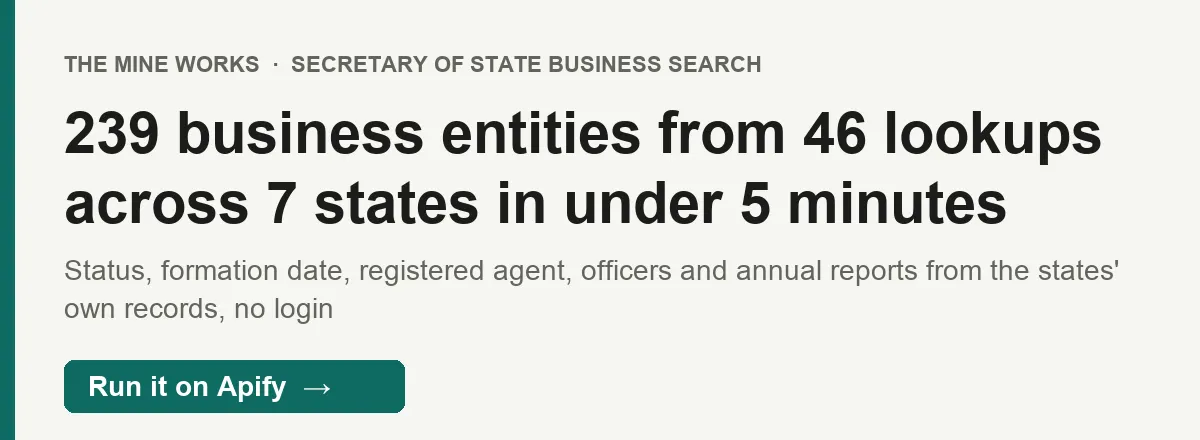
About 20 seconds for one name across all seven states, which is the usual call from Clay or an agent, and up to 90 seconds when a state portal answers slowly. Our 46 line test across all seven states (239 entities, one per state) took 4.8 minutes. Each state answers in about 1 to 3 seconds and the actor keeps to one request per second per state, so a large batch runs at roughly 10 lines a minute across all seven states, and faster with fewer states.
Do I need an account, cookies or a proxy?
No. The actor reads public pages over Apify Proxy, which is included. Nothing to set up.
Can I use it from Claude, ChatGPT or Cursor (MCP)?
Yes, through Apify's MCP server. Connector URL: https://mcp.apify.com/?tools=themineworks/secretary-of-state-business-search
- Claude: Settings > Connectors > Add custom connector, paste the URL, sign in with Apify.
- ChatGPT: turn on developer mode, add an MCP connector with the URL, sign in with Apify.
- Cursor or VS Code: add it as an HTTP MCP server with that URL.
- Claude Code:
claude mcp add -t http secretary-of-state-business-search "https://mcp.apify.com/?tools=themineworks/secretary-of-state-business-search"
Which formats can I download?
JSON, CSV, Excel, XML, RSS and HTML from the run's Storage tab or through the API. The dataset has three ready views: Entities, KYB check, and Agents and officers. In CSV and Excel, officers and filing_history are flattened into columns such as officers/0/name.
Is it legal to use this data?
Business entity filings are public records that the states publish as open data for reuse, and this actor reads only those public sources at the pace their robots.txt asks for. Some fields name people (registered agents, officers); you are responsible for how you use them, including the FCRA if you use records for credit, employment or tenant decisions, and state privacy laws. This is general information, not legal advice.
Integrations
- Clay: add an HTTP or Apify enrichment column that sends the business name (with the state in front when you know it) as
searchesand maps the row back withinput_index. - Make, Zapier and n8n: start a run and read its dataset with the Apify apps and nodes, for example "check a new vendor's registration when it is added to the sheet".
- Webhooks: have Apify call your URL when a run succeeds, then fetch the dataset.
- API and SDKs: run it from Python or JavaScript with the Apify client, or with a plain HTTP call (see "Copy to your AI assistant" above).
- MCP clients: Claude, ChatGPT, Cursor and VS Code can run it as a tool through the connector URL in the FAQ.
More from The Mine Works
Company and business data
- Company Domain Finder
- GST Taxpayer Lookup
- Company KYB Resolver
- SEC EDGAR Filings Scraper
- EU VAT Checker (VIES)
- Tech Stack Detector
- Bundesanzeiger Scraper
- Domain to LinkedIn URL Resolver
- World Bank Trade Scraper
- US Import Records
- Y Combinator Scraper
- Norway Company Register
Social media and video
Leads and business directories
Marketing, SEO and reviews
Real estate
Science, health and government data
Jobs and hiring
E-commerce and marketplaces
Food and local services
Developer and AI tools
More tools
Support
Found an entity that the state's own search shows but this actor does not, or a state you need? Open an issue in the Issues tab with the input and the run ID, and we will look at it. For a field you need or a new state, email dmineworks@gmail.com.
Search US Secretary of State business registries by name or entity number and get the legal name, status, formation date, addresses, registered agent and officers back as one row per entity, no login.


