

YouTube Email Finder: Creator Business Emails, No Login
Pricing
from $2.70 / 1,000 channel with emails
YouTube Email Finder: Creator Business Emails, No Login
Find YouTube creators' business emails by keyword or channel list, each with its source: About text, video descriptions, link in bio pages, Instagram or TikTok bio, or the creator's website. Plus subscribers, views, country, niche keywords and social links. Pay only for channels with an email.
Pricing
from $2.70 / 1,000 channel with emails
Rating
0.0
(0)
Developer

The Mine Works
Maintained by CommunityActor stats
0
Bookmarked
2
Total users
1
Monthly active users
6 hours ago
Last modified
Categories
Share
From The Mine Works, makers of Google Maps Email Scraper and B2B Leads Finder, with over 245,000 runs across 280+ public actors.
Updated 27 Oct 2026: first release. Keyword search or pasted channels, business emails from the channel's About text, its newest video descriptions, link in bio pages, Instagram and TikTok bios and the creator's own website, each email with the place it was found, plus subscribers, views, country, niche keywords and social links, one row per channel. Bookmark this Actor on its Store page so it is one click away next time.
Why choose this actor?
- Every email says where it came from. Each address carries
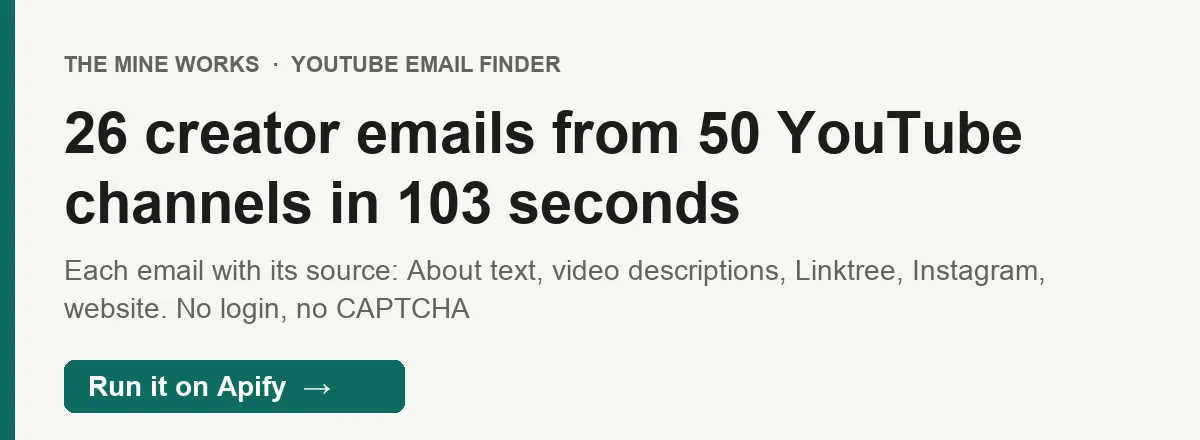
sources(About text, video description, link page, Instagram bio, TikTok bio, website), the page it was on and the words just before it, such as "Business inquiries:". You can see at a glance that an address is the creator's work contact and not a sponsor's. - More places than the About tab. Many creators write "business inquiries: ..." under every video and leave the About tab empty, or keep the address on their Linktree or their own site. In our test of 50 channels across 10 niches, 16 had an email in the About text; reading the newest video descriptions, link pages, bios and the creator's own website raised that to 26.
- You pay only for channels with an email. Channels without one are listed for free, with their stats, links and a flag that says whether YouTube holds a hidden business email for them. No Google account, no login, no CAPTCHA, no API key.

Part of The Mine Works Leads and business directories family: B2B Leads Finder, Skip Trace Lookup, Google Maps Email Scraper, 2GIS Places Scraper, JustDial Scraper, Yandex Maps Scraper.
Guide and FAQs: YouTube Email Finder on themineworks.com.
Try it in one minute
Paste this into the input (JSON view) and press Start. It searches YouTube for "tech review" creators with at least 10,000 subscribers and checks the first 10. In our test run it took 14 seconds and 8 of the 10 had an email:
Put several keywords on separate lines to search several niches at once, or paste channels you already have into channels (@handles, channel links, channel IDs or video links). A channel that two of your searches find is checked and charged once.
Apify's free plan includes $5 of credit every month, which covers about 1,100 channels with an email at this actor's price.
Copy to your AI assistant
Key features
- Find creators by keyword. Each keyword runs a YouTube channel search, 20 channels a page, followed page by page until
maxChannelsPerSearchchannels pass your subscriber range. Auto generated "Topic" channels, which never carry a contact, are skipped. - Or bring your own list. @handles,
youtube.com/@name,/channel/UC...,/c/and/user/links, bare channel IDs, and video or Shorts links (the channel that uploaded the video is used). Up to 5,000 per run. - Six places an email can be. The channel About text; the descriptions of its 15 newest uploads; link in bio pages (Linktree, campsite.bio, linkin.bio, tap.bio and similar) including their email buttons; the public Instagram and TikTok bios the channel links; and the creator's own website, home page plus up to 2 contact or about pages.
- Only the creator's own site. Channel links are full of affiliate shops and partner firms. A website is read only when its domain carries the channel's name or handle, or the creator labelled the link as their website, so a sponsor's support@ address does not end up in your list as the creator's.
- Clean addresses. Bracketed forms such as "name [at] gmail [dot] com" are decoded; platform, stock music and placeholder addresses (Linktree, Spreadshirt, Epidemic Sound, example.com) are dropped; each address is lower case and listed once with all its sources.
- Hidden YouTube email flag.
has_youtube_business_emailis true when the creator has set a business email in YouTube Studio. YouTube shows that address only to signed in viewers after a CAPTCHA; this actor never opens it, it only tells you it exists, so you know to look on the channel yourself. - Channel stats for qualifying. Subscribers, total views, video count, country, join date, verified badge, the creator's own keywords, last upload date, uploads in the last 30 days and average views of the 15 newest uploads.
- Stops cleanly. Eight channels in a row that YouTube does not serve end the run; the run stops before its time limit and keeps every row. The summary row has the hit rate by source and the reason for any shortfall.
How to use it
Build an outreach list for one niche
Up to 100 creators per keyword in the 5K to 300K range, the size most brands can afford to sponsor. Filter the dataset on has_email: true, sort by avg_recent_views, and use uploads_last_30_days to keep only creators who still post.
Find emails for channels you already have
Paste a column from your spreadsheet or CRM. Each row keeps your original value in input, so you can match it back.
Every address a creator publishes
By default the bios, link pages and website are read only when YouTube itself shows no email, which is faster. With scanAllSources every source is read for every channel, and emails lists every address found (for example a personal address in the About text and a management address under the videos). Same price per channel.
A market outside the US
searchCountry changes which channels YouTube ranks first for the keyword. country on each row is the country the channel lists itself.
Only the rows you pay for
Channels without an email are left out of the dataset. The summary row still counts them.
Input parameters
| Parameter | Type | Default | What it does |
|---|---|---|---|
searchQueries | array of strings | empty | Keywords to find creators for, one YouTube channel search each. Up to 50. |
channels | array of strings | empty | @handles, channel links, channel IDs or video links. Up to 5,000. |
maxChannelsPerSearch | integer | 20 | Most channels to check per keyword, 1 to 500. |
minSubscribers | integer | none | Skip keyword results with fewer subscribers. |
maxSubscribers | integer | none | Skip keyword results with more subscribers. |
searchCountry | string | US | Country the keyword search runs from. |
scanVideoDescriptions | boolean | true | Read the descriptions of the 15 newest uploads. |
scanSocialBios | boolean | true | Read the linked Instagram and TikTok bios. |
scanWebsites | boolean | true | Read link in bio pages and the creator's own website. |
scanAllSources | boolean | false | Read every source even when YouTube already shows an email. |
includeChannelsWithoutEmail | boolean | true | Also list channels with no email (free). |
proxyConfiguration | object | Apify Proxy | Leave as is unless you know you need another proxy. |
Give searchQueries, channels or both.
What data do you get?
One row per channel. Channel rows have no _type field; the summary, info and error rows do, so a filter on _type separates them.
| Field | What it is |
|---|---|
channel_id, channel_name, handle, channel_url | The channel |
has_email | At least one email was found; only these rows are charged |
email | The best address to write to: About text first, then video descriptions, link pages, bios, website |
emails | Every address: email, sources, source_url, context (the words before it), business_cue, domain_type (free_mail or own_domain), found_count |
email_count, email_sources | How many addresses, and where they were found |
has_youtube_business_email | The creator set a business email in YouTube that only signed in viewers can open (not read by this actor) |
subscribers, subscribers_text | Subscribers as a number (YouTube rounds it) and as shown |
total_views, video_count | Exact total views, number of videos |
country, joined_date, is_verified | Listed country, creation date, verified badge |
niche_keywords | The keywords the creator set for the channel |
description | The full About text |
avatar_url | Channel picture |
last_upload_at, uploads_last_30_days, avg_recent_views | Activity, from the 15 newest uploads |
website_url, link_page_url | The creator's own site and link in bio page |
instagram_url, tiktok_url, twitter_url, facebook_url, linkedin_url, twitch_url, discord_url, patreon_url | Social profiles from the About tab |
links | Every About link: title, url, type, platform |
instagram_bio, tiktok_bio | The bio text, when that profile was read |
sources_checked, source_errors | What was read for this channel, and what could not be read |
found_by_keyword, search_position | The keyword that found the channel and its place in that search |
input, scraped_at | Your original value (pasted channels), when the row was written |
Summary row (_type: "summary", never charged): channels_checked, channels_with_email, hit_rate (percent), email_found_in and email_first_found_in (counts per source), channels_with_hidden_youtube_email, hidden_youtube_email_only, channels_found_by_search, channels_skipped_by_filter, duplicates_skipped, channels_not_found, charged_for, http_requests, http_megabytes, stopped_by_max_cost, shortfall_reason when fewer channels were checked than asked, and per_search, one entry per keyword. The same summary is saved as the OUTPUT record of the run.
Error rows (_type: "error", never charged): one per input that could not be read, with error_type (invalid_input, not_found, unreadable, search_failed), identifier and reason.
Stable fields for automations
These were present in every channel row of our test run (50 channels), and their names will not change:
| Field | What it is |
|---|---|
channel_id | The key to store and join on |
channel_name | Channel name |
channel_url | Link to the channel |
has_email | Email found (charged) |
emails | All addresses with sources (empty list when none) |
email_sources | Where they were found |
has_youtube_business_email | Hidden YouTube email exists |
subscribers | Subscribers |
total_views | Total views |
sources_checked | What was read |
scraped_at | When the row was written |
Optional, present only when there is a value: email (only when has_email is true), video_count (49 of 50 test rows), country (45 of 50), joined_date, niche_keywords (43 of 50: some channels set none), the social and website fields, links, the bio fields, source_errors.
Output examples
A creator whose address is in the About text and under 7 of the 15 newest videos (test run, 27 Oct 2026, trimmed):
A creator with nothing on YouTube whose address is the email button of his Linktree (same run, trimmed):
A channel with no public email (listed free, trimmed):
The summary row of that run, trimmed:
Pricing
Pay per event: you pay for each channel delivered with at least one email, plus a flat $0.001 per run, whatever memory you choose. Several emails on one channel cost the same as one. Reading bios, link pages and websites costs nothing extra.
| Event | When it is charged | Free plan | Bronze (Starter) | Silver (Scale) | Gold (Business) |
|---|---|---|---|---|---|
email-found | Once per channel row with at least one email, stored in your dataset | $4.50 per 1,000 | $3.80 per 1,000 | $3.20 per 1,000 | $2.70 per 1,000 |
run-start | Once per run, after the first channel row is stored | $0.001 | $0.001 | $0.001 | $0.001 |
The price of one channel is the price per 1,000 divided by 1,000.
Never charged:
- channels without an email (listed for free, or left out with
includeChannelsWithoutEmail: false); - inputs that are not YouTube channels, and channels that do not exist (each gets an error row);
- a channel that a second search or a second input of the same run finds again;
- the summary, info and error rows;
- a run that stores no channel row: the start fee is charged only after the first one;
- anything past your "Max cost per run". The actor checks the budget before each charged row and stops while the total is still below your limit, so the run ends SUCCEEDED with a partial result and a status message saying so.
Run it on a schedule
- Open the actor in Apify Console, set your input and click Save as a new task.
- In the task, open Schedules, click Add schedule and pick how often (every Monday at 08:00, every month and so on).
- Compare runs on
channel_idto see new creators in your niche, and onemailto catch creators who changed their contact. - Optional: add an integration (Google Sheets, HubSpot through Make or Zapier, a webhook) so each run lands where your team works.
FAQ
Where do the emails come from?
From what creators publish for anyone to see without logging in: the channel's About text, the descriptions of its newest uploads, the link in bio pages it links (Linktree and similar), the public bios of the Instagram and TikTok profiles it links, and the creator's own website. Each address says which of these it came from in sources.
What is the hidden YouTube business email?
Creators can set a business email in YouTube Studio. YouTube shows it behind a "View email address" button that needs a signed in Google account and a CAPTCHA. This actor does not sign in and does not solve CAPTCHAs, so it does not read that address. has_youtube_business_email tells you it exists: in our test, 38 of 50 channels had one, and 14 of them published no email anywhere else, so for those the button on the channel page is the way in.
How many channels have an email?
It depends a lot on the niche and on channel size. In our test of 50 channels with 1,000+ subscribers across 10 niches, 26 had at least one public email (52%): 5 of 5 tech review channels, but 1 of 5 home workout and guitar lesson channels. Size matters most: 19 of 26 channels with 500K+ subscribers had one, 5 of 15 between 50K and 500K, and 2 of 9 under 50K. Set minSubscribers to raise the share, and the summary row gives the hit rate of every run.
Why is a channel without an email listed?
So you can see what was checked and that it is free. Its row has the stats, the links and the hidden email flag, which is useful for creators you want to contact through YouTube or a social profile. Turn includeChannelsWithoutEmail off to leave them out.
Is the email the creator's or a sponsor's?
Addresses in the About text and video descriptions come with the words just before them (context) and business_cue is true when those words are "business inquiries", "collab", "management" and the like. Websites are read only when they are the creator's own, and platform and stock music addresses are removed. Still read context before you write: a video description can mention someone else's address.
Why are some link pages or websites not read?
Some sites put every visitor through a bot check page first. Beacons does this for every request, and solo.to and some creator sites do it for datacenter IPs. This actor does not solve those checks, so such a page is skipped and named in source_errors (for example link page beacons.ai: HTTP 403). The other sources of that channel are still read.
Does it check whether the email works?
No. It returns the address as the creator published it, with its source. Run the list through Email Verifier and Validator if you need deliverability checks before a campaign.
How long does a run take?
In our tests: 14 seconds for the "Try it" input (10 channels), 103 seconds for 50 pasted channels with the default settings, and 39 seconds for 5 channels with scanAllSources on. Each channel's outside reads stop after 45 seconds, so one slow website cannot hold the run. The default time limit is 3,600 seconds; the actor stops before it and keeps every row.
Do I need a YouTube or Google account, cookies or an API key?
No. The actor reads public pages over Apify Proxy, which is included.
Can I use it from Claude, ChatGPT or Cursor (MCP)?
Yes, through Apify's MCP server. Connector URL: https://mcp.apify.com/?tools=themineworks/youtube-creator-email-finder
- Claude: Settings > Connectors > Add custom connector, paste the URL, sign in with Apify.
- ChatGPT: turn on developer mode, add an MCP connector with the URL, sign in with Apify.
- Cursor or VS Code: add it as an HTTP MCP server with that URL.
- Claude Code:
claude mcp add -t http youtube-creator-email-finder "https://mcp.apify.com/?tools=themineworks/youtube-creator-email-finder"
Which formats can I download?
JSON, CSV, Excel, XML, RSS and HTML from the run's Storage tab or through the API. The dataset has three ready views: Emails, Contacts and links, and Channel stats. In CSV and Excel, emails and links are flattened into columns such as emails/0/email and emails/0/sources/0.
Is it legal to use creator emails for outreach?
The actor reads only addresses creators published publicly for business contact. Email addresses are personal data under laws such as the GDPR, and outreach email is regulated by laws such as CAN-SPAM in the US and the PECR in the UK: identify yourself, write about something relevant to the creator, honour opt outs, and keep only what you need. You are responsible for how you use the data and for YouTube's, Instagram's and TikTok's terms. This is general information, not legal advice. YouTube is a trademark of Google LLC; this actor is independent and not affiliated with it.
Integrations
- Google Sheets: send each run's channels to a sheet with Apify's Google Sheets integration; one row per channel fits a sheet as is.
- Make, Zapier and n8n: start a run and read its dataset with the Apify apps and nodes, for example "new tech creators with an email every Monday into HubSpot".
- Webhooks: have Apify call your URL when a run succeeds, then fetch the dataset.
- API and SDKs: run it from Python or JavaScript with the Apify client, or with a plain HTTP call (see "Copy to your AI assistant" above).
- MCP clients: Claude, ChatGPT, Cursor and VS Code can run it as a tool through the connector URL in the FAQ.
More from The Mine Works
Leads and business directories
- B2B Leads Finder
- Skip Trace Lookup
- Google Maps Email Scraper
- 2GIS Places Scraper
- JustDial Scraper
- Yandex Maps Scraper
- IndiaMART Scraper
- Contact Details Scraper
- US Business Registry
- Google Maps Scraper
- Yellow Pages Scraper
- Lead Generation MCP
Social media and video
Marketing, SEO and reviews
Real estate
Science, health and government data
Jobs and hiring
Company and business data
E-commerce and marketplaces
Food and local services
Developer and AI tools
More tools
Support
Found a channel that shows an email the actor missed, or an address that is not the creator's? Open an issue in the Issues tab with the channel and the run ID, and we will look at it. For a field you need or a new source, email dmineworks@gmail.com.
Find YouTube creators by keyword or paste your list, and get every channel back as one row with its public business emails and where each was found, plus subscribers, views, country, niche keywords and social links, no login and no CAPTCHA.


![[Fast & Cheap] Youtube Email, Socials & Urls Scraper avatar](https://images.apifyusercontent.com/rx0JCkzYfpu0Scg6D1br1HLEB0aSvfnhtPvFGYnvycI/rs:fill:76:76/cb:1/aHR0cHM6Ly9hcGlmeS1pbWFnZS11cGxvYWRzLXByb2QuczMudXMtZWFzdC0xLmFtYXpvbmF3cy5jb20vVTFNcFdtQ29zM1h5d0VRSlEtYWN0b3ItdmE0Tkkya2pQdmNTT0o1TksteEVvc0ZkRjV1Vy1hcGlmeV95dF9hcGlfbG9nby5wbmc.webp)


