
AI Crawler Access Audit | Robots.txt & User-Agent Checks
Pricing
$9.90 / 1,000 website checks
AI Crawler Access Audit | Robots.txt & User-Agent Checks
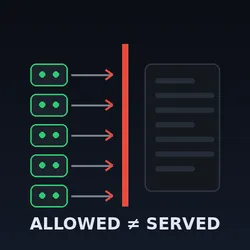
Compare robots.txt policy with live HTTPS responses for 11 named User-Agent strings, including GPTBot and ClaudeBot. Review possible blocks, llms.txt, and page extractability. Tests run from Apify, not verified crawler IPs; results cannot prove actual crawler access.
Pricing
$9.90 / 1,000 website checks
Rating
0.0
(0)
Developer

Andrii Klymenko
Maintained by CommunityActor stats
0
Bookmarked
4
Total users
1
Monthly active users
14 days ago
Last modified
Categories
Security
Limited permissionsShare
AI Crawler Access Audit
Diagnose differences between a site's robots.txt policy and HTTP responses to 11 named crawler User-Agent strings sent from Apify infrastructure. The result helps identify a possible access problem worth investigating. It does not prove that the real crawler, from its own verified IP range, can or cannot reach your site.
What the check does
- Requests the exact public HTTPS page using a normal browser User-Agent. A blocked or unusually thin control response makes the result inconclusive.
- Reads that host's
robots.txtand evaluates policy for 11 crawler tokens using an RFC 9309-compatible parser. - Sends one HTTP request per named User-Agent from Apify's network and reports its status, response size, and common challenge-page markers.
- Reports Google-Extended separately as a
robots.txtpolicy token. Google-Extended has no separate HTTP request User-Agent; no live HTTP test or access verdict is attributed to it. - Reports basic HTML extractability markers for the checked page and up to 10 extra pages. It also checks for
/llms.txt.
The 11 request headers cover GPTBot, OAI-SearchBot, ChatGPT-User, ClaudeBot, Claude-User, PerplexityBot, Perplexity-User, Bingbot, Amazonbot, CCBot, and meta-externalagent. A request header can be spoofed. Firewalls can treat Apify's IP differently from a provider's verified crawler IP; a successful test is not evidence of indexing, ranking, training use, or AI citations. Confirm important findings against server logs and provider IP verification.
Input and output
Enter 1-20 final, public HTTPS page URLs. Private hosts, IP ranges, non-HTTPS schemes, custom ports, and off-host redirects are rejected. Optional additional pages must be on the same audited host. Each URL returns a dataset item with baseline_browser, crawler_matrix, policy_only_tokens, summary, possible_gaps, pages, and an inconclusive flag. possible_gaps are diagnostic leads, not verified crawler failures. An incomplete check includes a plain-language reason.
Only a complete check with a usable browser control, readable robots.txt (HTTP 200 or 404), and responses for all 11 test headers triggers one site-checked event. Input errors, failed fetches, and inconclusive results do not trigger that event. The Apify Store price is authoritative.
The HTML inspection is lightweight: it does not render JavaScript, validate structured data, or determine whether an answer engine will cite the page. Run only against sites you are authorized to assess. Do not enter private URLs or secrets.
Support
Share the Actor run URL and the affected public domain. Do not share credentials or private page content.


