

Fever Scraper - Events & Experiences
Pricing
from $2.10 / 1,000 results
Fever Scraper - Events & Experiences
[💰$3 / 1K] Fast Fever scraper for events and experiences by city, category, keyword or event URL. Extract venues, ratings, photos, dates and all published session ticket prices with availability. No login needed.
Pricing
from $2.10 / 1,000 results
Rating
0.0
(0)
Developer

Aboo Script
Maintained by CommunityActor stats
0
Bookmarked
2
Total users
1
Monthly active users
2 days ago
Last modified
Categories
Share
Fever Scraper
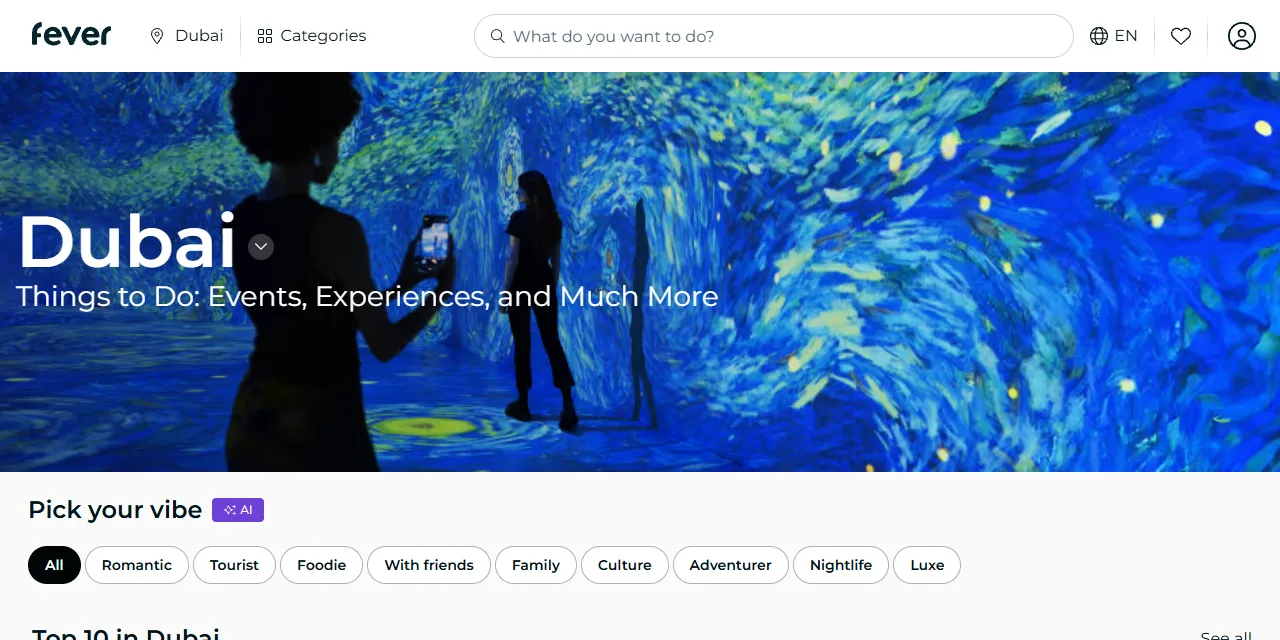
Fever Scraper collects events and experiences from Fever, including ticket prices, dates, venues, ratings and photos. Paste city, category or event URLs, or search by keyword, and download structured results as JSON, CSV or Excel. No login is needed.
Introduction
Fever lists concerts, Candlelight performances, exhibitions, attractions, food experiences and other things to do in cities around the world. This actor turns public Fever listings and published ticket options into data for research, event directories and price comparisons.
What data can you extract from Fever?
- Event ID, title, link, category, city, country and descriptions.
- Starting price, currency, original price and discount percentage.
- Rating, rating count, photos, first and last published event dates.
- Venue names, addresses and map coordinates.
- Published sessions and ticket types with labels, dates, prices, booking fees and availability.
- Source URL and collection timestamp.
Use Cases
- Event directories: collect local experiences for city guides and travel planning.
- Price comparisons: compare starting prices with prices for individual dates and ticket types.
- Market research: track categories, venues, ratings and event availability across cities.
- Automation: send structured results to spreadsheets, dashboards and scheduled workflows.
How to scrape Fever step by step
- Fill Start URLs, Search queries, or both.
- For keyword searches, choose the City and Category using their Fever URL slugs.
- Set Maximum number of results per URL or query. Leave Include sessions and ticket prices enabled for complete published ticket options.
- Click Start, then download results from the Output tab.
Input
- Start URLs (
startUrls): city pages such ashttps://feverup.com/en/dubai, categories such ashttps://feverup.com/en/dubai/candlelight, search pages such ashttps://feverup.com/en/dubai/search-list?q=candlelight, or events such ashttps://feverup.com/m/786155. Supported category date, venue, musician, music-genre and sort filters in URLs are preserved when the category offers them. - Search queries (
searchQueries): one keyword or phrase per entry. Each query has its own result limit. - Maximum number of results (
maxResults): default3events per URL or query. Set0for all matching events. Nested ticket options do not count toward this limit. - City (
city): Fever city slug, defaultdubai. For example, uselondonornew-yorkfrom the city's Fever URL. Applies only to search queries. - Category (
category): category slug available in that city, defaultthings-to-do. For example,candlelight. Applies only to search queries. - Sort order (
sort): relevance, earliest date, rating, price low to high, or price high to low. Defaultrelevance. Applies only to search queries; start URLs use their ownsortparameter. - Start date and End date (
startDate,endDate): optional date range inYYYY-MM-DDformat. Supply both. Applies only to event selection for search queries; all published ticket dates for selected events are still collected. - Include sessions and ticket prices (
includeSessions): defaulttrue. Disable to collect event metadata more quickly. The event's starting price is still returned.
Input Examples
Default city collection:
Keyword search using the default filters:
Output
Each dataset item represents one event. This real example includes its published ticket options; long descriptions are shortened for readability.
JSON preserves nested venues and ticket options. You can also export results in CSV, Excel, XML or HTML.
Notes
- City URLs collect the full experiences catalogue, whose selection and order can differ from the homepage's promotional carousels.
- Keywords use Fever search results within the selected category. Selection follows the category's chosen sort order; saved row order may vary.
- Category slugs differ by city and language. Copy the slug from a working Fever category URL. An unavailable category causes the run to fail.
- Date filters select events with matching dates, while the output includes all published ticket dates for those events.
- Availability is the ticket quantity Fever exposes to customers; it may be a purchase limit rather than the venue's remaining inventory. Fees are separate fields.
- Partner bookings, sold-out events and some special experiences may not publish ticket options. Missing values are
null. Disabling ticket collection makessessions,sessionCountandticketTypesnull. - Results are deduplicated within each URL or query. The same event can appear again when it matches multiple input sources.
- Country pages, venue directories, checkout and relative-date pages are not supported. Distance filters and promotional spotlight parameters are not applied.
- Broad collections with ticket details can contain thousands of options per event and take longer. Choose specific categories or disable ticket collection when only event metadata is needed.
- More filters and input types can be requested.
Why use the Fever Scraper?
- Collect multiple cities, categories, search queries and individual events in one run.
- Compare the starting price with published dates and individual ticket labels.
- Control the number of events independently for each input source.
- Collect public event data without logging in.
FAQ
Do I need a Fever account?
No. The actor collects publicly available event information without login.
How many events can I collect?
Set a limit for each URL or query, or use 0 to continue until Fever has no more matching events.
Can I run it on a schedule?
Yes. Use Apify Schedules to refresh your event dataset automatically.
Can I request a custom filter or private version?
Yes. Get in touch for additional filters, a private actor or a scraper tailored to your workflow.
Need to scrape other event platforms?
- Ticketmaster Scraper: collect event listings and ticket information.
Need help or want a custom solution?
- 📧 Email: aboo.script@gmail.com
- 🧩 More scrapers: Apify profile
Image Credit
Image credit: Fever


