

Indeed Jobs Scraper
Pricing
from $1.40 / 1,000 results
Indeed Jobs Scraper
[💰$2 / 1K] ⚡ Fast Indeed jobs scraper for 35 countries. No login, no API key. Search by keyword, location and filters (date, job type, remote, level) or paste Indeed URLs. Get title, company, salary, location, job type, full description, apply link and company rating.
Pricing
from $1.40 / 1,000 results
Rating
0.0
(0)
Developer

Aboo Script
Maintained by CommunityActor stats
0
Bookmarked
2
Total users
1
Monthly active users
4 days ago
Last modified
Categories
Features
Share
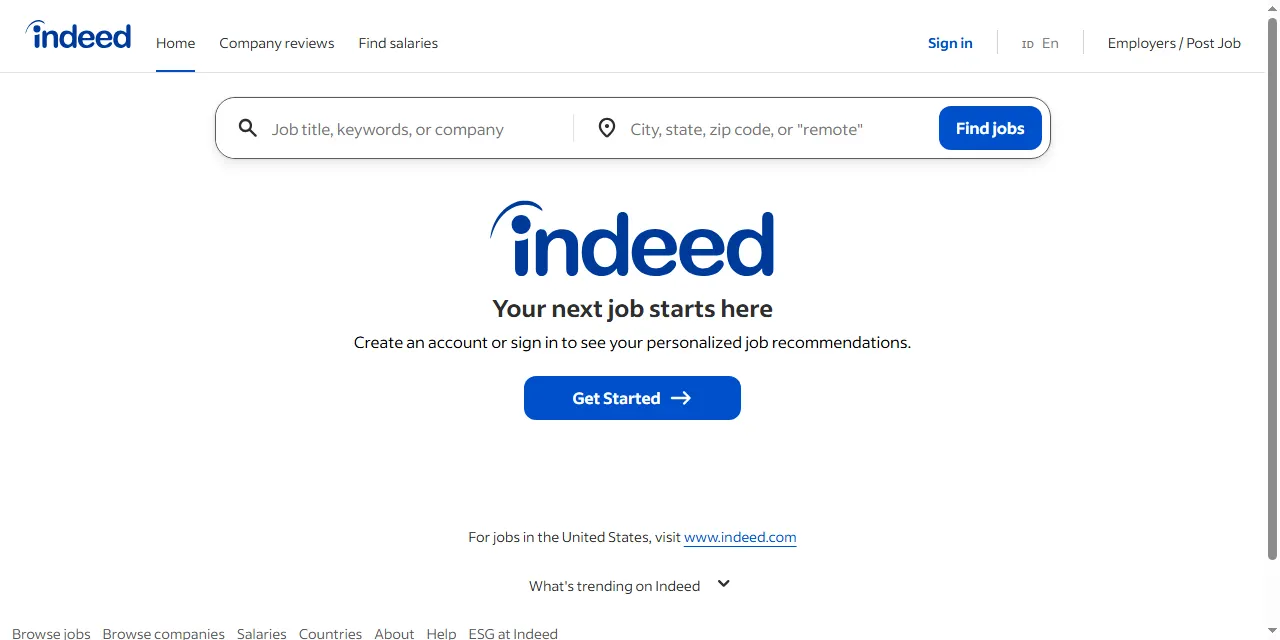
Indeed Jobs Scraper extracts job listings from Indeed into clean, structured data you can download as JSON, CSV, Excel, or HTML. Paste an Indeed search URL or type a job title, and get the title, company, location, salary range, job type, remote status, full description, apply link, and company rating for every job. Works on all major Indeed country sites, with no account or login required.
Introduction
Indeed is one of the largest job sites in the world, with millions of open positions from employers and recruiters in more than 50 countries. Its listings show who is hiring, where, for which roles, and at what pay.
This actor collects the same public job information you see in your browser and turns it into a ready-to-use dataset. You can run it once, schedule it to run daily, or connect it to your own tools.
What data can you extract from Indeed?
- 💼 Job title, normalized title, job key, and job URL
- 🏢 Company name, Indeed company page, logo, website, industry, size, revenue, CEO, addresses, and short description
- ⭐ Company rating and number of company reviews
- 📍 Location, city, state, postal code, street address, and country
- 💲 Salary minimum, maximum, currency, and pay period (hour, day, week, month, year)
- 🕒 Job types (full-time, part-time, contract, ...), workplace (remote, hybrid, on-site), and experience level
- 🧩 Skills, requirements, and benefits listed on the job, plus occupation categories
- 📝 Full job description as plain text and as HTML
- 🔗 Apply URL, Easy Apply availability, urgent hiring and high-volume hiring flags
- 📅 Date published, date added to Indeed, and whether the job has expired
Use Cases
- 📈 Labor market research: track demand for roles, skills, and pay ranges across cities and countries.
- 💲 Salary benchmarking: compare advertised salaries by job title, location, and experience level.
- 🤝 Lead generation: find companies that are hiring right now and reach out with your service or product.
- 🧑💼 Recruiting and job boards: collect fresh openings for your niche job board, newsletter, or candidate matching.
- 🤖 AI and automation: feed clean job data into spreadsheets, dashboards, or AI workflows.
How to scrape Indeed step by step
- Paste one or more Indeed URLs into Start URLs, or type job titles into Search queries and set the Location and Country.
- Optionally choose filters such as Date posted, Job type, Remote, or Experience level.
- Set Maximum number of results to how many jobs you want per URL or per query.
- Click Start and download your data in JSON, CSV, Excel, or HTML from the Output tab.
Input
- Start URLs: Indeed URLs to scrape. Supported pages: job search result pages (for example
https://www.indeed.com/jobs?q=nurse&l=Austin%2C+TX), job pages (https://www.indeed.com/viewjob?jk=...), and keyword or location pages likehttps://www.indeed.com/q-barista-l-seattle,-wa-jobs.html. Any Indeed country site works (uk.indeed.com, de.indeed.com, ca.indeed.com, ...). Filters you apply on the website (date posted, job type, remote, experience level, radius, sort by date) are kept in the results. - Search queries: job keywords to search, one per line. Each query is scraped separately.
- Location: city, state, region, or postal code for search queries. Leave it empty to search the whole country.
- Country: the Indeed country site used for search queries (35 countries). Start URLs use the country of their own URL.
- Radius: search distance around the location, in miles for the US and UK and kilometers elsewhere.
- Date posted: last 24 hours, 3 days, 7 days, or 14 days.
- Job type: full-time, part-time, contract, temporary, internship, or permanent.
- Remote: remote or hybrid jobs only.
- Experience level: no experience needed, entry level, mid level, or senior level.
- Sort by: relevance or date.
- Maximum number of results: how many jobs to collect for each start URL or search query. Use 0 for no limit.
- Proxy configuration: Apify Proxy is required to reach Indeed. The default datacenter proxy works well, so you can keep the default.
Location and filters apply to search queries; start URLs keep the filters in their own URL. You can use start URLs, search queries, or both in the same run.
Input Examples
Scrape an Indeed search page:
Search by keywords in a location:
Search remote full-time jobs in the UK posted in the last 7 days:
Output
Each job is saved as one item in the dataset. Here is an example of a single item:
You can download the dataset in JSON, CSV, Excel, XML, or HTML, or access it through the Apify API.
Notes
- Indeed shows a limited number of jobs per search, usually a few hundred and up to about 1,000. To collect more, split broad searches by location, job type, or date posted.
- Company pages (
/cmp/...), salary pages, and other non-job URLs are skipped. A start URL's page number is ignored; every search starts from the first result. - Company filters and salary filters from the Indeed website are not applied to start URLs; all other filters in the URL are kept.
- Salary is only returned when the employer publishes it; otherwise the salary fields are
null. Small employers often have no company rating, logo, or company details. - Job titles, descriptions, and labels are in the language of the Indeed country site (for example German on de.indeed.com).
- Sorting by date follows Indeed's own date order, which is mostly but not strictly newest first.
- The same job is saved only once per start URL or search query.
Why use the Indeed Jobs Scraper?
- ✅ No login needed: works with public job listings only, so there is no account to manage.
- 🌍 35 countries: search Indeed in the US, UK, Canada, Australia, India, Germany, France, and many more.
- 🎯 Keeps your filters: paste any Indeed search URL from your browser and get the same jobs, or use the built-in filters.
- 🏢 Company data included: rating, review count, size, revenue, and industry come with every job.
- ⚡ Fast and light: no browser needed, so runs finish in seconds and stay cheap.
- 🔄 Ready for automation: schedule runs, export to Google Sheets, or connect to Make, Zapier, and n8n.
FAQ
How many results can I scrape?
You can set any number in Maximum number of results, or 0 for no limit. The actor keeps going until it reaches your limit or Indeed has no more jobs for that search. See Notes for Indeed's own limit per search.
Do I need an Indeed account?
No. The actor only collects publicly available job listings. You do not need to log in or provide any account details.
Can I scrape jobs from other countries?
Yes. Pick a country in Country for search queries, or paste a URL from any Indeed country site (for example https://uk.indeed.com/jobs?q=nurse&l=London).
Can I scrape data on a schedule?
Yes. Use Apify Schedules to run the actor every hour, day, or week, and combine it with Date posted to get only new jobs.
Why are some fields empty?
Not every job shows every piece of information. When a field is not available on Indeed, it is returned as null (or an empty list).
Can I request a new feature or filter?
Yes. If you need other filters or inputs, such as company or salary filters, get in touch and they can be added.
Can I get a custom or private version?
Yes. The actor can be customized for your workflow, delivered as a private version, or a new scraper can be built for a different website. Use the contact details below.
Need to scrape other job platforms?
- LVMH Jobs Scraper: job openings from the LVMH luxury group careers site.
- Tapestry Jobs Scraper: job openings from the Tapestry careers site.
Need help or want a custom solution?
- 📧 Email: aboo.script@gmail.com
- 🧩 More scrapers: Apify profile
Image Credit
Image credit: Indeed


