
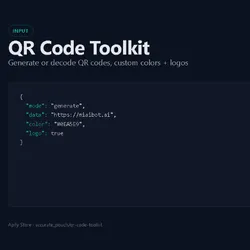
QR Code Toolkit — Bulk Generate with Custom Colors & Logos
Pricing
$4.00 / 1,000 qr code generateds
QR Code Toolkit — Bulk Generate with Custom Colors & Logos
Generate QR codes in bulk with custom colors, error correction levels, and logo overlays. PNG, SVG, or base64 output. 10 QR codes free per run.
Pricing
$4.00 / 1,000 qr code generateds
Rating
0.0
(0)
Developer

Manchitt Sanan
Maintained by CommunityActor stats
0
Bookmarked
2
Total users
1
Monthly active users
5 months ago
Last modified
Categories
Share
Generate QR codes in bulk with custom dark/light colors, logo overlays, configurable error correction, and multiple output formats (PNG, SVG, base64). 10 QR codes.
Why this exists
Existing QR code actors on Apify only generate basic black-and-white codes. This actor adds:
- Custom colors — any dark/light hex color combination
- Logo overlay — place your brand logo in the center of the QR code (requires H error correction)
- SVG output — vector format, infinitely scalable
- Base64 output — embed directly in HTML/email without hosting
- Configurable error correction — L (7%), M (15%), Q (25%), H (30% — required for logos)
- Bulk generation — hundreds of codes in one run
Quick start
Generate options
| Field | Type | Default | Description |
|---|---|---|---|
text | string | (required) | Text, URL, or data to encode |
size | integer | 400 | QR code width/height in pixels |
errorCorrectionLevel | enum | M | L (7%), M (15%), Q (25%), H (30%). Use H if adding a logo. |
darkColor | string | #000000 | Hex color for dark modules |
lightColor | string | #ffffff | Hex color for light/background |
format | enum | png | png, svg, or base64 |
logoUrl | string | (optional) | URL to a logo image. Overlaid in the center. Use error correction H. |
logoScale | number | 0.2 | Logo size as fraction of QR code (0.1–0.3 recommended) |
margin | integer | 2 | Quiet zone modules around the QR code |
Output
Generated QR codes are stored in the Key-Value Store. Each item also produces a dataset entry:
For base64 format, the dataset entry includes a base64 field with the full data URL.
Pricing
$0.003 per QR code generated (pay-per-event pricing).
- Errors and dry runs are never charged.
- 100 QR codes = $0.30
- 1,000 QR codes = $3.00
Limitations
- QR decoding reads QR codes from image URLs. Pass
mode: "decode"withdecode: { imageUrl: "..." }. Returns the decoded text. - Logo overlay increases file size and requires error correction level H for reliable scanning.
- SVG format does not support logo overlay — use PNG for logos.
- Maximum text length depends on error correction level. L supports more data, H supports less. Typical max: ~2,000 characters at level M.
Related actors in this suite
Other tools by accurate_pouch for content + asset workflows:
- PDF Toolkit — Text, metadata, page count. $0.004/PDF.
- Google Sheets R/W — Read, append, replace, modify, backup. $0.004/op.
- TheCrawler — Web scraper + LLM-powered structured extraction. AGPL-3.0, also on npm (
thecrawler@0.1.1). $0.005/page. - Broken Link Checker — Recursive crawl, sitemap + robots.txt parsing, webhook, Sheets export. $0.005/page.
Run on Apify

No setup needed. Click above to run in the cloud. $0.003 per operation.


