
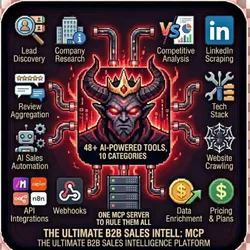
GOD MODE INTEL MCP V2 - Ultimate B2B Intelligence Suite
Pricing
from $0.01 / 1,000 results
GOD MODE INTEL MCP V2 - Ultimate B2B Intelligence Suite
The most comprehensive B2B intelligence MCP server w/59+ tools, LinkedIn Intel Suite Sales Navigator, Post Engagers, Event Attendees, Company Followers), Y Combinator, SMB Enrichment, Campaign Orchestration & pay-per-event pricing. Built for Claude Desktop, Make.com, Zapier & n8n integrations.
Pricing
from $0.01 / 1,000 results
Rating
0.0
(0)
Developer

The Howlers
Maintained by CommunityActor stats
0
Bookmarked
15
Total users
0
Monthly active users
2 days ago
Last modified
Categories
Share
GOD MODE INTEL MCP V2 - B2B Marketing Intelligence
52+ B2B intelligence tools for lead discovery, enrichment, competitive analysis, and AI-powered outreach. Find prospects via Google Maps, enrich with Apollo/Firecrawl, scrape LinkedIn, analyze competitors, and more.
BYOK (Bring Your Own Key) -- you provide your own API credentials.
Before You Start
This actor requires your own API credentials to fetch real data.
Where to get your key: Your Apify API token for calling underlying actors
Live mode is the default. A run with only the default input (tool: list_tools) returns the live tool catalog, which is free. Turn on demoMode to preview sample output: every sample row is marked demo: true with a notice and is never charged.
In live mode this actor never substitutes sample data. If a tool is not available in live mode yet, a required key is missing, or an underlying actor fails or only returns sample data, you get a row with success: false and an error message, and nothing is charged for that tool call.
Quick Start
See which tools return live data (free)
The liveTools field lists the tools that fetch real data. Tools in notYetAvailableInLiveMode return an error row in live mode.
Preview sample output (free, no API key needed)
Run with real data
Input Parameters
| Parameter | Type | Default | Required | Description |
|---|---|---|---|---|
tool | string | "list_tools" | Yes* | The MCP tool to execute |
toolInput | object | {} | No | Input parameters for the selected tool (JSON object) |
demoMode | boolean | false | No | Return labeled sample data without making real API calls. Sample output is never charged |
apifyToken | string | - | Yes* | Your Apify API token for calling underlying actors |
firecrawlApiKey | string | - | Yes* | API key for Firecrawl-powered tools |
apolloApiKey | string | - | Yes* | API key for lead enrichment via Apollo |
hunterApiKey | string | - | Yes* | API key for email discovery via Hunter |
clearbitApiKey | string | - | Yes* | API key for company enrichment via Clearbit |
anthropicApiKey | string | - | Yes* | API key for AI-powered tools (scoring, outreach generation) |
openaiApiKey | string | - | Yes* | Alternative API key for AI-powered tools |
webhookUrl | string | - | No | URL to send results to (supports Zapier, Make, n8n) |
proxyConfiguration | object | - | No | Proxy settings for stealth scraping |
*Required when Demo Mode is off.
Pricing
This actor uses pay-per-event billing:
| Event | When it is charged | Price |
|---|---|---|
| Lead Enriched | A lead or enrichment tool call that returns real data | $0.05 |
| Company Researched | A company research tool call that returns real data | $0.08 |
| LinkedIn Profile Scraped | A LinkedIn tool call that returns real data | $0.03 |
| Outreach Generated | An outreach or generation tool call that returns real data | $0.02 |
| Tool Executed | Any other tool call that returns real data | $0.01 |
Each tool call is charged at most one of these events, and only when it returns real data. Error rows, empty results, list_tools, get_tool_help and sample output are not charged. Apify's standard Actor start and dataset result events also apply. Tools that run other Apify actors (for example Google Maps, LinkedIn or review scrapers) start those actors with your Apify token, so their usage is billed to your account as well.
Troubleshooting
"Missing API key" or "not available in live mode yet"
The row has success: false and was not charged. Add the key named in missingKeys, or pick a tool from the liveTools list returned by list_tools. Turn Demo Mode on only if you want to preview sample output.
"API error 403" or "Unauthorized"
Your API key is invalid, expired, or doesn't have access to this specific API endpoint. Double-check your key and account permissions.
"API error 429" or "Rate limit"
Too many requests. Wait a minute and try again, or reduce the number of items per run.
No results or empty dataset
Check the run log for error messages. Common causes:
- Invalid input format (check the examples above)
- API key without proper permissions
- The target data doesn't exist or is too small to track
How do I test without an API key?
Enable Demo Mode in the input. This returns sample data, labeled demo: true, so you can verify the output format works for your workflow. It is never charged.
Built by John Rippy | Actor Arsenal


![LinkedIn Company Data & Insights Scraper [NO COOKIE] avatar](https://images.apifyusercontent.com/svCwvsi6KESGk1EEmLtQUVYJwwmvIVkJlvWV5h9Jp7M/rs:fill:76:76/cb:1/aHR0cHM6Ly9hcGlmeS1pbWFnZS11cGxvYWRzLXByb2QuczMudXMtZWFzdC0xLmFtYXpvbmF3cy5jb20vNVRrZ2MySEM2a3ZnZWhmNmMtYWN0b3Itcmw1RVVJWVl3TjhNaDNqVWotclRoMmR2Z2NTeS1saW5rZWRpbl9jb21wYW55X2RhdGFfaW5zaWdodHNfbG9nby5wbmc.webp)


