
Grubhub Scraper - Extract Restaurant Data, Menus & Reviews
Pricing
from $0.01 / 1,000 results
Grubhub Scraper - Extract Restaurant Data, Menus & Reviews
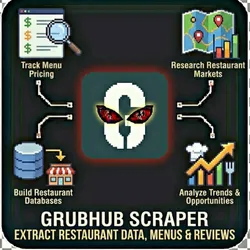
Scrape comprehensive restaurant data from Grubhub including menus, pricing, ratings, and delivery details. Perfect for market research, competitive analysis, and food industry intelligence. Research Restaurant Markets Track Menu Pricing Compare Platforms Build Restaurant Databases Analyze Trends
Pricing
from $0.01 / 1,000 results
Rating
0.0
(0)
Developer

The Howlers
Maintained by CommunityActor stats
0
Bookmarked
48
Total users
1
Monthly active users
a month ago
Last modified
Categories
Share
Grubhub Restaurant Scraper
Scrape Grubhub for restaurant listings, menus, prices, ratings, and delivery info. Extract restaurant data for food delivery market research. Built by John Rippy (https://www.linkedin.com/in/johnrippy/).
Note: this actor runs in Demo Mode by default, so a default free run returns sample data. Set demoMode to false to fetch real data.
Quick Start
Test with Demo Mode (free, no API key needed)
Run with real data
Input Parameters
| Parameter | Type | Default | Required | Description |
|---|---|---|---|---|
scrapeType | string | "search" | No | What type of data to scrape |
restaurantUrl | string | - | No | Direct Grubhub restaurant page URL |
searchTerm | string | "pizza" | No | Cuisine type or restaurant name |
location | string | "Chicago, IL" | No | Delivery address or zip code |
cuisineType | string | "all" | No | Filter by cuisine |
includeMenu | boolean | true | No | Extract menu items and prices |
maxResults | integer | 50 | No | Maximum number of restaurants to scrape |
proxyConfiguration | object | {"useApifyProxy":true,"apifyProxyGroups":["RESIDENTIAL"]} | No | Proxy settings for web scraping |
demoMode | boolean | true | No | Return sample data without actual scraping |
webhookUrl | string | - | No | Optional webhook URL to receive data as it's scraped |
Pricing
This actor uses pay-per-event billing:
| Event | Description | Price |
|---|---|---|
| Restaurant Scraped | Each Grubhub restaurant scraped | $0.05 |
Demo mode is free -- no charges for sample data.
Troubleshooting
"API error 429" or "Rate limit"
Too many requests. Wait a minute and try again, or reduce the number of items per run.
No results or empty dataset
Check the run log for error messages. Common causes:
- Invalid input format (check the examples above)
- The target data doesn't exist or is too small to track
How do I test without an API key?
Enable Demo Mode in the input. This returns realistic sample data so you can verify the output format works for your workflow.
Built by John Rippy | Actor Arsenal


![🍴Uber Eats Scraper [PPR] avatar](https://images.apifyusercontent.com/VyczuTihxTYqu82dr0B6HepFaoDhEkqNx7bRIXZtSIc/rs:fill:76:76/cb:1/aHR0cHM6Ly9hcGlmeS1pbWFnZS11cGxvYWRzLXByb2QuczMudXMtZWFzdC0xLmFtYXpvbmF3cy5jb20vbnJRZVVKUGJlSkxWVnNYUEgvNEluWnUzcDBTdDc3cmoxTngtc01Ha0xwSDZXTUlhejFIejctdWJlci1lYXRzLWxvZ28tMS0zMDB4MzAwLnBuZw.webp)


