
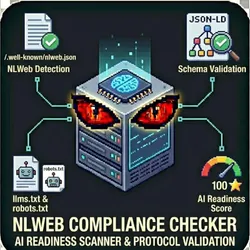
NLWeb Compliance Checker
Pricing
from $0.01 / 1,000 results
NLWeb Compliance Checker
Check if websites implement Microsoft's NLWeb (Natural Language Web) protocol for AI assistant compatibility. A comprehensive AI-readiness score and actionable recommendations. NLWeb (Natural Language Web) is Microsoft's emerging protocol that helps AI assistants understand and interact w/ websites
Pricing
from $0.01 / 1,000 results
Rating
0.0
(0)
Developer

The Howlers
Maintained by CommunityActor stats
0
Bookmarked
8
Total users
0
Monthly active users
a month ago
Last modified
Categories
Share
Check if websites implement Microsoft's NLWeb (Natural Language Web) protocol for AI assistant compatibility. Validates /.well-known/nlweb.json and associated schemas.
Quick Start
Run with real data
Input Parameters
| Parameter | Type | Default | Required | Description |
|---|---|---|---|---|
urls | array | - | No | List of website URLs to check for NLWeb compliance. The actor will check /.well-known/nlweb.json for each domain. |
checkSchemas | boolean | true | No | Also validate schemas referenced in the NLWeb configuration. This provides deeper compliance checking but takes longer. |
checkLLMsTxt | boolean | true | No | Also check for llms.txt file presence (another AI accessibility standard). |
checkRobotsTxt | boolean | true | No | Check robots.txt for AI-specific directives like GPTBot, Claude, etc. |
webhookUrl | string | - | No | URL to receive a POST request with results when the check completes. Useful for Zapier, Make, or n8n integrations. |
Pricing
This actor uses pay-per-event billing:
| Event | Description | Price |
|---|---|---|
| Site Checked | Each website checked for NLWeb compliance | $0.02 |
| Schema Validated | Each NLWeb schema validated against Microsoft specifications | $0.01 |
| Compliance Report Generated | Detailed compliance report with recommendations | $0.05 |
| Sales Opportunity Found | Non-compliant site identified as potential sales lead | $0.03 |
Troubleshooting
"API error 429" or "Rate limit"
Too many requests. Wait a minute and try again, or reduce the number of items per run.
No results or empty dataset
Check the run log for error messages. Common causes:
- Invalid input format (check the examples above)
- The target data doesn't exist or is too small to track
How do I test without an API key?
This actor needs no API key. To preview the output without checking real websites, run it with an empty urls list, or set "demoMode": true. It returns realistic sample compliance results labeled with demo: true and a _notice field so you can inspect the exact output shape. Demo runs make no external requests and charge no task events. To run live checks, add one or more website URLs to urls.
Built by John Rippy | Actor Arsenal


