
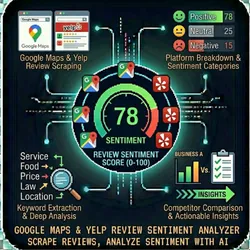
Google Maps & Yelp Review Sentiment Analyzer
Pricing
from $0.01 / 1,000 results
Google Maps & Yelp Review Sentiment Analyzer
Scrape reviews from Google Maps or Yelp and run AI-powered sentiment analysis to understand what customers really think about any business.
Pricing
from $0.01 / 1,000 results
Rating
0.0
(0)
Developer

The Howlers
Maintained by CommunityActor stats
0
Bookmarked
1
Total users
0
Monthly active users
11 days ago
Last modified
Categories
Share
Review Sentiment Analyzer
Scrape reviews from Google Maps or Yelp and run AI-powered sentiment analysis to understand what customers really think about any business.
Note: this actor runs in Demo Mode by default, so a default free run returns sample data. Set demoMode to false to fetch real data.
What you get
| Metric | Description |
|---|---|
| Reputation Health Score | 0-100 composite score based on ratings, sentiment, response rate, and review velocity |
| Sentiment by Topic | Breakdown across 10 topics: service quality, pricing, wait time, cleanliness, staff friendliness, product quality, ambiance, location, communication, value for money |
| Trending Complaints | Most common negative themes with example quotes |
| Trending Praise | Most common positive themes with example quotes |
| Review Velocity | Reviews per month trend to spot momentum changes |
| Owner Response Rate | Percentage of reviews that received an owner reply |
| Rating Distribution | 1-star through 5-star breakdown |
| Keyword Frequency | Most mentioned words/phrases with positive/negative/mixed tagging |
| Classified Reviews | Every review with AI-assigned topics, sentiment score, and keywords |
Use cases
- Competitive intelligence — Analyze a competitor's reviews to find their weaknesses
- Reputation monitoring — Track your own business sentiment over time
- Market research — Understand what customers value in a specific niche
- Lead generation — Identify businesses with poor reviews that need reputation management
- Due diligence — Evaluate a business before acquisition or partnership
Input
| Parameter | Type | Default | Description |
|---|---|---|---|
url | string | required | Google Maps URL (place or search) or Yelp business URL |
maxReviews | number | 50 | Maximum reviews to scrape and analyze (5-500) |
anthropicApiKey | string | — | Your Anthropic API key for Claude Haiku AI analysis. Not needed in demo mode. |
demoMode | boolean | true | Use sample data for testing. Set to false for real scraping. |
proxyConfiguration | object | Residential | Proxy settings for scraping |
webhookUrl | string | — | URL to POST results when analysis completes |
Example input (Google Maps)
Example input (Yelp)
Example input (Demo mode — no API key needed)
Output
How it works
- Navigate — Uses Camoufox stealth browser (C++ fingerprinting) with residential proxies to navigate to the business page. Handles Google consent overlays automatically. Search URLs are resolved to full place pages.
- Scrape — Clicks the Reviews tab, scrolls to load review content, extracts text, rating, date, author, and owner responses. Retries automatically if the reviews panel doesn't load on first attempt.
- Analyze — Sends reviews in batches of 20 to Claude Haiku 4.5 for topic classification, sentiment scoring, and keyword extraction. Falls back to rating-based classification if no API key is provided.
- Compute — Aggregates AI classifications into topic breakdowns, trending themes, velocity charts, and the Reputation Health Score.
- Deliver — Pushes structured results to the Apify dataset and optionally sends a webhook.
Reputation Health Score formula
The 0-100 score is computed from 5 weighted components:
| Component | Weight | Description |
|---|---|---|
| Average Rating | 40% | Star rating normalized (5.0 = 40 pts) |
| Sentiment Ratio | 20% | Proportion of positive reviews |
| Owner Response Rate | 15% | How often the owner replies |
| Review Velocity | 15% | Monthly review volume (10+/mo = full score) |
| Topic Health | 10% | Proportion of topics with positive sentiment |
Pricing
Pay-per-event: $0.15 per business analyzed.
This covers scraping + AI sentiment analysis. Demo mode is free ($0.00).
AI costs
Claude Haiku is used for sentiment analysis. Typical cost per run:
- 50 reviews: ~$0.01-0.02 in Anthropic API usage
- 200 reviews: ~$0.05-0.08 in Anthropic API usage
You need your own Anthropic API key. Get one at console.anthropic.com.
Tips
- Start with demo mode to see the output format before providing real URLs
- 50-100 reviews gives a solid analysis for most businesses
- More reviews = better accuracy but longer runtime and slightly higher AI costs
- Reviews are sorted by newest first (when possible) to capture recent trends
- If you skip the API key, the actor still works but uses rating-based classification (less accurate)
Integrations
Send results directly to your workflow via webhook:
- Zapier — Use a Webhooks by Zapier trigger
- Make (Integromat) — Use a Custom Webhook module
- n8n — Use a Webhook node
- Custom — Any endpoint that accepts POST with JSON body
Technical details
- Browser: Camoufox (C++ level fingerprinting) with standard Firefox fallback
- Crawler: Crawlee PlaywrightCrawler with automatic retries (up to 3 attempts)
- Proxy: Apify residential proxies for anti-detection
- AI Model: Claude Haiku 4.5 (
claude-haiku-4-5-20251001) — fast and cost-effective - Memory: 4 GB default, supports up to 8 GB for large review sets
- Timeout: 10 minutes default
- Retry Logic: If reviews don't load on first attempt (common with Google Maps), the crawler automatically retries with a fresh browser session and proxy IP
Common Scenarios
Scenario 1: Competitive Intelligence
Analyze a competitor's reviews to find their weaknesses — then use those insights in your marketing.
Scenario 2: Monthly Reputation Monitoring
Schedule monthly runs in Apify Console to track your Reputation Health Score over time. Use webhooks to auto-populate dashboards.
Scenario 3: Lead Generation for Reputation Management
Find businesses with low scores — they need your help.
Businesses with scores below 50 are prime prospects for reputation management services.
Scenario 4: Market Research
Analyze 10-20 businesses in the same category to understand what customers value most and what frustrates them.
FAQ
Q: Do I need an Anthropic API key?
A: Only for AI-powered sentiment analysis. Without a key, the actor still works but uses basic rating-based classification (less accurate). Demo mode doesn't need a key.
Q: How many reviews should I analyze?
A: 50-100 gives solid results for most businesses. More reviews = better accuracy but longer runtime and slightly higher AI costs.
Q: Does this work for any Google Maps or Yelp business?
A: Yes. Any public business listing with reviews. The URL just needs to be a valid Google Maps place URL or Yelp business URL.
Q: How accurate is the AI sentiment analysis?
A: Claude Haiku classifies reviews by topic and sentiment with high accuracy. The biggest value is the aggregate breakdown — individual review classifications are directional.
Q: How long does it take?
A: Depends on review count. 50 reviews typically takes 60-90 seconds. 200 reviews may take 3-5 minutes.
Q: What if the business has very few reviews?
A: The actor works with any number of reviews, but scores and trends are more meaningful with 20+ reviews.
Troubleshooting
"No reviews found"
- Make sure the URL is a direct business page, not a search results page
- Google Maps URLs should contain
/place/in the path - Yelp URLs should contain
/biz/in the path
"AI analysis skipped"
- Provide your
anthropicApiKeyfor full sentiment analysis - Without it, the actor uses basic rating-based classification
"Timeout"
- Reduce
maxReviewsto 50 or less - Google Maps review extraction requires scrolling — more reviews = longer runtime
Support
- Actor Arsenal: Full Actor Catalog
- Developer: John Rippy
Built by John Rippy | Actor Arsenal


