
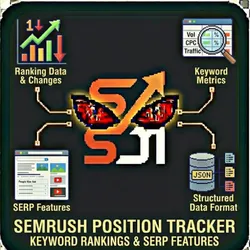
SEMrush Position Tracker - Keyword Rankings & SERP Features
Pricing
from $0.01 / 1,000 results
SEMrush Position Tracker - Keyword Rankings & SERP Features
Track keyword rankings for any domain with SEMrush data using your own API key (BYOK). All in structured format. Ranking Data Keyword Metrics CPC Competition SERP Features Featured Snippets People Also Ask Images, Video, News Local Pack Knowledge Panel Sitelinks
Pricing
from $0.01 / 1,000 results
Rating
0.0
(0)
Developer

The Howlers
Actor stats
0
Bookmarked
5
Total users
2
Monthly active users
6 days ago
Last modified
Categories
Share
SEMrush Position Tracker - Keyword Rankings, SERP Features & Traffic
Track keyword rankings for any domain with SEMrush API data. Get current positions, ranking URLs, search volume, estimated traffic, and SERP features won. Monitor your rankings over time and identify optimization opportunities. BYOK (Bring Your Own Key) - use your SEMrush API key.
Features
- Current Rankings - Positions for all ranking keywords
- Ranking URLs - Which page ranks for each keyword
- Traffic Estimation - Estimated clicks from each keyword
- Traffic Percentage - Each keyword's contribution to total traffic
- SERP Features - Featured snippets, PAA, local packs won
- Position Filtering - Top 3, Top 10, Top 20, Top 50, Top 100
- Volume Filtering - Focus on high-value keywords
- Sort Options - By traffic, volume, position, or CPC
- Keyword Difficulty - Understand ranking competitiveness
- CPC Data - Ad value of organic positions
- 45+ Country Databases - US, UK, DE, FR, and more
- Batch Domain Tracking - Track multiple sites at once
- Webhook Support - Async delivery for automation pipelines
- Demo Mode - Test with sample data before going live
Who Should Use This Actor?
SEO Agencies
Generate ranking reports for client reviews. Track position changes and demonstrate SEO progress.
In-House SEO Teams
Monitor your rankings against KPIs. Identify keywords close to page 1 for quick wins.
Content Teams
Understand which content drives organic traffic. Identify pages needing optimization.
E-Commerce SEO Teams
Track product and category page rankings. Monitor high-value commercial keywords.
Competitive Intelligence Teams
Monitor competitor rankings for target keywords. Track market position changes.
Marketing Managers
Get executive-level ranking reports. Understand SEO ROI through traffic attribution.
Quick Start
Demo Mode (Free Test)
{"demoMode": true}
Basic Ranking Report
{"semrushApiKey": "your_semrush_api_key","domain": "yoursite.com","database": "us","keywordLimit": 100,"positionFilter": "top100","demoMode": false}
Top 10 Rankings Only
{"semrushApiKey": "your_semrush_api_key","domain": "yoursite.com","database": "us","keywordLimit": 200,"positionFilter": "top10","sortBy": "traffic","demoMode": false}
High-Volume Keywords
{"semrushApiKey": "your_semrush_api_key","domain": "yoursite.com","database": "us","keywordLimit": 150,"minVolume": 1000,"sortBy": "volume","demoMode": false}
Traffic-Driving Keywords
{"semrushApiKey": "your_semrush_api_key","domain": "yoursite.com","database": "us","keywordLimit": 100,"positionFilter": "top20","sortBy": "traffic","demoMode": false}
How to Get Your SEMrush API Key
- Log in to SEMrush
- Go to your profile (top right) → Subscription Info
- Find your API key in the API section
- Copy the key and paste it in the
semrushApiKeyfield
Note: API access requires a SEMrush Business plan or higher.
Input Parameters
| Parameter | Type | Default | Description |
|---|---|---|---|
semrushApiKey | string | - | Your SEMrush API key (required for real data) |
domain | string | - | Domain to track (e.g., "yoursite.com") |
database | string | "us" | Country database (us, uk, de, fr, etc.) |
keywordLimit | number | 100 | Max keywords to retrieve (max 1000) |
positionFilter | string | "all" | Filter: all, top3, top10, top20, top50, top100 |
sortBy | string | "traffic" | Sort: traffic, volume, position, cpc |
minVolume | number | 0 | Minimum search volume |
demoMode | boolean | true | Return sample data for testing |
webhookUrl | string | - | Webhook URL for results delivery |
webhookPlatform | string | "custom" | Platform: zapier, make, n8n, custom |
Position Filters
| Filter | Returns Keywords Ranking... |
|---|---|
all | Any position |
top3 | Positions 1-3 |
top10 | Positions 1-10 (page 1) |
top20 | Positions 1-20 (pages 1-2) |
top50 | Positions 1-50 (pages 1-5) |
top100 | Positions 1-100 (pages 1-10) |
Sort Options
| Sort | Best For |
|---|---|
traffic | Finding highest-impact keywords |
volume | Finding biggest opportunities |
position | Seeing best rankings first |
cpc | Finding highest-value keywords |
Output Format
{"domain": "yoursite.com","database": "us","summary": {"totalKeywords": 12450,"top3Keywords": 156,"top10Keywords": 892,"top20Keywords": 1834,"estimatedTraffic": 245000,"trafficCost": "$892,000","averagePosition": 18.5},"keywords": [{"keyword": "project management software","position": 3,"previousPosition": 5,"positionChange": 2,"url": "https://yoursite.com/product","volume": 74000,"traffic": 14800,"trafficPercent": 6.0,"difficulty": 78,"cpc": 15.20,"competition": 0.94,"serpFeatures": ["Site links", "Reviews", "FAQ"],"featuresWon": ["Site links"],"intent": "commercial"},{"keyword": "task management app","position": 5,"previousPosition": 5,"positionChange": 0,"url": "https://yoursite.com/features/tasks","volume": 22000,"traffic": 2860,"trafficPercent": 1.2,"difficulty": 65,"cpc": 8.50,"competition": 0.87,"serpFeatures": ["Featured snippet", "People also ask"],"featuresWon": [],"intent": "transactional"},{"keyword": "how to manage projects","position": 11,"previousPosition": 15,"positionChange": 4,"url": "https://yoursite.com/blog/project-management-guide","volume": 8100,"traffic": 162,"trafficPercent": 0.1,"difficulty": 42,"cpc": 4.20,"competition": 0.65,"serpFeatures": ["Featured snippet", "Video", "People also ask"],"featuresWon": [],"intent": "informational"}],"positionDistribution": {"1-3": 156,"4-10": 736,"11-20": 942,"21-50": 3845,"51-100": 6771},"topPages": [{"url": "https://yoursite.com/product","keywords": 245,"traffic": 52000,"trafficPercent": 21.2},{"url": "https://yoursite.com/features","keywords": 178,"traffic": 34000,"trafficPercent": 13.9}],"analyzedAt": "2026-01-28T10:30:00.000Z"}
Understanding Position Change
| Change | Meaning |
|---|---|
| Positive (+2) | Improved (moved up) |
| 0 | No change |
| Negative (-3) | Declined (moved down) |
Pricing (Pay-Per-Event)
| Event | Description | Price |
|---|---|---|
position_tracking | Per domain analyzed | $0.03 |
keywords_retrieved | Per 100 keywords | $0.02 |
Example costs:
- 100 keywords: $0.03 + $0.02 = $0.05
- 500 keywords: $0.03 + (5 × $0.02) = $0.13
- 1000 keywords: $0.03 + (10 × $0.02) = $0.23
- Demo mode: $0.00
Note: You also consume your SEMrush API units (billed separately by SEMrush).
Common Scenarios
Scenario 1: Weekly Client Report
{"semrushApiKey": "your_key","domain": "clientsite.com","database": "us","keywordLimit": 200,"positionFilter": "top100","sortBy": "traffic","webhookUrl": "https://hooks.zapier.com/...","demoMode": false}
Automated ranking reports delivered to spreadsheets or email.
Scenario 2: Quick Wins Analysis
{"semrushApiKey": "your_key","domain": "yoursite.com","database": "us","keywordLimit": 300,"positionFilter": "top20","minVolume": 500,"sortBy": "traffic","demoMode": false}
Find keywords on page 1-2 that could move to top 3 with optimization.
Scenario 3: High-Value Keyword Monitoring
{"semrushApiKey": "your_key","domain": "ecommerce-site.com","database": "us","keywordLimit": 100,"minVolume": 5000,"sortBy": "cpc","demoMode": false}
Track your most valuable keywords by traffic and CPC.
Webhook & Automation Integration
Zapier / Make.com / n8n
- Create a webhook trigger in your automation platform
- Copy the webhook URL to
webhookUrl - Set
webhookPlatformto your platform - Route ranking data to reports and alerts
Popular automations:
- Daily rankings -> Google Sheets (tracking dashboard)
- Position drops -> Slack alert (monitoring)
- Weekly summary -> Email to client
- Top keywords -> Notion content tracker
Apify Scheduled Runs
Schedule daily or weekly ranking tracking for trend analysis.
SEMrush Position Suite Comparison
| Actor | Best For |
|---|---|
| Position Tracker | Current keyword rankings |
| Domain Overview | Quick domain metrics |
| Competitor Analysis | Comparing to competitors |
| Keyword Research | Researching new keywords |
| Content Gap | Finding keyword opportunities |
FAQ
Q: How often should I track rankings?
A: Weekly is standard for most sites. Daily for high-stakes campaigns or after major updates. Monthly minimum for long-term trending.
Q: What's the difference between traffic and volume?
A: Volume = total monthly searches. Traffic = estimated clicks you receive based on your position and CTR.
Q: Why do positions fluctuate daily?
A: Google's algorithm updates constantly, personalization varies, and competitive landscape changes. Weekly averages are more reliable than daily snapshots.
Q: What are SERP features won?
A: Special results your site appears in, like featured snippets, site links, or FAQ rich results. Winning these boosts CTR significantly.
Q: How is traffic estimated?
A: Based on keyword volume × CTR for your position. Position 1 gets ~30% of clicks, position 10 gets ~2%, etc.
Common Problems & Solutions
"Invalid API key" error
- Verify your API key from SEMrush dashboard
- Ensure your plan includes API access (Business+)
- Check for extra spaces when copying the key
"Rate limit exceeded" error
- Wait a few minutes and retry
- Reduce
keywordLimit - Check your SEMrush API unit usage
"No keywords found"
- Domain may have no rankings yet
- Try a different country database
- Check if domain is spelled correctly (no www. or https://)
"Fewer keywords than expected"
- Domain may rank for fewer keywords than limit
positionFiltermay be excluding keywordsminVolumemay be filtering out low-volume keywords
"Demo data showing"
- Set
demoMode: false - Provide a valid
semrushApiKey
📞 Support
- Actor Arsenal: Full Actor Catalog
- Developer: John Rippy
Built by John Rippy | Actor Arsenal
