
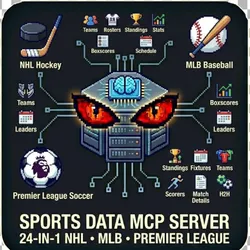
62-in-1 Sports Data MCP Server
Pricing
from $0.01 / 1,000 results
62-in-1 Sports Data MCP Server
62-in-1 MCP server for sports data. Get NHL, MLB and Premier League soccer stats with AI assistants. This MCP server bundles 56 sports data tools into a single endpoint. Sports included: NHL Hockey MLB Baseball Premier League Soccer NFL NCAA Football & Basketball NBA WWE
Pricing
from $0.01 / 1,000 results
Rating
0.0
(0)
Developer

The Howlers
Maintained by CommunityActor stats
1
Bookmarked
20
Total users
0
Monthly active users
18 minutes ago
Last modified
Categories
Share
Sports Data MCP Server
62 tools for sports data: NHL, MLB, NBA, NFL, NCAA, Premier League, and WWE. Teams, rosters, standings, player stats, schedules, game stats, league leaders, and injury reports.
Each run executes one tool and writes one row to the dataset.
Data sources
| League | Source | Key needed |
|---|---|---|
| NHL | NHL public API (api-web.nhle.com, api.nhle.com) | No |
| MLB | MLB Stats API (statsapi.mlb.com) | No |
| NBA, NFL, NCAA | ESPN public API | No |
| Premier League | football-data.org | Yes, your own free key in footballDataApiKey |
| WWE | No live source yet | Demo mode only |
Live mode never returns sample data
demoMode is off by default. In live mode:
- Real data is returned and one
tool_executionevent is charged. - If something is missing or fails (no Premier League key, no
gameId, an upstream API is down, an unknown team or player id), the run writes one error row withsuccess: false, anerrormessage, andcharged: false. Notool_executioncharge is made. - Tools without a live source (all
wwe_*tools andpremier_league_injury_report) return an error row in live mode, not sample data.
Turn demoMode on to see the output format. Demo rows carry demoMode: true, sampleData: true, and a note saying the values are fixed examples.
Quick start
Live NHL standings (no key needed):
Live NFL passing leaders:
Premier League table (your football-data.org key):
Sample output only:
Input
| Parameter | Type | Default | Description |
|---|---|---|---|
tool | string | nhl_standings | Which tool to run |
toolInput | object | {} | Parameters for the tool (see below) |
footballDataApiKey | string | none | Required for Premier League tools in live mode |
demoMode | boolean | false | Return labeled sample data instead of live data |
webhookUrl | string | none | POSTs the result row to this URL when done |
toolInput by tool
| Tools | toolInput fields |
|---|---|
nhl_team_roster | teamAbbreviation (e.g. TOR) |
nhl_team_schedule | teamAbbreviation, season (e.g. 20252026) |
nhl_standings | season (optional, e.g. 20242025 for that season's final standings) |
nhl_player_stats | playerId (NHL id) |
nhl_game_boxscore, mlb_game_boxscore | gameId (required) |
nhl_schedule, mlb_schedule, nba_schedule | startDate, endDate (YYYY-MM-DD) |
nhl_leaders, mlb_leaders | category (e.g. points, homeRuns) |
mlb_team_roster, mlb_team_schedule | teamId (MLB id), season |
mlb_player_stats | playerId (MLB id), season |
nba_team_roster | teamId (ESPN id or abbreviation, e.g. bos) |
nba_player_stats, nfl_player_stats | playerId (ESPN athlete id) |
nba_game_stats, nfl_game_stats | gameId (ESPN event id from the schedule tool) |
nba_leaders, nfl_leaders | category (e.g. points, passing, rushingYards), season, limit |
nba_standings | season (ESPN season year, i.e. the year the season ends) |
nfl_team_roster | teamId (abbreviation, e.g. kc) |
nfl_standings, nfl_schedule | season, week |
ncaa_basketball_schedule | date (YYYYMMDD) |
ncaa_football_schedule | week |
ncaa_basketball_standings, ncaa_football_standings | conference (e.g. acc, sec, Big Ten, or all) |
ncaa_team_roster, ncaa_player_stats | sport (basketball or football), teamId or playerId |
ncaa_injury_report | sport |
premier_league_* | season, matchday, teamId, matchId, dateFrom, dateTo, limit as relevant |
Output
Every row has tool, sport, league, success, demoMode, sampleData, and timestamp, plus the tool's data. Error rows add error, errorType, and charged: false.
Pricing
Pay per event:
| Event | When | Price |
|---|---|---|
| Tool Execution | One live tool run that returned real data | $0.05 |
Demo runs and error rows are never charged the tool execution fee. Apify's small per-run start event ($0.00005) and per-result event ($0.00001) apply to every run.
Troubleshooting
- "footballDataApiKey is required": add your football-data.org key, or set
demoModeto true. - "has no live data source yet": the tool only works in demo mode for now.
- "has no data for that request (404)": check the team, player, or game id and the season.
- "refused the request (401/403)": your football-data.org key is invalid or out of quota.
Built by John Rippy | Actor Arsenal


