
YouTube Channel & Video Scraper avatar

YouTube Channel & Video Scraper

Pricing

from $0.01 / 1,000 results

Go to Apify Store
YouTube Channel & Video Scraper

YouTube Channel & Video Scraper

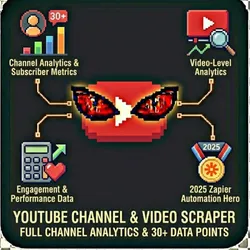
Enterprise-grade YouTube scraper that extracts 30+ data points per channel with built-in subscriber analytics, video performance metrics, and engagement calculations. Perfect for influencer marketing, competitor analysis, and content strategy research.

Pricing

from $0.01 / 1,000 results

Rating

0.0

(0)

Developer

John Rippy

John Rippy

Maintained by Community

Actor stats

0

Bookmarked

7

Total users

1

Monthly active users

2 days ago

Last modified

Share

YouTube Channel & Video Scraper - Subscribers, Engagement, Comments & Creator Intelligence

Scrape YouTube channels, videos, and search results. Extract subscriber counts, video stats, engagement metrics, comment threads, and creator data. Search by keyword, scrape by channel handle or URL, and analyze upload patterns. Essential for influencer research, competitive analysis, and content strategy.

Features

  • Channel Profiles - Subscribers, total views, video count, description, join date
  • Video Statistics - Views, likes, comments, duration, upload date, tags
  • YouTube Search - Find channels or videos by keyword
  • Comment Extraction - Comment text, author, likes, and replies
  • Engagement Metrics - Average views, likes, engagement rate per channel
  • Upload Patterns - Posting frequency and schedule analysis
  • Shorts Detection - Identify YouTube Shorts vs. long-form content
  • Playlist Scraping - Extract videos from playlists
  • Subscriber Filtering - Minimum subscriber threshold for search
  • Anti-Detection - Residential proxies for reliable access
  • No Login Required - Works with public YouTube data
  • Demo Mode - Test with sample data before going live

Who Should Use This Actor?

Influencer Marketing Teams

Find YouTube creators by niche and engagement metrics. Evaluate potential partners based on subscriber growth, engagement rates, and content quality.

Content Creators & YouTubers

Research competitor channels and successful content strategies. Identify trending topics, optimal video lengths, and posting schedules in your niche.

Marketing Agencies

Build YouTube analytics reports for clients. Track competitor channel performance, content strategy, and audience engagement.

Brand Managers

Monitor brand mentions and competitor YouTube activity. Track product reviews, unboxing videos, and sponsored content.

Talent Agencies & MCNs

Discover rising creators for early partnerships. Track creator growth velocity and engagement trends.

Ad Buyers & Media Planners

Find channels matching your target demographics for YouTube ad placements. Analyze channel categories, engagement quality, and audience composition.

Quick Start

Demo Mode (Free Test)

{
"demoMode": true
}

Scrape Channels by @Handle

{
"scrapeType": "channels",
"channelUrls": ["@MrBeast", "@PewDiePie", "@LinusTechTips"],
"includeVideos": true,
"videosPerChannel": 10,
"demoMode": false
}

Scrape Channels by URL

{
"scrapeType": "channels",
"channelUrls": [
"https://www.youtube.com/@MrBeast",
"https://www.youtube.com/channel/UCX6OQ3DkcsbYNE6H8uQQuVA"
],
"includeVideos": true,
"demoMode": false
}

Search for Creators

{
"scrapeType": "search",
"searchQueries": ["tech reviews", "cooking tutorials"],
"searchType": "channel",
"minSubscribers": 100000,
"maxResults": 20,
"demoMode": false
}

Scrape Specific Videos

{
"scrapeType": "videos",
"videoUrls": ["https://www.youtube.com/watch?v=dQw4w9WgXcQ"],
"includeComments": true,
"commentsPerVideo": 50,
"demoMode": false
}

Input Parameters

ParameterTypeDefaultDescription
scrapeTypestringchannelsMode: channels, videos, search, playlists
channelUrlsarray-YouTube channel URLs or @handles
videoUrlsarray-YouTube video URLs to scrape
searchQueriesarray-Search terms for discovery
searchTypestringchannelSearch for: channel, video, playlist
includeVideosbooleantrueInclude recent videos per channel
videosPerChannelnumber10Videos per channel (max: 50)
includeCommentsbooleanfalseScrape comments (slower)
commentsPerVideonumber20Comments per video
maxResultsnumber50Maximum results (max: 500)
minSubscribersnumber-Minimum subscriber threshold
minViewsnumber-Minimum video views threshold
uploadedAfterstring-Filter by upload date (YYYY-MM-DD)
sortBystringsubscribersSort: subscribers, views, videoCount, engagement, recent
proxyConfigurationobjectResidentialProxy settings
demoModebooleantrueReturn sample data for testing
webhookUrlstring-Webhook URL for results delivery

Output Format

Channel Profile

{
"channelId": "UCX6OQ3DkcsbYNE6H8uQQuVA",
"channelName": "MrBeast",
"handle": "@MrBeast",
"channelUrl": "https://youtube.com/@MrBeast",
"description": "SUBSCRIBE FOR A COOKIE!",
"avatarUrl": "https://yt3.ggpht.com/...",
"bannerUrl": "https://yt3.ggpht.com/...",
"subscribers": 345000000,
"subscriberGrowth": "+2.1M this month",
"totalViews": 62500000000,
"videoCount": 812,
"country": "US",
"joinedDate": "2012-02-20",
"verified": true,
"avgViews": 125000000,
"avgLikes": 4500000,
"avgComments": 180000,
"engagementRate": 3.74,
"uploadFrequency": "2-3 videos/month",
"categories": ["Entertainment"],
"topTags": ["mrbeast", "challenge", "money"],
"recentVideos": [
{
"videoId": "abc123",
"title": "$1 vs $1,000,000 Hotel Room!",
"url": "https://youtube.com/watch?v=abc123",
"thumbnailUrl": "https://i.ytimg.com/vi/...",
"description": "We stayed in the most expensive hotel...",
"publishedAt": "2025-12-15T19:00:00.000Z",
"duration": "PT18M32S",
"durationSeconds": 1112,
"views": 156000000,
"likes": 5800000,
"comments": 245000,
"isShort": false,
"tags": ["mrbeast", "hotel", "expensive"],
"engagementRate": 3.87
}
],
"scrapedAt": "2026-01-28T10:30:00.000Z"
}

Understanding the Output

What is engagementRate? The percentage of viewers who interact: (likes + comments) / views x 100. Higher is better. 3-6% is typical for popular creators.

What is PT18M32S (duration format)? ISO 8601 duration format. PT18M32S = 18 minutes, 32 seconds. durationSeconds is also provided for convenience.

What is uploadFrequency? How often the creator posts, like "2-3 videos/month" or "daily".

Pricing (Pay-Per-Event)

EventDescriptionPrice
channel_scrapedPer channel profile$0.05
video_scrapedPer video extracted$0.003
comment_scrapedPer comment extracted$0.001

Example costs:

  • 50 channels with 10 videos each: (50 x $0.05) + (500 x $0.003) = $4.00
  • 100 videos with 20 comments each: (100 x $0.003) + (2000 x $0.001) = $2.30
  • 10 channels, profiles only: 10 x $0.05 = $0.50
  • Demo mode: $0.00

Common Scenarios

Scenario 1: Influencer Discovery

{
"scrapeType": "search",
"searchQueries": ["fitness workout", "home exercise"],
"searchType": "channel",
"minSubscribers": 50000,
"maxResults": 100,
"demoMode": false
}

Find fitness creators with engaged audiences for brand partnerships.

Scenario 2: Competitor Channel Tracking

{
"scrapeType": "channels",
"channelUrls": ["@YourChannel", "@Competitor1", "@Competitor2"],
"includeVideos": true,
"videosPerChannel": 20,
"demoMode": false
}

Schedule weekly to track competitor content strategy and performance.

{
"scrapeType": "search",
"searchQueries": ["AI tools 2026"],
"searchType": "video",
"minViews": 10000,
"uploadedAfter": "2025-12-01",
"maxResults": 50,
"demoMode": false
}

Find trending videos in your topic area for content inspiration.

Webhook & Automation Integration

Webhook Configuration

{
"scrapeType": "channels",
"channelUrls": ["@CompetitorChannel"],
"webhookUrl": "https://your-endpoint.com/webhook"
}

Zapier / Make.com / n8n

  1. Create a webhook trigger in your automation platform
  2. Copy the webhook URL to webhookUrl
  3. Route results to Google Sheets, Slack, Airtable, etc.

Popular automations:

  • New competitor videos -> Slack alert (competitive awareness)
  • Channel metrics -> Google Sheets (performance dashboard)
  • Creator data -> Airtable (influencer database)
  • High-engagement videos -> Email to content team

Apify Scheduled Runs

Schedule daily or weekly runs for continuous YouTube monitoring.

Official API Alternatives

YouTube Data API v3

YouTube offers an official API:

  • Pros: Official, real-time, structured data, comment management
  • Cons: 10,000 quota units/day (each request costs 1-100 units), requires API key
  • Best for: Applications needing real-time, authenticated access

Alternative YouTube Tools

  • Social Blade - Creator stats and rankings (free/premium)
  • VidIQ - YouTube SEO tools ($7.50+/month)
  • TubeBuddy - Creator tools ($7.99+/month)
  • NoxInfluencer - Influencer analytics (free/premium)

This Scraper's Advantages

  1. No API quota limits - Not constrained by daily quotas
  2. Engagement rate calculation - Pre-calculated engagement metrics
  3. Upload frequency analysis - Content schedule patterns
  4. Subscriber growth - Growth velocity data
  5. Batch processing - Hundreds of channels per run
  6. Pay-per-result pricing

FAQ

Q: Do I need a YouTube/Google account?

A: No. This scraper uses public YouTube data. No login required.

Q: How do I format channel URLs?

A: Use @handles (e.g., @MrBeast), full URLs (e.g., https://www.youtube.com/@MrBeast), or channel IDs (e.g., UCX6OQ3DkcsbYNE6H8uQQuVA).

Q: Can I track subscriber growth over time?

A: Schedule regular runs and compare subscriber counts between runs to track growth velocity.

Q: Does this scrape YouTube Shorts?

A: Yes. Shorts are included in channel videos with isShort: true for identification.

Q: Can I filter private or unlisted videos?

A: No. Only public videos are accessible. Unlisted and private videos are not visible.

Common Problems & Solutions

"Channel not found"

  • For @handles, include the @ symbol (e.g., @MrBeast)
  • For URLs, use the full URL
  • Verify the channel exists by visiting it in your browser

"Videos missing or limited"

  • Increase videosPerChannel (max 50)
  • Some videos may be unlisted, private, or region-restricted
  • YouTube Shorts appear in the regular video list

"Comments not appearing"

  • Set includeComments: true (defaults to false)
  • Comments may be disabled on some videos
  • Scraping comments is slower and costs more

"Demo data showing"

  • Set demoMode: false - no account required

📞 Support


Built by John Rippy | Actor Arsenal