Google Search API
Pricing
$7.00 / 1,000 api requests
Google Search API
Get live Google Search results as JSON with one HTTP request. Send a keyword and get titles, links and snippets, with country, language, safe search and page options. No Google API key, no runs to start. $0.007 per successful request.
Pricing
$7.00 / 1,000 api requests
Rating
0.0
(0)
Developer

API Dojo
Maintained by Apify PartnerActor stats
0
Bookmarked
1
Total users
0
Monthly active users
6 hours ago
Last modified
Categories
Features
Share
🔍 Google Search API - Real-Time Google Search Results as JSON
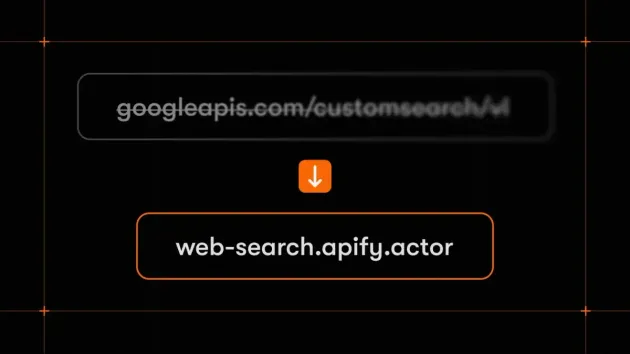
Call Google Search like any REST API. This Google Search API is an always-on Apify Standby Actor: send a GET request with a keyword, get Google search results back as JSON in seconds. No runs to start, no datasets to poll, no Google API key.
Search any keyword, pick the country and interface language, turn safe search on, and page through results. All through one simple endpoint: GET /search.
💰 Pricing: $0.007 per successful request | ⚡ Response: live JSON, seconds | 🔓 No Google account or API key
📋 Table of Contents
- How It Works
- Quick Start
- Pricing
- Endpoints
- Pagination
- Response Format
- Errors & Status Codes
- Code Examples
- Free Plan
- Related Actors
- FAQ
- Contact
🧭 How It Works
This Actor runs in Apify Standby mode. Instead of starting a run and waiting for a dataset, you call an HTTP endpoint and get the result in the response.
| Classic Actor run | This Google Search API (Standby) | |
|---|---|---|
| How you call it | Start a run, wait, read the dataset | Plain GET request |
| Latency | Run startup + scraping | Live response, no startup |
| Result | Dataset items | JSON in the HTTP response |
| Billing | Per run / per item | Per request |
| Best for | Large batch jobs | Apps, bots, agents, dashboards |
Every call returns one page of Google search results. Use the page parameter to get the next page.
🚀 Quick Start
1. Get your Apify API token from Console → Settings → API & Integrations.
2. Call an endpoint:
3. Get JSON back:
That's it. That request cost $0.007.
Authentication: send your Apify token in the Authorization: Bearer <token> header (recommended) or as a ?token=<token> query parameter. The Authorization header is never forwarded to the upstream service.
💰 Pricing
One flat price, every request.
| Event | Price | When it fires |
|---|---|---|
Request (request-event) | $0.007 per call | Every successful request that returns data |
- Same price for every page. Page 1 and page 5 of a search cost the same.
- You only pay for responses that contain data. Invalid requests (
400), unknown endpoints (404), plan and limit refusals and upstream errors are not charged. - No platform fees, no compute units, no runs. Just the per-request price.
Cost Examples
| Scenario | Requests | Cost |
|---|---|---|
| Search 1 keyword | 1 | $0.007 |
| Search 1 keyword, 10 pages deep | 10 | $0.07 |
| Search 100 keywords, first page each | 100 | $0.70 |
| Search 1,000 keywords | 1,000 | $7.00 |
| 10,000 calls in a month | 10,000 | $70.00 |
Pagination is charged per page. Asking for the next
pageis a new request, so 10 pages = 10 requests = $0.07.
📚 Endpoints
All endpoints are GET. Base URL: https://apidojo--google-search-api.apify.actor
🔍 Search
| Endpoint | Description | Params |
|---|---|---|
/search | Google search results for a keyword | query (required), page, country, hl, safe, count, noEncode |
Parameters
All parameters are query string parameters and are passed as text.
| Param | Required | Description | Example |
|---|---|---|---|
query | ✅ | The search keywords. 1 to 1,000 characters. | Audi |
page | ❌ | Result page to retrieve. See Pagination. | 1 |
country | ❌ | Country to search from. | us |
hl | ❌ | Interface language. | en |
safe | ❌ | Safe search filter. | active |
count | ❌ | Number of results to return. The only accepted value is 10. Any other value returns 400. | 10 |
noEncode | ❌ | Skip encoding the query. | false |
Note: The OpenAPI spec also lists an optional
X-Providersrequest header. It is for internal use. Leave it out for normal use.
The full OpenAPI spec is available on the Actor's API tab in Apify Console.
🔄 Pagination
/search is paged with the page parameter. Increase it by one to get the next page.
Stop when data comes back empty. Each page is one request ($0.007). A response that contains a data field is charged, even when the list is empty, so set a page limit in your code.
📊 Response Format
Every response has the same envelope:
| Endpoint | data contains |
|---|---|
/search | Array of search result objects |
Search Result Object
Key fields: type, title, link, visible_link, snippet.
⚠️ Errors & Status Codes
Errors use the same envelope, without data. Requests that return no data are not charged.
| Status | Meaning | Charged? |
|---|---|---|
200 | Success | ✅ $0.007 |
400 | Invalid parameters. errors lists what's wrong | ❌ |
403 | Access not available on your plan or account | ❌ |
404 | Unknown endpoint or nothing found | ❌ |
429 | Monthly free request limit reached, or upstream rate limit | ❌ |
502 | Upstream error, safe to retry | ❌ |
503 | Plan check temporarily unavailable, retry shortly | ❌ |
Other errors from the upstream service are passed through with their original status code. They carry no data, so they are not charged.
Example 400:
💻 Code Examples
cURL
Python
JavaScript / Node.js
Country and Language
🆓 Free Plan
Apify Free plan users can try this API with a limited number of free requests each month. When the monthly limit is reached, the API answers 429 until the next month. Subscribe to a paid Apify plan for unlimited requests.
🌴 Related Actors
Need bulk exports to a dataset, CSV or Excel instead of live calls, or other Google data over HTTP?
| Tool | Best For |
|---|---|
| 🏯 Google Search Scraper | Large keyword lists exported to a dataset |
| 🔎 SERP API | The same /search endpoint, parameters and price under a different Actor |
| 🗺️ Google Maps API | Live Google Maps place search, place details and reviews |
❓ Frequently Asked Questions
What is a Standby Actor?
A Standby Actor is an always-running web server on Apify. You call it over HTTP like any API and get the response directly. No runs to start or datasets to read. Learn more.
How much does it cost?
$0.007 per successful request, the same for every page. 1,000 requests = $7. Failed and invalid requests are free.
Am I charged per result or per request?
Per request. A full page of results costs the same as a page with only a few.
Do I need a Google API key?
No. You only need an Apify API token.
How do I get more than one page of results?
Pass page=2, page=3 and so on. Each page is a separate $0.007 request. See Pagination.
Can I search from a specific country or in a specific language?
Yes. Use country (e.g. us) for the country to search from and hl (e.g. en) for the interface language.
How is this different from SERP API?
SERP API serves the same /search endpoint with the same parameters, response format and price. Use whichever one fits your project.
How fast is it?
Responses come back live, usually within seconds. There is no run startup time.
Can I use it from an AI agent or bot?
Yes. It's a plain HTTP API with an OpenAPI spec, so it fits LLM tool calls, bots, backends and no-code tools that can make HTTP requests.
Where is the data stored?
Nowhere. Results are returned in the HTTP response only. For dataset, CSV or Excel exports, use the Google Search Scraper.
📞 Contact
If you need any sort of support, please send an email to apidojo10@gmail.com. You name it, we get it.
Ready to call Google Search like an API? One endpoint, $0.007 per page, live JSON in seconds. Grab your Apify token and send your first request. 🔍