

Coles AU Scraper — Prices, Specials, Ingredients
Pricing
from $1.50 / 1,000 products
Coles AU Scraper — Prices, Specials, Ingredients
Search Coles Australia products, browse categories and specials, or request product details. Returns prices, unit prices, barcodes, ingredients, allergens and nutrition when supplied. Pay per result.
Pricing
from $1.50 / 1,000 products
Rating
0.0
(0)
Developer

architek.earth
Maintained by CommunityActor stats
0
Bookmarked
2
Total users
1
Monthly active users
a day ago
Last modified
Categories
Share
Coles AU Product & Price Scraper | Prices, Specials, Ingredients
A recorded preview returned 10 rows in 7 seconds on 14 October 2026 (build 1.1.1, run g36EDGYgqpbUCPgDR). A separate search-and-specials check returned four enriched rows in nine seconds. These were bounded maintainer validation runs, not complete catalogue captures or a general speed guarantee.
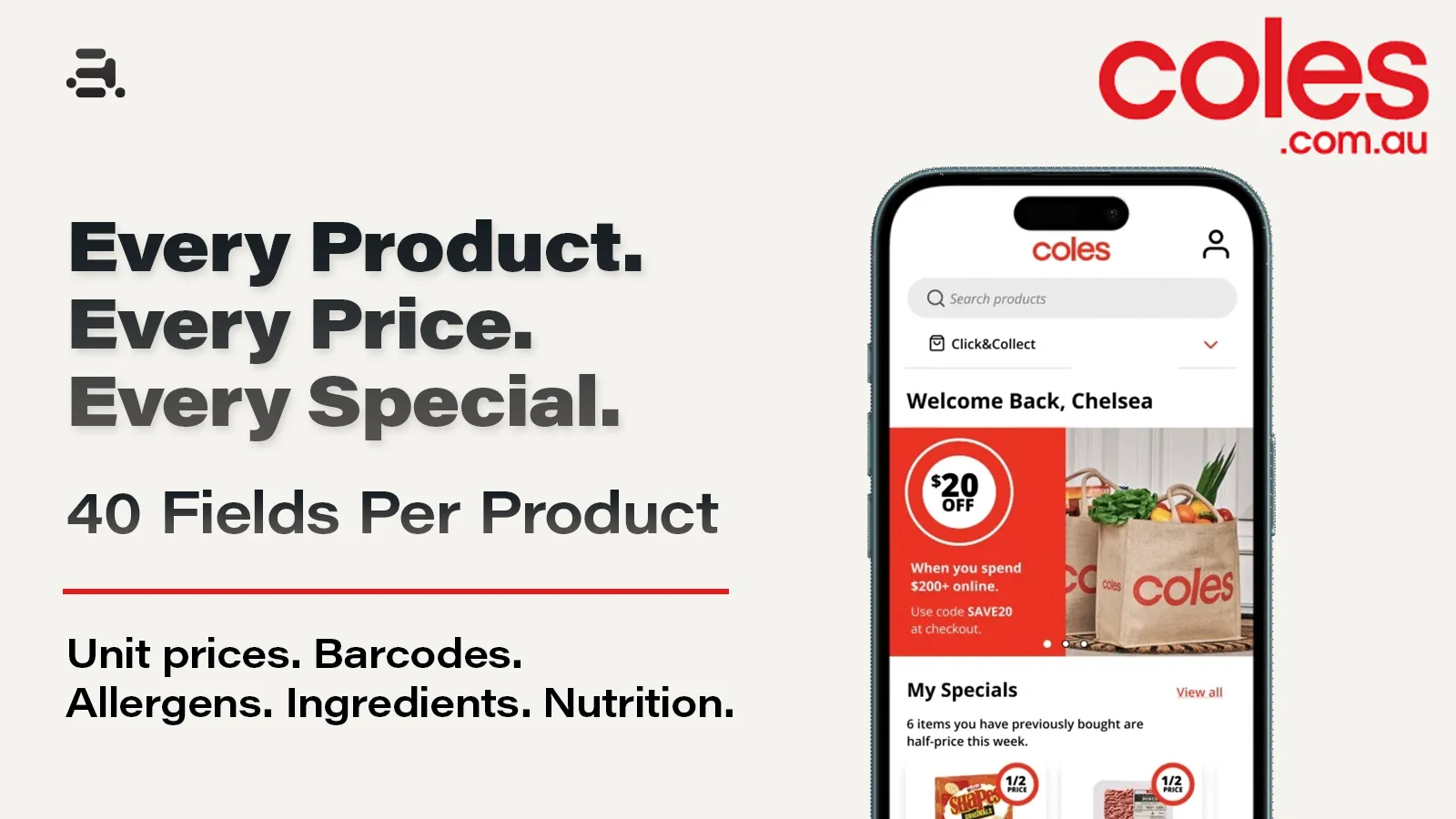
Search Coles Australia by keyword, browse categories and specials, or request product details by ID. Full-detail output contains 40 product fields; basic and preview output contains 26. These counts exclude query metadata and detail status. Optional values may be null or empty.
From Architekture, makers of the Woolworths AU and ALDI AU scrapers — structured grocery data for cross-retailer workflows; field names differ between actors.
Live reliability: a scheduled daily canary runs fixed searches against the live site; the rolling success rate is published in this README as canary data accumulates (first canary week: 2026-10-15). The design guarantees below exist to keep that number honest.
Why choose this actor?
- Prices and promotions together.
price,wasPrice,savingsAmount,isOnSpecialandmultiBuydescribe the pricing and promotions returned by Coles. - Unit-price context.
unitPrice,unitMeasureandcomparablehelp compare pack sizes without treating sticker price as the whole comparison. - Optional product details.
gtin,ingredients,allergensandnutritionare mapped from detail responses when supplied. Missing values are not invented. - Visible enrichment gaps.
detailStatus: "unavailable"identifies a basic row retained after detail retrieval fails. That row uses the basic event, not the detail event. - Explicit completion state.
RUN_SUMMARYdistinguishes completed, partial, failed and spending-limit-stopped collections. Empty or contradictory responses are retried; an unresolved missing page does not become a successful catalogue capture.
Worth knowing up front
- The banner's 40 fields describes successful full-detail output, not 40 populated values for every product. Basic searches and free previews have 26 product fields.
includeDetails: truerequests enrichment; individual lookups can fall back to basic rows. - This actor has no store selector or customer login. Prices and availability reflect the returned public catalogue context, not a guarantee about a particular shop.
availableQuantityis a source field whose meaning has not been validated. Do not interpret it as a physical store inventory count.isAvailableis also not a stock guarantee; the current mapper can return false when availability information is absent.- Nutrition is a nested array; its inner keys are not counted as extra top-level product fields. An empty ingredient or allergen value does not mean an ingredient or allergen is absent.
- Results are deduplicated by product ID across inputs. A product found by an earlier query is not emitted again for each later query. Put detail collection in a separate run if a prior basic query would otherwise consume the same ID.
maxItemsPerQuerylimits product tiles scanned per search/category before special-only filtering and deduplication. Returned rows can be fewer. Explicit product-ID lookups are not limited by this setting.- Paid runs save
RESUME_STATEafter each delivered batch. Copy it intoresumeStateto continue while skipping delivered IDs. This rescans the current catalogue, not a frozen snapshot. Omit the checkpoint for fresh price monitoring.
Try the example
Preview mode allows 20 lifetime preview attempts per Apify account for this actor, with one keyword, one page and up to 10 basic rows per attempt. Failed and empty attempts count once an allowance slot is reserved. Preview mode does not charge product events or switch automatically to paid collection.
Use this input for a free preview:
For paid collection, explicitly set preview: false. Preview mode rejects multiple terms, categories, product IDs, detail enrichment and resumption. Exhausted or unavailable allowance stops collection; it never starts a paid run on your behalf. The API and input-form defaults are paid mode. The prefilled ten-basic-row run costs up to $0.015. For a free run, enable preview or choose the Free preview — 10 rows example. This keeps repeated platform health checks independent of the lifetime preview allowance.
Switching from another Coles scraper?
Field names here follow the common Coles conventions. If your current workflow uses an operation-based Coles actor:
| Their operation | Use here |
|---|---|
search | searchTerms |
category | categoryUrls (full URL or path) |
specials / specials_catalogue | categoryUrls: ["https://www.coles.com.au/on-special"], plus onlySpecials |
item | productIds (Coles product ID or product URL) |
| store / postcode lookups | Not supported yet — see Worth knowing up front |
Input parameters
| Parameter | Type | Used by | Description |
|---|---|---|---|
preview | boolean | Search | Default false. Opt into the 20-attempt lifetime allowance; one page and at most 10 basic rows. |
searchTerms | string array | Search | Keywords such as milk. One collection per term. |
categoryUrls | string array | Categories, specials | Coles /browse/... or /on-special paths, or full Coles URLs. Foreign hosts and other paths are rejected before collection. |
productIds | string array | Detail lookup | Positive numeric IDs as strings, or Coles product URLs. Requests detail data; unavailable products are not charged. |
maxItemsPerQuery | integer | Search, categories, specials | Non-negative; default 100. 0 removes the per-query cap in paid mode. Preview mode still caps at 10. |
onlySpecials | boolean | Search, categories, specials | Default false. Keeps tiles with a promotion type or online-special flag. Does not filter explicit product-ID lookups. |
includeDetails | boolean | Search, categories, specials | Default false. Enrich list rows via detail requests. Explicit product IDs request details regardless. |
sortBy | string | Search, categories, specials | Empty string for relevance; priceAscending, priceDescending, unitPriceAscending, unitPriceDescending, productNameAscending, productNameDescending. |
proxyConfiguration | object | All collection | Apify proxy configuration. The input-form prefill uses residential AU proxies; API callers should supply the configuration explicitly. |
feedback | string | All runs | Optional maintainer note, logged with the run and capped at 4,000 characters. Does not change product rows. Do not include credentials or sensitive information. |
resumeState | object | Paid collection | Complete JSON checkpoint from the previous run's RESUME_STATE. Keep queries, order, filters, details and sort unchanged. Increase the per-query cap to scan beyond a previous cap. |
Stable fields for automations
The following names and meanings form the integration contract. Optional source values can be null; downstream consumers must handle missing values rather than treating them as zero or empty-string facts.
| Field | Meaning |
|---|---|
productId | Coles product identifier; use as the within-retailer join key. |
name, brand, size | Product name, brand and pack-size text. |
price, wasPrice, savingsAmount | Current price, reference price and saving in AUD when supplied or calculable. |
isOnSpecial | Boolean derived from Coles promotion-type or online-special flags. |
unitPrice, unitMeasure, comparable | Numeric unit price, unit basis and source comparison display. |
image, url | Product image URL and generated product-page URL. |
source | search, category, specials or productId. |
searchTerm, categoryUrl | Query context, present only for the relevant source. |
detailStatus | complete or unavailable when details were requested; omitted for basic-only rows. Complete means a matching detail record was returned, not that every optional value is populated. |
Successful detail rows add these 14 product fields: gtin, longDescription, ingredients, allergens, storageInstructions, warnings, dimensions, countryOfOrigin, nutritionalClaims, lifestyle, servingSize, servingsPerPackage, nutrition and lastUpdated.
Fields outside the contract are selected or transformed source data. Treat them as optional additions; source availability and meaning may vary. Ask through feedback if a field needs an explicit compatibility commitment.
Output examples
These are abridged, unmodified field values recorded on 14 October 2026 with build 1.1.1. Prices are historical examples, not current quotes.
Search (preview) — run g36EDGYgqpbUCPgDR.
Category — run mFfZzHXlDRjvWDwWV.
Specials with details — run yWlP7I576xNO1QFnf.
Product ID — run mFfZzHXlDRjvWDwWV.
Product rows appear in the default dataset. The separate RUN_SUMMARY record contains status, listRows, detailRows and unavailableDetails:
| Status | Meaning |
|---|---|
COMPLETE | Requested collection finished within its configured limits, with no unavailable detail lookups. This does not imply the whole catalogue was collected. |
PARTIAL | One or more detail lookups were unavailable; usable results were retained. |
FAILED | Collection failed or all requested explicit details were unavailable. Previously delivered rows may remain in the dataset. |
BUDGET_REACHED | Collection stopped at the buyer's spending limit. |
PREVIEW_LIMIT | All 20 lifetime preview attempts have already been reserved; no collection started. |
Input/configuration failures before collection and abrupt platform termination may occur before a summary is saved. Inspect the run status and log as well as the dataset.
Advanced usage
Price monitoring. Schedule a bounded keyword or category run, retain each dataset with its run timestamp, then compare price and wasPrice by productId. Start daily; increase frequency only when the use case requires it.
Specials tracking. Use categoryUrls: ["https://www.coles.com.au/on-special"] and compare isOnSpecial, promotionType and multiBuy. Removing the query cap does not override your spending or runtime limits.
Cross-retailer matching. Request details and use gtin where both retailers publish a compatible barcode. Otherwise use normalized name and size to generate candidate matches that require checking. Different pack sizes and store brands are not automatically equivalent products.
Ingredient and nutrition pipelines. Enable details for a bounded set of products, then filter detailStatus before using enrichment. Preserve nulls, nutrition basis and source product links; empty fields do not establish dietary suitability.
Continue a bounded collection. Copy the complete RESUME_STATE record from the previous run's Storage into resumeState, and set preview: false. Keep queries, their order, filters, detail mode and sort unchanged. Increase maxItemsPerQuery or set it to 0 if the previous run reached its cap: the cap counts scanned tiles, including previously delivered products. Checkpointed IDs are skipped before detail requests and charging. Unavailable explicit IDs remain eligible for retry; basic fallback rows count as delivered and are skipped too. Each run has a separate dataset; combine them by productId.
Checkpoints are saved after dataset delivery. An abrupt stop between delivery and checkpoint storage can leave overlap on the next run; this is not an exactly-once guarantee. If checkpoint storage fails, the run fails visibly and already delivered rows may still be charged. Keep the latest checkpoint from each continued run. Do not edit its ID list or start simultaneous continuations from the same checkpoint. Preview runs neither accept nor create checkpoints. This is explicit continuation, not an automatic lookup of another customer's or previous run's storage.
Integrations
Export the default dataset as JSON, CSV or Excel. Use Apify Scheduler for recurring runs and webhooks to notify your pipeline when a run ends. Google Sheets, Make, Zapier and n8n workflows can consume dataset results; their configuration is separate from this actor. JSON preserves the nested nutrition array most directly.
Check the run status and RUN_SUMMARY before marking an import complete. A non-empty dataset can still belong to a failed or budget-limited run.
Pricing: pay per event
The active pay-per-event configuration was checked on 14 October 2026: $1.50 per 1,000 basic rows and $4.00 per 1,000 detail rows. Buyers do not pay additional platform usage costs.
| Event | Price | What it covers |
|---|---|---|
| Free preview | $0 in product events | One reserved preview attempt, one page and up to 10 basic rows; 20 lifetime attempts per account. |
product | $1.50 / 1,000 | One delivered basic search, category or specials row, including a fallback when enrichment is unavailable. |
product-detail | $4.00 / 1,000 | One delivered matching detail record from enrichment or explicit ID lookup. Optional fields may still be empty. |
Nothing is charged for failed requests themselves. Successfully delivered rows can be charged even if a later request fails. An enriched row uses the detail event, not both basic and detail events. Duplicate explicit IDs are removed before fetching and billing. Paid dataset delivery uses Apify's charging-limit handling.
FAQ
Do I need a Coles account? No. This actor requests public catalogue endpoints without a customer login.
Does every row contain all 40 values? No. Successful detail rows have 40 product-field keys; absent source values remain null or empty. Basic and preview rows have 26 product fields.
Can I get store stock quantities? This actor does not offer a verified per-store inventory lookup. Do not use availableQuantity as a stock count.
What happens after 20 previews? Preview collection stops. Choose preview: false explicitly for paid collection. Allowance outages also stop previews without a paid fallback. Hashed actor/account slot identifiers are retained in a private named key-value ledger, with a separate queue for concurrent reservation; search terms and product rows are not stored there.
Why are some requested details missing? A product may be unavailable, blocked or returned without a usable matching detail record. Listing rows can remain at basic pricing with detailStatus: "unavailable"; explicit unavailable IDs produce no row. Check the summary and warnings.
Does “complete” mean every Coles product? No. It means the requested work finished within its limits. Search coverage, category choice, filters and source responses determine which products are returned.
Can I resume a previous run? Yes, in paid mode: copy its RESUME_STATE into resumeState. Current results are rescanned and checkpointed IDs are skipped. Increase the query cap when continuing beyond an earlier cap. For fresh prices, omit the checkpoint and start a new collection.
Why did a search return zero rows? The actor retries empty pages. A valid first page with an explicit zero count can finish with no results. Filters and deduplication can also remove otherwise valid rows. Malformed or contradictory pages fail rather than being called a successful empty collection.
Copy to your AI assistant
Use architekture/coles-au-product-scraper on Apify. In Python: from apify_client import ApifyClient; client = ApifyClient("TOKEN"); run = client.actor("architekture/coles-au-product-scraper").call(run_input={"preview": True, "searchTerms": ["milk"], "maxItemsPerQuery": 10, "proxyConfiguration": {"useApifyProxy": True, "apifyProxyGroups": ["RESIDENTIAL"], "apifyProxyCountry": "AU"}}); rows = client.dataset(run["defaultDatasetId"]).list_items().items. Inspect run status and RUN_SUMMARY before assuming completeness. With Bearer authentication, the default-build API is https://api.apify.com/v2/acts/architekture~coles-au-product-scraper/builds/default; inspect inputSchema, actorDefinition.storages.dataset and readme for the deployed specification. Get a token at https://console.apify.com/account/integrations. Add feedback to a run to leave a maintainer note without changing product output. Keep credentials out of input notes. Use JSON for nested nutrition; paginate dataset reads for larger collections.
More Architekture scrapers
Grocery — Australia & New Zealand
- Coles AU Product & Price Scraper — you are here.
- ALDI AU Product & Price Scraper — related grocery collection.
- Woolworths AU Product & Price Scraper — related grocery collection.
- Woolworths NZ (Countdown) Product & Price Scraper — in preparation.
Grocery — United Kingdom: Tesco UK and Sainsbury's UK.
Research & regulatory: PubMed, ClinicalTrials.gov, arXiv and openFDA.
Startups & companies: Y Combinator Directory, Product Hunt, SEC EDGAR Filings, UK Companies House and Apollo.io.
Communities & publishing: Telegram Channel, Meetup Events, Substack and Hacker News.
The linked ALDI AU and Woolworths AU actors are public. Other named siblings are in preparation, following the studio inventory; they are not offered here as live listings.
Support
Open an issue on the actor's Apify page for a support request; our support commitment is a human reply within one day. Include the run ID, expected result and a small reproducible input. For product feedback, use the feedback input. Do not post credentials or sensitive information.
For AI agents & LLM apps
coles-au-scraper returns Coles Australia products — prices, promotions, GTIN/barcodes and nutrition — as deterministic, schema-stable JSON, one object per line, so agents and RAG pipelines can parse it without defensive code. Invoke it from any agentic workflow via the Apify API or the Apify MCP server (mcp.apify.com) as a tool call; pay-per-event billing charges per delivered row (product or product-detail) and nothing for failed requests. Honest limits: ad tiles and promo banners are filtered out (only PRODUCT records are returned), and products that no longer exist are logged by ID rather than silently dropped.
Legal compliance
This actor is designed to collect public product-catalogue data without a customer login. It is not affiliated with or endorsed by Coles. You are responsible for your use of the data and for assessing applicable site terms and privacy obligations, including GDPR/CCPA where relevant. Do not include personal or confidential information in feedback.
Changelog
-
2026-10-14: Added explicit paid-run continuation checkpoints. Delivered IDs are skipped before enrichment and charging; checkpoints do not freeze the catalogue or guarantee exactly-once delivery. Preview continuation is rejected.
-
2026-10-14: Added the user-designed banner and documented the verified 26 basic / 40 detail field structure. Replaced unsupported catalogue-size, performance and inventory claims with explicit limits.
-
2026-10-14: Added 20 lifetime preview attempts with a one-page, ten-basic-row limit, feedback logging, detail-status display and a summary output link. The private lifetime ledger and restricted credential were verified in hosted preview runs.
-
2026-10-14: Corrected detail-fallback pricing and duplicate-ID handling; added charging-limit delivery, empty-response retries, stale-build recovery, pagination checks and completion summaries. Fifty-six offline tests pass using synthetic responses; this is not a live-site success-rate claim.


