

CoinGecko Scraper: Prices, Market Caps & Volume
Pricing
from $0.37 / 1,000 data scrapeds
CoinGecko Scraper: Prices, Market Caps & Volume
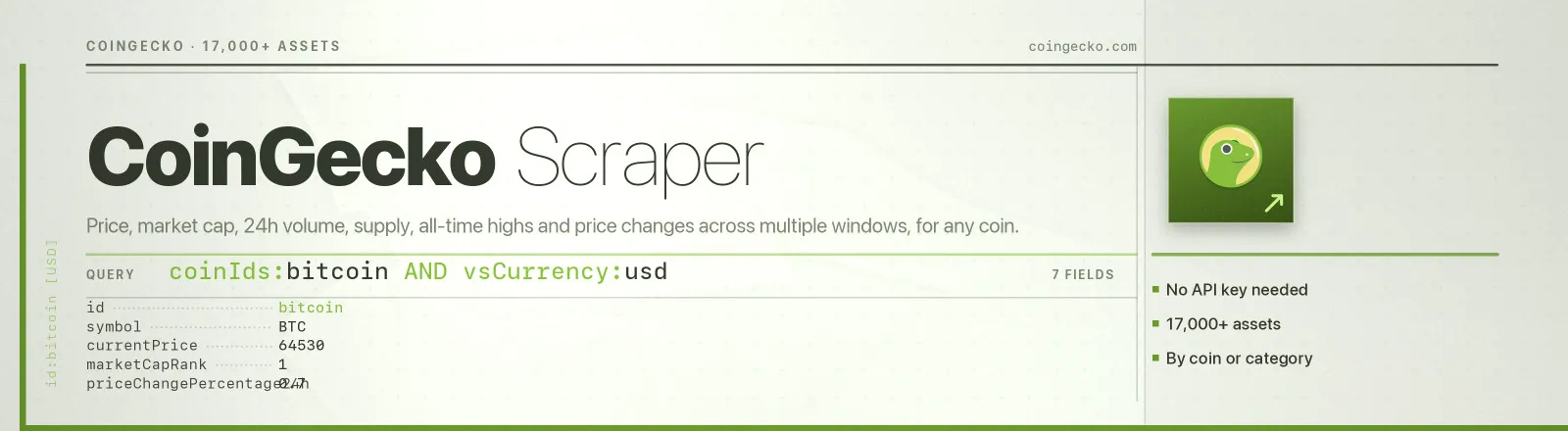
Scrape CoinGecko market data: price, market cap, 24h volume, supply, all-time highs and price changes across multiple windows. 17,000+ assets, no key on the public tier.
Pricing
from $0.37 / 1,000 data scrapeds
Rating
0.0
(0)
Developer

Arman Hossain
Maintained by CommunityActor stats
0
Bookmarked
1
Total users
0
Monthly active users
2 months ago
Last modified
Categories
Share
Agent skill: SKILL.md
What it does
Scrape CoinGecko market data: price, market cap, 24h volume, supply, all-time highs and price changes across multiple windows. 17,000+ assets, no key on the public tier. Give it coinIds and it returns one structured record per coin.
You can drive it three ways:
- By coin. Pass
coinIds(["bitcoin", "ethereum", "solana"]) and get exactly those assets. - By category. Pass
category("layer-1","stablecoins","meme-token") and get that whole slice ranked by market cap. - By rank. Pass neither and get the top
maxCoinsassets by market cap.
Everything is quoted in whichever of CoinGecko's 63 supported currencies you name, fiat (usd, eur, gbp, jpy) or crypto (btc, eth).
Input
| Field | Type | Default | Notes |
|---|---|---|---|
coinIds | array | [] | CoinGecko IDs, not ticker symbols, the slug in the coin URL (coingecko.com/en/coins/bitcoin → bitcoin). Full CoinGecko URLs are accepted and normalised automatically. Empty = take the top coins by market cap. |
vsCurrency | string | "usd" | Quote currency for every price, market cap and volume figure. One of CoinGecko's 63 supported quote currencies. An unsupported value makes the API return HTTP 400. |
category | string | - | Restrict to one CoinGecko category, e.g. layer-1, stablecoins, decentralized-finance-defi. Ignored when coinIds is set. An unknown category returns HTTP 404 and is recorded as a failure. |
priceChangeWindows | array | ["1h","24h","7d","30d","1y"] | Extra price-change percentages to request, returned in priceChanges. Allowed: 1h, 24h, 7d, 14d, 30d, 200d, 1y. 24h is always included. Unknown values are warned about and dropped. |
maxCoins | integer | 250 | Total cap on saved coins. Coins arrive 250 per request, so 1,000 coins = 4 requests ≈ 9 s of built-in rate-limit delay. |
Which combinations make sense
coinIdsandcategorytogether:categoryis ignored. Pick one.coinIdsandmaxCoins: the ID list is truncated tomaxCoinsbefore fetching.categoryandmaxCoins: the category is paged until the cap is met or the category runs out (a 300-coin cap onlayer-1returned 300 of 409 available).- IDs that do not exist are silently dropped by CoinGecko. The Actor detects this and lists them in
RUN_SUMMARY.unknownCoinIds.
Example input
Output
One dataset item per coin. A real record, exactly as produced by a live run:
Every numeric field is null rather than 0 when CoinGecko has no value, so an uncapped token gets "maxSupply": null, and you can tell "no data" apart from "zero".
RUN_SUMMARY
Written to the default key-value store at the end of every run:
failures holds one { request, error } entry per request that could not be recovered, a rate-limit wall, a 404 category, a network drop. The run continues past them.
Use cases
1. Build a crypto portfolio tracker
Poll the exact assets you hold, in your reporting currency, on a schedule.
Multiply currentPrice by your position size; priceChanges gives you the period P&L columns for free.
2. Screen assets by market cap and volume
Pull a whole category and filter it downstream on marketCap, totalVolume and priceChanges["7d"].
A liquidity screen is one expression away: totalVolume / marketCap > 0.05.
3. Feed a market-data dashboard
Take the top of the market in one sweep and refresh it hourly.
marketCapRank is already sorted, lastUpdated tells you how stale CoinGecko's own tick is, and scrapedAt tells you how stale your copy is.
Limits and behaviour
- Public tier rate limit. CoinGecko's free API allows roughly 10-30 calls/minute and throttles hard above it. The Actor batches through the
/coins/marketsendpoint, 250 coins per request, never one call per coin, and waits 3 s between requests (~20 req/min). A 1,000-coin run is 4 requests. - 429 backoff. A rate-limit response is retried up to 3 times. If CoinGecko sends
Retry-After, that value is honoured exactly; otherwise the Actor waits 15 s, then 30 s. Transient 5xx errors use a shorter 1 s / 2 s linear backoff. - Failures never abort the run. A failed page is logged, recorded in
RUN_SUMMARY.failures, and the Actor moves on. It only throws when every request failed. - Unknown IDs are dropped, not fatal. CoinGecko silently omits IDs it does not recognise. The Actor diffs requested against returned and reports the gap in
RUN_SUMMARY.unknownCoinIds. - Unknown categories are fatal for that request. CoinGecko answers 404; there is nothing to retry, so it fails fast and is recorded.
- Deduplication. A coin is saved once per run even if it appears in overlapping pages.
maxCoinsis honoured across pages. Fetching stops as soon as the cap is met, no wasted requests, no wasted spend.- Public data only. No authentication, no personal data, no access-control bypass.
FAQ
Do I need a proxy? No. Proxy configuration is not required to run this Actor.
Do I need a CoinGecko account or API key? No. You supply no credentials.
What happens if CoinGecko is unavailable? The failing request is retried, then recorded in RUN_SUMMARY.failures, and the run continues with whatever else succeeded. The run only errors out if every request failed.
Can I schedule it? Yes, it is designed for scheduled runs. Hourly at 250-1,000 coins is comfortably inside the free tier's limits.
Where do I find a coin's ID? It is the last path segment of its CoinGecko URL: coingecko.com/en/coins/avalanche-2 → avalanche-2. Note that IDs often differ from tickers (AVAX is avalanche-2, MATIC is matic-network). You can also paste the full URL, the Actor extracts the ID.
Why is fullyDilutedValuation null? Because CoinGecko has no max supply for that asset. Same reason maxSupply is null for Ethereum.
Can I get historical prices? Not from this Actor, /coins/markets is a point-in-time snapshot. Schedule it and store the results; lastUpdated and scrapedAt give you clean time series keys.
Can I integrate it with something else? Yes, Apify API, client libraries, webhooks, scheduled runs, dataset exports (JSON/CSV/Excel) or MCP. Output is structured JSON.
API example
JavaScript example


