

Homebrew Scraper: Formulae, Casks & Install Analytics
Pricing
from $0.37 / 1,000 package scrapeds
Homebrew Scraper: Formulae, Casks & Install Analytics
Scrape Homebrew formulae and casks: version, dependencies, licence, caveats, deprecation status and official 30/90/365-day install analytics. Rare public adoption data.
Pricing
from $0.37 / 1,000 package scrapeds
Rating
0.0
(0)
Developer

Arman Hossain
Maintained by CommunityActor stats
0
Bookmarked
1
Total users
0
Monthly active users
20 days ago
Last modified
Categories
Share
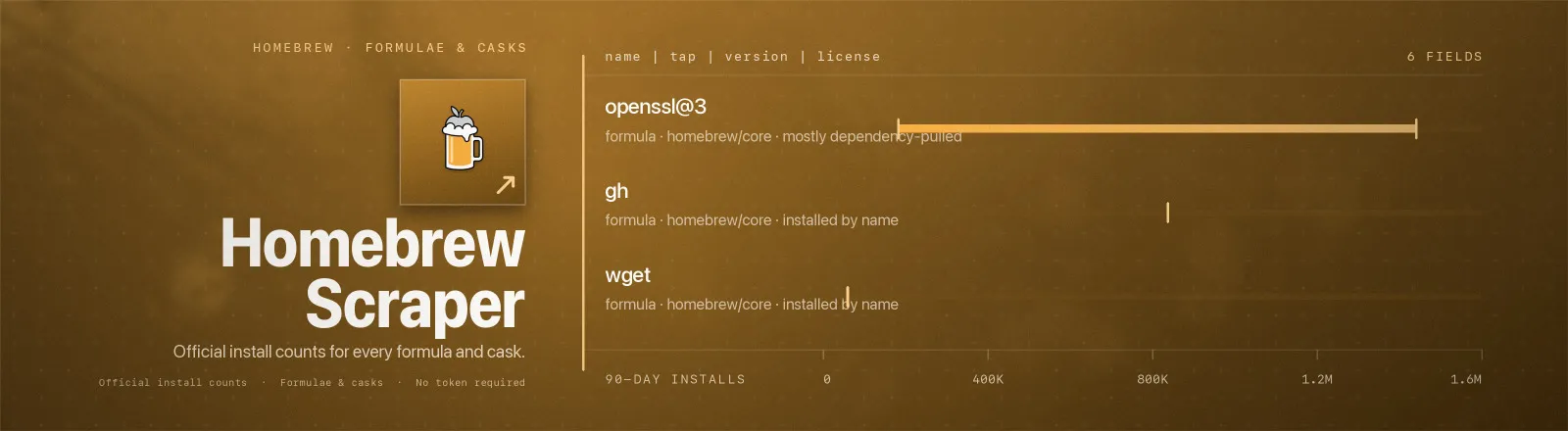
Homebrew Scraper exports Homebrew package data, version, dependencies, licence, caveats, deprecation status, together with Homebrew's official 30-, 90- and 365-day install counts. Almost no other package registry publishes real adoption numbers; Homebrew does, and this Actor puts them in a table.
Agent skill: SKILL.md
What you get
| Output field | Meaning |
|---|---|
name, fullName | The name you type after brew install, and its fully-qualified tap name |
resourceType | formula (CLI package) or cask (macOS app) |
tap | Which tap it comes from, homebrew/core, homebrew/cask, or a third-party tap |
description | One-line description |
homepage | Upstream project homepage |
version | Current stable version |
license | SPDX licence expression. Always null for casks, Homebrew does not record licences for them |
dependencies | Runtime dependencies. For casks, a flattened depends_on list such as cask:xquartz or macos:>= :big_sur |
buildDependencies | Build-time-only dependencies. Always empty for casks |
caveats | The post-install message brew prints, if any |
deprecated, deprecationReason | Whether the package is deprecated and why |
disabled, disableReason | Whether it has been disabled outright and why |
installs30d, installs90d, installs365d | Official install counts over each window |
installsOnRequest30d/90d/365d | Installs where the user asked for this package by name, excludes installs pulled in as someone else's dependency. null for casks |
sourceUrl | The tarball, git URL or .dmg the package installs from |
pageUrl | Its page on formulae.brew.sh |
scrapedAt | Run timestamp |
A RUN_SUMMARY record in the key-value store holds per-run counts, the filters used, and any package that failed.
Why the analytics matter
installs counts every install, including the ones dragged in as a dependency. installsOnRequest counts only the ones a human typed. The gap between them is the interesting signal:
| Package | 90-day installs | 90-day on request | Read |
|---|---|---|---|
gh | 837,346 | 836,498 | Practically everyone installs it deliberately, a genuine end-user tool |
openssl@3 | 1,440,419 | 182,675 | Mostly a transitive dependency; the real user base is ~13% of the headline number |
Ranking developer tools on the headline number alone overstates infrastructure libraries by an order of magnitude.
Common use cases
Measure real developer-tool adoption on macOS. Pull the top of the index by install count and diff it month over month.
Track dependency chains for CLI tools. Fetch a named set and read dependencies / buildDependencies to build the graph.
Spot deprecated packages in a fleet. Feed the output of brew list straight in and filter the dataset on deprecated or disabled.
Quick start
Three packages, everything about them:
The 100 most-installed macOS apps:
The complete Homebrew index, about 8,500 formulae:
Input
| Field | Type | Default | Notes |
|---|---|---|---|
formulae | array | [] | Package names, or full formulae.brew.sh URLs. Empty means index mode, the whole catalogue. |
resourceType | string | "formula" | formula, cask or both. |
includeAnalytics | boolean | true | Adds the six install-count fields. |
includeDependencies | boolean | true | Adds dependencies and buildDependencies. |
maxResults | integer | 0 | Cap per resource type. 0 = no limit. |
Combinations that make sense together:
formulaefilled +resourceType: "both": each name is looked up as a formula first, then as a cask. This is the right setting when your list came frombrew listand mixes the two.formulae: []+maxResults+includeAnalytics: true: index mode sorts by 90-day installs before capping, so this is how you get "the top N", not "the first N alphabetically".formulae: []+includeDependencies: false: the fastest way to snapshot the whole catalogue for version tracking.resourceType: "both"in index mode downloads both dumps (~48 MB combined) and saves up tomaxResultsof each.
Output example
RUN_SUMMARY looks like this:
Limits and behaviour
- Two very different modes. With names, each package is one small request and analytics arrive inline. Without names, the Actor downloads the complete
formula.json(~31 MB) orcask.json(~17 MB) dump. That dump is only fetched in index mode, naming packages never pulls it. - The bulk dumps carry no analytics. Homebrew publishes install counts only on the per-package endpoints and on separate leaderboard files. In index mode the Actor fetches those leaderboards (
analytics/install/{30d,90d,365d}.jsonandanalytics/install-on-request/…) and joins them to the dump by name, soinstalls90dis populated either way. - Install figures are totalled across variant commands. Homebrew records variant install commands (
wget --HEAD) as their own rows on the per-package endpoint, while the leaderboards used by index mode publish one already-summed row per package. The Actor sums the per-package rows to match, so aninstalls90dfrom a named run and one from an index run mean the same thing and can be diffed against each other. - Casks have no
installsOnRequest. Homebrew does not publish an on-request leaderboard for casks, so those three fields arenullrather than guessed. - A missing package never aborts the run. An unknown name returns HTTP 404, is recorded in
RUN_SUMMARY.failures, and the run continues. The Actor only throws if nothing at all was saved. - Transient errors are retried. 429 and 5xx get three attempts with linear backoff; a 404 is fatal and not retried.
- Named lookups run 8 at a time, so a list of 200 packages completes in a few seconds.
- Analytics lag by design. Homebrew aggregates daily and the windows are trailing, so a package released last week has small numbers regardless of its popularity.
Finding a package name
It is exactly what you type after brew install. If you are not sure, the name is the last path segment of its page:
| Page you see | Name |
|---|---|
formulae.brew.sh/formula/wget | wget |
formulae.brew.sh/cask/firefox | firefox |
formulae.brew.sh/formula/python@3.14 | python@3.14 |
You can paste the whole URL, the Actor extracts the name itself. On your own machine, brew list --formula and brew list --cask print exactly the values this Actor expects.
API example
JavaScript example
Defaults: 1 GB memory, 15 min timeout.
FAQ
Do I need a proxy? No. Proxy configuration is not required to run this Actor.
Do I need a Homebrew account or token? No. You supply no credentials.
What happens if a package is unavailable? A 404 is recorded in RUN_SUMMARY.failures and the run continues with the rest.
Why is license null for my package? It is a cask. Homebrew records licences for formulae only.
Why is installsOnRequest90d null? Same reason, Homebrew publishes on-request analytics for formulae, not casks.
Can I get third-party taps? Yes for named lookups, as long as the tap is indexed on formulae.brew.sh. Index mode covers homebrew/core and homebrew/cask only, because that is what the bulk dumps contain.
Does it tell me if a package is outdated? It gives you the current published version; compare that against what you have installed. The outdated flag in Homebrew's raw JSON refers to the local machine and is meaningless server-side, so it is not exported.
Can I schedule it? Yes, it is designed for scheduled runs. Diff on name plus version for release tracking, or on installs90d for adoption trends.
Can I integrate it with something else? Yes, Apify API, client libraries, webhooks, scheduled runs, dataset exports (JSON/CSV/Excel) or MCP. Output is structured JSON.


