
Medium Articles Scraper: Tag, Publication & Author Feeds
Pricing
from $0.56 / 1,000 article scrapeds
Medium Articles Scraper: Tag, Publication & Author Feeds
Scrape Medium's public RSS feeds: title, author, publish date, tags, canonical URL and article text. Follow a tag, a publication or a specific writer.
Pricing
from $0.56 / 1,000 article scrapeds
Rating
0.0
(0)
Developer

Arman Hossain
Maintained by CommunityActor stats
0
Bookmarked
1
Total users
0
Monthly active users
2 months ago
Last modified
Categories
Share
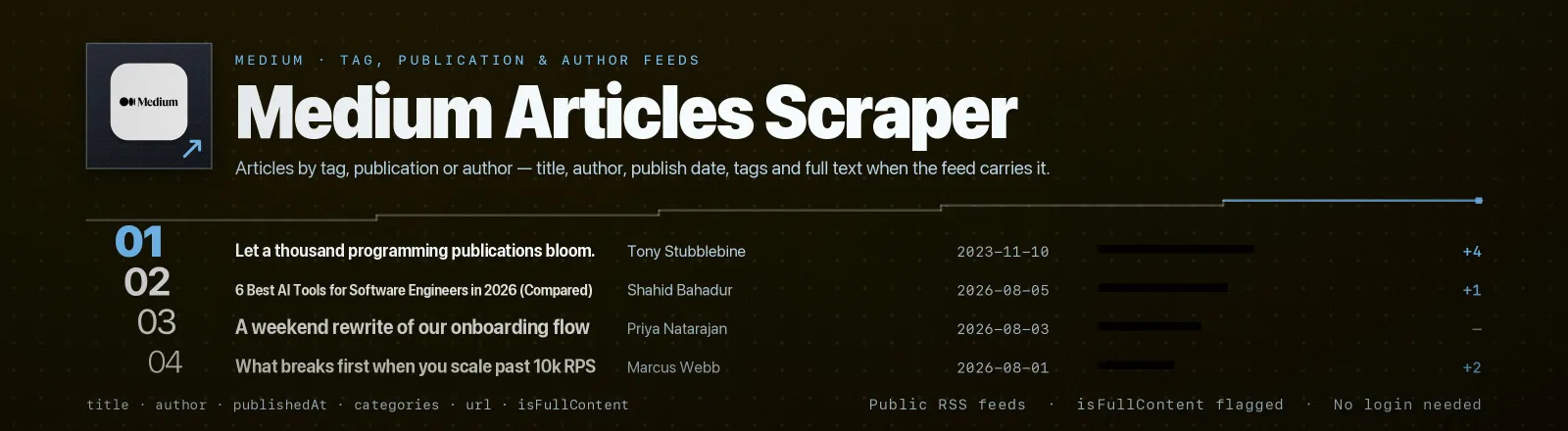
Reads Medium's public RSS feeds by tag, by publication or by author, and returns one structured record per article. You get the title, author, publish date, tag list, canonical URL, lead image and the article body where the feed carries it.
Medium has no public API, but it does publish RSS for exactly this purpose, and that is what this Actor reads. No browser, no proxy, no login.
Read the limits before you build on it. Medium's feeds return 10 items each with no pagination, and only some of them include the article body. Both constraints are Medium's, not this Actor's, and both are reported per record so you always know what you got. See Notes.
Agent skill: SKILL.md
What you get
| Field | What it holds |
|---|---|
sourceType, sourceName | tag, publication or author, and the tag, slug or handle it came from |
feedTitle, feedUrl | Feed's own title and the exact URL that was fetched |
articleId | Medium's post ID, parsed from the guid. null for publications on their own domain |
title, author | Article title and the dc:creator byline |
publishedAt, updatedAt | Publication and last-update timestamps, ISO 8601 |
url | Canonical article URL with Medium's ?source=rss-. attribution parameter stripped |
categories | Every tag on the article |
contentPlain | Article text with HTML stripped and entities decoded. Full body or one-line teaser, depending on the feed |
isFullContent | true when the feed supplied a real body, false when contentPlain is only a teaser |
wordCount, readingTimeMinutes | Both null unless isFullContent is true. Reading time is computed at 200 words per minute, not taken from Medium |
imageUrl | First image in the article, with Medium's view-tracking pixel filtered out |
scrapedAt | Run timestamp |
RUN_SUMMARY in the key-value store holds the feeds that were read (feedsRequested), the filters you used, and anything that did not go to plan by name: failures for feeds that could not be fetched, entriesRejected for entries that could never address a feed, feedsSkipped for feeds left unread because maxItems was already spent, and duplicatesSkipped for articles a previous feed had already delivered.
Use cases
- Topic monitoring. Poll
machine-learningandprogramminghourly and diff onarticleIdto catch new posts. - Writer tracking. Follow a list of authors in your niche, since author feeds are the ones that reliably carry full text.
- Content-gap analysis. Collect titles and tag combinations across ten tags to see what is already saturated.
- Newsletter sourcing. A de-duplicated, tagged candidate list with lead images ready for a digest layout. An article that appears in six of your tag feeds is returned once.
- Competitive publication watch. Track what a rival publication ships, when, and by whom.
Quick start
One tag, defaults for everything else:
Tags, a publication and an author together, titles filtered:
A metadata-only sweep for change detection:
Input
| Field | Type | Default | Notes |
|---|---|---|---|
tags | array | [] | Tag slugs such as machine-learning. Reads medium.com/feed/tag/<tag>. Teaser text only. |
publications | array | [] | Publication slugs such as better-programming. A publication on its own domain works too, so paste the site or /feed URL. |
authors | array | [] | Handles with or without @. Reads medium.com/feed/@<handle>. |
maxItemsPerFeed | integer | 10 | Cap per feed, counted after de-duplication. Medium serves 10, so higher values change nothing on medium.com feeds. 0 means everything the feed returns. |
maxItems | integer | 0 | Ceiling on the articles saved across the whole run. Remaining feeds are skipped once it is reached, and named in RUN_SUMMARY.feedsSkipped. 0 means no total cap. |
includeContent | boolean | true | Include contentPlain and wordCount. Turn it off for a much smaller dataset. |
searchTerms | array | [] | Keep only titles containing one of these terms, case-insensitive. Empty means all. |
None of the three source fields is individually required, but at least one of tags, publications or authors must be set. The Actor stops with that message if all three are empty.
Both caps are validated before anything is fetched. A negative, fractional or non-numeric value is refused with a message naming the field, rather than being read as "no limit" — an unset field sent as null gets the documented default, not the whole feed.
One feed is read once. Entries that resolve to the same feed collapse before any fetch, whether they repeat across the three lists or are just the same publication written several ways, so you are never charged twice for the same article.
Output example
A real record from a publication feed, with contentPlain trimmed:
And a real record from a tag feed. Same keys, teaser instead of body:
Every record carries the same keys. Only the values change.
Naming a feed
| You want | Write | Feed fetched |
|---|---|---|
| A tag | programming in tags | https://medium.com/feed/tag/programming |
| A publication | better-programming in publications | https://medium.com/feed/better-programming |
| A publication on its own domain | https://towardsdatascience.com/feed in publications | https://towardsdatascience.com/feed |
| An author | @dhh or dhh in authors | https://medium.com/feed/@dhh |
Tag slugs are lower-case and hyphenated: machine-learning, not Machine Learning. Get one from the URL of any tag page on Medium. Non-English tags such as programación work as written.
Publications on their own domain often left Medium and now run WordPress or Ghost. Their feeds still parse, because the Actor handles standard RSS rather than only Medium's flavour, but articleId will be null and the field mix can differ.
API example
JavaScript example
Notes
- Every feed returns 10 items with no pagination. Medium's RSS has no page, offset or limit parameter, and
?limit=25is ignored. To build an archive, schedule the Actor and dedupe onarticleId, because there is no way to reach back through history in one run. - Full text is not guaranteed, and
isFullContenttells you which you got. Tag feeds never include<content:encoded>, socontentPlainis the one-line teaser andwordCountisnull. Author feeds reliably include it. Publication feeds are inconsistent, and in testing one item in a publication feed carried the full body while the other nine did not. Nothing is fabricated to paper over the gap. - Reading time is computed, not scraped. Medium's own badge is not in the feed.
readingTimeMinutesisceil(wordCount / 200), and it isnullwhenever there is no real body to count. - Feed furniture is removed. The trailing "Continue reading on … »" line is stripped from teasers, and the
medium.com/_/statview-tracking pixel is never returned asimageUrl. - URLs are canonicalised. Medium appends
?source=rss-.to every link, and that is stripped so the same article produces the sameurlacross feeds. - A bad handle is a 404, recorded in
RUN_SUMMARY.failureswhile other feeds carry on. A tag that does not exist returns an empty feed instead, and the log line shows0 listed. - An entry that cannot address a feed at all —
https://, a slug with spaces in it — is rejected before the run starts, listed inRUN_SUMMARY.entriesRejectedwith the reason, and the remaining feeds are read normally. It never ends the run. - The same article is returned once per run. Medium files a post under every tag it carries, so overlapping tag feeds repeat heavily; repeats are dropped before they reach the dataset and counted in
RUN_SUMMARY.duplicatesSkipped. Identity is the Medium post ID, or the canonical URL for feeds that have no post ID. - One publication is one feed. Scheme,
www., host case, a trailing slash and a missing/feedsuffix all collapse to the same feed URL, sohttps://towardsdatascience.com,http://www.TowardsDataScience.com/feed/andtowardsdatascience.comare read once between them. A non-default port is kept, because that is a different endpoint. - Requests are spaced 400 ms apart and identify themselves as
apify-medium-articles-scraper/1.0. - Public data only. No authentication, no member-only content, no paywall bypass.
FAQ
Does it get paywalled member-only stories? No. The feed gives what Medium chooses to publish there. Member-only posts appear as metadata plus a teaser, and this Actor does not attempt to get past that.
Can I get more than 10 articles from a tag? Not in one run. Medium caps its feeds at 10 with no pagination. Run on a schedule and accumulate, since an hourly run on a busy tag captures most of what is posted.
Why is contentPlain one sentence for tag feeds? Because that is all the tag feed contains. Use author or publication feeds when you need the body, and check isFullContent.
Is there a JSON API I should use instead? No public one. Medium's internal GraphQL endpoint is undocumented, unauthenticated access is not offered, and it changes without notice. RSS is the supported public surface, which is why this Actor uses it.
Do claps or responses come through? No. Neither is in the feed, and nothing is inferred from anywhere else.
Can I plug it into something else? Yes. Apify API, the client libraries, webhooks, scheduled runs, dataset exports to JSON, CSV or Excel, or MCP. The output is structured JSON.


