

WooCommerce Scraper: Store API Products & Categories
Pricing
from $0.56 / 1,000 product scrapeds
WooCommerce Scraper: Store API Products & Categories
Scrape WooCommerce stores through the public Store API: products, prices, stock status, categories, attributes, variations and reviews. Works on any Woo store with the API enabled.
Pricing
from $0.56 / 1,000 product scrapeds
Rating
0.0
(0)
Developer

Arman Hossain
Maintained by CommunityActor stats
0
Bookmarked
1
Total users
0
Monthly active users
2 months ago
Last modified
Categories
Share
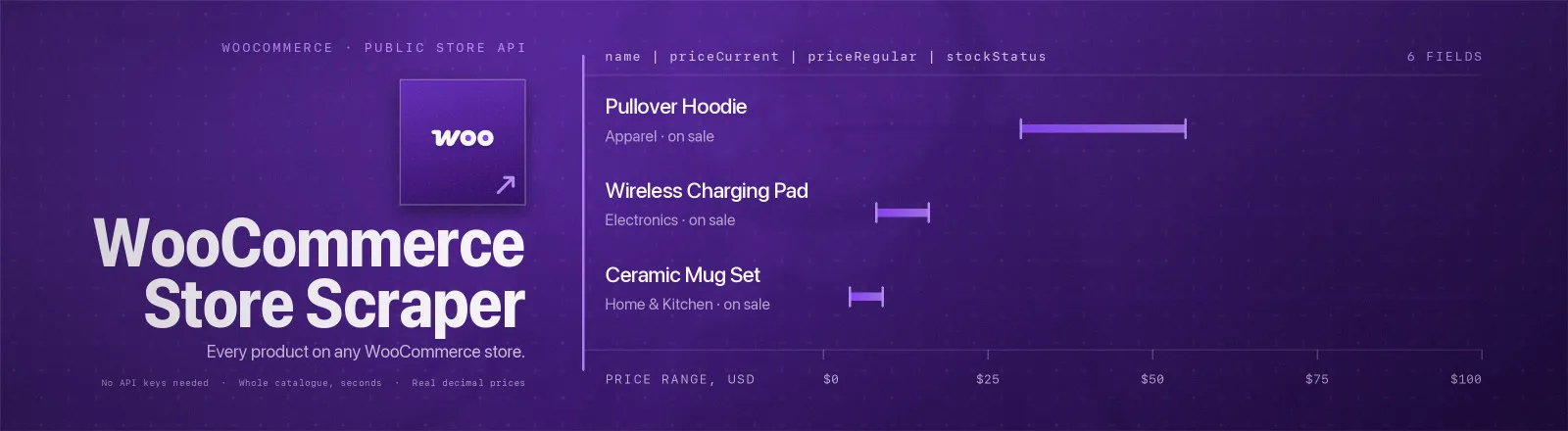
WooCommerce Store Scraper pulls the full public catalogue from any WooCommerce store, product names, prices, stock status, categories, tags, attributes, variations, ratings, images and clean plain-text descriptions.
Every WooCommerce install ships a Store API that the storefront itself uses to render products. This Actor reads it directly: no browser, no proxies, no login. A 2,000-product catalogue returns in seconds.
This is the Store API (
wc/store/v1), not the authenticated admin API (wc/v3). They are different things, the Store API is the one your storefront already exposes to the public.
Agent skill: SKILL.md
What you get
| Output field | Meaning |
|---|---|
store | Store origin the record came from |
productId, name, slug, permalink | Identity and the public product URL |
priceCurrent, priceRegular, priceSale, currency | Prices as real decimal numbers in the store's currency |
priceMin, priceMax, isPriceRange | The variation price span a variable product publishes, null/false when the store publishes none |
onSale | Whether the store is currently discounting the product |
stockStatus | instock, outofstock or onbackorder |
stockQuantity | Units remaining, see the caveat below |
categories, tags | Slug lists |
attributes | Attribute name, taxonomy and available terms |
variations | Variation IDs with their attribute name/value pairs |
averageRating, reviewCount | Review aggregates |
images | Full-size image URLs |
descriptionPlain | Description as clean plain text: HTML and page-builder shortcodes stripped, entities decoded |
scrapedAt | Run timestamp |
A RUN_SUMMARY record in the key-value store holds per-run counts, a per-store breakdown, the filters used, and any store that failed.
Common use cases
- Price monitoring. Track competitor pricing across dozens of independent retailers on a schedule.
- Product comparison engines. Build a catalogue index from many small stores at once.
- Sourcing and dropshipping. Watch
stockStatusto find what is actually available. - Market research. Measure catalogue size, price bands and category mix across a niche.
Quick start
Two stores, everything they have:
One category, in stock only, capped:
Search a niche across many stores:
Input
| Field | Type | Default | Notes |
|---|---|---|---|
stores | array | - | Required. Domains or URLs. Paths are stripped, paste a product page if that is what you have. shop.com, www.SHOP.com, http://shop.com and a deep URL on it are one store, scraped and charged once. |
categories | array | [] | Category slugs (or numeric term IDs). Multiple values are OR-ed. |
searchQuery | string | "" | Full-text search, executed by the store. |
maxProductsPerStore | integer | 0 | Cap per store. 0 = whole catalogue. |
inStockOnly | boolean | false | Ask the store for in-stock products only. |
categories, searchQuery and inStockOnly all run server-side and combine with AND, so narrowing them makes the run faster as well as smaller. maxProductsPerStore is applied last, after the store has filtered.
Output example
A real record, description trimmed:
This store publishes no value for the variation's attribute, so value is null rather than a
guess — see the note on honest nulls below.
A variable product carries its span instead:
API example
JavaScript example
Limits and behaviour
- Prices are converted, not copied. The Store API returns money as an integer string in the currency's minor unit (
"5900"withcurrency_minor_unit: 2). This Actor divides it out, sopriceCurrentis59and not5900. stockQuantityis usuallynull, and that is correct. The Store API never publishes an exact inventory figure. The only quantity it exposes islow_stock_remaining, which the store fills in only once its low-stock threshold is crossed. A number here is real;nullmeans the store did not publish one. Nothing is estimated.- Bad stores don't kill the run. A site without the Store API, a DNS failure or a WAF block is recorded in
RUN_SUMMARY.failures; the Actor only errors out if every store fails. - HTML 404 pages are rejected. Many WordPress hosts answer
/wp-json/wc/.with a themed 404 page. The response content type is checked, so a 200-status HTML page is treated as "no Store API", not as data. - Transient errors are retried. 429, 5xx and network faults get three attempts with exponential backoff and a 30-second timeout.
- Pagination is read, not guessed. Page count comes from the
x-wp-totalpagesresponse header. - One store is one store.
shop.com,www.shop.com,HTTP://SHOP.COMand a pasted deep URL all collapse to the same origin, so a list that names the same shop several ways is fetched once and billed once. - Descriptions are prose, not layout. Page builders such as Divi store their whole layout as
[shortcode]blocks inside the description, and<style>/<script>blocks hide CSS and JS there too. All of that is removed and only the text it wraps is kept. - Public data only. No authentication, no personal data, no access-control bypass.
FAQ
Do I need WooCommerce API keys? No. You supply no credentials.
Why did a store return nothing? Either the Store API is disabled or firewalled, or your filters matched no products. RUN_SUMMARY.stores carries one { store, matched, saved } entry per store — the store's own match count next to the saved count — which separates the two. A store that failed outright is also listed in RUN_SUMMARY.failures with the reason.
How do I find a category slug? Open a category page on the store, /product-category/accessories/ means the slug is accessories. Numeric term IDs work too.
Does it include variation prices? Not one price per variation, no. variations carries each variation's ID and attribute values, and the store publishes the span those variations cover as a range on the parent — that arrives as priceMin, priceMax and isPriceRange. When isPriceRange is true, priceCurrent is the cheapest variation, not the whole story.
Can I schedule it? Yes, it is designed for scheduled runs. Diff on productId plus priceCurrent to build a price-history feed, and include priceMax so a variable product's top price is not invisible.
Can I integrate it with something else? Yes, Apify API, client libraries, webhooks, scheduled runs, dataset exports (JSON/CSV/Excel) or MCP. Output is structured JSON.


