HTTP Request Builder
Pricing
Pay per event
HTTP Request Builder
Build HTTP requests and export as cURL, fetch, axios, and Python code — all four at once. Supports bearer, basic, and API key auth.
Pricing
Pay per event
Rating
0.0
(0)
Developer

Stas Persiianenko
Maintained by CommunityActor stats
0
Bookmarked
3
Total users
1
Monthly active users
9 days ago
Last modified
Categories
Share
Convert any HTTP request into ready-to-use code snippets in seconds. Input your method, URL, headers, body, and authentication — get back cURL, JavaScript fetch, axios, and Python requests code, perfectly formatted and ready to paste.
This is the inverse of a curl-to-code converter: you describe the request you want to make, and the builder generates all the boilerplate for every language at once.
What does HTTP Request Builder do?
HTTP Request Builder takes structured HTTP request parameters and generates syntactically correct, immediately runnable code snippets across four popular languages and tools:
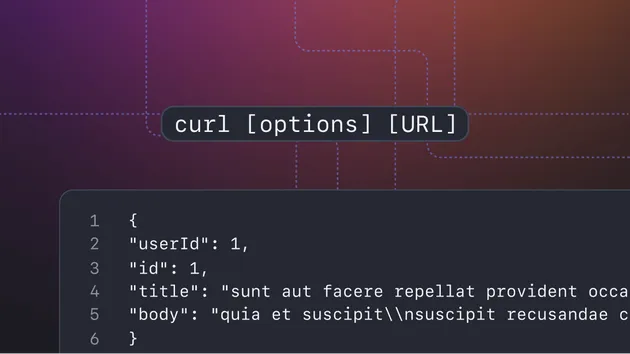
- cURL — the universal command-line HTTP client, works everywhere
- JavaScript fetch — native browser and Node.js API, no dependencies needed
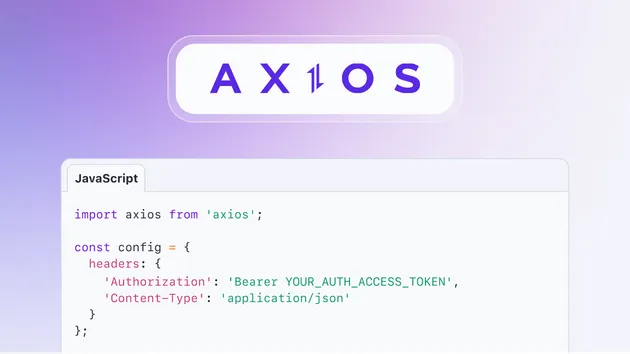
- axios — the most popular Node.js/browser HTTP library (25M+ weekly downloads)
- Python requests — the de facto standard HTTP library for Python
Supply a URL, method, headers, body, and authentication config — the builder handles formatting, escaping, encoding, and correct syntax for each target. Run a single actor call against 1 to 1,000 requests in one batch.
Who is it for?
Backend developers who switch between languages constantly:
- Prototype an API call in Python, then need the same call in Node.js for production
- Copy-paste a cURL command from API docs and need it as fetch or axios code
- Share a request with a colleague who uses a different stack
API documentation writers and DevRel engineers:
- Generate consistent, correct multi-language code samples for documentation
- Produce cURL + Python + JS examples for every API endpoint in bulk
- Ensure code samples are always syntactically valid (no more copy-paste errors)
QA engineers and testers:
- Convert Postman/Insomnia requests to cURL for CI/CD pipeline integration
- Generate test scripts in multiple languages from a single request definition
- Validate API requests work identically across different HTTP client implementations
Students and developers learning APIs:
- See the exact same request expressed in four different ways simultaneously
- Understand how authentication headers translate across languages
- Learn idiomatic patterns for each language (e.g.,
json=parameter in Python requests)
Why use HTTP Request Builder?
- 🚀 Zero setup — no API key, no login, no configuration required
- 🔄 All four formats at once — get cURL, fetch, axios, and Python in a single run
- 🔐 Handles all auth types — bearer tokens, basic auth, and API key headers all correctly formatted
- 📦 Batch processing — convert up to 1,000 requests in one actor run
- 🎨 Pretty-print control — readable JSON bodies for docs or compact bodies for scripts
- 💬 Optional code comments — toggle explanatory inline comments on or off
- ✅ Correct escaping — shell special characters in cURL, JSON serialization in fetch/axios, Python dict syntax
- 🔗 API-first — full programmatic access via the Apify API, scheduling, and webhooks
What code does it generate?
| Language / Tool | Format | Notes |
|---|---|---|
| cURL | Shell command | Correct -H, -d, -X flags; single-quote escaping |
| JavaScript fetch | async/await | Native browser + Node.js 18+; no dependencies |
| axios | async/await with import | Works in Node.js and browser; idiomatic config object |
| Python requests | requests library | json= for JSON bodies, data= for form/text; import requests included |
Supported authentication types:
| Auth type | How it's applied | Example |
|---|---|---|
| Bearer token | Authorization: Bearer <token> header | JWT tokens, OAuth tokens |
| Basic auth | Authorization: Basic <base64> header | Username + password, encoded correctly |
| API key | Custom header with your key name | X-API-Key, x-rapidapi-key, etc. |
How much does it cost to generate HTTP request code?
HTTP Request Builder uses pay-per-event (PPE) pricing. You are charged per request converted, plus a small one-time start fee.
| Plan | Start fee | Per request |
|---|---|---|
| Free ($5 credit) | $0.005 | $0.00115 |
| Starter (Bronze) | $0.005 | $0.001 |
| Scale (Silver) | $0.005 | $0.00078 |
| Business (Gold) | $0.005 | $0.0006 |
| Enterprise (Platinum) | $0.005 | $0.0004 |
| Enterprise Plus (Diamond) | $0.005 | $0.00028 |
Real-world cost examples:
- Convert 10 requests (docs sample set): ~$0.015 on Bronze
- Convert 100 API endpoints for full documentation: ~$0.105 on Bronze
- Convert 500 requests in a bulk batch: ~$0.505 on Bronze
- With the free $5 credit: ~4,300 free requests before any charge
This actor uses no proxy (pure string computation) — compute costs are minimal.
How to generate HTTP request code snippets
- Go to HTTP Request Builder on Apify Store
- Click Try for free
- In the HTTP Requests field, add your request(s) as a JSON array
- Optionally enable Include code comments for annotated output
- Click Start and wait a few seconds
- View results in the Dataset tab — each row has cURL, fetch, axios, and Python columns
Example input for a simple GET request:
Example input for a POST with bearer auth:
Example input for a bulk batch (multiple requests):
Input parameters
| Parameter | Type | Required | Default | Description |
|---|---|---|---|---|
requests | array | ✅ Yes | — | Array of HTTP request objects to convert (see structure below) |
includeComments | boolean | No | false | Add inline code comments explaining each section |
prettyPrint | boolean | No | true | Indent JSON request bodies for readability |
Request object fields:
| Field | Type | Required | Description |
|---|---|---|---|
url | string | ✅ Yes | Full request URL including query string |
method | string | No | HTTP method: GET, POST, PUT, PATCH, DELETE, HEAD, OPTIONS. Defaults to GET |
headers | object | No | Request headers as key-value pairs |
body | string | No | Request body as a string (JSON string, form-encoded, or plain text) |
bodyType | string | No | Hint: json, form, text, or none. Auto-detected from Content-Type if omitted |
auth | object | No | Authentication config — see auth fields below |
outputFormats | array | No | Limit output to specific formats: ["curl", "fetch", "axios", "python"]. Defaults to all four |
Auth object fields:
| Field | Type | When required | Description |
|---|---|---|---|
type | string | Always | bearer, basic, or apikey |
token | string | bearer | Bearer token value |
username | string | basic | Username for basic auth |
password | string | basic | Password for basic auth |
key | string | apikey | Header name (e.g. X-API-Key) |
value | string | apikey | API key value |
Output examples
Each dataset item contains the generated code for one input request:
POST with bearer auth output — cURL:
Same request in Python requests:
Tips for best results
- 🎯 Use
bodyType: "json"explicitly — even if yourContent-Typeis set, specifyingbodyTypeensures the correct Pythonjson=parameter is used vsdata= - 🔑 Put auth in the
authobject, not headers — the builder handles correct encoding (e.g., base64 for basic auth) when using theauthfield; manual headers skip this - 📋 Set
outputFormatsto reduce output size — if you only need cURL and Python, setoutputFormats: ["curl", "python"]to skip fetch and axios - 🔄 Batch all related endpoints in one run — the $0.005 start fee is per run, not per request; batch 100 endpoints for $0.105 instead of running 100 separate times
- 💅 Use
prettyPrint: falsefor shell scripts — compact bodies are easier to inline in scripts and avoid multi-line heredoc complexity - 🧪 Test generated cURL in your terminal first — it's the most portable format and will quickly reveal any encoding issues
Integrations
HTTP Request Builder → API documentation pipeline:
- Run the builder against your full endpoint list
- Export the dataset as CSV or JSON
- Import into your documentation platform (Readme.io, Stoplight, GitBook)
- All four language examples generated in one pass — no manual code writing
HTTP Request Builder → GitHub Actions / CI:
- Use the Apify API to call this actor in a CI step
- Automatically regenerate code samples on every API schema change
- Commit updated samples back to your docs repo via Git actions
HTTP Request Builder → Zapier / Make.com:
- Connect Apify to your documentation tool via Zapier
- Trigger code generation when a new endpoint is added to a Notion or Airtable database
- Auto-post generated snippets to Slack for team review
Scheduled runs for living documentation:
- Schedule the actor to regenerate code samples nightly
- Catch breaking changes in API request parameters automatically
- Keep documentation always in sync with actual request definitions
API usage
Run HTTP Request Builder programmatically via the Apify API:
Node.js:
Python:
cURL:
Use with AI agents via MCP
HTTP Request Builder is available as a tool for AI assistants that support the Model Context Protocol (MCP).
Add the Apify MCP server to your AI client — this gives you access to all Apify actors, including this one:
Setup for Claude Code
Setup for Claude Desktop, Cursor, or VS Code
Add this to your MCP config file:
Your AI assistant will use OAuth to authenticate with your Apify account on first use.
Example prompts
Once connected, try asking your AI assistant:
- "Use automation-lab/http-request-builder to convert this POST request to Python and axios: POST https://api.example.com/users with bearer token ABC123 and JSON body {"name": "Alice"}"
- "Generate cURL and fetch code for a DELETE request to https://api.example.com/user/42 with basic auth (admin/secret)"
- "Build code snippets for all four languages for these three API endpoints: GET /products, POST /orders, PATCH /orders/123"
Learn more in the Apify MCP documentation.
Legality
HTTP Request Builder is a pure utility tool — it performs no web scraping, makes no external HTTP connections, and does not interact with any third-party services. It is a code generator that transforms input data (your request parameters) into output data (code strings).
There are no legal concerns with using this tool. It generates code for you to use; the legal considerations of the requests you ultimately make with that code depend on the target API's terms of service and applicable law.
FAQ
What HTTP methods are supported? GET, POST, PUT, PATCH, DELETE, HEAD, and OPTIONS are all supported. Any other string is passed through as uppercase — useful if you need non-standard methods for testing.
Can I generate code for only one language instead of all four?
Yes — use the outputFormats field in your request object: "outputFormats": ["curl", "python"] will skip fetch and axios, reducing output size and processing time.
Why does my Python output use json= instead of data= for the body?
When bodyType is "json" (or detected from Content-Type: application/json), the actor uses Python's requests library json= parameter, which automatically serializes the dict and sets the correct Content-Type. This is the idiomatic Python pattern. Use "bodyType": "text" if you want the raw string body via data=.
How does the builder handle special characters in URLs or header values? In cURL output, single quotes and backslashes are correctly shell-escaped. In fetch/axios, strings are JSON-serialized. In Python, string values use safe representation. You do not need to pre-escape your values.
What happens if my JSON body string is invalid JSON?
The actor passes the body through as a raw string rather than failing the entire request. The cURL output shows the body as-is; Python falls back to data= with the string. The error field will be null — invalid JSON bodies are handled gracefully.
How many requests can I batch in one run? There is no enforced limit. Batches of up to 1,000 requests work well in practice. Very large batches (10,000+) work but take longer due to dataset write overhead. The start fee ($0.005) is per run, not per request — batching maximizes value.
Can I use this to convert raw cURL commands to other languages? The actor takes structured parameters, not raw cURL command strings. Parse your cURL command into components (method, URL, headers, body) first, then pass them as structured input. Many online tools and libraries can parse cURL strings into structured objects.
Why are there no fetch/axios/python fields in my output?
Check the outputFormats field in your request object — if set, only the specified formats are generated. The default (all four formats) applies when outputFormats is omitted.
Related developer tools you might find useful
Looking for more automation-lab tools for developers and API work?
- Base64 Converter — encode/decode Base64 strings and files in bulk
- JSON Schema Generator — infer JSON Schema from sample JSON documents
- Color Contrast Checker — validate WCAG 2.1 AA/AAA color contrast ratios
- Canonical URL Checker — verify canonical tags and redirects across pages
- Broken Link Checker — find dead links on any website
- Accessibility Checker — audit web pages for WCAG accessibility issues
- AAAA Record Checker — check IPv6 DNS records in bulk