

OG Meta Preview
Pricing
Pay per event
OG Meta Preview
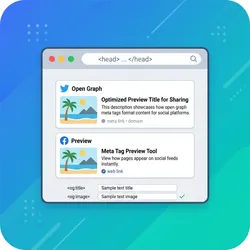
Fetch Open Graph and Twitter Card meta tags from any URL and preview exactly how your content appears when shared on social media. Identifies missing or misconfigured tags, returns all OG properties, and highlights issues. Ideal for SEO audits and social media optimization workflows.
Pricing
Pay per event
Rating
0.0
(0)
Developer

Stas Persiianenko
Maintained by CommunityActor stats
0
Bookmarked
8
Total users
1
Monthly active users
a month ago
Last modified
Categories
Share
OG Meta Preview — Open Graph & Twitter Card Inspector
See exactly how your URLs will look when shared on Facebook, Twitter/X, LinkedIn, Slack, and other social platforms — all from a single actor run. No screenshots, no browser automation. Just clean, structured data extracted fast from real page metadata.
What Does It Do?
When someone shares a link on social media, platforms like Facebook, Twitter/X, and LinkedIn read the page's Open Graph (og:*) and Twitter Card (twitter:*) meta tags to generate the link preview card. Missing or misconfigured tags mean ugly, unbranded previews that get ignored.
OG Meta Preview fetches those tags from any list of URLs and returns:
- Full OG metadata: title, description, image, type, site name, locale, URL
- OG image dimensions (width × height)
- Full Twitter Card metadata: card type, title, description, image, @site, @creator
- Page charset and favicon URL
- Automated issue detection: missing tags, oversized fields, non-200 responses
hasOgTagsandhasTwitterTagsbooleans for quick filtering
Lightweight and fast — uses open-graph-scraper under the hood (no headless browser needed), so hundreds of URLs can be checked in minutes.
Who Is It For?
- SEO and content teams auditing landing pages before a campaign launch
- Developers debugging why a link preview looks wrong on Slack or LinkedIn
- Marketing agencies checking client sites for social media readiness
- Growth hackers validating that all blog posts have proper OG images
- QA engineers adding social-meta checks to a release checklist
Why Use This Instead of Manual Tools?
Manual tools like Facebook Debugger or Twitter Card Validator check one URL at a time and require you to log in. OG Meta Preview:
- Checks hundreds of URLs in a single run — no rate limits from social platforms
- Returns structured data you can filter, sort, and pass to other actors
- Flags every issue (missing fields, oversized text) in a machine-readable
issuesarray - Runs in seconds per URL without any browser overhead
- Integrates with the Apify API, Zapier, Make, and any pipeline via the dataset endpoint
Data Fields Reference
| Field | Type | Description |
|---|---|---|
url | string | The URL that was checked |
ogTitle | string | null | og:title meta tag value |
ogDescription | string | null | og:description meta tag value |
ogImage | string | null | First og:image URL |
ogImageWidth | number | null | Width from og:image:width |
ogImageHeight | number | null | Height from og:image:height |
ogType | string | null | og:type (e.g. website, article) |
ogUrl | string | null | og:url canonical URL declared in OG |
ogSiteName | string | null | og:site_name |
ogLocale | string | null | og:locale (e.g. en_US) |
twitterCard | string | null | twitter:card type (summary, summary_large_image, etc.) |
twitterTitle | string | null | twitter:title |
twitterDescription | string | null | twitter:description |
twitterImage | string | null | twitter:image URL |
twitterSite | string | null | twitter:site (publisher @handle) |
twitterCreator | string | null | twitter:creator (author @handle) |
favicon | string | null | Page favicon URL |
charset | string | null | Document charset (e.g. UTF-8) |
hasOgTags | boolean | True if at least one OG tag was found |
hasTwitterTags | boolean | True if at least one Twitter tag was found |
issueCount | number | Total number of issues detected |
issues | string[] | List of detected issues (see below) |
error | string | null | Fetch error message, if any |
checkedAt | string | ISO 8601 timestamp of the check |
Issues Detected
The actor automatically flags the following problems:
| Issue | Condition |
|---|---|
Missing og:title | No og:title tag found |
Missing og:description | No og:description tag found |
Missing og:image | No og:image tag found |
og:title too long | Title exceeds 95 characters |
og:description too long | Description exceeds 300 characters |
Missing twitter:card | No twitter:card tag found |
Missing twitter:title | No twitter:title and no og:title fallback |
Missing twitter:description | No twitter:description and no og:description fallback |
Missing twitter:image | No twitter:image and no og:image fallback |
Non-200 HTTP response | Page returned a non-200 status code |
| Fetch error | Page could not be reached (DNS, timeout, SSL) |
Pricing
This actor uses pay-per-event (PPE) pricing:
| Event | Cost |
|---|---|
| Actor start | $0.01 (one-time) |
| Per URL checked | $0.002 |
Example: Checking 500 URLs costs $0.01 + 500 × $0.002 = $1.01 total.
Compare that to hours of manual work using single-URL social debuggers.
How to Use
Step 1 — Open the actor
Go to https://apify.com/automation-lab/og-meta-preview and click Try for free.
Step 2 — Enter your URLs
In the URLs field, paste the URLs you want to inspect — one per line. You can enter as few as 1 or as many as thousands.
Step 3 — Run the actor
Click Start. The actor fetches OG and Twitter Card meta tags for each URL concurrently (up to 5 at a time).
Step 4 — Review the results
Open the Dataset tab to see all results in a table. Use the Overview view for a quick summary, or download the full JSON for analysis.
Input
Input fields
| Field | Type | Required | Description |
|---|---|---|---|
urls | array of strings | Yes | URLs to fetch OG and Twitter Card tags from |
URLs without a scheme (e.g. example.com) are automatically prefixed with https://. Duplicate URLs are deduplicated.
Output
Each URL produces one item in the dataset. Example output:
Tips and Best Practices
Checking a full blog or sitemap
Use the Robots & Sitemap Analyzer to extract all URLs from a site, then pass the resulting URL list into OG Meta Preview.
Filtering by issue count
After the run, filter the dataset where issueCount > 0 to find pages that need attention. You can do this directly in the Apify UI or via the API with a ?fields=url,issueCount,issues query.
OG image size best practices
- Recommended size: 1200 × 630 px (1.91:1 ratio)
- Minimum size for Twitter large card: 600 × 314 px
- Facebook ignores images smaller than 200 × 200 px
Twitter/X fallback behaviour
Twitter/X falls back to og:title, og:description, and og:image when the corresponding twitter:* tags are missing. The actor marks tags as missing only when there is no usable fallback either.
Checking preview after a deploy
Run OG Meta Preview immediately after deploying new landing pages to confirm all meta tags are in place before sharing links in campaigns.
Integrations
Connect to Make (formerly Integromat)
Use the Apify Make module to trigger OG Meta Preview, then route results to Google Sheets, Airtable, Notion, or any other tool.
Connect to Zapier
Trigger OG Meta Preview via the Apify Zapier integration. Filter results where issueCount > 0 and send Slack alerts or create Asana tasks automatically.
Export to Google Sheets
From the dataset view, click Export → CSV, then import to Google Sheets for team review and prioritization.
API Usage
Node.js
Python
cURL
Then fetch results:
Use with Claude AI (MCP)
This actor is available as a tool in Claude AI through the Model Context Protocol (MCP). Add it to Claude Desktop, Cursor, Windsurf, or any MCP-compatible client.
Setup for Claude Code
Setup for Claude Desktop, Cursor, or VS Code
Add this to your MCP config file:
Example prompts
- "Check the OG tags for these URLs and tell me which ones are missing required fields: github.com, apify.com, example.com."
- "Audit the Open Graph metadata for all blog posts on this list and flag any with missing og:image or og:description."
- "Inspect the Twitter Card tags for these 10 landing pages and tell me which ones will look bad when shared on social media."
Learn more in the Apify MCP documentation.
Legality
OG Meta Preview makes standard HTTP GET requests to publicly accessible URLs — the same request any browser or social media crawler makes when generating a link preview. It reads only publicly available HTML meta tags in the <head> of the page.
- No login credentials are used
- No JavaScript rendering occurs
- No personal data is extracted
- Behaviour is identical to Googlebot, Facebook's scraper, and Twitter's card fetcher
Always ensure your use complies with the target site's Terms of Service.
FAQ
Does this render JavaScript? No. OG Meta Preview uses a lightweight HTTP request, identical to what social media platforms do. If a site renders OG tags only via JavaScript (rare), the tags may not be found. Most production sites inject OG tags server-side.
Will pages with bot protection block this actor? OG meta tags are typically returned by CDNs and load balancers before any bot-detection layer triggers, because social media crawlers must be able to read them. The actor uses a realistic User-Agent and has no signs of automation beyond that.
How many URLs can I check in one run? There is no hard limit. The actor processes URLs in batches of 5 concurrently. 500 URLs typically complete in under 2 minutes.
Can I schedule this actor to run regularly? Yes. Use the Apify Schedule feature to run OG Meta Preview daily or weekly, then receive results via webhook to Slack or email.
What if a URL redirects? The actor follows redirects automatically and reads the final page's meta tags.
What's the difference between og:title and twitter:title?
og:title is the standard Open Graph title used by Facebook, LinkedIn, Slack, Discord, and most platforms. twitter:title is Twitter/X-specific. Twitter falls back to og:title when twitter:title is absent, but setting both gives you full control over each platform's preview text.
Related Actors
- Canonical URL Checker — Validate canonical URL tags for SEO
- Broken Link Checker — Find dead links across your website
- Robots & Sitemap Analyzer — Parse robots.txt and XML sitemaps
- Accessibility Checker — WCAG accessibility audit for web pages


