

Aliexpress Scraper
Pricing
from $1.29 / 1,000 results
Aliexpress Scraper
Scrape AliExpress products by category, search, or URL into import-ready records — variants with per-SKU prices, stock and images, localized shipping, full image gallery, description and specifications. Choose your country, currency and language.
Pricing
from $1.29 / 1,000 results
Rating
0.0
(0)
Developer

Anyx Solutions
Maintained by CommunityActor stats
0
Bookmarked
3
Total users
2
Monthly active users
3 days ago
Last modified
Categories
Share
AliExpress Product Scraper
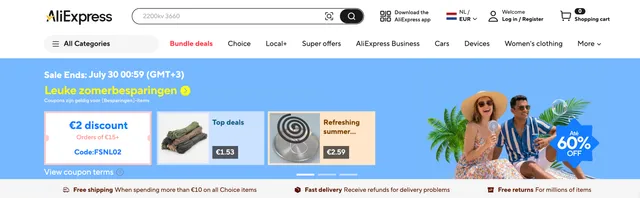
Scrape AliExpress products by category, search, or product URL and get clean, import-ready data for every item — title, all variants with their own prices, stock and images, localized shipping, the full image gallery, description and product specifications.
Pick your country, currency and language, point the scraper at a category (or a list of products), and export everything to JSON, CSV or Excel in one run. Perfect for dropshipping, building or updating a product catalog, price and stock monitoring, and market research.
What you can extract
For every product, the scraper returns:
- Title in your chosen language
- Product ID and category ID (with the full category path)
- All variants (SKUs) — each with its own sale price, original price, stock, availability, option values (e.g. colour, size) and variant image
- Localized shipping — cost, currency, destination country and estimated delivery time
- Full image gallery
- Product description
- Specifications / attributes (e.g. material, brand, model)
- Rating, number of reviews and units sold
- Store / seller name and link
Because every variant carries its own price, stock and image, the output drops straight into a product-import workflow — you don't have to gather variants, prices or shipping separately.
Common use cases
- Dropshipping — pull a whole category into your store with variants, images and prices already structured for import.
- Catalog building & updates — keep titles, prices, stock and images in sync.
- Price & stock monitoring — schedule runs and track how prices change.
- Market & product research — filter by rating, reviews and units sold to find winning products.
How to use the AliExpress Product Scraper
- Choose what to scrape. Enter one or more Category IDs (e.g.
1511), or paste Category / search URLs. To scrape only specific items, use Product URLs or Product IDs instead. - Set your market. Choose the Ship-to country, Currency and Language so prices, shipping and titles match the market you sell to.
- Set how many products you want per source with Max products per source.
- Add a proxy. Leave Proxy on Residential and set the proxy country to the same country as your Ship-to country (see Proxy below).
- (Optional) Add filters — minimum rating, reviews or units sold — and a skip list for products you've already imported.
- Run the scraper, then open the Storage / Dataset tab and export as JSON, CSV or Excel.
Tip: the results table in the app shows a summary. The complete details — all variants, the full gallery, description and specifications — are always in the exported file (JSON keeps the richest structure).
Input
What to scrape (fill in at least one)
| Input | Description |
|---|---|
| Category IDs | AliExpress category IDs, e.g. 1511. Found in a category page URL like aliexpress.com/category/1511/.... Each category is paged through up to your product limit. |
| Category / search URLs | Full category or search-result page URLs, as an alternative to IDs. |
| Product URLs | Scrape only these exact products, by page URL. Skips category browsing. |
| Product IDs | Scrape only these exact products, by numeric ID. |
How many products
| Input | Default | Description |
|---|---|---|
| Max products per source | 100 | Maximum products scraped from each category or search source. |
| Max listing pages per source | — | Optional cap on listing pages per source. Leave empty to let the product limit decide. |
| Include full product description | On | Include each product's full description. Turn off for faster, lighter runs. |
Localization
Set these to match the market you sell to.
| Input | Default | Description |
|---|---|---|
| Ship-to country | United States | The country prices and shipping are calculated for. Use a proxy in the same country for accurate results. |
| Currency | USD | The currency for all prices. |
| Language | English | Language for titles, option names and descriptions. |
Quality filters (optional)
| Input | Description |
|---|---|
| Minimum times sold | Keep only products sold at least this many times. |
| Minimum rating | Keep only products rated at least this many stars (0–5). |
| Minimum number of reviews | Keep only products with at least this many reviews. |
| Only keep these category IDs (allowlist) | Keep a product only if its category — or any parent category — is in this list. Great for narrowing a broad category or search to exactly the categories you want. Leave empty to keep everything. |
Skip already-imported products (optional)
| Input | Description |
|---|---|
| Skip these product variants (SKU IDs) | List of SKU IDs to skip. Matching variants are removed; if all variants of a product are listed, the whole product is skipped. |
| SKU list URL | For large sets: a link to a file of SKU IDs (JSON, CSV or plain text). Merged with the list above. |
Proxy
| Input | Default | Description |
|---|---|---|
| Proxy | Residential | Required. Use residential proxies and set the proxy country to the same country as your Ship-to country — this is what makes shipping resolve to that country. |
Advanced settings (locale override, seller-rating filter, account cookies, parallelism and retry limits) are available in a separate section for power users. The defaults work for most runs.
Example input
Scrape 50 well-reviewed watches from category 1511, priced in euros, shipping to the Netherlands, with Dutch titles:
Scrape a few specific products (in US dollars, shipping to the US):
Output
One record per product, containing the product details, full image gallery,
description, specifications, and a variants list — one entry per buyable option,
each with its own price, stock, image and shipping.
Example output
Each record also includes thumbnail, basePrice (price range), topCategoryId,
categoryPathIds, and a qualityFlags block that tells you, for example, whether
shipping resolved to your requested country.
Frequently asked questions
Do I need a proxy? Yes. A residential proxy is required to run reliably and to get correct localized prices and shipping. Set the proxy country to match your Ship-to country.
How do I get accurate shipping for my country?
Set the Ship-to country and use a residential proxy in that same country.
Shipping is reported exactly as AliExpress returns it — if it ever resolves to a
different country, the record is flagged (qualityFlags.shippingMatchesCountry)
so you always know the true destination.
Can I scrape just a few specific products? Yes — use Product URLs or Product IDs, and the scraper skips category browsing.
Which formats can I export? JSON, CSV, Excel and more. JSON preserves the full nested structure (variants, gallery, specifications).
Notes
- A residential proxy is required. Without one, requests are blocked quickly and shipping may not resolve to your chosen country.
- Shipping is per product, not per variant — AliExpress returns one shipping quote per product, so all variants of a product share the same shipping.
- Category names may be unavailable — AliExpress often exposes only category
IDs. The IDs are always included (
categoryId,topCategoryId,categoryPathIds); map them to names on your side if you need labels. - Option values come from the seller — the option name is localized, but individual values may appear exactly as the seller entered them, sometimes in mixed languages.
- Prices and stock are live and change daily; the same product can show different numbers on different days.
Contact Support
This scraper is developed and maintained by Anyx Solutions.
Email: [thorthanots@gmail.com]
We provide:
- 24/7 technical support
- Free consultation on how to use the actor
- Custom scraper development
- Data processing and API integration
- Proxy configuration and optimization


