
Competitor Ads Spy – Meta & Google Ads
Pricing
from $2.72 / 1,000 ads
Competitor Ads Spy – Meta & Google Ads
Type a brand or website domain and get its ads from the Meta Ad Library (Facebook, Instagram) and the Google Ads Transparency Center in one dataset: text, images, videos, dates, countries, landing page, library link. No account, no login. Not affiliated with Meta or Google.
Pricing
from $2.72 / 1,000 ads
Rating
0.0
(0)
Developer

Badr Bouargan
Maintained by CommunityActor stats
0
Bookmarked
2
Total users
1
Monthly active users
2 days ago
Last modified
Categories
Features
Share
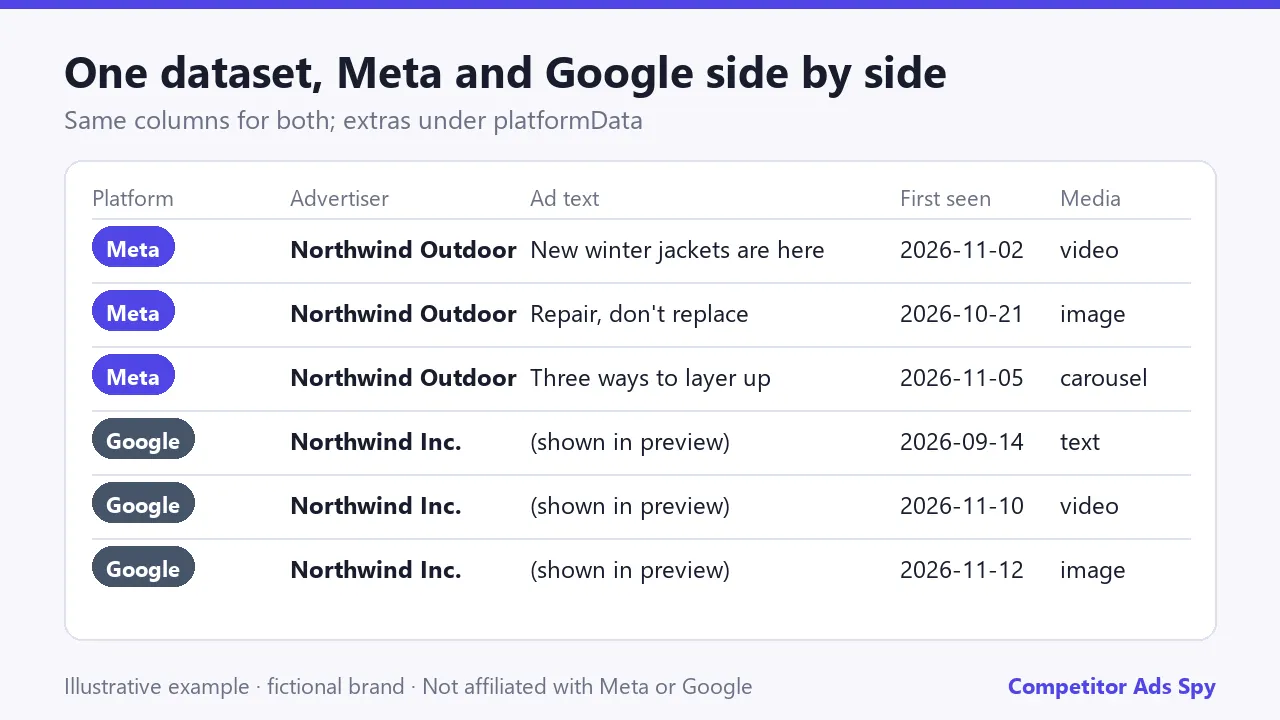
See the ads a brand runs on Meta (Facebook, Instagram, Messenger, Threads) and Google (Search, YouTube, Display) in one dataset. Type a brand name or a website domain; the Actor reads the public Meta Ad Library and the Google Ads Transparency Center the way a logged-out visitor can and returns one row per ad, with a platform column (meta or google).
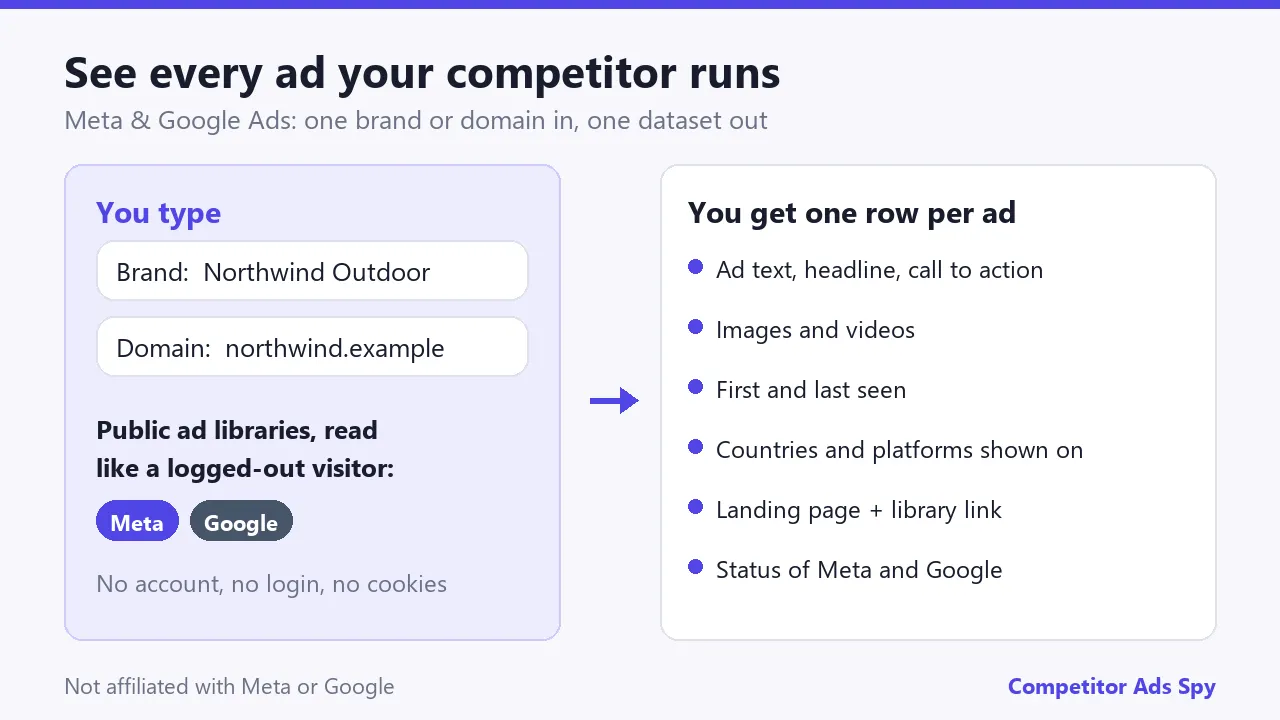
Not affiliated with Meta or Google. This Actor only reads the ad transparency libraries these companies publish for the public. No account, no login, no cookies, no CAPTCHA solving: if a library refuses logged-out access, it is reported as unavailable, never bypassed.
What you get
| Field | Meta | |
|---|---|---|
| Advertiser name and id | yes | yes |
| Ad text, headline, call to action | yes | no (only inside Google's preview) |
| Images / videos | yes | preview image or preview script |
| First seen / last seen | yes | yes |
| Countries | yes (EU and some others) | the country you filter on |
| Shown on | Facebook, Instagram, Messenger, Threads... | – |
| Landing page | yes | no |
| Impressions range | when Meta publishes it | no |
| Library link | yes | yes |
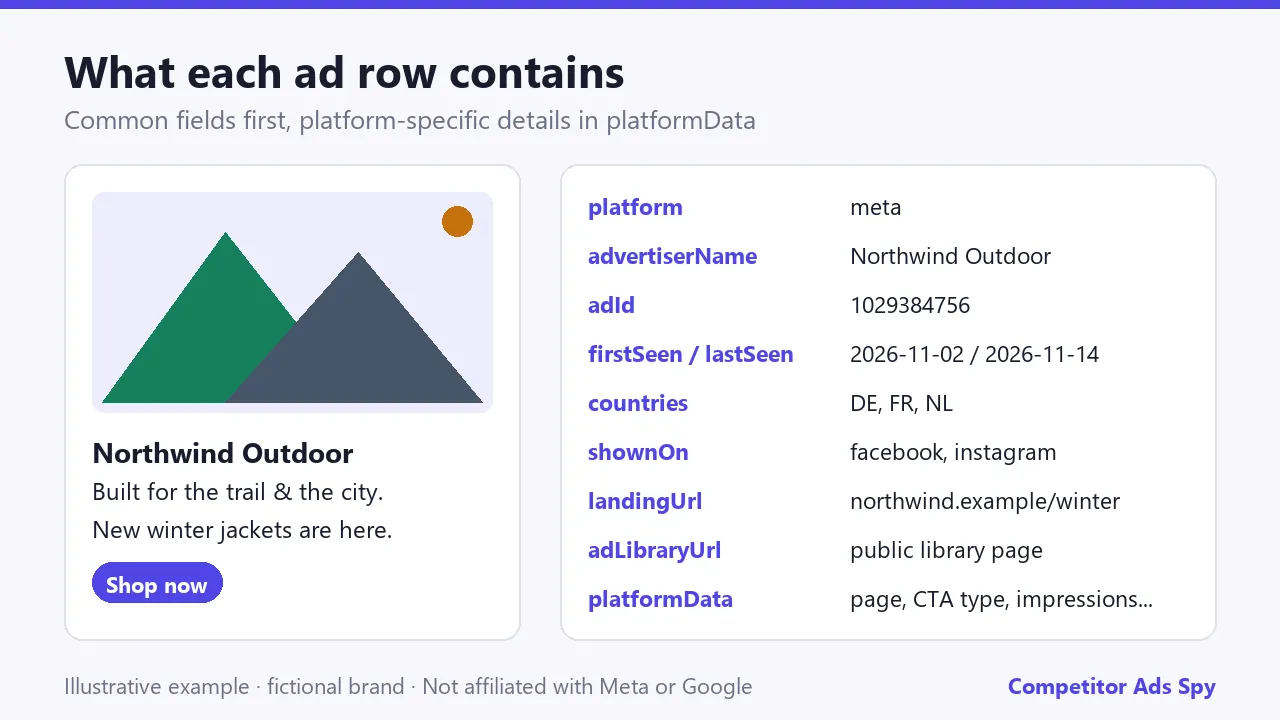
Platform-specific extras (page info, CTA type, Google preview script...) are in the nested platformData object.
How to use it
- Type the brand (for example
Patagonia) and, better, its website domain (patagonia.com). - Optional: a country code (
US,FR,GB...) to keep ads shown in that country. - Keep Meta and Google on (or switch one off) and set Max ads per platform (this also caps the cost).
- Run. Download the dataset as JSON, CSV or Excel, or open the Ads view.
Example input:
Example row (shortened):
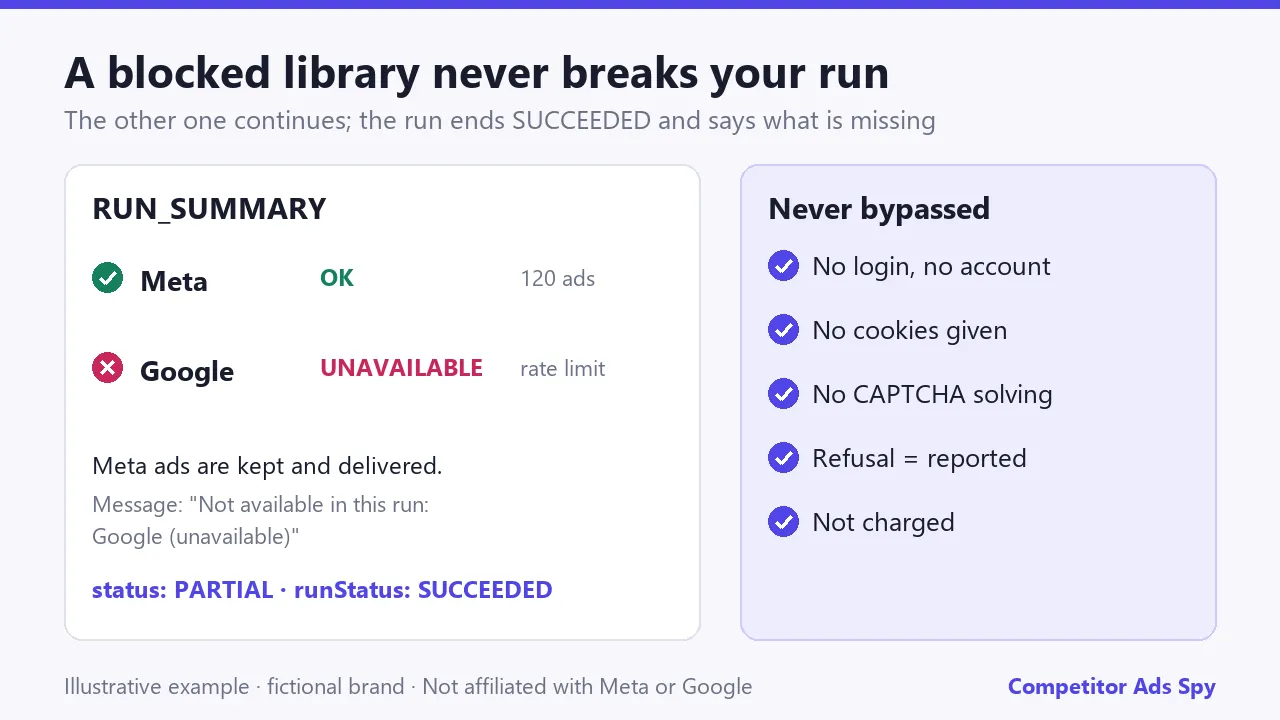
A blocked library never breaks your run
Meta and Google run side by side. If one is unavailable (login wall, bot check, rate limit, change on the platform's side), the other continues and the run still ends SUCCEEDED. The status message names the missing platform, and the RUN_SUMMARY record gives the status of each one:
| Status | Meaning |
|---|---|
OK | ads delivered |
NO_ADS | advertiser found, no ad matching your settings |
NOT_FOUND | no advertiser with that name on this platform (add the domain, or switch off "Only this advertiser's own ads") |
UNAVAILABLE | the platform refused logged-out access; nothing was bypassed and nothing was charged for it |
ERROR / TIMEOUT | unexpected problem / stopped before the time limit; ads already saved are kept |
BUDGET | your "Maximum cost per run" was reached; the run stopped cleanly |
RUN_SUMMARY.status is SUCCEEDED when both platforms answered, PARTIAL when one was missing, CUSTOMER_ERROR for an input problem (the run still ends SUCCEEDED and costs nothing). Want a FAILED run when a platform is missing (for monitoring)? Switch on Fail the run if a platform is unavailable.
How it works
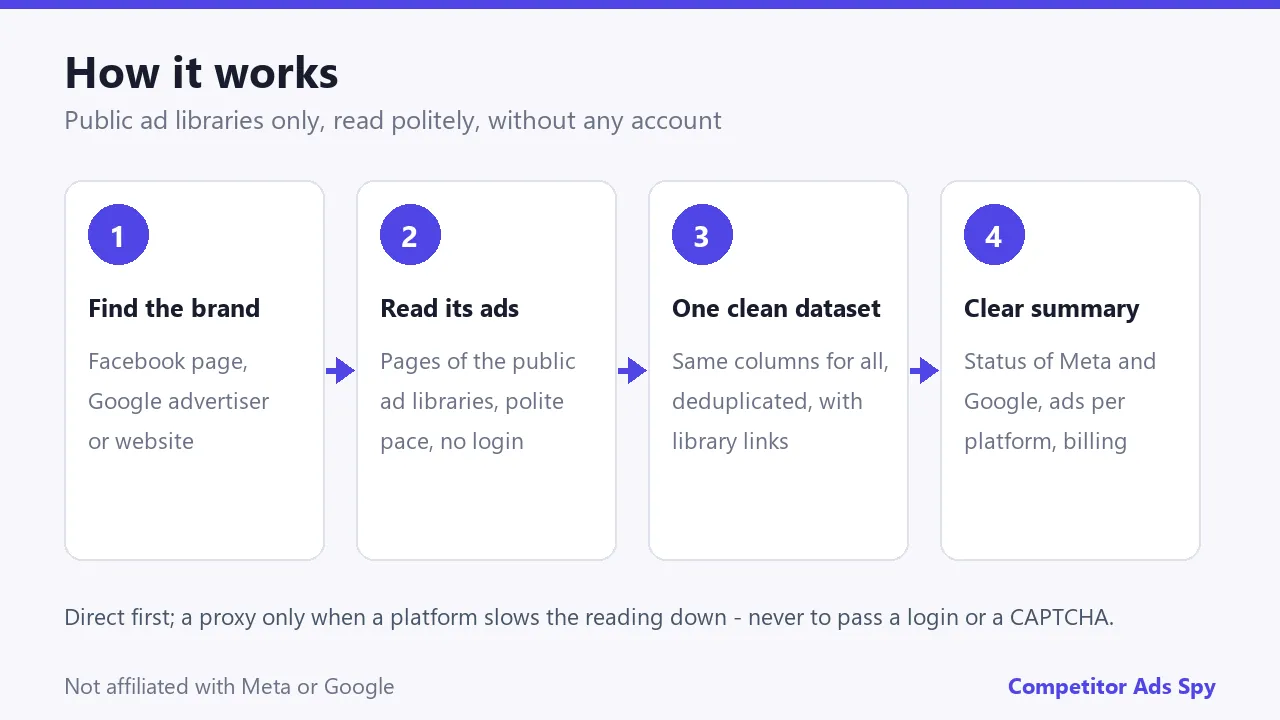
- Meta: finds the brand's Facebook page in the Meta Ad Library, then reads its ads (all statuses, or only active ones).
- Google: with a domain, every ad leading to that website (Ads Transparency Center "website" search); with a name only, the advertisers whose name matches the brand.
- Polite pace, direct connection first; Apify Proxy only when a platform slows the reading down, never to pass a login page or a CAPTCHA.
Pricing
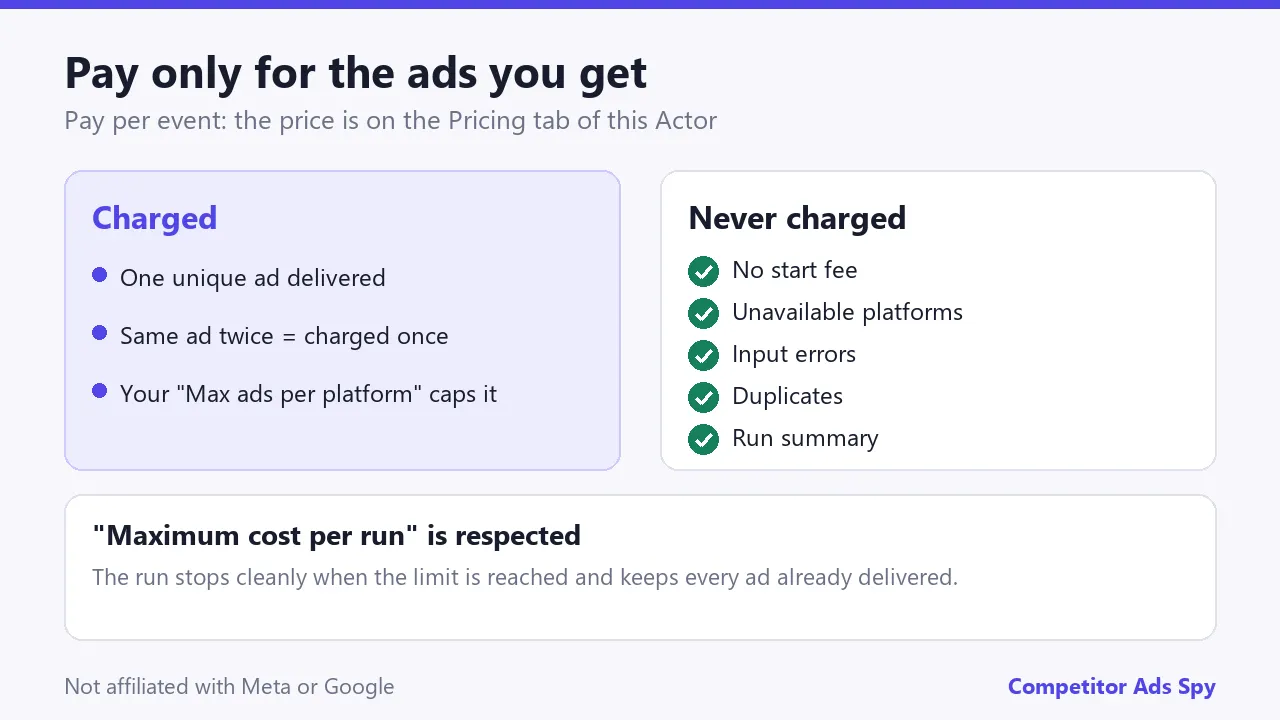
Pay per event: you pay for each unique ad delivered (the price is on the Pricing tab). No start fee. Duplicates, unavailable platforms, input errors and the run summary are never charged. "Max ads per platform" and "Maximum cost per run" are respected: the run stops cleanly and keeps every ad already delivered.
Good to know
- Ad libraries show what each platform chooses to publish: Meta shows all ads for some regions (EU, UK, Brazil...) and more details for EU ads; Google does not publish the text or landing page outside its preview.
- Brand names are matched on whole words: "Nike" matches "NIKE SRL" and "Nike, Inc." but not "Nikesh". Use the domain on Google for the most precise result.
- Use the data responsibly and within each platform's terms and your local law. Ads can contain names of people who appear in them; do not use this Actor to collect personal data.
FAQ
Do I need an account or an API key? No.
Why did a platform return nothing? Look at RUN_SUMMARY.platforms: NOT_FOUND usually means the advertiser has a different name on that platform; UNAVAILABLE means the platform refused logged-out access at that moment.
Can I scrape many brands? Run the Actor once per brand (for example from a scheduled task or the API), so each run has its own clear summary.


