Image Branding & Social Formatter
Pricing
Pay per usage
Image Branding & Social Formatter
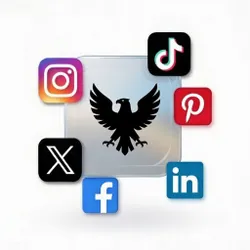
Upload your images or provide URLs. This Actor will apply your logo, optional text overlay, and generate ready-to-post versions for Instagram, TikTok, Pinterest, X, Facebook and LinkedIn.
Pricing
Pay per usage
Rating
0.0
(0)
Developer

Badruddeen Naseem
Maintained by CommunityActor stats
0
Bookmarked
2
Total users
0
Monthly active users
7 months ago
Last modified
Categories
Share
🖼️ Image Branding & Social Media Formatter
Automatically resize, brand, and optimize images for major social media platforms — with logo watermarking, customizable text overlays, font selection, color control, and transparency settings.
Built for marketers, agencies, ecommerce brands, and social media teams.
🚀 What does Image Branding & Social Formatter do?
Image Branding & Social Formatter is an Apify Actor that transforms your images into professionally branded, platform-optimized content ready for immediate posting across major social media networks.
The Actor enables you to:
- Upload images directly or provide image URLs
- Apply your logo to images automatically
- Apply optional brand color overlays for consistent branding
- Generate platform-specific versions optimized for Instagram, TikTok, Pinterest, X, Facebook, and LinkedIn
- Download ready-to-post content in the correct dimensions and formats for each platform
Why use Image Branding & Social Formatter?
Maintaining consistent branding across multiple social media platforms is time-consuming and error-prone. Different platforms require different image dimensions, aspect ratios, and formats. Image Branding & Social Formatter solves this by automating the entire process.
Here are some ways you could benefit from using this Actor:
- Save hours of manual image editing and resizing
- Ensure consistent brand identity across all your social media channels
- Maintain professional logo placement across all platform versions
- Apply brand colors consistently to all content
- Streamline your content creation workflow
- Reduce the need for design expertise or external design tools
How to use Image Branding & Social Formatter
Getting started is straightforward:
- Click Try for free on the Actor page
- Upload your images or provide image URLs
- Add your logo image (optional)
- Select your brand color overlay (optional)
- Click Run
- When the Actor finishes, download your branded images from the Dataset tab
- Use the platform-specific versions directly in your social media posting tools
🧩 Input Options
🖼 Image Sources
You can provide:
Public image URLs
OR
Upload images directly
Each image is processed independently.
🏷 Logo / Watermark (Optional)
-
Upload a transparent PNG logo
-
Control logo scale (5%–50%)
-
Choose position:
-
Top Left
-
Top Right
-
Bottom Left
-
Bottom Right
-
-
Enable or disable logo overlay with the Logo ON/OFF toggle (logoEnabled, default: true)
If no logo is uploaded:
-
The bundled logo (if present) is used
-
If none exists, images are generated without a logo
✍ Text Overlay (Optional)
Add promotional or branding text such as:
-
SALE 50% OFF
-
LIMITED TIME
-
New Collection
-
Subscribe Now
You can customize:
| Option | Description |
|---|---|
| Font | Choose from multiple bold fonts |
| Size | Scale relative to image width |
| Position | 5 preset positions |
| Color | Dropdown selection |
| Stroke | Dropdown or automatic selection for optimal contrast |
| Opacity | 0 (transparent) → 1 (fully solid) |
All text settings apply consistently to every generated image in the run. Stroke color is automatically chosen if not specified to ensure your text remains readable on different backgrounds.
🎨 Available Fonts
-
Montserrat Bold
-
Montserrat ExtraBold
-
Oswald Bold
-
Poppins Bold
-
OpenSans Bold
-
Roboto Bold
-
Lato Bold
Designed for promotional banners, ecommerce creatives, and social campaigns.
📦 Output
For each source image and platform variant, the Actor:
-
Resizes image
-
Applies branding (logo/text if enabled)
-
Saves optimized JPEG
-
Stores file in Key-Value Store
-
Pushes metadata to dataset
Dataset Output Example
💼 Use Cases
-
Ecommerce product promotions
-
Real estate listings
-
Agency bulk creative formatting
-
Social media automation
-
Affiliate marketing creatives
-
Brand watermarking
-
Content repurposing across platforms
🛠 Example Input
⚙ How It Works
-
Upload or provide image URLs
-
Configure logo and/or text options
-
Select platforms (or leave empty for all)
-
Run the Actor
-
Download generated images from output
How much will it cost?
💰 Pricing / Usage
This Actor is completely FREE to use. You only pay for Apify usage credits or any platform-specific consumption costs.
Apify Free plan gives $5/month in free credits — ideal for testing. Paid plans provide more credits for larger batches of images.
Apify provides $5 in free usage credits every month on the Apify Free plan. This is a great way to test Image Branding & Social Formatter and process a sample of images at no cost.
For regular, larger-scale use, we recommend the $49/month Starter plan, which gives you significantly more credits to process images throughout the month.
For high-volume content creation, the Scale plan at $499/month offers the best value and maximum processing capacity.
🧠 Design Philosophy
This Actor is built to be:
-
Flexible but simple
-
Powerful but controlled
-
Consistent across all generated images
-
Safe with sensible defaults
-
Production-ready for agencies and brands
📌 Notes
-
Text and branding settings apply globally to all images in a run.
-
Transparency works consistently across all formats.
-
If font file is missing, text rendering may fallback.
-
Logo must be PNG for best results (transparent background recommended).
🔮 Future Improvements (Already Implemented)
-
Text shadow control ✓
-
Logo opacity control ✓
-
Background blur behind text ✓
-
Automatic text wrapping ✓
-
Stroke color selection ✓
📣 Automate Your Creative Workflow
Generate platform-ready branded visuals in seconds instead of manually resizing and editing in design tools.
Perfect for scaling social content production.
Tips for best results
- Use high-resolution source images for the best quality output
- Ensure your logo image has a transparent background for clean placement
- Test your brand color overlay on a few images first to ensure it matches your brand guidelines
- Keep logo files organized and easily accessible
- Consider the readability of your images on mobile devices when choosing overlay intensity
Data privacy and legal considerations
When using this Actor with images containing personal data, please ensure you have the proper rights and permissions. Personal data is protected by GDPR in the European Union and by similar regulations worldwide. Only process images that you have the right to modify and distribute.
For more information on data privacy and legal considerations, we recommend reading Apify blog post on responsible data practices.