AI Bot Log Analyzer
Pricing
from $100.00 / 1,000 log analysis (up to 100 mb)s
AI Bot Log Analyzer
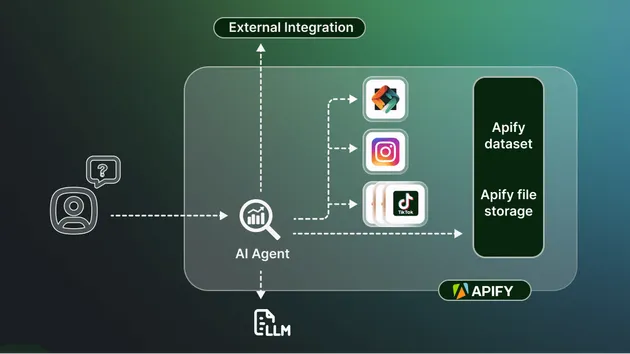
Upload a web access log to discover AI crawlers, AI-user sessions, likely agents, and route-level behavior.
Pricing
from $100.00 / 1,000 log analysis (up to 100 mb)s
Rating
0.0
(0)
Developer

Sentinel Signal
Maintained by CommunityActor stats
0
Bookmarked
2
Total users
1
Monthly active users
5 days ago
Last modified
Categories
Share
Upload a web access log and discover which AI crawlers, AI-user sessions, and likely agents are reaching your site.
Use this when
- You want to understand AI-related traffic in an access log.
- You need route-level patterns rather than a list of known bots.
What you get
- AI crawler, AI-user, and likely-agent classifications.
- Route summaries and downloadable reports.
Quick start
- Upload an access log and leave format set to
auto. - Click Start and review the route-level report.
Related Actors
- AI Website Intelligence Scanner — broader website intelligence.
- AI Crawler Access Checker — declared crawler policy only.
Analyze one uncompressed nginx, Caddy, or mapped JSONL access log to classify AI-user traffic and likely agents or scripts in your requests — not just known bots and crawlers. The Actor emits a privacy-safe dataset summary and JSON, Markdown, and CSV report artifacts.
Pricing
This is a paid, pay-per-event Actor. Exactly one event is charged per completed run, priced by input size:
| Input size | Event | Price |
|---|---|---|
| Up to 100 MB | agentlog-analysis-small | $0.10 |
| Over 100 MB, up to 500 MB | agentlog-analysis-medium | $0.35 |
| Over 500 MB, up to the 1 GiB limit | agentlog-analysis-large | $0.80 |
No charge is made for invalid input or a run that fails before an analysis completes. There is no additional per-page, per-request, or per-GB charge beyond the single event above. The Console "Maximum cost per run" field may show "Unlimited" — Apify doesn't let an Actor set its own pre-filled default there, but the actual charge is fixed and bounded by the table above regardless of that field's value; it cannot exceed $0.80.
Input
Recommended: upload a file directly, or paste a URL to one. This is the primary way to run an analysis — no separate setup required.
Advanced: you can instead reference a record already sitting in an existing
Apify key-value store (inputStoreId / inputRecordKey), and set JSONL field
mapping, a strict analyzer configuration object, or a since / until
time-range filter. These controls are grouped under Advanced in the input
form.
Privacy
The analyzer never emits raw IP addresses, raw lines, per-run salts, or synthetic-session identifiers. It does not call external AI services.
Resource envelope
For a 1 GiB input, run with at least 4096 MB memory and a 60-minute timeout.