E-commerce Scraping Tool
Pricing
from $11.00 / 1,000 results
E-commerce Scraping Tool
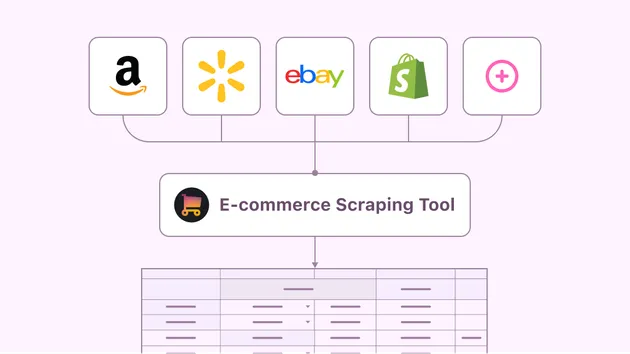
E-commerce Scraping Tool extracts product data including title, price, image, rating, and product URL from online stores and category pages. Built with Python, it supports custom start URLs, item limits, and structured dataset outputs for price monitoring, catalog tracking, and market research.
Pricing
from $11.00 / 1,000 results
Rating
0.0
(0)
Developer

Biddut Hossain
Maintained by CommunityActor stats
0
Bookmarked
2
Total users
1
Monthly active users
2 months ago
Last modified
Categories
Share
E-commerce Scraping Tool extracts product data including title, price, image, rating, and product URL from online stores and category pages. Built with Python, it supports custom start URLs, item limits, and structured dataset outputs for price monitoring, catalog tracking, and market research.
What does this Actor do?
Given a list of product or category page URLs, this Actor:
- Fetches each page over HTTP.
- Parses the HTML with BeautifulSoup.
- Extracts key product fields:
title,price,image,rating, andurl. - Pushes each extracted item to the Actor's default dataset.
- Stops once
maxItemsproducts have been scraped.
Input
| Field | Type | Required | Description |
|---|---|---|---|
startUrls | array | Yes | List of product/category URLs to scrape. |
maxItems | integer | No | Maximum number of products to extract (default: 50). |
proxyConfiguration | object | No | Apify Proxy configuration to avoid IP blocking. |
Example input:
Output
Each scraped product is stored as a record in the default dataset, e.g.:
You can export results from the Storage → Dataset tab in JSON, CSV, Excel, or XML format, or via the Apify API.
Customizing selectors
The CSS selectors in src/main.py (.product-title, .price, etc.) are generic placeholders. Since every e-commerce site has different HTML markup, open the target site, inspect the product elements in your browser's dev tools, and update the selectors in scrape_page() accordingly.
Project structure
Local development notes
This Actor is designed to be built and run directly from the Apify Console web editor — no local terminal required. Just paste/upload these files into the Console's code editor for your Actor, click Build, then Start.