
YouTube Scraper
Pricing
from $15.00 / 1,000 video scrapeds
YouTube Scraper
Extract videos, comments & transcripts from any YouTube channel, playlist or search. Supports @handles, Shorts filter, date range & min views. Full transcripts with timestamps — perfect for AI/LLM datasets. No API key needed.
Pricing
from $15.00 / 1,000 video scrapeds
Rating
0.0
(0)
Developer

Yuliia Kulakova
Maintained by CommunityActor stats
0
Bookmarked
11
Total users
0
Monthly active users
6 months ago
Last modified
Categories
Share
YouTube Scraper — Videos, Comments & Transcripts
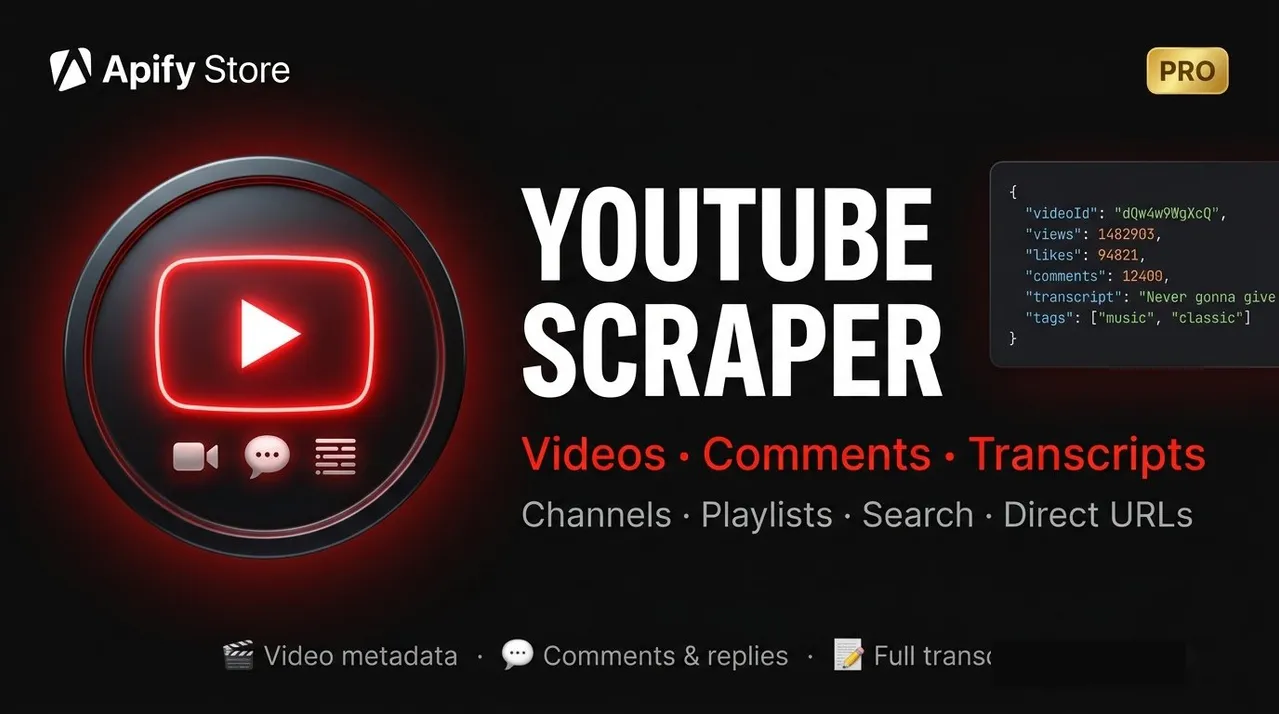
Extract videos, comments, and full transcripts from YouTube — no API key required. Works with channels, playlists, search queries, and direct video URLs. Built for AI/LLM datasets, market research, competitor analysis, and content intelligence.
💰 Pricing
Pay only for what you extract — three separate billing events:
| What | Cost |
|---|---|
| 📹 Videos | $15 per 1,000 |
| 💬 Comments | $8 per 1,000 |
| 📝 Transcripts | $5 per transcript |
A small one-time actor-start fee applies per run. You are never charged for videos that are filtered out or skipped.
✨ Key Features
📝 Full Transcripts with Timestamps
Extracts complete captions — both manual and auto-generated — broken into timestamped segments. Each segment has a start time (seconds), duration, and text. The fullText field provides the entire transcript as a single string. Perfect for building AI training datasets, video summarization pipelines, search indexing, and subtitle analysis.
🔄 Four Input Types
- Channel URLs including
@handleformat — scrapes the full video library from a channel - Playlist URLs — both user-created playlists (
PL...) and YouTube Mix/Radio playlists (RD...) - Search queries — finds videos matching one or more keyword queries
- Direct video URLs — pinpoint specific videos by URL or video ID
📊 Rich Video Metadata
Every video record includes: title, description, channel info, view count, like count, tags, category, duration in both human-readable and seconds format, publish date, thumbnail URL, and whether the video is a YouTube Short.
💬 Comments with Replies
Captures top-level comments and their replies in a single flat dataset. Each comment record includes the author name, channel ID, like count, reply count, pin status, and whether it is a reply (with parentCommentId for threading).
🔍 Powerful Filters
Filter videos before scraping details to save cost and time:
- Minimum views — skip low-traffic videos
- Date range — only videos published after a specific date
- Video type — regular videos only, Shorts only, or all
🚀 Quick Start
Option 1 — Channel URL
Paste a channel URL to scrape all videos from that channel.
Option 2 — Playlist
Paste a playlist URL. Works with standard playlists and YouTube Radio/Mix playlists.
Option 3 — Search Queries
Provide one or more search terms as a list. The scraper returns the top results for each query.
Option 4 — Direct Video URL
Provide one or more video URLs to scrape specific videos.
⚙️ Input Parameters
| Parameter | Type | Default | Description |
|---|---|---|---|
startUrls | array | — | YouTube URLs: video, channel, playlist, or search results page |
searchQueries | array | — | Keywords to search for (each query runs independently) |
maxVideos | integer | 50 | Maximum number of videos to process per run |
scrapeComments | boolean | false | Extract comments for each video |
maxCommentsPerVideo | integer | 100 | Maximum comments to extract per video |
scrapeTranscripts | boolean | false | Extract full transcripts (captions) with timestamps |
filterVideoType | string | all | Filter by type: all, videos (excludes Shorts), or shorts |
filterByMinViews | integer | 0 | Skip videos with fewer than this many views |
filterByDateFrom | string | — | Only include videos published on or after this date (YYYY-MM-DD) |
filterByLanguage | string | en | Preferred transcript language code (e.g. en, es, de) |
📦 Output Format
All results are saved to the Apify dataset. Three record types are mixed in a single dataset and can be filtered by the type field.
Video Record (type: "video")
One record per video with full metadata.
Field reference:
| Field | Type | Description |
|---|---|---|
videoId | string | YouTube video ID |
url | string | Full watch URL |
title | string | Video title |
description | string | Full video description |
channelId | string | YouTube channel ID (UC...) |
channelName | string | Channel display name |
channelUrl | string | Channel URL |
publishedAt | string | Publish date (ISO format when available, human-readable otherwise) |
duration | string | Duration in H:MM:SS or M:SS format |
durationSeconds | integer | Duration in seconds |
viewCount | integer | Total view count |
likeCount | integer | Total like count |
commentCount | integer | Comment count (may be 0 if not returned by the API) |
thumbnailUrl | string | Max-resolution thumbnail URL |
tags | array | Video tags set by the uploader |
category | string | YouTube category (Music, Education, etc.) |
isShort | boolean | True if video duration is 60 seconds or less |
scrapedAt | string | ISO timestamp of when the record was created |
Comment Record (type: "comment")
One record per comment or reply. Top-level comments and replies are saved as flat records — use isReply and parentCommentId to reconstruct threads.
Field reference:
| Field | Type | Description |
|---|---|---|
commentId | string | Unique YouTube comment ID |
videoId | string | Parent video ID |
videoTitle | string | Parent video title |
text | string | Full comment text |
authorName | string | Author's @handle |
authorChannelId | string | Author's channel ID |
likeCount | integer | Number of likes on the comment |
replyCount | integer | Number of replies (top-level comments only) |
isReply | boolean | True if this is a reply to another comment |
parentCommentId | string | ID of the parent comment if isReply is true |
publishedAt | string | Relative publish time as shown on YouTube |
isPinned | boolean | True if the comment is pinned by the channel |
Transcript Record (type: "transcript")
One record per video. Contains the full transcript broken into timed segments plus a concatenated fullText field.
Field reference:
| Field | Type | Description |
|---|---|---|
language | string | ISO 639-1 language code (e.g. en) |
languageName | string | Human-readable language name |
isAutoGenerated | boolean | True if auto-generated captions, false if manually created |
segments | array | Array of timed segments with start, duration, and text |
fullText | string | All segment text concatenated into one string |
wordCount | integer | Total word count of the transcript |
🔍 Use Case Examples
Build an LLM training dataset from a podcast channel
Competitor sentiment analysis via comments
Scrape only YouTube Shorts from a channel
Monitor new uploads (weekly incremental run)
Research trending videos with minimum reach
Scrape a specific playlist with transcripts
📊 Who Uses This
| Use Case | Who | What They Get |
|---|---|---|
| LLM / AI training data | AI & ML teams | Timestamped transcripts from thousands of videos in structured JSON |
| Competitive research | Product teams | What real users say about competitor products in comments |
| SEO & content strategy | Marketers | Top-performing titles, tags, view/engagement metrics |
| Influencer analytics | Agencies | Channel video performance, engagement trends over time |
| Shorts trend analysis | Creators | Trending Shorts topics, view/engagement ratios |
| Academic research | Researchers | Comment corpora for NLP, sentiment analysis, discourse studies |
| Market research | Analysts | Consumer opinions from product reviews and unboxing videos |
| Podcast transcription | Journalists & writers | Full text of long-form interviews and podcast episodes |
| Education data | EdTech companies | Course content from educational channels in structured format |
💡 Pro Tips
1. Transcripts for AI training
Use scrapeTranscripts: true with a focused channel. Set filterVideoType: "videos" to skip Shorts, which rarely have quality transcripts. Prefer channels that publish manual (not auto-generated) subtitles for higher accuracy.
2. Trending Shorts discovery
Combine filterVideoType: "shorts" + filterByDateFrom (last 7–14 days) + filterByMinViews: 50000 to surface only breakout Shorts from the past week.
3. Comment sentiment at scale
Run with scrapeComments: true and maxCommentsPerVideo: 500 on product review videos. Filter by filterByMinViews: 5000 to ensure the comments represent real audience volume.
4. Incremental monitoring
Schedule this actor weekly. Set filterByDateFrom to the previous Monday. This way you only process newly published videos and never duplicate data.
5. Multi-query keyword research
Pass 5–10 related search queries in searchQueries. Analyze the tags and title fields across results to discover the vocabulary your target audience uses.
6. Combining sources
You can mix startUrls and searchQueries in a single run. Results from all sources are deduplicated — each video is processed only once even if it appears in multiple sources.
⚠️ Limits & Notes
- No API key required — the scraper uses YouTube's internal API, the same one used by the YouTube website and mobile apps.
- Transcripts availability — not all videos have captions. If no transcript is found, the video record is still saved, but no transcript record is created.
- Tags and category — some videos, particularly older ones or those on music label channels, do not return tags or category via the API. These fields will be empty arrays or empty strings in that case.
publishedAtformat — for most videos this is an ISO date. For some videos the YouTube API returns a relative string like"3 years ago"or"Premiered Dec 27, 2022"— these are preserved as-is.- Comments — the scraper fetches comments sorted by Top Comments. Replies are included when paginating through comment threads.
- Rate limiting — the scraper includes automatic retry logic and pacing to handle YouTube's rate limits gracefully.
❓ FAQ
Q: Do I need a YouTube API key? No. The scraper uses YouTube's internal Innertube API — the same one used by the YouTube website and mobile apps — so no API key or developer account is required.
Q: How many videos can I scrape per run?
There is no hard limit beyond maxVideos. You can set it to 1,000 or more. Keep in mind that each video requires a few API calls, so large runs take time. For channels or playlists with thousands of videos, consider running multiple incremental jobs with filterByDateFrom.
Q: Why is commentCount always 0 in the video record?
YouTube's Innertube API does not reliably return the comment count in the metadata response. The actual comments are fetched separately when scrapeComments: true. The commentCount field is kept in the schema for compatibility but will typically be 0.
Q: Why does some videos have an empty description or missing publishedAt?
Certain videos — especially on music label or VEVO channels — are restricted by YouTube's internal API and return limited metadata. The scraper makes a best-effort attempt to fill all fields using multiple API endpoints, but some fields may remain empty for these videos.
Q: What happens if a video has no captions?
If scrapeTranscripts: true and no captions are available, no transcript record is created for that video. The video record is still saved. The scrapeTranscripts billing event only fires when a transcript is successfully retrieved.
Q: Can I scrape private or age-restricted videos? No. The scraper only accesses publicly available content — the same content visible to any logged-out user. Private, unlisted, or age-restricted videos are not accessible.
Q: How does billing work exactly? You are charged three separate per-event fees:
- $15 per 1,000 videos processed (billed per video, after filters pass)
- $8 per 1,000 comments extracted
- $5 per transcript successfully retrieved
A small one-time actor-start fee also applies. Videos filtered out by filterByMinViews, filterByDateFrom, or filterVideoType are not billed.
Q: Can I run this on a schedule?
Yes. Use the Apify scheduler to run the actor weekly or daily. Set filterByDateFrom to the start of the period you want to capture. This avoids re-processing already-scraped videos and minimizes cost.
Q: How do I get transcripts in a specific language?
Set filterByLanguage to the ISO 639-1 code (e.g. "en", "es", "de"). If a transcript in that language is not available, the scraper will fall back to any available language. To strictly require a language, filter the output by the language field in the transcript record.
Q: Are YouTube Shorts supported?
Yes. Use filterVideoType: "shorts" to scrape only Shorts, filterVideoType: "videos" to exclude them, or filterVideoType: "all" (default) to include both.
⚖️ Legal & Ethical Use
This scraper accesses publicly available data on YouTube — the same data visible to any user without logging in. Use it for legitimate research, content analysis, and data science purposes.
Always comply with:
- YouTube Terms of Service
- Applicable data protection regulations (GDPR, CCPA, etc.)
Do not use scraped data to build spam systems, harass individuals, or circumvent YouTube's monetization systems.
🛠️ Technical Notes
- Built on the Apify SDK with pay-per-event billing (
Actor.charge()) - Uses YouTube's Innertube API (the same internal API used by youtube.com) — no official Data API quota required
- Transcript fetching uses the Android Innertube client to access caption tracks without authentication tokens
- Comment pagination follows the 2024–2026 YouTube comment format using
commentEntityPayloadfromframeworkUpdates.entityBatchUpdate.mutations - Residential proxy is used automatically for all requests to ensure reliable access


