Actor-to-MCP Bridge — Expose Any Apify Actor as an AI Tool
Pricing
from $10.00 / 1,000 ai tool calls
Actor-to-MCP Bridge — Expose Any Apify Actor as an AI Tool
Wraps any Apify actor as an MCP (Model Context Protocol) server. Connect Claude, GPT, or any AI agent to run Apify scrapers as native tools.
Pricing
from $10.00 / 1,000 ai tool calls
Rating
0.0
(0)
Developer

busy_donkey
Maintained by CommunityActor stats
1
Bookmarked
2
Total users
0
Monthly active users
6 months ago
Last modified
Categories
Share
Actor-to-MCP Bridge
Expose any Apify actor as a native AI tool in Claude, GPT, or any MCP-compatible agent.
MCP (Model Context Protocol) is an open standard that lets AI assistants call external tools. This actor wraps any of Apify's 5,000+ scrapers and automation actors as an MCP server — so your AI agent can run them with natural language, no code required.
How it works
- You provide an actor ID (e.g.
apify/google-maps-scraper) - This actor fetches its input schema and starts an MCP SSE server
- You get a live URL like
https://xxxxx.runs.apify.net/sse - Paste that URL into Claude Desktop, Cursor, or any MCP client
- Your AI can now call the scraper as a native tool

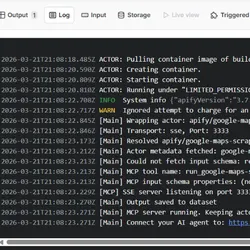
Example: wrapping apify/google-maps-scraper — actor resolves the ID, starts the MCP server, and outputs the SSE connection URL in seconds.
Quickstart
Step 1 — Start the bridge
Input:
- Actor ID:
apify/google-maps-scraper(or any actor on Apify Store) - Apify API Token: your token from console.apify.com/account/integrations
Click Start. The actor will output a URL like:
Step 2 — Connect Claude Desktop
Edit your Claude Desktop config file:
Mac: ~/Library/Application Support/Claude/claude_desktop_config.json
Windows: %APPDATA%\Claude\claude_desktop_config.json
Restart Claude Desktop. The tool run_google-maps-scraper now appears in Claude's tool list.
Step 3 — Use it with natural language
"Find all coffee shops in Zagreb, Croatia and return their names, ratings, and phone numbers"
Claude calls the tool automatically, runs the scraper, and returns structured results.
Input fields
| Field | Required | Default | Description |
|---|---|---|---|
actorId | yes | — | Actor to wrap, e.g. apify/google-maps-scraper |
apifyToken | yes | — | Your Apify API token (kept secret) |
port | no | 3333 | SSE server port |
maxResults | no | 50 | Max dataset items returned per tool call |
timeoutSecs | no | 300 | Max seconds to wait for actor run |
Supported MCP clients
| Client | Supported |
|---|---|
| Claude Desktop | yes |
| Cursor | yes |
| Continue.dev | yes |
| Cline (VS Code) | yes |
| Any MCP SSE client | yes |
Popular actors to wrap
| Actor | What it does |
|---|---|
apify/google-maps-scraper | Extract business listings, reviews, contacts |
apify/instagram-scraper | Scrape profiles, posts, hashtags |
apify/linkedin-jobs-scraper | Job listings from LinkedIn |
apify/website-content-crawler | Full-text crawl any website for RAG |
apify/amazon-product-scraper | Product data, prices, reviews |
Pricing
- $0.05 when the bridge starts (one-time per session)
- $0.01 per tool invocation (each time your AI agent calls the scraper)
The bridge actor itself costs ~$0.001/hour to keep alive. The scrapers you wrap are billed separately to your Apify account at their normal rates.
Limitations
- The actor run must complete within
timeoutSecs(default 5 min) - Returns max
maxResultsitems per call (default 50) - Actor input schema is fetched at startup — if the wrapped actor updates its schema, restart the bridge
- Requires the wrapped actor to be publicly available on Apify Store
Notes
- The SSE URL is valid for the duration of the actor run
- Keep the bridge actor running as long as you need the MCP tool available
- For production use, set a long timeout (3600s) or use Apify's scheduled runs