
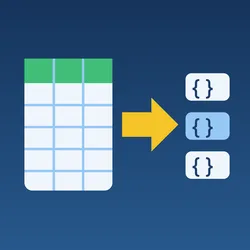
CSV & Excel to Dataset: Convert XLSX, CSV & JSON Files to Rows
Pricing
from $21.00 / 1,000 converted files
CSV & Excel to Dataset: Convert XLSX, CSV & JSON Files to Rows
Turn public CSV, TSV, Excel (XLSX, XLSM, XLS) and JSON/JSONL files into dataset rows, one item per row with the column headers as keys. Works with Google Sheets, Google Drive and Dropbox share links. Chain the rows into other Actors or export them.
Pricing
from $21.00 / 1,000 converted files
Rating
0.0
(0)
Developer

Charles Markette
Maintained by CommunityActor stats
0
Bookmarked
2
Total users
1
Monthly active users
a day ago
Last modified
Categories
Share
CSV & Excel to Dataset turns public CSV, TSV, Excel (XLSX, XLSM, XLS) and JSON / JSON Lines files into an Apify dataset, one item per row with the column headers as keys. Paste file links, including Google Sheets, Google Drive and Dropbox share links, and you get clean rows you can chain into other Actors (filter, deduplicate, enrich, sync to Google Sheets) or export as JSON, CSV or Excel through the Apify API.
Why this Actor
- Every common format, detected from the content. ZIP-based workbooks are read as XLSX/XLSM, OLE files as legacy XLS, files starting with
[or{as JSON or JSON Lines, and everything else as delimited text. Links like/download?id=42or/exportwork without an extension. - Share links just work. A Google Sheets edit or share link is turned into its export link (CSV for one tab, keeping the
#gid=tab in the link, or XLSX when you ask for all sheets). Published-to-web sheets work too. Google Drive file links (/file/d/…/view) become direct downloads, and Dropbox?dl=0links become?dl=1. - Messy CSVs handled. Comma, semicolon, tab or pipe delimiters are detected automatically (Excel's
sep=;line is understood). Encodings are detected: UTF-8 with or without BOM, UTF-16 (Excel's "Unicode text"), then Windows-1252 for files saved by older Excel versions. Quoted line breaks,"a", "b"spacing, empty and duplicate headers (name,name_2) and rows with too many or too few cells are all handled. - Values stay exactly as written by default. CSV values are text unless you turn on type conversion, so ZIP codes like
00123keep their zeros. Excel cells keep their type: numbers, booleans, and dates as ISO 8601 (2024-03-01,2024-03-01T14:30:00). - Every sheet, or the ones you name. Read the first sheet, all sheets, or a list of sheet names. Each row records its file, sheet and row number (
_file,_sheet,_row), so you can trace any value back to the cell. - One bad file never stops the run. A missing, private, oversized or unreadable file gets one error row that explains the problem, and that row is free.
- Guards against risky links. Downloads to private, loopback, link-local and cloud-metadata addresses are refused, on the first request and on every redirect (at most 5). The file size is capped while downloading. Workbooks that would unpack to an unsafe size (zip bombs) are refused before they are opened. Macros never run, and formulas are never calculated: you get the results last saved in the file.
- Streams large files. Rows are read and stored in batches of 500, so CSV files with millions of rows fit in the default 1 GB of memory. Very large Excel files can need 2–4 GB (see the limits below).
Use cases
- Import a spreadsheet into an Apify workflow: a list of URLs, products, keywords or leads that someone keeps in Excel or Google Sheets becomes a dataset that a scraper or enrichment Actor can read.
- Load open-data files: government and research CSV, XLSX and JSON downloads as rows, ready to filter and export.
- Combine many files: convert a folder's worth of monthly CSV or Excel exports in one run, with
_fileand_sheettelling the rows apart, then deduplicate them. - Clean up JSON exports: API dumps and JSON Lines logs become flat rows (nested objects are kept as they are).
- Scheduled sync from a shared sheet: run on a schedule against a published Google Sheet and send only the new rows onward with Merge & Deduplicate Datasets.
How to use it
- Add your File URLs, one per line. Google Sheets must be shared as "Anyone with the link" (or published to the web); Google Drive and Dropbox files must be shared by link.
- For Excel files, choose Which sheets: first, all, or named. If the column names aren't in the first row, set Header row number (0 = no header row).
- Optional: Convert numbers and true/false in text files, Trim spaces around values, a fixed Delimiter or Text encoding, a JSON path like
data.items, and row limits. - Run it. Each row becomes one item in the dataset. A per-file summary is saved as
OUTPUTin the key-value store.
Input example
| Field | Notes |
|---|---|
| File URLs | Public links to CSV, TSV, TXT, XLSX, XLSM, XLS, JSON or JSON Lines files. Google Sheets, Google Drive and Dropbox share links are converted for you. |
| Which sheets | First sheet (default), all sheets, or only the sheets named under Sheet names. Applies to Excel files and Google Sheets. |
| Header row number | The row with the column names (default 1). Rows above it are skipped. 0 = no header: columns are column1, column2, … |
| Skip empty rows | On by default. |
| Trim spaces around values | Strips spaces at the start and end of text values. Column names stay exactly as written. |
| Convert numbers and true/false in text files | CSV/TSV only: 42 → 42, TRUE → true, empty → null. Leading-zero numbers, numbers over 15 digits and numbers with thousands separators stay text. |
| Delimiter / Text encoding | Auto by default. |
| JSON path | Dotted path to the list to read, e.g. data.items (numbers pick a list element, e.g. results.0.rows). |
| Add _file, _sheet and _row | On by default. |
| Max rows per file / Max output rows | Optional caps. |
| Max file size (MB) | Default 100, up to 500. |
Output example
A sheet like this:
| Name | Age | Joined | Active |
|---|---|---|---|
| Ada | 36 | 2024-03-01 | TRUE |
becomes:
_rowis the row's number in the file or sheet as you'd see it in Excel, counting the header row (so the first data row is usually 2)._sheetis null for CSV and JSON files. For JSON,_rowis the element's position in the list (or the line number in JSON Lines).- Empty column names become
column{N}(N = the column's position), repeated names becomename_2,name_3, and cells beyond the last header becomecolumn{N}. Missing cells at the end of a short row are null. - JSON arrays of objects become one item per object, nested values included; other elements become
{"value": …}. An object with exactly one list of objects inside is read from that list. - A file that fails gets one row with just
_fileanderror, for example{"_file": "https://docs.google.com/…", "error": "File isn't public: share it as 'Anyone with the link' or publish it"}.
The key-value store record OUTPUT summarises the run:
CSV and JSON files also report the detected encoding and delimiter, and files cut short by Max rows per file have truncated: true.
How much does it cost?
Pay per event, Apify platform usage included:
- $0.03 per converted file (
file-converted): each file that was read successfully, with all the sheets you chose. It covers the file's first 1,000 rows. - $0.015 per 1,000 more rows (
rows-1000): each further started block of 1,000 rows from the same file (rows 1,001–2,000 are one block, 2,001–3,000 the next, and so on).
Apify Store discounts: the prices above are for Apify's Free plan. Paid plans pay less: per converted file $0.027 on Starter, $0.024 on Scale, $0.021 on Business; per 1,000 more rows $0.0135, $0.012 and $0.0105. The "from" price at the top of the Store page is the Business price.
- Rows are counted per file, after skipped empty rows and your row limits. Small files cost only the file price.
- Free: files that fail (not found, not public, too large, not a spreadsheet, damaged, blocked addresses, invalid URLs), files with no data rows, and repeats of a URL already in the list. The run start still applies to every run, even one where every file fails.
Worked examples:
Examples use the Free-plan rate. Where an example doesn't add it, each run also has its run-start charge of $0.005 per GB of Actor memory (minimum one; at the default 1 GB that's $0.005 a run). Apify platform usage is included.
- 10 CSV files of up to 1,000 rows each: 10 × $0.03 = $0.30.
- One file with 25,000 rows: $0.03 + 24 × $0.015 = $0.39.
- An Excel workbook with three sheets of 800 rows each, read with "All sheets" (2,400 rows): $0.03 + 2 × $0.015 = $0.06.
- 100 links where 20 return 404 and 80 are small CSVs: 80 × $0.03 = $2.40.
If you set a maximum cost per run, the Actor charges each file (and each further block of 1,000 rows) before storing its rows, and stops cleanly when the budget runs out. The Actor never outputs rows it hasn't charged for.
FAQ and limits
My Google Sheet returns "File isn't public".
The Actor can only read files anyone can open, without a sign-in. In Google Sheets, click Share → General access → Anyone with the link (Viewer), or use File → Share → Publish to web. Sheets restricted to your organisation can't be read. Very large Google Drive files show a "can't scan for viruses" page; the Actor then retries Google's direct download link once.
Is OneDrive or SharePoint supported?
No. Their share links need a sign-in or a browser. Download the file and share it from Google Drive or Dropbox, or host it at any public URL.
Do formulas work?
You get the result that was last saved in the file, as Excel shows it. Nothing is recalculated. Files generated by some tools (not by Excel or Google Sheets) never store formula results, and those cells come back as null. Macros (XLSM) are never run.
Why are my CSV numbers strings?
By default, values are kept exactly as they appear in the file, which protects IDs, phone numbers and ZIP codes. Turn on Convert numbers and true/false in text files to get numbers and booleans. Excel and JSON values always keep their own types.
How are dates returned?
Excel dates become ISO 8601 text: 2024-03-01 for a date, 2024-03-01T14:30:00 with a time. Spreadsheets don't store a time zone, so none is added. A Google Sheet read through its CSV export (the first sheet, or one tab) gives the values as displayed in the sheet; with "All sheets" it's read as XLSX and dates come back as ISO 8601.
What is formulaLikeCells in the summary?
The number of text values that start with =, +, - or @ (not counting plain numbers like -5). They are stored as text, unchanged. If you export the dataset to CSV or Excel later and open it in a spreadsheet app, such values may be run as formulas, so check or escape them before sharing the export.
Can it open password-protected workbooks?
No. They return a free error row. Remove the password and share the file again.
Other limits
- Public URLs only (http and https); no logins, cookies or API keys.
- Up to 500 MB per file (default 100 MB). A single cell can be up to 10 MB, a single JSON element up to 64 MB, and JSON Lines lines that aren't valid JSON are skipped (counted in
skippedLines). - Not supported: XLSB, ODS, Numbers, Excel 2003 XML, HTML tables, PDFs, and compressed or archived files (.gz, .zip of CSVs).
- Apify stores items of up to 9 MB: an item with longer text is shortened and marked
_truncated: true(an item that still can't fit, such as one huge nested JSON value, is skipped and counted inskippedTooLarge). - Very large XLSX files with a lot of text keep their shared text table in memory. If a run runs out of memory, give it 2–4 GB.
- Very large files are charged per block of 1,000 rows (see pricing). Use Max rows per file to preview a big file cheaply.
Related Actors
| Actor | Use it to |
|---|---|
| Dataset Join & VLOOKUP | Match the converted rows against another dataset or file by a shared key. |
| Merge & Deduplicate Datasets | Combine the rows of several runs or files and remove duplicates, or keep only rows that are new since the last run. |
| Dataset Filter & Transform | Filter rows, keep or rename columns, drop _file/_sheet/_row, or flatten nested JSON fields. |
| Google Sheets Sync | Append or upsert the converted rows into a Google Sheet. |
| Dataset Delivery | Deliver the rows as a CSV, JSON or Excel file to SFTP, FTP, Dropbox or Google Drive. |
| PDF & Image to Text | For PDFs and scans instead of spreadsheets: text, Markdown and tables, with OCR. |
Built with permissively licensed open-source software: openpyxl (MIT) for XLSX/XLSM, xlrd (BSD) for XLS, and defusedxml (PSF) to read workbook XML safely.


