TikTok Live Recorder
Pricing
from $0.93 / 1,000 metadata seconds
TikTok Live Recorder
Record any TikTok Live stream automatically. Save broadcasts in HD for replay, archive, or repost. Set it once, get the file when the stream ends.
Pricing
from $0.93 / 1,000 metadata seconds
Rating
3.9
(3)
Developer

CheapGET
Actor stats
5
Bookmarked
691
Total users
7
Monthly active users
a day ago
Last modified
Categories
Share
TikTok Live Recorder - Save & Download TikTok Live Streams Cheap



Download TikTok Live recordings automatically — cheap and fast, with stream details and no login required.
🏆 Key Features
📹 Live Stream Recording
-
🎬 Save as Video: Record live streams as MP4 segments when
record_videois on. Each finished clip is uploaded to cloud storage with a direct download link in thevideo_urlfield. -
🔄 Runs Until It Ends: Keeps recording until the stream ends or your
run_timelimit, saving fresh clips and event snapshots at everyupload_everyinterval. -
🚀 Real-Time Chat & Gifts: Get every comment, gift, follow, like, share, and viewer count update as it happens during the broadcast.
-
🛡️ Works with Age-Restricted Streams: Handles standard age restrictions automatically — no extra setup needed.
📊 Viewer & Engagement Stats
-
📈 Live Viewer Counts: See how many people are watching right now, how many joined in total, and total likes.
-
💬 Comment & Share Tracking: Get the total number of comments, shares, and follows gained during the stream.
-
🎁 Gift Activity: See how many unique users sent gifts and total fan ticket earnings.
-
⏰ Timestamps Included: Every event and snapshot comes with a precise UTC timestamp.
👥 Streamer Profile Info
-
🎯 Who's Streaming: Get the streamer's username, nickname, bio, avatar image, and verified status.
-
✅ Follower & Following Counts: Check how big the streamer's audience is.
-
🌍 Region & Language: See where the streamer is based and what language the stream uses.
-
🏷️ Tags & Hashtags: Get all tags and hashtags the streamer added to their live session.
🛍️ Shop & Feature Detection
-
🛒 TikTok Shop Check: Instantly see if a stream has TikTok Shop or commerce features turned on.
-
📹 Replay vs Live: The
is_replayflag tells you if this is a real live broadcast or a pre-recorded replay. -
🔒 Visibility Info: Check whether the stream is public, followers-only, or friends-only.
-
🎤 Co-Stream & KTV: See if link mic, karaoke KTV, or drawing features are active.
💰 Pricing
| Resource | Cost | Description |
| --------------------- | -------- | -------------------------------------------------------------------------- |
| Actor Start | $0.00005 | One-time charge when the Actor starts running |
| Actor Usage | $0.00001 | Charged for runtime and storage during the recording session |
| Recording Seconds | $0.00057 | Charged per second when saving video (record_video mode only) |
| Metadata Seconds | $0.00096 | Charged per second when monitoring chat and events without video recording |
Example Cost Calculation:
-
Watching live events (no video) for 10 minutes → $0.00005 Actor Start + (600 × $0.00096) = ~$0.58 + minimal runtime fees
-
Recording video for 10 minutes → $0.00005 Actor Start + (600 × $0.00057) = ~$0.34 + minimal runtime fees
-
Recording a 1-hour stream → $0.00005 Actor Start + (3600 × $0.00057) = ~$2.05 — cheaper than any subscription tool
🎯 Use Cases
📦 Save Live Streams Before They Disappear
Record your favorite creators' broadcasts so you can rewatch them later. Save the video file and all the chat activity in one go.
📊 Track Engagement During a Live Session
Want to know how popular a stream really is? Monitor viewer counts, likes, comments, and gift activity without recording video — fast and cheap.
🛍️ Check TikTok Shop Sellers
Find out which live streams have TikTok Shop turned on and see how engaged their audience is — great for finding trending sellers and products.
🔔 Get Notified When a Creator Goes Live
Use Make.com or n8n to check if a creator is streaming, then automatically save the stream. Set it and forget it.
🌟 Why Choose This Actor
Built for fans, content creators, and anyone who wants to save TikTok live streams — this tool captures everything before it's gone.
| Feature | TikTok Live Recorder | Screen Recorders | Browser Plugins | Manual Capture |
| :------------------- | :-------------------------- | :--------------- | :---------------- | :---------------- |
| Pricing Model | ✅ Pay per second | ❌ Paid software | ✅ Free (limited) | ❌ Time-intensive |
| Video Recording | ✅ MP4 Segments | ✅ Yes | ❌ Not available | ✅ Yes (manual) |
| Chat & Gifts | ✅ Every event saved | ❌ Not available | ❌ Not available | ⚠️ Manual note |
| Viewer Stats | ✅ Likes/Views/Comments | ❌ Not available | ❌ Not available | ⚠️ Manual copy |
| Streamer Profile | ✅ Full details | ❌ Not available | ❌ Not available | ⚠️ Manual copy |
| Shop Detection | ✅ Automatic | ❌ Not available | ❌ Not available | ✅ Manual check |
| Runs in Cloud | ✅ No PC needed | ❌ Desktop only | ❌ Browser tab | ❌ Desktop only |
| Export Format | ✅ JSON/CSV/Excel | ⚠️ Video only | ❌ None | ❌ None |
| Cost | ✅ ~$0.06/min | ❌ $49 buy-once | ✅ Free (limited) | ✅ Free (time) |
🚀 Quick Start
-
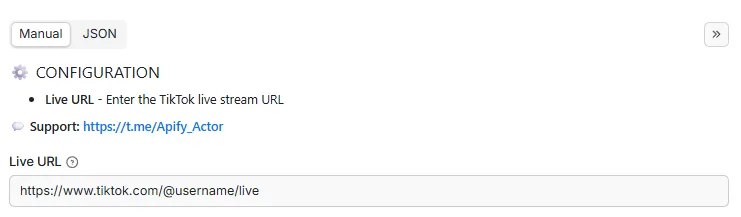
Enter the TikTok live URL — paste the streamer's link (e.g.
https://www.tiktok.com/@gbnews/live) and choose whether to save video or just monitor events. -
Click Start — the recording begins immediately. Watch the live chat, gifts, and viewer counts roll in.
-
Download your results — when the stream ends (or your time limit is reached), download the video clips and full event log as JSON, CSV, or Excel.
💻 Input Parameters
| Parameter | Type | Required | Description |
|---|---|---|---|
tiktok_url | string | ✅ Yes | Enter the TikTok live stream URL |
record_video | boolean | ✅ Yes | Enable video recording. When disabled, only room info and live events (comments, gifts, likes, etc.) are collected. Faster and cheaper. |
upload_every | number | ❌ No | Recording mode: length of each video segment in minutes. Metadata mode: how often live events (comments, gifts, likes, etc.) are pushed. Lower = more frequent uploads. |
run_time | integer | ❌ No | Stop after this many minutes. Applies to both recording and metadata-only mode. Set to 0 to run until the stream ends. |
📝 Example Input
📤 Output Structure
| Field | Type | Description |
|---|---|---|
processor | string | URL of the Apify actor that processed this |
processed_at | string | ISO 8601 UTC timestamp when data was processed |
room_id | string | Unique identifier of the live room |
room_title | string | Title of the live stream set by the streamer |
live_id | integer | Internal TikTok live session identifier |
stream_id | string | Unique identifier for the current stream session |
app_platform | string | Platform used to start the stream (ios/android/pc/web) |
create_time | integer | Unix timestamp when the live stream was created |
created_at | string | ISO 8601 timestamp when the stream was created |
is_replay | boolean | Whether this is a replay of a past live stream |
replay | boolean | Whether replay is enabled for this stream |
visible_type | string | Visibility scope (public/private/friends_only/followers_only) |
is_age_restricted | boolean | Whether the stream has age restrictions applied |
has_commerce | boolean | Whether commerce/shopping features are enabled |
has_tiktok_shop | boolean | Whether TikTok Shop integration is active |
business_live | string | Live category (normal/business/brand/ecommerce) |
like_count | integer | Total likes received during the live stream |
total_user | integer | Total unique users who watched the stream |
current_users | integer | Number of viewers currently watching live |
enter_users | integer | Total number of users who entered the room |
comment_count | integer | Total comments posted during the live stream |
share_count | integer | Number of times the stream was shared |
follow_count | integer | New follows gained during the live stream |
room_follows | integer | Users who followed the live room directly |
gift_users | integer | Number of unique users who sent gifts |
fan_ticket | integer | Total fan tickets collected during the stream |
linkmic_enabled | boolean | Whether link mic co-streaming is enabled |
ktv_enabled | boolean | Whether the karaoke KTV feature is enabled |
draw_enabled | boolean | Whether the drawing/whiteboard feature is on |
live_cover | string | URL of the live stream cover image |
auth_chat | boolean | Whether chat is enabled in this stream |
auth_gift | boolean | Whether sending gifts is enabled |
auth_digg | boolean | Whether liking the stream is enabled |
auth_share | boolean | Whether sharing the stream is enabled |
auth_mention | boolean | Whether mentioning users in chat is enabled |
auth_poll | boolean | Whether creating polls in stream is enabled |
auth_rank | boolean | Whether ranking leaderboard features are on |
auth_card | boolean | Whether user profile cards are enabled |
top_fans | array | Top fans ranked by fan ticket contribution |
author_id | string | Unique identifier of the streamer account |
author_name | string | TikTok username (display_id) of the streamer |
author_nickname | string | Display nickname of the streamer account |
author_bio | string | Profile biography text of the streamer |
author_avatar | string | URL of the streamer's profile avatar image |
author_verified | boolean | Whether the streamer account is verified |
author_secret | integer | Privacy/secret level of the streamer account |
author_followers | integer | Total follower count of the streamer account |
author_following | integer | Number of accounts the streamer follows |
author_pay_level | integer | Streamer's TikTok pay grade/subscription level |
author_pay_score | integer | Accumulated payment score of the streamer |
author_fan_ticket | integer | Total fan tickets the streamer has received |
author_badge_list | array | List of achievement badges the streamer holds |
author_region | string | Geographic region of the streamer's account |
author_os | string | OS the streamer used (ios/android/windows/macos) |
language | string | Primary language of the live stream content |
finish_time | integer | Unix timestamp when the live stream ended |
scheduled_end_time | integer | Unix timestamp of the planned stream end time |
has_quiz | boolean | Whether a quiz interaction is active in stream |
tag_list | array | Tags attached to this live stream by creator |
hashtag_list | array | Hashtags associated with this live stream |
video_url | string | Public URL of the recorded video segment uploaded to Apify Key-Value Store |
live_events | array | Chronological list of all live stream events |
📤 Example Output
🔌 Integrations
Connect this tool to your favorite apps and workflows using the Apify API.
🐍 Python
🟨 JavaScript / Node.js
🌐 REST API (curl)
Ⓜ️ Make.com Integration
Get Started with Make.com (1000 Free Credits) 🎁
🎱 N8N.io Integration
Open Source Workflow Automation ⚡
📚 API Documentation
-
Python API - Full Python guide with examples
-
JavaScript API - Node.js and browser guide
🏗️ Metadata (JSON-LD)
🚀 Performance Tips
💰 Save Money
-
Skip Video Recording: Turn off
record_videoif you only need chat and viewer stats — this avoids the extra $0.00057 per-second recording charge. -
Record Only When Live: Only start a run when you know the creator is actually streaming to avoid wasting credits.
-
Short Sessions: Set a
run_timelimit if you only need a sample of the stream activity.
⚡ Get Better Results
-
Use Full URLs: Always use the complete live link (
https://www.tiktok.com/@username/live) for the fastest connection. -
1-Minute Clips: The default
upload_every: 1minute gives you frequent video clips and event snapshots — a good balance of detail and cost. -
Multiple Streams: To record several creators at the same time, start a separate run for each one.
📊 Tips for Reviewing Results
-
Check
is_replay: Make sure you're watching a real live broadcast, not a pre-recorded replay. -
Compare Viewers: Look at
current_usersvstotal_userto see how many stayed vs just peeked. -
Shop Sellers: Use
has_tiktok_shopto quickly find which streams are selling products.
❓ FAQ
Is this free to use?
There's no subscription. Each run starts at $0.00005, Actor Usage is $0.00001, monitoring metadata costs $0.00096 per second, and enabling video recording adds $0.00057 per recorded second on top. Try a short run_time first to estimate your cost.
Can I download the recorded video?
Yes! Turn on record_video and each finished clip gets a public download link in the video_url field. Download it directly or share the link.
Does it work with age-restricted streams?
Yes, the tool handles standard age restrictions automatically. However, streams that are private or limited to the streamer's friends list cannot be accessed.
How long does it take?
Recording starts instantly. Results appear in your output at every upload_every interval (default: 1 minute). The run ends when the stream finishes or your run_time limit is reached.
What live events are captured?
Comments, gifts, joins, likes, follows, shares, subscribes, emotes, red envelopes, donations, and viewer count updates — each with a UTC timestamp and the user who triggered it.
Can I tell if a stream is a pre-recorded loop?
Official replays are flagged with is_replay: true. For unofficial loops, you can check if viewer counts and engagement stay unusually steady over time.
🏷️ SEO Keywords
🔍 Primary Keywords: tiktok live recorder, save tiktok live, download tiktok live stream, tiktok live saver, record tiktok live
📝 Long-Tail Keywords: how to save tiktok live streams, download tiktok live video free, record tiktok live broadcast, save tiktok live chat and gifts, tiktok live stream recorder tool
🏢 Industry Keywords: tiktok live recording, tiktok live capture, tiktok live video download, tiktok stream save, tiktok live replay download
🌍 Location Keywords: tiktok live united states, tiktok live stream uk, tiktok live worldwide, record tiktok live india, tiktok live any country, tiktok live recording global
💡 Use Case Keywords: save tiktok live for later, record my favorite tiktok live, get tiktok live comments, check tiktok live viewer count, find tiktok shop live streams
⚖️ Legal & Compliance
This tool records publicly available live streams only. It does not bypass login requirements, access private content, or break platform rules. You are responsible for:
-
Data Rights: Making sure you have permission to save and use the recorded content
-
Privacy Compliance: Following GDPR, CCPA, and other applicable privacy laws
-
Platform Terms: Respecting TikTok's terms of service and community guidelines
-
Ethical Use: Using saved content responsibly and within the law
-
Need Help?: For any questions, contact us.
🔗 Related Actors
💼 Jobs
-
Best Job Search — Find jobs on LinkedIn, Indeed, Glassdoor, and more, all in one search with salary info.
-
Glassdoor Job Search — Search Glassdoor for jobs with salary ranges, company ratings, and reviews.
-
Indeed Job Search — Find jobs on Indeed with salary, company details, and application links.
-
LinkedIn Job Search — Search LinkedIn jobs with applicant counts, company info, and seniority levels.
🎬 Videos
-
Best Video Downloader — Download videos from 1000+ sites with thumbnails and comments.
-
TikTok Video Downloader — Download TikTok videos without watermarks plus comments and creator info.
-
YouTube Video Downloader — Download YouTube videos in multiple qualities with comments and thumbnails.
-
Video Subtitles Downloader — Get subtitles from any video as downloadable text files.
-
TikTok Live Recorder — Save TikTok live streams with video, chat, gifts, and streamer details.
-
TikTok Video Lookup - Get full TikTok video details with hidden SEO data and music info
-
YouTube Niche Scraper - Find YouTube videos by keyword and get channel details, contact info, and stats
-
Video To Text — Turn any video or audio into text with timestamps and language support.
-
Instagram To Text — Turn Instagram videos into text for captions, notes, and research.
📱 Social Media
-
Instagram Explore - Get trending Instagram Explore posts with topic labels, media links, and engagement counts.
-
Instagram Post - Get recent Instagram posts from any public profile with captions and media.
-
Instagram Profile - Check any Instagram profile for bio, followers, business info, and more.
-
Social Media Marketing — Generate ready-to-post marketing content for any platform.
-
Find Any Company On LinkedIn — Look up any company's LinkedIn page with employees, jobs, and updates.
-
Find Anyone On LinkedIn — Look up anyone's LinkedIn profile with experience, education, and skills.
-
X Community Profile — Check X community details including members, description, and activity.
-
X User Profile — Look up any X user's profile with followers, bio, and pinned posts.
-
Reddit User Profile — Look up any Reddit user's profile, karma, trophies, and activity.
-
Reddit Community Profile — Check any subreddit's rules, wiki, description, and pinned posts.
-
Reddit Community Post — Browse posts from any subreddit with comments and engagement stats.
-
Reddit Post Search — Search Reddit by keyword and get posts with comments and engagement.
-
Reddit Community User — Find active users in any subreddit with karma and profile details.
💬 Telegram
-
Telegram Group Member — Get member lists from any public Telegram group.
-
Telegram Channel Message — Get messages from any Telegram channel with views and reactions.
-
Telegram Profile — Look up any Telegram user, group, bot, or channel profile.
📍 Local & Real Estate
-
Google Business Profile — Find any business on Google with reviews, ratings, photos, and contact info.
-
Zillow Real Estate — Search Zillow listings with prices, photos, and property details.
-
US Real Estate — Find US property listings with prices, specs, and agent details.
🤝 Support & Community
📧 Support: Contact Us 💬 Community: Telegram Group
Last Updated: April 22, 2026