

Social Video Downloader: TikTok, Instagram, X - No Login
Pricing
from $2.10 / 1,000 link processeds
Social Video Downloader: TikTok, Instagram, X - No Login
Download public TikTok, Instagram, X, Facebook and Dailymotion videos as MP4 or MP3 files. Up to 50 links per run, a download link and a status per link. No login, no cookies.
Pricing
from $2.10 / 1,000 link processeds
Rating
0.0
(0)
Developer

Cliqto Media
Maintained by CommunityActor stats
0
Bookmarked
2
Total users
1
Monthly active users
3 days ago
Last modified
Categories
Share
Download public videos from TikTok, Instagram, X (Twitter), Facebook, Dailymotion, SoundCloud and Wikimedia Commons as MP4 or MP3 files. Paste up to 50 links in one run. Each file is saved in your Apify storage, and you get a download link and a status for every link.
No login and no cookies. The Actor uses the open-source yt-dlp downloader on Apify. It only takes videos that anyone can watch without an account. A 2 MB TikTok clip costs about $0.008, and 25 videos from 7 sites (94 MB) were ready in 46 seconds.
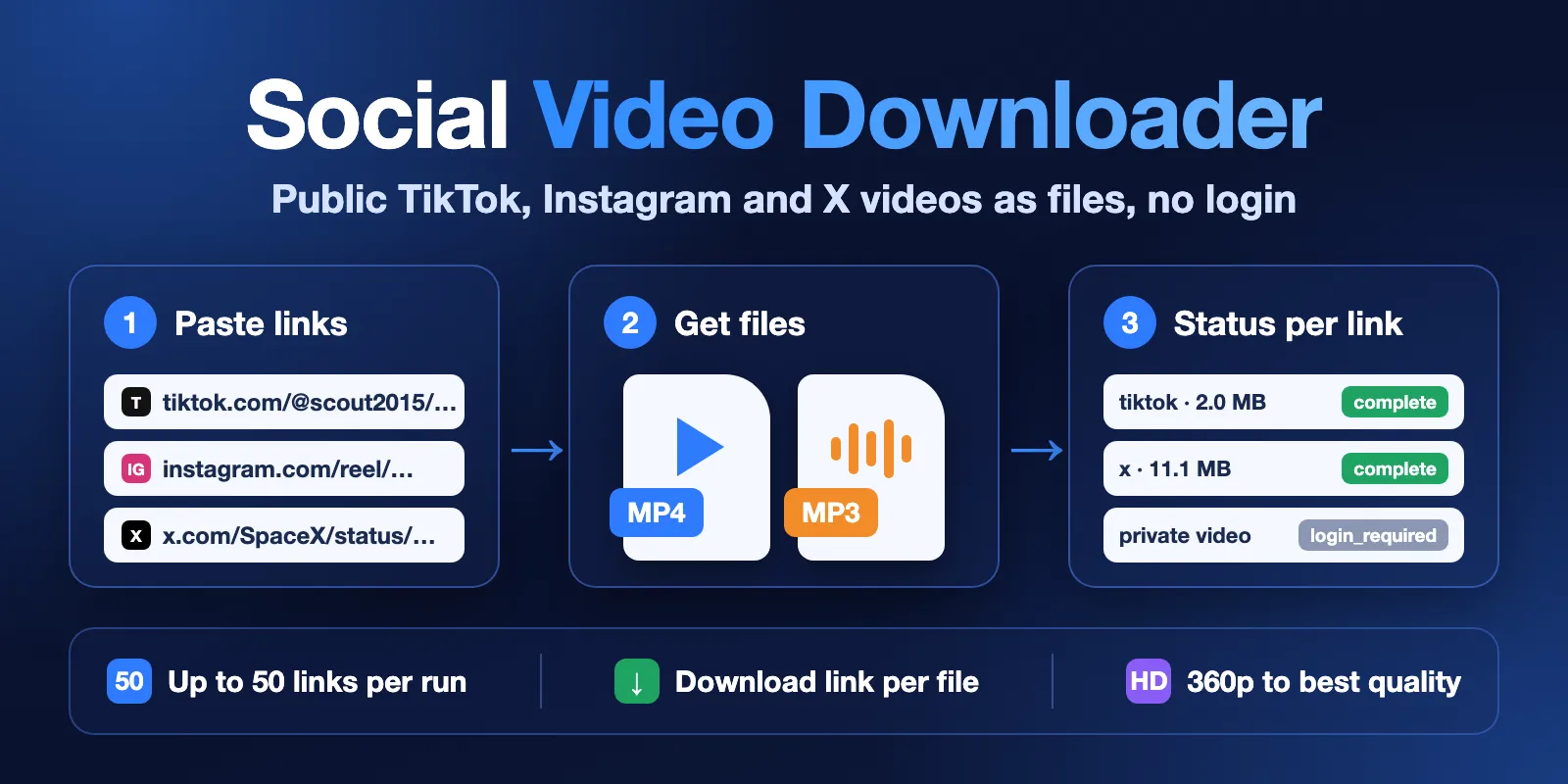
Table of contents
- What it does
- Quick start
- Input
- Output
- Pricing
- Use cases
- Scheduling
- API, export and integrations
- Limits and partial results
- Troubleshooting
- FAQ
- Related Actors
- Support
What it does
The Actor opens each link, finds the video and saves it as a file in the run's key-value store. You get one dataset row per link. Each row has the title, the duration, the file size, a downloadUrl and a status.
- Input: links to single public videos (
urls), up to 50 per run. - Output: an MP4 file with sound, or an MP3 file with only the sound. Wikimedia Commons videos keep their WebM or OGV format, and SoundCloud tracks in video mode are saved as M4A. The file stays in your storage, so the link does not expire after a few hours like a link to the site's own server.
- Quality: choose the highest resolution (360p to best). The default is 720p.
- Safe limits: a maximum file size per video, and the run stops at your maximum cost.
Good fit
- You need the file, not only a link: for an archive, video editing, or speech-to-text.
- You have a list of links from TikTok, Instagram reels, X posts or Facebook videos.
- You want only the sound as MP3, for example from a SoundCloud track or a talk.
Not a fit / limits
- YouTube is not supported. YouTube blocks downloads from cloud servers.
- Vimeo and Reddit need a login for downloads, so these links get
login_required. - Private, paid, members-only, age-restricted and DRM-protected videos are never downloaded.
- Profiles, playlists and posts with several videos are not downloaded. Use the link of one video.
- Live streams are not recorded.
You are responsible for having the right to download and use each video. Check the rules of the site and the rights of the creator.
Quick start
- Open the Actor and click Start. The prefilled input downloads a short Creative Commons clip from Wikimedia Commons as MP3.
- Paste your own links in Video links, one per line.
- Choose Video (MP4 with sound) or Audio only (MP3).
- Click Start. When the run ends, open the Output tab and click a
downloadUrlto get the file.
Input
Input fields
| Field | Type | Default | What it does |
|---|---|---|---|
urls | array of links | — (required) | 1 to 50 links to single public videos. Duplicate links are downloaded once. |
format | video or audio | video | video saves an MP4 file with sound. audio saves only the sound as MP3 (192 kbps). |
maxQuality | 360, 480, 720, 1080, best | 720 | Highest video resolution. The best version at or below this height is taken. Used only for video. |
maxFileSizeMb | integer, 1–200 | 200 | Videos larger than this get skipped_too_large. They are not downloaded and no megabytes are charged. |
Interacting settings
- A lower
maxQualitygives a smaller file, and a smaller file costs less. maxFileSizeMbis checked before the download when the site gives the size, and during the download otherwise.- If you set a maximum cost per run, the Actor never starts a file that it cannot pay for. Links it did not reach get the code
CHARGE_LIMIT. - Some sites have no separate sound stream. Then the MP3 is made from a small video stream (about 480p) with sound.
Input examples
TikTok, Instagram and X videos as MP4
Sound only as MP3
Output
Output example
This is a real row from the prefilled run:
Output fields
| Field | Type | What it means |
|---|---|---|
url | string | The link from your input. |
platform | string or null | Site name, for example tiktok, instagram, x, facebook. |
title | string or null | Title of the video. |
durationSec | number or null | Length in seconds. |
format | string | video or audio, as in your input. |
fileExtension | string or null | mp3 for audio. mp4 for video; webm or ogv for Wikimedia Commons, m4a for SoundCloud. |
fileSizeBytes | integer or null | Size of the saved file. |
kvsKey | string or null | Key of the file in the run's key-value store. |
downloadUrl | string or null | Link to the file. It works without an Apify token while the run's storage is kept (the data retention of your plan). |
status | string | Result for this link. See the list below. |
error | object or null | code and message when status is not complete. |
fetchedAt | string | When the link was processed (ISO 8601, UTC). |
status values:
| Status | Meaning |
|---|---|
complete | The file is saved. |
skipped_too_large | Larger than maxFileSizeMb or than what is left of your maximum cost. |
not_found | Deleted, unavailable or a wrong link. |
login_required | Private, paid, members-only or login-only. Not downloaded. |
drm_protected | Protected by DRM. Not downloaded. |
unsupported_url | Not a link to one video: YouTube, a profile, a playlist or an unsupported site. |
live | A live stream or an upcoming premiere. |
no_audio | You asked for MP3, but the video has no sound. |
blocked | The site refused the download, also after one more try through an Apify datacenter proxy. |
error | Another problem; see error.message. |
Output surfaces
- Dataset: one row per link (view "Downloaded videos"). Export as JSON, CSV or Excel.
- Key-value store: the files, with keys like
001-tiktok-<id>.mp4. RUN_SUMMARYin the key-value store: run status (OK,PARTIAL,ERROR), counts per status, bytes stored and charged links and megabytes.
Pricing
Pricing unit
You pay per event (pay per event). The Apify platform usage is included.
| Event | Free | Bronze | Silver | Gold |
|---|---|---|---|---|
| Run start (once per run) | $0.005 | $0.005 | $0.005 | $0.005 |
| Link processed (each link sent to a site) | $0.0025 | $0.0024 | $0.00225 | $0.0021 |
| File megabyte (each started MB of a saved file) | $0.0004 | $0.0004 | $0.0004 | $0.0004 |
- A link is charged once the Actor asks the site for it, also when the result is
not_foundorlogin_required. The site was checked for you. - Links rejected before any request are free: YouTube, unsupported sites, local addresses and invalid links. A run with invalid input still costs the run start.
- Megabytes are charged only for saved files. A skipped or stopped download costs no megabytes.
- Your Apify storage and your own downloads of the files use your account, as with any dataset.
Cost examples (Free plan)
| Run | Cost |
|---|---|
| 1 TikTok clip, 2 MB | $0.005 + $0.0025 + 2 × $0.0004 = $0.0083 |
| 10 TikTok clips, about 2 MB each | $0.005 + 10 × $0.0025 + 20 × $0.0004 = $0.038 |
| 25 videos, 105 MB in total | $0.005 + 25 × $0.0025 + 105 × $0.0004 = $0.11 |
| 1 video of 200 MB (the maximum) | $0.005 + $0.0025 + 200 × $0.0004 = $0.0875 |
Use cases
- Speech to text: save talks or interviews as MP3, then transcribe them with Audio & Podcast Transcriber.
- Content archive: keep copies of your own brand's TikTok, Instagram and X posts.
- Research: collect public clips for media or social media studies, with title and duration in one table.
- Editing: get MP4 files of public clips you have the right to reuse.
Scheduling
You can run the Actor on a schedule in Apify Console (Schedules), for example once a day with new links. Each run saves its own files.
API, export and integrations
Run the Actor with the Apify API, the Apify Python or JavaScript client, or from Make, Zapier and n8n. Read the results from the dataset and download each file from downloadUrl.
Use with AI agents (MCP)
Add the Actor to an AI agent with the Apify MCP server: https://mcp.apify.com?tools=cliqtomedia/social-video-downloader. The agent sends links and gets back one row per link. A good prompt: "Download these 3 TikTok videos as MP3 and give me the download links."
Smallest input:
The key output fields for an agent are status, downloadUrl, title, fileSizeBytes and error.message. One short clip takes about 5–15 seconds and costs about $0.008. Up to 50 links per call; a call with many links can take several minutes, so the agent may need to wait for the run.
Limits and partial results
Speed
Measured on Apify with 1024 MB memory:
- The prefilled 45-second clip as MP3: about 10 seconds.
- 25 videos from 7 sites (6 social clips and 19 Wikimedia videos, 94 MB in total): 46 seconds.
- 50 links as MP3 (30 files, 60 MB saved; 20 silent videos got
no_audio): 304 seconds.
Limits
- Up to 50 links per run and up to 200 MB per file.
- The run disk is twice the memory. With 1024 MB memory, files up to 200 MB fit.
- If the run timeout comes first, the links not started get the code
RUN_TIME_LIMIT, and the files already saved stay. The run still ends as SUCCEEDED. - One link may take up to 90 seconds (page check, download and MP3 conversion). A slower link gets status
errorwith the codeLINK_TIMEOUT. - If links that fail one after another (
blocked,error,LINK_TIMEOUT) use 90 seconds, the Actor stops: the sites are probably blocking downloads at the moment. Any answer from a site, such as a saved file ornot_found, starts the count again, so a few deleted videos in a list do not stop the run. The links not started get the codeSOURCE_FAILINGand are not charged. - The run ends as
PARTIAL(SUCCEEDED) when some links were not saved, also when no file was saved but the reason is a fact about the video (not public, not found, no sound). Checkstatusin each row. - The run ends as FAILED only when all links failed with
blockedorerror, or the Actor stopped withSOURCE_FAILINGbefore any file was saved.
Troubleshooting
The row has status login_required
The video is private, paid, age-restricted, or the site shows it only to users who are logged in. The Actor never logs in, so these videos are not downloaded. Instagram sometimes asks for a login also for public posts; try again later.
The row has status blocked
The site refused the request two times, once from Apify's servers and once through a datacenter proxy. Try again later or with fewer links from the same site. TikTok answers the same way for a deleted video, so check that the link opens in a browser.
The row has status unsupported_url
Use a link to one video, not to a profile, a playlist or a search page. YouTube links are not supported.
The row has status skipped_too_large
Raise maxFileSizeMb (up to 200), choose a lower maxQuality, or raise your maximum cost per run.
The row has status no_audio
The video is silent. Choose format: video to get the MP4.
FAQ
Do I need an account on TikTok, Instagram or X?
No. The Actor never logs in and never uses cookies.
Why is YouTube not supported?
YouTube blocks downloads from cloud servers. Only expensive residential proxies get through, and that would cost more per video than this whole run.
How long does the download link work?
The file stays in the run's key-value store for your plan's data retention period. Download the files you want to keep, or copy them to a named storage.
Can I download a whole profile?
No. Give the link of each video. To find the links of a profile, use a scraper for that site first.
Is the video quality reduced?
No. The file is the original stream from the site at the chosen height. When the site sends the picture and the sound apart, they are joined into one MP4 without re-encoding. MP3 files are made at 192 kbps.
Related Actors
- Audio & Podcast Transcriber: turn the MP3 or MP4 files into text and subtitles.
Support
Open an issue on the Issues tab of this Actor. Add the run link and the video link, and we will check it.


