
Video Transcript API: YouTube, TikTok, Instagram, X, Facebook
Pricing
from $25.00 / 1,000 transcript extracteds
Video Transcript API: YouTube, TikTok, Instagram, X, Facebook
Get transcripts from YouTube, TikTok, Instagram, X (Twitter), Facebook, and media files. Always returns clean text, even for videos without subtitles. Plain text or timestamped chunks, in bulk or via a real-time API. A pay-as-you-go Supadata alternative.
Pricing
from $25.00 / 1,000 transcript extracteds
Rating
0.0
(0)
Developer

Amram Englander
Maintained by CommunityActor stats
1
Bookmarked
47
Total users
22
Monthly active users
2 months ago
Last modified
Categories
Share
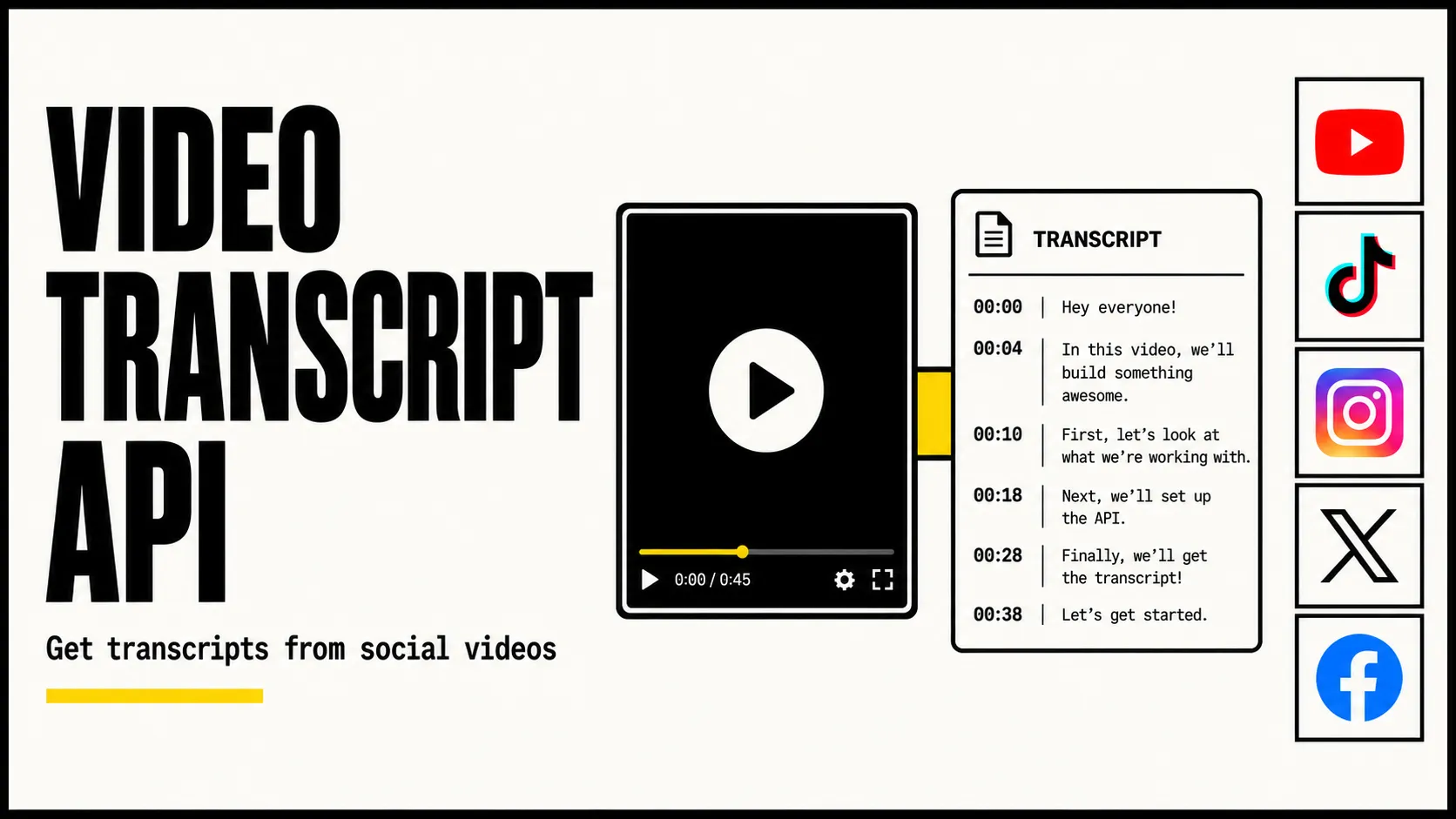
Get a transcript from any YouTube, TikTok, Instagram, X (Twitter), Facebook video or media file — in one tool. This video transcript API returns clean text — even for videos with no subtitles. Output as plain text or timestamped chunks, in bulk or via a real-time API. No API keys, no per-platform setup. It's a pay-as-you-go Supadata alternative on Apify that transcribes YouTube, TikTok, Instagram, X, and Facebook for about $0.025 per transcript — with no monthly subscription and video metadata included in the same call.
Tired of juggling a separate YouTube transcript scraper, a TikTok caption tool, and an Instagram reel transcriber? This single Actor covers all of them plus X/Twitter, Facebook, and direct file URLs (mp4, mp3, wav, m4a…) and returns one consistent format.
What does the YouTube, TikTok & Instagram transcript API do?
You paste one or more video URLs and get a transcript for each — fast, accurate, and in one consistent format across every platform. It works even when a video has no subtitles, and it detects the language automatically. There's nothing to configure.
It runs two ways:
- Batch — paste a list of URLs, get a dataset of transcripts.
- Real-time API (Standby) — call
GET /transcript?url=...and get JSON back. A low-cost Supadata alternative on Apify.
Which platforms and files are supported?
The input comes pre-loaded with a working example from every platform plus a direct media file — just press Start to see it transcribe across all of them, then swap in your own links.
| Platform | URL formats it accepts |
|---|---|
| YouTube | youtube.com/watch?v=…, youtu.be/…, /shorts/… |
| TikTok | tiktok.com/@user/video/…, vm.tiktok.com/… |
instagram.com/reel/…, /p/…, /tv/… | |
| X / Twitter | x.com/user/status/…, twitter.com/…/status/… |
facebook.com/…/videos/…, /reel/…, fb.watch/… | |
| File URLs | .mp4 .webm .mp3 .m4a .wav .flac .ogg (direct links) |
What data does the transcript scraper return?
| Field | Description |
|---|---|
transcript | Full clean plain-text transcript |
chunks | Timestamped segments { text, offset, duration, lang } |
lang | Detected language (ISO 639-1, e.g. en) |
availableLangs | Other languages the transcript is available in |
platform | youtube / tiktok / instagram / twitter / facebook / file |
durationMs | Media length in milliseconds |
title | Video title |
channel | Channel / author name |
channelUrl | Channel / author profile URL |
viewCount | View count (when the platform exposes it) |
likeCount | Like count (when the platform exposes it) |
uploadDate | Upload date (YYYY-MM-DD) |
thumbnail | Thumbnail image URL |
description | Video description / caption text |
Transcript and full video metadata in a single call — title, channel, views, likes, upload date, and thumbnail come back with every transcript, at no extra charge. (Supadata makes you call a separate metadata endpoint for that.)
Why use this transcript API?
- Every platform in one tool — stop wiring up five different scrapers.
- Works without subtitles — videos with no captions still return a transcript (when the audio has speech).
- Built for SEO, research, and AI — feed transcripts to LLMs, summarize videos, repurpose content, build datasets, do accessibility captions, monitor competitors and influencers.
- Bulk or API — process large batches of URLs in one run, or call it live from your app.
- Apify platform perks — scheduling, integrations (Make, Zapier, n8n), API access, proxy rotation, and monitoring out of the box.
LLM-ready transcripts for RAG and AI
Every transcript comes back clean and pre-segmented — no scraping artifacts, no HTML, no timestamps baked into the text. Drop it straight into a RAG pipeline, a vector database, or an LLM prompt for summarization, Q&A, sentiment analysis, or content repurposing. The timestamped chunks map one-to-one to embeddings when you need retrieval at the segment level, and the plain transcript string is ready to tokenize as-is.
What can you build with it?
- Video-to-text & audio-to-text — turn any video or audio file (mp4, mp3, wav, m4a) into clean text, including multilingual content auto-detected across 50+ languages.
- RAG & AI pipelines — feed timestamped segments into a vector database for retrieval-augmented generation, semantic search, or an AI agent that reasons over video.
- Subtitles & accessibility — generate timestamped captions (SRT/VTT-style) from videos that have no subtitles of their own.
- Content repurposing & SEO — transcribe YouTube, TikTok, Instagram, X, and Facebook videos programmatically into articles, summaries, and show notes.
- Research & monitoring — build cross-platform transcript datasets to track competitors, influencers, and topics at scale.
How to get a transcript (step by step)
- Open the Actor — the Video / file URLs field is already pre-filled with a working example from every platform. Click Start to try it, or replace them with your own URLs (one per line, mix any platforms).
- Click Start.
- Download the results as JSON, CSV, Excel, or HTML — one transcript per URL.
That's it — no settings to configure. For real-time use, run the Actor in Standby mode and call GET /transcript?url=<encoded-url>&text=true.
How much does it cost to get a transcript?
About $0.025 per transcript, any platform — one flat price whether the video has subtitles or not. Long videos (over ~20 minutes) add a small surcharge. No monthly subscription (unlike Supadata), and you only pay for transcripts you actually get back — failed or empty videos aren't charged.
On the Apify free plan you get $5 in platform credits every month — enough to test the Actor on real videos before you commit to anything.
Supadata alternative on Apify
Looking for a Supadata alternative? This Actor covers the same platforms — YouTube, TikTok, Instagram, X (Twitter), Facebook, and direct media files — but as a pay-as-you-go Apify Actor with no monthly subscription. You pay about $0.025 per transcript and nothing while you're idle, instead of committing to a credit plan and losing unused credits at the end of each month.
| This Actor | Supadata | |
|---|---|---|
| Pricing | Pay-as-you-go, ~$0.025/transcript | Monthly subscription + credits (Free 100 → $5 → $17 → $47+) |
| Monthly minimum | None — pay only for what you run | Paid tiers are monthly plans |
| Platforms | YouTube, TikTok, Instagram, X, Facebook, files | YouTube, TikTok, Instagram, X, Facebook, files |
| Video metadata | Included in the same call | Separate metadata endpoint |
| Works without subtitles | Yes (speech-to-text fallback) | Yes |
| Integrations | Make, Zapier, n8n via Apify | API only |
Being upfront: Supadata's free tier (100 credits/month) is the cheaper choice if you only need a handful of transcripts, and its largest committed plans cost less per unit at very high volume. This Actor wins when you want no subscription, no wasted credits, and metadata bundled in — ideal for spiky, mid-volume, or pay-as-you-go workloads, or if you already run on Apify.
Input
Just URLs — that's the whole input. Every result comes back with both a clean transcript and timestamps, so there's nothing to configure.
| Field | Description |
|---|---|
urls (required) | Video/file URLs — any platforms mixed |
lang (optional) | Preferred language (ISO 639-1, e.g. en); best available is used otherwise |
maxDurationMinutes (optional) | Skip AI transcription above this length (default 30); videos with captions are unaffected; 0 = no limit |
Output example
Every result includes both a clean transcript string and timestamped chunks:
Read transcript for clean text, or use chunks for timestamps (subtitles, search, video sync). Download the dataset in JSON, CSV, Excel, or HTML. (The real-time API lets you request just text or just chunks via the text parameter.)
Use it as an API (code examples)
Run the Actor in Standby mode and it behaves like a real-time transcript API — one HTTP call per URL, JSON back, no run to start. Authenticate with your Apify token. (Your Actor's exact Standby URL is shown in the Console under the Standby tab.)
cURL
Python
JavaScript (Node)
Pass text=true for plain text, or omit it to get timestamped chunks. Add &lang=en to prefer a language. The response is { content, lang, availableLangs, metadata }, where metadata carries the video's title, channel, views, upload date, and thumbnail.
FAQ
How do I get a YouTube transcript via API? Paste the YouTube URL (or call the Standby endpoint GET /transcript?url=...) and you get the transcript text back.
Can I get a TikTok or Instagram reel transcript? Yes — paste the TikTok or Instagram URL and you get the full transcript back.
Does it work on videos without subtitles? Yes — that's the point. Videos with no subtitles are transcribed too, as long as the audio has speech.
Do I need any API keys or setup? No — transcription is fully built in. Just paste URLs.
Is this a Supadata alternative? Yes. It's a pay-as-you-go Supadata alternative on Apify: the same transcripts from YouTube, TikTok, Instagram, X, and Facebook, but with no monthly subscription, video metadata included in the same call, and native Make/Zapier/n8n integrations. You pay about $0.025 per transcript instead of committing to a credit plan.
What languages are supported? 50+ languages, auto-detected and returned as ISO 639-1 codes.
Can I get timestamps? Yes — every result includes a chunks array of timestamped segments { text, offset, duration, lang }, alongside the clean transcript text.
How much does one transcript cost? About $0.025 per transcript, flat, on any platform — long videos (over ~20 minutes) add a small surcharge. No subscription, and you're only charged for transcripts you successfully get back.
Is the output ready for LLMs and RAG? Yes — you get clean plain text plus timestamped chunks, with no HTML or scraping artifacts, so it's ready to embed in a vector database or feed straight to an LLM.
Can I transcribe an audio file, not just video? Yes — pass a direct link to an mp3, wav, or m4a and you get the same output. It's a video- and audio-to-text API.
Does it support multiple languages? Yes — 50+ languages, auto-detected (ISO 639-1). It's a multilingual transcript API; pass lang to prefer a specific one.
Can I generate subtitles? Yes — every result includes timestamped segments you can turn into SRT/VTT-style captions, even for videos with no native subtitles.
How do I transcribe a video programmatically? Call the Standby endpoint GET /transcript?url=... from your code (see the cURL/Python/JS examples above), or run it in batch over a list of URLs.
Related actors
Looking for other scrapers and APIs? Browse all Actors by this developer →
Disclaimer & support
Only transcribe public content you're permitted to use, and respect each platform's Terms of Service. Private, age-restricted, or login-gated videos may be inaccessible, and clips with no speech (music/silent) return no transcript rather than fabricated text. Found a bug or need another platform? Open an Issue — feedback is welcome.
Common search terms: video transcript API, video-to-text API, speech-to-text, YouTube / TikTok / Instagram / X / Facebook transcript API, multilingual transcript API, timestamped transcript, transcribe video programmatically, RAG transcript pipeline, Supadata alternative.


