

Twitch Live Streams Scraper - Viewers by Game & Language
Pricing
from $0.70 / 1,000 live streams
Twitch Live Streams Scraper - Viewers by Game & Language
Who is live on Twitch right now by game, language or channel: viewer count, title, tags, uptime and thumbnail from the official Twitch Helix API with your own free Client ID and Secret. No cookies, no proxy.
Pricing
from $0.70 / 1,000 live streams
Rating
0.0
(0)
Developer

Cliqto Media
Maintained by CommunityActor stats
0
Bookmarked
2
Total users
1
Monthly active users
8 days ago
Last modified
Categories
Features
Share
Twitch Live Streams Scraper finds who is live on Twitch right now in a game, a language or a list of channels, and returns one row per stream with viewers, title, tags, uptime and channel link from the official Twitch API, using your own free Twitch key.
Use it to scout streamers, watch a category or check your channel list; the smallest run is one category name like Just Chatting and gives 20 live streams in about 5 seconds.
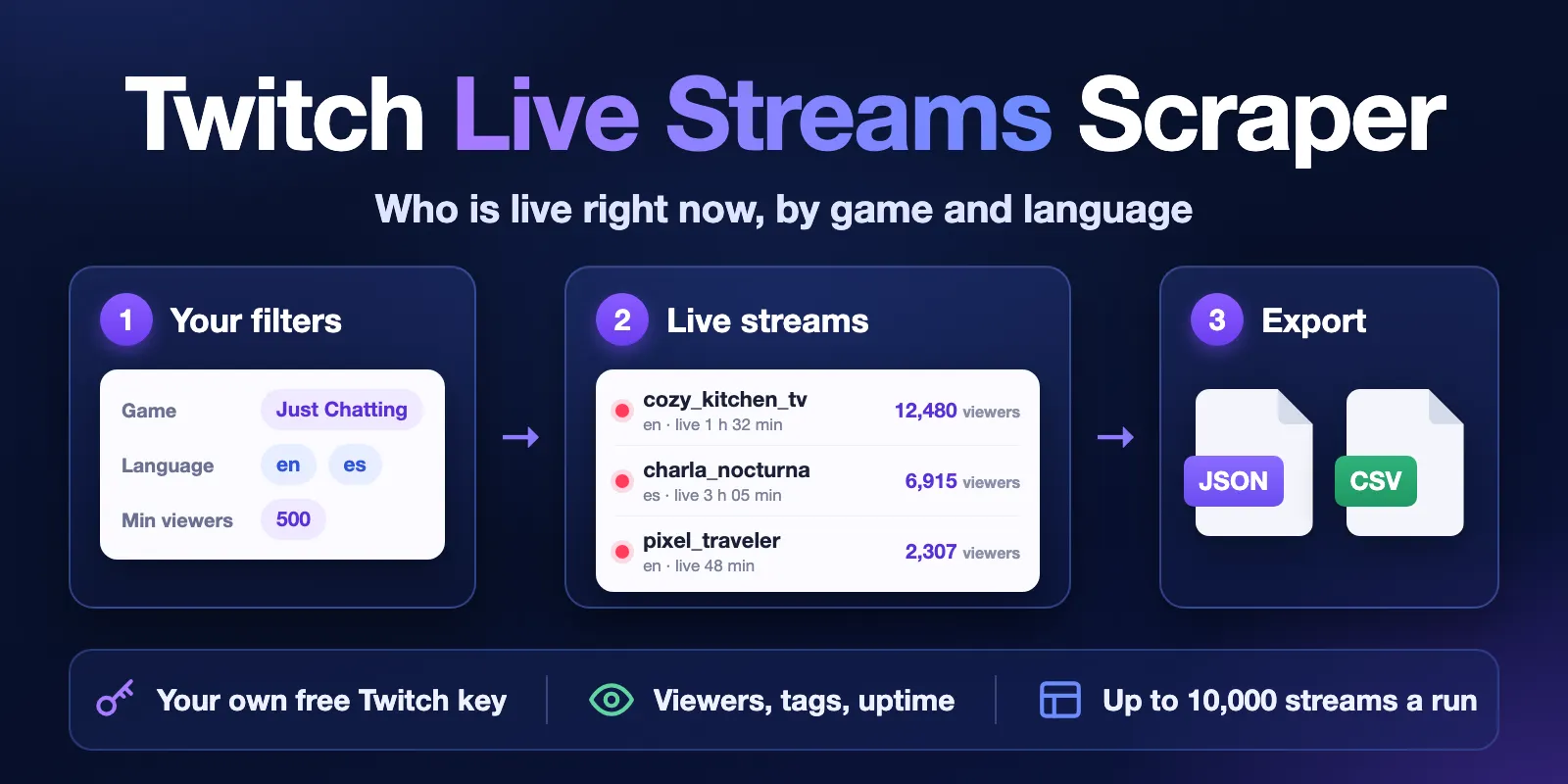
Table of contents
- What it does
- Get your free Twitch key
- Quick start
- Use cases
- Input
- Output
- Pricing and limits
- API, export and integrations
- Troubleshooting
- FAQ
- Support
What it does
The Actor asks Twitch which streams are live at this moment. You choose the filters: game or category names, stream languages, channels and a minimum viewer count. Twitch sends the most-watched streams first, and the Actor saves them to the Dataset until it reaches Max streams or Twitch has no more live streams for your filters.
Every row is one live stream. A missing number stays null; it is never shown as 0.
Good fit
- Find the biggest live streams in a game, for example all English VALORANT streams with 1,000+ viewers.
- Build a list of Spanish, German or Japanese streamers who are live now in a category.
- Check which channels from your own list (up to 500) are live, with viewers and uptime.
- Run it on a schedule and keep a history of who streams what and when.
Not a fit / limits
- Only streams that are live right now. Offline channels, past broadcasts, clips and VODs are not returned.
- No follower counts, channel bios or chat messages.
- You need your own Twitch app (free, takes about 2 minutes). Without it the Actor returns one free notice row.
- At most 10,000 streams per run.
Get your free Twitch key
The Actor uses the official Twitch API with your own Twitch app. Twitch does not charge for it.
- Sign in to Twitch and turn on two-factor authentication (Settings → Security and Privacy). Twitch requires it for developer apps.
- Open dev.twitch.tv/console/apps and click Register Your Application.
- Enter any name, add
http://localhostas the OAuth Redirect URL, choose any category and Client Type: Confidential. Click Create. - Click Manage on your app. Copy the Client ID. Click New Secret and copy the Client Secret.
- Paste both into the Actor input. They are stored encrypted by Apify.
The Actor only reads public stream data. It does not sign in as you and cannot post or change anything on your account. At the end of each run it cancels the short-lived access token it made from your key.
Your app has about 800 API points per minute. One point brings up to 100 live streams, so even a 10,000-stream run uses only about 100 points.
Quick start
- Open the Input tab.
- Paste your Twitch Client ID (
clientId) and Twitch Client Secret (clientSecret). - Keep the prefilled Games / categories (
gameNames) valueJust Chattingand Max streams (maxStreams) value20, or type your own game. - Click Start.
- Open the Output tab and check the Live streams table:
userName,viewerCountandtitlefor each stream.
Expected result: 20 live Just Chatting streams, most-watched first, in about 5 seconds.
Use cases
| Buyer job | Input path | Output entity | Key fields | Next integration |
|---|---|---|---|---|
| Scout streamers in a game and language | gameNames, languages, minViewers | live stream | userLogin, viewerCount, language, channelUrl | export to a sheet or CRM |
| Check which of my channels are live | userLogins | live stream | userLogin, viewerCount, uptimeMinutes, title | schedule + webhook |
| Watch a category over time | gameNames, maxStreams | live stream | rank, viewerCount, startedAt, fetchedAt | schedule, append to your database |
| Find streams with a theme | gameNames, then filter tags | live stream | tags, title, isMature | export |
Input
Input fields
| Field | Plain name | Type | Required | Default / prefill | Allowed values | Effect | Example |
|---|---|---|---|---|---|---|---|
clientId | Twitch Client ID | string (secret) | no, but needed for data | none | 10–64 letters and digits | your Twitch app ID | from dev.twitch.tv |
clientSecret | Twitch Client Secret | string (secret) | no, but needed for data | none | non-empty | your Twitch app secret | from dev.twitch.tv |
gameNames | Games / categories | array of strings | no | prefill ["Just Chatting"] | up to 100 names | only streams in these categories | ["Fortnite", "League of Legends"] |
languages | Stream languages | array of strings | no | empty = any | two-letter codes like en, es, de, pt, ja, zh, plus zh-hk (Cantonese), asl (sign language) and other; pt-BR becomes pt | only streams in these languages | ["en", "es"] |
userLogins | Channels | array of strings | no | empty = any | up to 500 logins, @login or twitch.tv links | only these channels, if live | ["https://www.twitch.tv/somechannel"] |
minViewers | Min viewers | integer | no | default 0 | 0 – 10,000,000 | skip smaller streams | 1000 |
maxStreams | Max streams | integer | no | default 100, prefill 20 | 1 – 10,000 | stop after this many saved streams | 500 |
Notes:
- Category names must match Twitch exactly (the name on twitch.tv/directory); upper or lower case does not matter. The Actor does not guess: an unknown name is listed in the run summary under
games.notFound. - If all filters are empty, you get the most-watched live streams on all of Twitch.
- Duplicate names and channels in the input are removed.
Interacting settings
| When | Input A | Input B | Effective behavior | Example | Cost/result effect |
|---|---|---|---|---|---|
| Several filters are set | gameNames | languages | AND: a stream must match a game and a language | Fortnite + de → German Fortnite streams | fewer rows |
| Several values in one filter | gameNames | gameNames | OR: any of the listed games | Fortnite, Minecraft → both | more rows |
| Channels with a game | userLogins | gameNames | AND: listed channels that are live in that game | fewer rows | |
| High viewer floor | minViewers | maxStreams | the Actor stops when viewers drop below minViewers, even before maxStreams | 5000 → 15 rows from the top | fewer rows, faster |
| Some category names are wrong | gameNames | – | known names are used, unknown ones are reported | Fortnite, Fortnight | warning in the run summary |
| All category names are wrong | gameNames | – | no streams are fetched; status NO_RESULTS | Just Chating | only the start fee |
Input examples
English and Spanish streams in one game
Expected behavior: the Actor saves up to 200 live VALORANT streams in English or Spanish with at least 100 viewers, most-watched first.
Expected output: live stream rows with userLogin, viewerCount, language, title.
Cost note: at most 200 stream events plus the start fee.
Which of my channels are live
Expected behavior: the Actor checks the three channels and saves only those that are live now. Offline channels give no row and are not charged.
Output
Output fields
| Field | Meaning | Type | Can be empty? | Example / enum |
|---|---|---|---|---|
status | row type | string | no | live or api_key_required |
rank | position in this run, 1 = most viewers | integer | notice row only | 3 |
streamId | Twitch stream ID (changes with each broadcast) | string | notice row only | 317712016119 |
userId | Twitch channel ID (stable) | string | notice row only | 596247354 |
userLogin | channel login | string | notice row only | e11ysa |
userName | channel display name | string | notice row only | E11ysa |
channelUrl | channel link | string | notice row only | https://www.twitch.tv/e11ysa |
gameId, gameName | category | string | yes, when the streamer set no category | 509658, Just Chatting |
title | stream title | string | notice row only | GOING BLONDE!! !vote |
viewerCount | viewers at the moment of the request | integer | yes, if Twitch sends no number; 0 is a real 0 | 4674 |
language | stream language code | string | notice row only | en |
startedAt | when the stream started (UTC) | ISO date | yes, if unreadable | 2026-10-22T01:52:06.000Z |
uptimeMinutes | minutes live at fetchedAt | integer | yes, with startedAt | 226 |
tags | streamer's tags | array of strings | notice row only; [] = no tags | ["English", "DropsEnabled"] |
isMature | streamer marked the stream for mature audiences | boolean | notice row only | false |
thumbnailUrl | preview image, 1280×720 | string | yes, if Twitch sends none | https://static-cdn.jtvnw.net/previews-ttv/live_user_e11ysa-1280x720.jpg |
source | data source | string | no | twitch-helix |
fetchedAt | when the Actor read the data (UTC) | ISO date | no | 2026-10-22T05:38:08.220Z |
message | explanation on the notice row | string | stream rows | null |
Output entities and surfaces
| Situation | Where | Result shape | What to do |
|---|---|---|---|
| Normal run | Dataset, view Live streams | one row per live stream | open, export or call the API |
| No key | Dataset | one free row, status: api_key_required, with setup steps in message | add your Client ID and Secret |
| Nothing live / unknown category | Dataset empty; key-value store RUN_SUMMARY | status: NO_RESULTS, games.notFound | check spelling or try later |
| Stopped early | Dataset keeps saved rows; RUN_SUMMARY | status: PARTIAL with stopReason CHARGE_LIMIT, QUOTA_LIMIT, TIME_LIMIT or SOURCE_ERROR | read the message, run again |
| Key rejected or Twitch down before any row | RUN_SUMMARY, run FAILED | status: ERROR, error.code such as API_KEY_INVALID | check the key, retry later |
RUN_SUMMARY also shows how many streams were saved and charged, how many repeated streams were removed, whether more streams are live (moreAvailable), and your app's API points before and after the run. It never contains your Client ID, Secret or token.
Output example
Input: {"gameNames": ["Just Chatting"], "maxStreams": 1000}. One full row:
Viewer counts change every minute. While the Actor pages through a big category, some streams move between pages; the Actor removes the repeats, so the order is "most-watched first" but not exact to the last viewer.
Pricing and limits
Pricing unit
You pay per live stream saved to the Dataset, plus a small fee when a run starts. Prices go down with your Apify plan:
| Event | Free plan | Bronze | Silver | Gold |
|---|---|---|---|---|
| Live stream (per 1,000) | $1.00 | $0.90 | $0.80 | $0.70 |
| Actor start (once per run, default 256 MB) | $0.002 | $0.002 | $0.002 | $0.002 |
- The start fee (
apify-actor-start) is charged by Apify for every run, also for a run without a key, a run where nothing is live and a run with wrong category names. These runs save no paid rows. - The
api_key_requirednotice row is free. - Offline channels and unknown categories create no rows and cost nothing beyond the start fee.
- A run that stops early (for example at your maximum cost) charges only the rows it saved.
- Platform usage (compute, storage) is included in these prices.
Cost examples
| Scenario | Input scope | Streams saved | Free plan | Gold |
|---|---|---|---|---|
| No key | any | 0 (1 free notice row) | $0.002 | $0.002 |
| Nothing live or wrong category | any | 0 | $0.002 | $0.002 |
| Quick check | 1 category, maxStreams 20 | 20 | $0.022 | $0.016 |
| Default | 1 category, maxStreams 100 | 100 | $0.102 | $0.072 |
| Big list | 1 language, maxStreams 1,000 | 1,000 | $1.002 | $0.702 |
| Maximum | no filter, maxStreams 10,000 | 10,000 | $10.002 | $7.002 |
Use Max streams and Apify's Maximum cost per run setting to cap your spend. When the maximum cost is reached, the Actor stops and keeps the rows it already saved (stopReason: CHARGE_LIMIT).
Limits
- Up to 10,000 streams per run; a 10,000-stream run took under a minute in our tests.
- Up to 100 category names, 100 languages and 500 channels per run.
- About 800 Twitch API points per minute for your app. If they run out mid-run, the Actor keeps the saved rows and ends with
stopReason: QUOTA_LIMIT. - The default run timeout is 300 seconds. The Actor stops 15 seconds before the timeout to save the summary.
API, export and integrations
- Export: download the Dataset as JSON, CSV, Excel, XML or HTML from the Output tab.
- API: start a run with
POST https://api.apify.com/v2/acts/cliqtomedia~twitch-streams/runsand the same JSON input; read rows from the run's default Dataset. - Scheduling: create an Apify schedule (for example every 15 minutes) to keep a history of live streams. Each run is a new snapshot; use
fetchedAtandstreamIdto join them. - Webhooks / no-code: use Apify webhooks, Make, Zapier or n8n to send new rows to Google Sheets, Slack or your database.
Use with AI agents (MCP)
- MCP server with only this Actor:
https://mcp.apify.com?tools=cliqtomedia/twitch-streams. - Smallest useful input:
{"clientId": "…", "clientSecret": "…", "gameNames": ["Just Chatting"], "maxStreams": 20}. - Key output fields:
userLogin(channel),viewerCount(viewers now),gameName(category),language(stream language),channelUrl(link). - A 20-stream run takes about 5 seconds and costs $0.022 on the Free plan. Max 10,000 streams per run. Without a Twitch Client ID and Secret the run returns only the free
api_key_requiredrow.
Troubleshooting
Only one row with api_key_required
Symptom: the Dataset has one row and message asks for a key.
Likely reason: clientId or clientSecret is empty.
Action: create a free app at dev.twitch.tv/console/apps and paste both values (see Get your free Twitch key).
Run FAILED with API_KEY_INVALID
Symptom: the status message says Twitch rejected your Client ID or Client Secret, or refused your app's access. Likely reason: the Client ID or Secret is wrong, or the secret was replaced with New Secret. Check: open your app in the Twitch console and compare the Client ID. Create a new secret if you are not sure. Action: paste the current values and run again.
No rows and "Twitch has no category named …"
Likely reason: the category name is not exactly the Twitch name (for example Just Chating or GTA 5; the Twitch name is Grand Theft Auto V).
Action: copy the name from twitch.tv/directory and run again.
No rows and "No live streams right now"
Likely reason: nobody matches your filters at this moment, for example all listed channels are offline or minViewers is too high.
Action: try later, remove a filter or lower minViewers. This is a normal result, not an error.
PARTIAL with QUOTA_LIMIT
Likely reason: your Twitch app used its API points for this minute, maybe because another tool uses the same app. Action: the saved rows are kept. Run again after a minute, or use a separate Twitch app for this Actor.
Fewer rows than maxStreams
Check RUN_SUMMARY: moreAvailable: false means Twitch had no more live streams for your filters. skippedBelowMinViewers and skippedDuplicate show what was filtered out.
FAQ
Do I need to pay Twitch?
No. The Twitch API is free. You only need a Twitch account with two-factor authentication and a free app at dev.twitch.tv.
Is my key safe?
The key fields are secret inputs, stored encrypted by Apify. The Actor never writes them to the Dataset, the log or the run summary. The access token made from your key lives only during the run and is cancelled at the end.
Why did I pay for a run with no rows?
Apify charges the $0.002 start fee for every run. Stream rows are charged only when they are saved.
How fresh is the data?
Each row is what Twitch reported at fetchedAt. Viewer counts and titles change all the time, so run the Actor again (or on a schedule) for new numbers.
Can I get all live streams of a big category?
Up to 10,000 per run. Twitch sends the most-watched streams first, so you always get the top of the list.
Can I use the data commercially?
Twitch's developer agreement covers how you use the data from your own Twitch app. It allows caching Twitch data for up to 24 hours and asks you to credit Twitch. Every row has source and a twitch.tv channelUrl for this. Please read the Twitch Developer Agreement for your case.
Support
For a bug, a question or a feature request, open the Issues tab of this Actor on Apify or write to hello@cliqtomedia.com. Include the run ID and your input without the Client ID and Secret. Never send your Twitch Client Secret or Apify token.


