

WordPress Posts & Pages Scraper
Pricing
from $1.90 / 1,000 saved post or pages
WordPress Posts & Pages Scraper
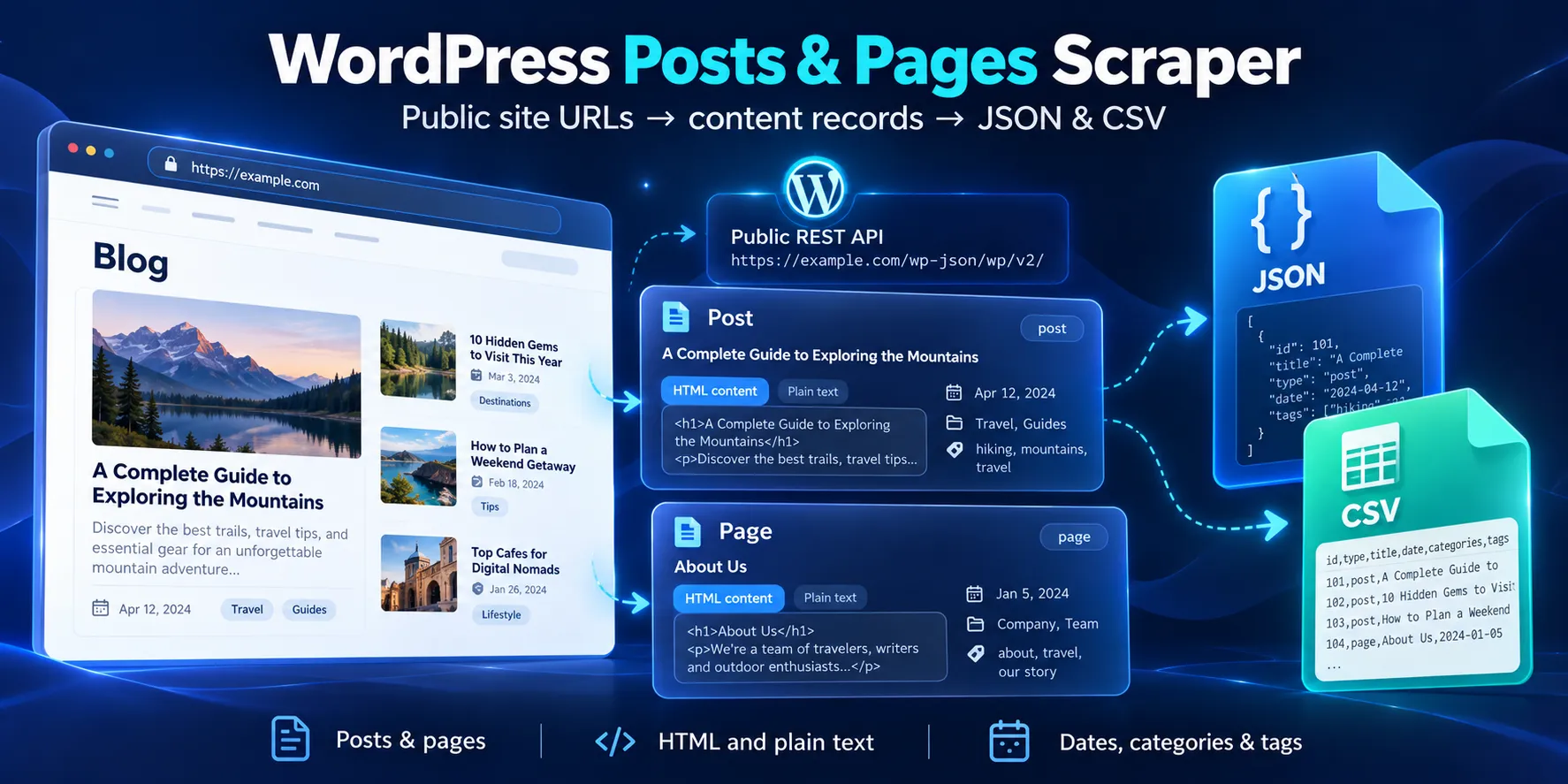
Export public WordPress posts and pages with HTML, plain text, dates, categories and tags. Bounded REST API requests and clear run summaries, with no WordPress login.
Pricing
from $1.90 / 1,000 saved post or pages
Rating
0.0
(0)
Developer

Cliqto Media
Maintained by CommunityActor stats
0
Bookmarked
2
Total users
1
Monthly active users
11 days ago
Last modified
Categories
Share
Export public WordPress posts and pages with HTML, plain text, dates, categories and tags. Add one site URL for a small content sample. The site must allow its public WordPress REST API. Limits and source errors are shown in the run summary.
The event price is $0.0045 per start plus $0.0019 per saved record. Apify platform usage is charged separately. Empty runs still have a start charge.
Table of contents
- What it does
- Data you get
- Quick start
- Input fields
- Input examples
- Output example
- Output fields
- Pricing
- Use cases
- Schedules and repeat runs
- API, MCP and integrations
- Limits and partial results
- Troubleshooting
- FAQ
- Related Actor
- Support
What it does
The Actor reads the public WordPress REST API. It collects published post and page records. It also reads category and tag details embedded in the API response. It saves one Dataset row per unique record.
It reads records in date order, newest first. It uses /wp-json/wp/v2/posts and /pages. If the first route returns 404, it tries the rest_route query format. It only sends GET requests. It does not change the source site.
Private posts, drafts, password-protected content, custom post types, author profiles, comments and media files are outside this product. If a site adds another type to its posts endpoint, that type is skipped and counted.
Data you get
Each record has its WordPress ID, link, type, title, publication dates and edit dates. HTML and plain text are separate fields. Posts include category and tag IDs. Names and links are included when the API returns them. Standard pages have no categories or tags, so these arrays are empty.
The Dataset contains only content records. The key-value store, or KVS, contains OUTPUT with the same rows and a summary, plus RUN_SUMMARY with site results and counters. An empty Dataset alone does not tell you whether a run worked. Check the summary.
Quick start
- Open Input.
- Add
https://wordpress.org/newsto WordPress site URLs (siteUrls). - Choose
postsandpages. - Set
maxResultsto 4,perPageto 2 andmaxPagesPerTypeto 1. - Click Start. Open the Dataset and check
id,titleTextandlink. - Open KVS
RUN_SUMMARY. The sample ispartialbecause more posts exist.
This tested sample returns 2 posts and 2 pages. Source data can change after a test.
Input fields
| Key | Type | Required | Runtime default / UI prefill | Range | What it changes | Example and advice |
|---|---|---|---|---|---|---|
siteUrls | array of URL strings | Yes | No runtime default. UI prefill: WordPress News | 1–5 URLs, each up to 2,048 characters | Sites to read; duplicates removed | ["https://wordpress.org/news"]. Use the site root or WordPress subdirectory. A /wp-json or /wp-json/wp/v2 root is also accepted. |
contentTypes | array of strings | No | ["posts", "pages"] | posts, pages; 1–2 values | Selects content in the given order; duplicate types removed | ["pages"] for a page export. |
maxResults | integer | No | 100 | 1–1,000 | Global saved row limit across all sites and types | 4 for a first test. Earlier sites and types use the limit first. |
maxPagesPerType | integer | No | 5 | 1–20 | API page limit for each site and type | 1 for a small test; increase for a larger export. |
perPage | integer | No | 20 | 1–100 | Source records requested in one API page | 20 is a safe start. Large pages may hit the response size limit. |
search | string | No | "" | Up to 200 characters; no control characters | WordPress source-side search for all chosen types | "WordPress". Empty means no search filter. |
requestDelayMs | integer | No | 1000 | 500–5,000 ms | Delay before each collection request | Keep 1000; increase it for a small site. |
Empty input, empty arrays, null values and unknown keys are rejected. Only public HTTP or HTTPS URLs on ports 80 or 443 are accepted. Do not add a login, URL query or fragment. Links in output are not fetched.
maxResults is shared. For example, if posts fill the limit, later pages or sites are marked partial and are not read. perPage controls fetched rows; maxResults controls saved rows. A small result limit can still require a full API page. Search runs on WordPress. This Actor has no local filter that scans every item after a search with no matches.
Input examples
Small posts and pages sample
Expected: 4 content rows, partial, and a PAGE_LIMIT outcome for posts. The event charge is $0.0121 plus platform usage.
Search with no matches
Tested result: 0 content rows, complete, 2 collection requests. The event charge is $0.0045 plus platform usage.
Bounded larger export
Stop at 1,000 saved posts or an earlier page, time, request or response size limit. The summary explains the stop. This is a bounded sample, not a promise to return every post on a site.
Output example
This is a trimmed record from the small WordPress News sample. The HTML and text values below show only their first 160 characters. The full run stores the complete source values within the size limits.
Output fields
All fields below are present in each Dataset row. null means a source value was not available or had the wrong type. Empty text is a valid source value. HTML stays as supplied by the source; plain text removes tags, scripts and styles and decodes HTML entities.
| Field | Type | Null / empty | Example | Meaning |
|---|---|---|---|---|
sourceUrl | string | Never null | https://wordpress.org/news | Normalized site input. |
recordType | string | Never null | POST or PAGE | Dataset content class. |
id | integer | Never null | 21731 | WordPress ID, unique within a site and content type. Use sourceUrl + type + id as the key. |
type | string | Never null | post or page | Source WordPress type. |
status | string | Never null | publish | Only published content is saved. |
slug | string or null | May be null or empty | wordpress-7-1-2-release | Source URL name. |
link | string | Never null; source may be empty | https://wordpress.org/news/2026/09/wordpress-7-1-2-release/ | Source content link; not fetched. |
date | string or null | May be null | 2026-09-22T14:01:20 | Published date in the site's timezone. No timezone is added. |
date_gmt | string or null | May be null | 2026-09-22T14:01:20 | Published date in UTC, in WordPress format. |
modified | string or null | May be null | 2026-09-23T14:04:10 | Last edit date in the site's timezone. |
modified_gmt | string or null | May be null | 2026-09-23T14:04:10 | Last edit date in UTC, in WordPress format. |
title | object | Never null | {"rendered":"..."} | Contains title.rendered, a source HTML string that can be empty. |
titleText | string | Can be empty | WordPress 7.1.2 Release | Plain text title. |
content | object | Never null | {"rendered":"<p>...</p>","protected":false} | content.rendered is HTML; content.protected is always false for saved rows. |
contentText | string | Can be empty | WordPress | Plain text content. |
excerpt | object | Never null | {"rendered":"<p>...</p>","protected":false} | Source summary HTML in excerpt.rendered; excerpt.protected is false. |
excerptText | string | Can be empty | A short summary | Plain text excerpt. |
categories | integer array or null | Empty for standard pages; null for invalid source taxonomy | [14, 15] | Category IDs. |
tags | integer array or null | Empty for standard pages; null for invalid source taxonomy | [] | Tag IDs. |
categoryDetails | object array or null | Empty for no categories; null for invalid taxonomy | [{"id":2,"name":"News","slug":"news","link":"https://example.org/news"}] | Each object has integer id and nullable string name, slug, link. Names/links come from embedded terms. |
tagDetails | object array or null | Empty for no tags; null for invalid taxonomy | [] | Same object shape as categoryDetails, for post tags. |
extractionStatus | string | Never null | complete or partial | Row status. Missing term names make a row partial. It is separate from the run status. |
observedAt | string | Never null | 2026-10-04T16:00:00.000Z | UTC time when the row was processed. |
KVS output and summary
OUTPUT has schemaVersion (integer, 1), status (string), items (array of the same Dataset records) and summary (the RUN_SUMMARY object). None of these keys is null.
| RUN_SUMMARY field | Type / empty value | Meaning / example |
|---|---|---|
schemaVersion | integer | 1, contract version. |
status | string | complete, partial, not_found or error. |
errorCode | string or null | Input error such as INVALID_SITE_URLS; source errors are in outcomes. |
stopReason | string or null | Run-wide stop, such as RESULT_LIMIT, REQUEST_LIMIT, TIME_LIMIT, CANCELLED, CHARGE_LIMIT or TOTAL_BYTES_LIMIT. |
rows | integer | Saved content row count; equals Dataset length and OUTPUT.items length. |
requests | integer | Attempted HTTP requests, including redirects and retries. |
retries | integer | Retried temporary failures. |
responseBytes | integer | Cumulative serialized JSON response bytes; transport also caps raw response bytes. |
skippedProtected | integer | Private, non-published or protected records returned by a source and skipped. |
skippedOtherTypes | integer | Custom content types skipped, such as podcast records in a posts endpoint. |
duplicates | integer | Repeated site/type/ID records not saved twice. |
elapsedMs | integer | Runtime processing duration in milliseconds. |
outcomes | array | One result for each chosen site/type. |
Each outcome has sourceUrl and contentType strings, status string, errorCode string or null, rows and pages integers, plus total and totalPages integers or null. Totals are source headers and can include source records outside the supported types. Missing headers stay null. Example: posts with status=partial, errorCode=PAGE_LIMIT, rows=2, pages=1.
Pricing
Pay per event:
- Start: $0.0045 per GB of Actor memory, with at least one start event. The default 512 MB has one event.
- Saved record: $0.0019 for each unique post or page saved to the Dataset.
- Platform usage: charged to you by Apify separately. This includes compute, storage and traffic.
A valid empty run or search with no matches has the start charge and platform usage, with no saved-record charge. Failed, partial or cancelled runs still have the start charge and charges for records already saved. The Actor does not charge for a skipped type, duplicate, summary or source error. Dataset writes and charging are separate services; if a write or charge acknowledgement is lost, the run stops and does not retry that row. Inspect the Dataset and summary before repeating a failed run.
| Saved records, default memory | Event charge | Extra |
|---|---|---|
| 0 | $0.0045 | Apify platform usage |
| 1 | $0.0064 | Apify platform usage |
| 10 | $0.0235 | Apify platform usage |
| 100 | $0.1945 | Apify platform usage |
| 1,000 | $1.9045 | Apify platform usage |
The default maximum event cost per run is $2. You can set a lower cost limit in run options, if it is at least the start fee. A charge limit stops new saves and gives partial. The event limit is not a fixed total invoice: platform usage is separate. Higher memory increases start events. The runtime caps remain in place.
Use cases
| Job | Input | Useful fields | Next step |
|---|---|---|---|
| Content migration | Choose posts and pages | content.rendered, title.rendered, slug, link | Export JSON for your migration tool. |
| SEO content list | Add a site and small limit | id, titleText, link, date, categories | Export CSV for review. |
| Text collection | Choose posts and optional search | contentText, excerptText, sourceUrl | Read Dataset records in your text workflow. |
Schedules and repeat runs
You can create a schedule in Apify Console using the same input. Each run is a new snapshot with normal charges. There is no stored change state, new-only mode or unchanged discount. Use sourceUrl + type + id and modified_gmt to compare exports in your own system. A missing record in a bounded sample does not prove that the source deleted it.
API, MCP and integrations
Use the Apify API to POST the same input to acts/cliqtomedia~wordpress-posts-pages-scraper/runs. Add your API token in an Authorization header in your own application. Keep it out of shared URLs and screenshots. Set memory, timeout and maximum event charge in run options. After the run, read the default Dataset and KVS records.
For an agent workflow, the Apify MCP server can call the Actor with the same input. Pass link, titleText or contentText from each Dataset row to the next step.
The Dataset can be exported as JSON or CSV. In a Make or Zapier workflow, start the Actor with siteUrls, wait for completion, check RUN_SUMMARY.status, then read the Dataset rows. Check partial before treating the result as a full export.
Limits and partial results
The result cap is 1,000 saved records per run. A live WordPress News export returned 1,000 supported posts at 512 MB. This proves that sample, not every WordPress site. Sources can change, block cloud IPs, disable REST API routes or return large content.
Runtime caps: 100 source HTTP attempts including redirects and retries; about 5 minutes of source processing; 15 seconds per request or DNS lookup; 3 redirects per request; 8 MiB per HTTP response; 64 MiB cumulative serialized JSON responses; 1 MiB per HTML field. Requests are sequential with a delay. A large or slow response can end the run before its result cap.
complete means the selected collections were exhausted, including a valid empty result. partial means a cap, cancellation, missing taxonomy or failed collection left part of the result incomplete. not_found means all selected REST routes returned 404. error means input, access, network or parsing failed without usable rows. Error and not_found runs are marked FAILED by Apify; partial runs can be SUCCEEDED but must still be checked in KVS.
HTML is returned as data. It can contain source forms, public transient fields and scripts. Plain text skips scripts/styles but is not a visual copy of the page. Dates keep WordPress's meaning; the Actor does not guess a site's timezone. Source values can change between page requests. It does not provide a point-in-time database backup or resume a cancelled run.
Read the WordPress pagination guide for the source page and total-header rules.
Troubleshooting
| Symptom | Possible reason | Check and next action |
|---|---|---|
| 0 rows, complete | A valid collection is empty or search has no matches | Check search and selected types. Remove search for a small new run. |
| 0 rows, error | Non-WordPress HTML, denied REST API or malformed JSON | Check outcomes.errorCode. Use the WordPress installation root and verify its public REST API. |
| not_found | Both supported REST route formats return 404 | Check the site root or subdirectory. This Actor cannot enable the API. |
| Some rows, partial | A limit, missing terms or one failed site | Check row extractionStatus and outcomes. Increase page/result caps only within the allowed range. |
| HTTP_429 or HTTP_5xx | Source rate limit or server problem | The Actor retries temporary failures up to twice. Increase requestDelayMs or try a small run later. Long Retry-After values stop with a clear code. |
| UNSAFE_ADDRESS or CROSS_SITE_REDIRECT | Private address or another destination host | Use a public site root. Private addresses and unrelated redirect hosts are rejected. |
| RESPONSE_TOO_LARGE or CONTENT_TOO_LARGE | The source payload exceeds a size limit | Lower perPage for response size. A single oversized field remains unsupported. |
| PAGE_LIMIT or RESULT_LIMIT | More source records exist than requested | The result is a bounded sample. Increase the matching cap to read more. |
| REPEATED_PAGE | The source returned the same records again | Check the source API pagination. The Actor stops rather than collecting duplicates forever. |
FAQ
Do I need a WordPress login?
No. The source API must be public. The Actor does not accept passwords or cookies.
Can it collect private posts or drafts?
No. It asks for publish in the public view and skips protected or non-published records.
Does it work on every WordPress site?
No. It needs a reachable core REST API on that site. Some hosted sites, plugins and firewalls change or block the API.
Is an empty run free?
No. It has the start event and Apify platform usage, but no saved-record event.
Can it collect all content without a limit?
No. Each run has explicit result, page, time, request and size limits. Check the summary before using an export.
Are category and tag names always available?
No. IDs can be present while embedded names are missing. Those values stay null and extractionStatus is partial. Standard pages have empty taxonomy arrays.
Related Actor
RSS & Atom Feed Reader / Monitor — read a feed and track feed item changes when a feed fits your source better.
Support
Open the Actor's Issues tab. Include the run ID, content type and safe error code. Do not send API tokens, passwords or private source content.


