

YouTube Transcript Scraper: Subtitles & Timed Text
Pricing
from $8.00 / 1,000 complete transcripts
YouTube Transcript Scraper: Subtitles & Timed Text
Export available public YouTube captions as full text and timed JSON segments, up to 5 videos per run. YouTube may block requests. USD 0.053 per start plus USD 0.008 per complete transcript.
Pricing
from $8.00 / 1,000 complete transcripts
Rating
0.0
(0)
Developer

Cliqto Media
Maintained by CommunityActor stats
1
Bookmarked
2
Total users
1
Monthly active users
11 days ago
Last modified
Categories
Security
Limited permissionsShare
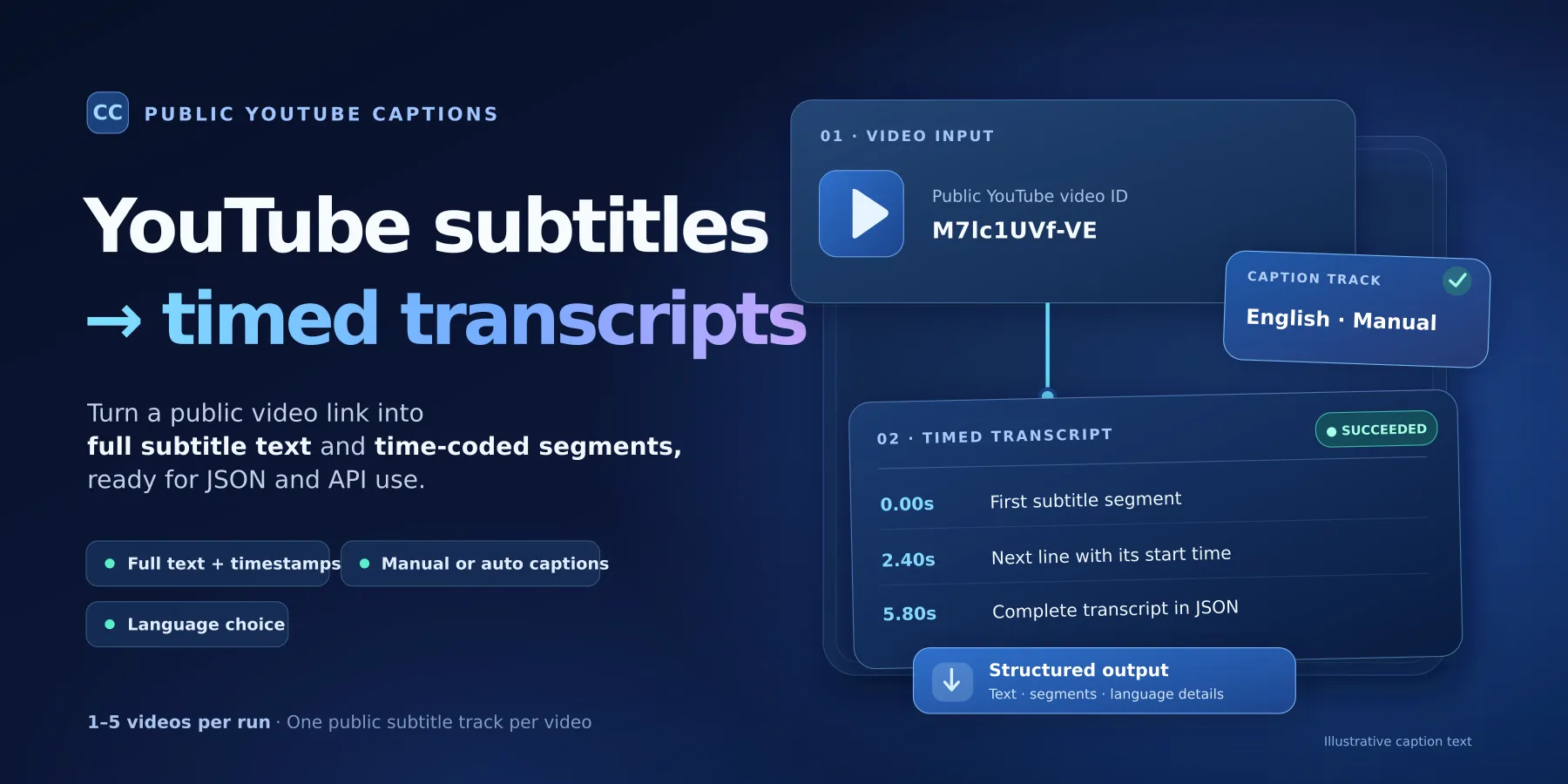
Get public YouTube subtitles and full transcripts as text and timed segments. Add a video ID or link, choose a language, and export one selected caption track as JSON.
Use it for research, text search, or data workflows when YouTube offers a public subtitle track. A complete saved transcript uses the transcript_succeeded billing event; videos without usable captions receive a clear outcome.
Contents
- What it does
- Quick start
- Use cases
- Input reference
- Output reference
- Pricing and limits
- API and export
- Troubleshooting
- FAQ
- Support and safe use
What it does
The Actor reads subtitle tracks that YouTube makes public. For each unique video, it selects one track and saves its complete text, ordered segments, start times, duration, language details, and track choice. Timing values are in seconds, including decimal fractions.
Good fit: Export public captions for notes; index subtitle text for search; get time markers for a video reference; compare offered manual and auto-generated captions; choose an available subtitle language or a translation offered by YouTube.
Not a fit: Speech-to-text from audio, AI-generated translations, channels, playlists, video downloads, private or members-only videos, login-only captions, or guaranteed coverage of every public video. The Actor uses an unofficial public-web route, so source blocks and changes can affect results.
Quick start
- Open the Actor's Input form in Apify Console.
- A fresh form offers the public demo video
jNQXAC9IVRwin YouTube video IDs or links (videoUrls). You can replace it with a direct video ID or link. - Keep the defaults: English (
preferredLanguages: ["en"]),FIRST_AVAILABLE, andMANUAL_FIRST. You can change these settings. - Click Start. Open Subtitle and transcript results when the run ends.
- Check
status,complete,text,segments, andtrack. Open Run summary if any video has an error or did not finish.
Expected result for a video with an accessible subtitle track: one SUCCEEDED Dataset item with complete: true, the full selected caption text, and every available segment. A run may end successfully at platform level while individual videos have errors; always check item status and the summary.
Use cases
| Task | Main input | Result to use |
|---|---|---|
| Search or index subtitle text | videoUrls | text, videoId, track.effectiveLanguageCode |
| Link text to moments in a video | videoUrls | segments[].startSeconds, segments[].durationSeconds, segments[].text |
| Choose manual or generated captions | captionPreference | track.sourceIsGenerated, selection.reason |
| Try other public languages | preferredLanguages, languageFallback | track.effectiveLanguageCode, availableTracks |
| Request an offered YouTube translation | translateTo | track.isTranslated, track.translationTarget |
Input reference
Send one JSON object. These are the public form fields and the same names used by the Actor API.
| Field | Type | Required | Runtime default | New-form prefill | Allowed values and effect |
|---|---|---|---|---|---|
videoUrls | Array of strings | Yes | None | ["jNQXAC9IVRw"] | 1–5 direct video IDs (11 characters) or supported YouTube video links. Each string is at most 2,048 characters. |
preferredLanguages | Array of strings | No | ["en"] | None | 1–10 language codes, such as en, es, de, or en-US. Tries codes in order; repeated normalized codes are removed. |
languageFallback | String | No | FIRST_AVAILABLE | None | NONE, BASE_LANGUAGE, FIRST_AVAILABLE. Controls what happens when a listed language is unavailable. |
captionPreference | String | No | MANUAL_FIRST | None | MANUAL_FIRST, GENERATED_FIRST, MANUAL_ONLY, GENERATED_ONLY. Controls which kind of subtitle track can be chosen. |
translateTo | String | No | No translation | None | Optional language code. Uses a translation offered by YouTube for the selected track; no new translation is created. |
Accepted links: youtube.com/watch?v=..., youtu.be/..., youtube.com/shorts/..., and youtube.com/live/..., including www or mobile YouTube hosts for supported paths. Raw 11-character IDs also work. Channel, playlist, search, embed, and other site URLs are not accepted. Invalid individual entries receive INVALID_INPUT; a missing videoUrls array, empty list, more than five entries, or invalid global settings make the whole input invalid. API input {} does not use the Console prefill.
Language and caption rules: The Actor checks preferred languages in order. NONE requires a match; BASE_LANGUAGE permits a base or regional code match; FIRST_AVAILABLE can choose an available allowed track. A *_ONLY caption setting excludes the other kind even when it is present. The optional translateTo is applied only if the chosen source track offers that target. Selecting a missing translation returns TRANSLATION_NOT_AVAILABLE. See availableTracks, selection, and track in the output for the actual choice.
Duplicates: Repeated video IDs or different supported links to the same video are fetched once. The result's inputIndexes records every matching position, starting at zero. Invalid entries have their own rows. The Dataset is ordered by the first position for each work item.
Example input
This is the same input as the new-form prefill. It requests the Actor's default language and caption settings:
A second example that prefers Spanish manual captions, with an allowed fallback:
Output reference
Open Subtitle and transcript results in the default Dataset. Each unique valid video plus each invalid entry normally produces one row. A run-level failure or limit can leave work unprocessed; check RUN_SUMMARY.unprocessed before assuming all inputs have a row.
Common fields on every saved row
| Field | Type | Meaning / when null |
|---|---|---|
schemaVersion | String (1.0) | Public Dataset contract version. |
workKey | String | Restart/reconciliation key such as video:M7lc1UVf-VE; invalid entries use an opaque invalid: key. |
status | String | SUCCEEDED, INVALID, UNAVAILABLE, NOT_FOUND, or FAILED. |
complete | Boolean | true only when the entire selected subtitle track was saved. |
inputIndexes | Array of integers | Zero-based input positions; duplicates share a single row. |
normalizedInput | String or null | Canonical public watch URL; null for invalid input. |
videoId | String or null | 11-character video ID; null for invalid input. |
canonicalUrl | String or null | Canonical watch URL; null for invalid input. |
scrapedAt | ISO date-time string | Time the item was produced, in UTC. |
source.library, source.libraryVersion | Strings | Caption extraction library and pinned version. |
source.transport, source.proxyMode | Strings | UNOFFICIAL_PUBLIC_WEB; route DIRECT, APIFY_DATACENTER, or APIFY_RESIDENTIAL. No proxy secrets. |
attempts | Integer (0–2) | Number of attempts used for this item. |
Fields on successful rows
These fields are present only on a complete success, except availableTracks can also appear on some selection errors:
| Field | Type | Meaning |
|---|---|---|
catalogCompleteness | String | NORMALIZED_UNIQUE_LANGUAGE_KIND: track list is normalized by language and type, not a claim to list every upstream duplicate. |
availableTracks[] | Array of objects | Public track catalog: trackKey (string), languageCode (string), languageName (string), kind (MANUAL/GENERATED), isTranslatable (boolean). |
selection | Object | preferredLanguages (string[]), languageFallback (string), captionPreference (string), matchedPreference (string or null), matchType (EXACT/BASE/FIRST_AVAILABLE), fallbackUsed (boolean), reason (string). |
track | Object | trackKey, sourceLanguageCode, sourceLanguageName, effectiveLanguageCode (strings); sourceIsGenerated, isTranslated, isTranslatable (booleans); translationTarget (string or null); availableTranslationLanguages (string[]). |
segments[] | Array of objects | One item per caption segment: sequence (zero-based integer), text (string), startSeconds (number), durationSeconds (number). Times use seconds, never milliseconds. |
text | String | All normalized nonempty segment texts joined in order with spaces. |
segmentCount, textLength | Integers | Number of segments and Unicode character count in text. |
serializedBytes | Integer | Compact UTF-8 JSON item size including this field. |
trackKey is a normalized key such as manual:en, not a permanent ID issued by YouTube. A generated source may remain marked generated when translated. sourceLanguageCode is the original caption language; effectiveLanguageCode is the result language. translationTarget is null for an untranslated result. matchedPreference can be null when no listed language matched and fallback was used. An empty availableTranslationLanguages means no offered targets are known for that selected track.
Example Dataset row
This is an excerpt from the first input example, checked in Apify Cloud on October 10, 2026. The real result has 6 segments. Only the first two are shown here; text and the rest of segments are omitted for space. Counts and byte size describe the full saved row.
Error rows and incomplete runs
If a video has no matching public track or fails, the Actor saves an error object with code (string), category (INPUT, DOMAIN, TECHNICAL, LIMIT), retryable (boolean), a safe message (string), and nullable causeCode and restrictionType. A success-only text or segments field is absent, not null or an empty successful transcript. complete is false.
| Status | Example codes | What to do |
|---|---|---|
INVALID | INVALID_INPUT | Check video ID or direct link. No caption request was made. |
UNAVAILABLE | VIDEO_UNAVAILABLE, AGE_RESTRICTED, ACCESS_RESTRICTED, LIVE_TRANSCRIPT_UNAVAILABLE | Check that the video and captions are public. |
NOT_FOUND | CAPTIONS_NOT_AVAILABLE, LANGUAGE_NOT_AVAILABLE, GENERATED_CAPTIONS_EXCLUDED, TRANSLATION_NOT_AVAILABLE | Check the available tracks or change the language/type choice. |
FAILED | REQUEST_BLOCKED, TIMEOUT, NETWORK_ERROR, PROXY_ERROR, UPSTREAM_5XX, PO_TOKEN_REQUIRED, TRANSCRIPT_EMPTY, SOURCE_CHANGED, TRANSCRIPT_OVERSIZE, RETRY_EXHAUSTED | Check the code and run summary. A source block or error is not a valid no-caption result. |
causeCode can identify the last bounded retry cause (TIMEOUT, NETWORK_ERROR, PROXY_ERROR, UPSTREAM_5XX). restrictionType can be PRIVATE, MEMBERS_ONLY, GEO_RESTRICTED, LOGIN_REQUIRED, UNKNOWN, or null when no specific access signal was proved. Track metadata may be present even on a language-selection error.
Dataset, Run summary and Run progress
| Surface | Where to read | What it contains |
|---|---|---|
| Default Dataset | Subtitle and transcript results, or the Dataset API /items | Complete success rows and saved error rows; JSON export retains nested fields. |
| Actor OUTPUT | Results and Run summary links | results points to default Dataset /items; runSummary points to the RUN_SUMMARY JSON record in the default Key-value store. |
Key-value store RUN_SUMMARY | Run summary | runStatus: COMPLETE, PARTIAL or FAILED; input/duplicate/processed/success/error counts; unprocessed[]; request/route/charge diagnostics; start/end times. |
Key-value store RUN_PROGRESS | Key-value store (for resumed runs) | schemaVersion, completedWorkKeys[], chargedWorkKeys[]. This is a recovery checkpoint, not transcript output. |
RUN_SUMMARY fields include receivedInputs, validInputs, uniqueVideos, duplicates, invalidInputs, processed, succeeded, domainOutcomes, technicalFailures, unprocessed[] (videoId, reason), outcomesByCode, http, proxyMode, circuit, charging, reconciliation, fatalReason, startedAt, and finishedAt. http includes completedResponses, byte counts, latency, retries, endpoint/status counts, and redacted transport diagnostics. charging contains event, charged, and limitReached. reconciliation reports possible free rows if a write and a charge could not be treated as one transaction.
An item can be absent if the run stopped before processing it. In that case, unprocessed[].reason may be CHARGE_LIMIT_REACHED, CIRCUIT_OPEN, RUN_DEADLINE, OUTPUT_WRITE_FAILED, RESOURCE_UNAVAILABLE, or ACTOR_ABORTED. A platform-level SUCCEEDED is not proof that all requested videos yielded transcripts. See runStatus, item statuses and counts.
Pricing and limits
The applied PPE price is USD 0.008 for each complete saved transcript, plus USD 0.053 for apify-actor-start. Apify charges the standard start event automatically. It counts once for memory up to 1 GiB, and once per allocated GiB above that. This Actor limits run memory to 1 GiB. The price per transcript is unchanged. There is no separate platform usage bill for a standard run.
Error rows, invalid IDs and unprocessed videos do not trigger transcript_succeeded. The start charge still applies to zero-result, filtered, partial and failed runs that start. The Actor has no monitor/delta mode.
| Scenario | Start events | Per-transcript events | Total at these rates |
|---|---|---|---|
| One complete public transcript | 1 | 1 | USD 0.061 |
| Three complete videos | 1 | 3 | USD 0.077 |
| Five complete videos | 1 | 5 | USD 0.093 |
| Two links to the same video, complete | 1 | 1 | USD 0.061 |
| No captions, no language match or technical error, no success | 1 | 0 | USD 0.053 |
| Partial run with one complete video | 1 | 1 | USD 0.061 |
These examples use actual allocated memory up to 1 GiB. Check the applied Store price before each run. Set a total charge limit that covers the start and the results you want. A limit of USD 0.061 allows one complete transcript at these rates. RUN_SUMMARY.charging counts only transcript events; read the Run API for automatic start-event counts and total pricing.
Apify Residential proxy is the default route for public YouTube requests. Extra proxy and compute usage contributes to the Actor's running costs; it is not a per-proxy-byte PPE event in the Actor's Dataset. If you set a run charge limit, the Actor stops new work when it is reached and reports unprocessed videos; the event price list determines which events count toward that limit. Always review the total charge limit when an Actor-start event is active.
Technical limits: 1–5 input entries, one chosen public track per unique video, up to 10 preferred languages, at most two attempts per video, up to 20,000 subtitle segments or 2,000,000 text characters per transcript, and a saved JSON row under 4 MiB. A full successful transcript is never cut to fit. There is a bounded internal processing deadline of at most 10 minutes; shorter Apify run timeouts also restrict available time. A finished live video works only when normal public subtitle tracks become available. Source changes, region limits, and YouTube blocking can prevent a result.
API and export
The Apify API accepts the same JSON input as the Console. Call the Actor run API with videoUrls; after the run, read its defaultDatasetId using the Dataset items API, or open the Dataset JSON export. Use the run's Key-value store to read RUN_SUMMARY when you need to detect partial results. Integrations can parse status, complete, videoId, text and segments directly; the Actor itself does not publish to external services.
Current availability note: public manual captions, native language selection and auto-generated captions have been checked on a bounded video sample. YouTube can block a caption or translation request even when it lists the track. A listed translation is not a guarantee that its text can be fetched. The Actor returns a technical error and never substitutes manual text for a generated-only request or original text for a requested translation.
Troubleshooting
| Problem | Likely reason | Safe action |
|---|---|---|
| Input validation fails | Missing/empty videoUrls, unsupported URL or language/enum value | Add 1–5 direct IDs or links; check exact field names. |
CAPTIONS_NOT_AVAILABLE | YouTube exposes no public track to this request | Check the video's subtitles on YouTube. No audio transcription is available. |
LANGUAGE_NOT_AVAILABLE or GENERATED_CAPTIONS_EXCLUDED | Language or caption kind does not match | Check availableTracks; change language or fallback/type settings. |
TRANSLATION_NOT_AVAILABLE | The selected track does not offer that target | Pick an offered language; the Actor does not create translations. |
REQUEST_BLOCKED, PROXY_ERROR, TIMEOUT | Source or network restriction | Check the run summary and retry later if appropriate. Never add credentials. |
SOURCE_CHANGED or TRANSCRIPT_EMPTY | Upstream content/format could not be read | Save the run ID and safe error code for support. |
TRANSCRIPT_OVERSIZE | Full text or JSON exceeds a limit | Use a shorter video. This video has no successful charge event. |
| Dataset has fewer rows than inputs | Duplicates or stopped work | Check inputIndexes, RUN_SUMMARY.unprocessed and runStatus. |
FAQ
Does it work without a YouTube login?
Yes, for captions YouTube makes public. The Actor does not use your YouTube cookies or OAuth account. This does not guarantee a track for every public video.
Does it make subtitles from audio?
No. It only reads existing public captions. It does not download audio or run speech recognition.
Are the transcript and timestamps complete?
A SUCCEEDED item contains every normalized segment returned for the selected track, within the documented limits. If the full result cannot be saved, the item is an error. It cannot prove YouTube's upstream captions cover all spoken words.
Can I export multiple languages for one video in one run?
The Actor returns one selected track per unique video. preferredLanguages chooses which one to try; it does not export all tracks. translateTo asks YouTube for an offered translation of that choice.
Are empty or failed results charged?
They are not charged with transcript_succeeded. Check the applied Store events for other charges, including an Actor-start event when configured. One complete unique video uses one complete-transcript event.
Can I send a channel or playlist?
No. Send up to five direct video links or IDs.
Why do some runs return blocks or proxy errors?
YouTube can limit automated public requests. The Actor uses Apify Residential proxy by default but cannot bypass challenges or access restrictions.
Support and safe use
Use the Actor's Issues or Support channel on Apify. Include a run ID, the status, the safe error.code, and summary counts. Do not share YouTube credentials, cookies, private links, signed URLs, proxy details, or full transcript content.
The Actor stores results in its Apify run storage. Delete run data from Apify when no longer needed. Only collect and use transcripts when you have the right to do so. Public visibility alone does not grant copyright or reuse rights. Respect privacy, copyright, YouTube terms, and local law.
This is an independent Actor. It is not made, approved, or supported by YouTube or Google. It uses public web access, not an official YouTube transcript API.


