

Tech Stack From Job Posts Scraper
Pricing
from $1.80 / 1,000 job-results
Tech Stack From Job Posts Scraper
Extract public job posts from Greenhouse, Lever, Ashby, and public career pages and detect the technologies, tools, and cloud platforms companies are hiring for - no login or cookies.
Pricing
from $1.80 / 1,000 job-results
Rating
0.0
(0)
Developer

Delowar Munna
Maintained by CommunityActor stats
0
Bookmarked
2
Total users
1
Monthly active users
5 months ago
Last modified
Categories
Share
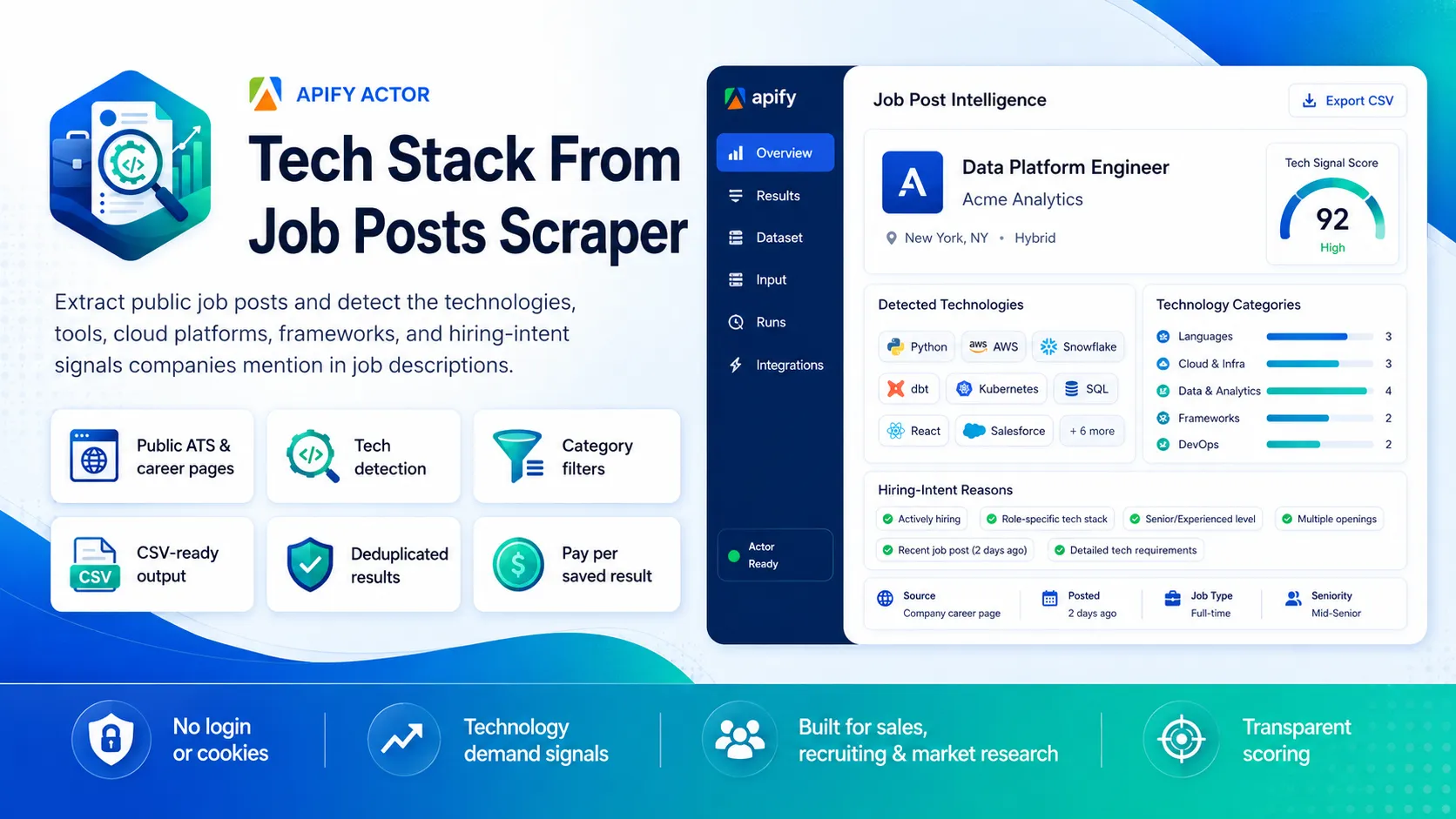
Turn public job posts into technology-demand data. Point this actor at a Greenhouse, Lever, or Ashby board (or a public career page) and it returns clean, flat, CSV-ready rows — each enriched with the technologies, tools, cloud platforms, frameworks, databases, and AI/ML stacks the company is hiring for, plus a transparent tech_signal_score.
No login, no cookies, no session tokens. The actor reads each ATS's public JSON API over HTTP, so it stays fast and cost-predictable. You pay one flat event per unique job row that passes your filters.
✨ Why this scraper
- Hiring-intent, not just job rows — generic job scrapers return listings; this turns each description into structured technology signals for B2B sales, GTM research, and recruiting.
- JSON-first, no browser — reads Greenhouse / Lever / Ashby public APIs directly. One request per board returns every posting with its description.
- Transparent detection — a local, in-code keyword dictionary (no AI, no paid API). You can see and extend exactly what is matched.
- Flat 29-field output — no nested objects; drops straight into Sheets, Excel, or a CRM.
- Pay-Per-Event — one flat
job-resultevent per saved unique job. Duplicates and filtered rows are never charged.
🚀 Quick start — sample inputs
Example 1 — ATS boards + technology filter
Example 2 — single Ashby board, all jobs, custom residential proxy via your own provider
Supported ATS URLs use each platform's public JSON API. Other career pages are read via
schema.org/JobPostingstructured data when present, or by following an embedded Greenhouse/Lever/Ashby board. Pages with neither are reported asunsupported_inputs.
Apify Residential proxy is blocked; if you need residential routing, supply your own provider via
proxyConfiguration.proxyUrls. See 🚦 Proxy policy below.
📦 Output
The dataset has one view: Jobs & detected tech stack — a 29-column flat table.
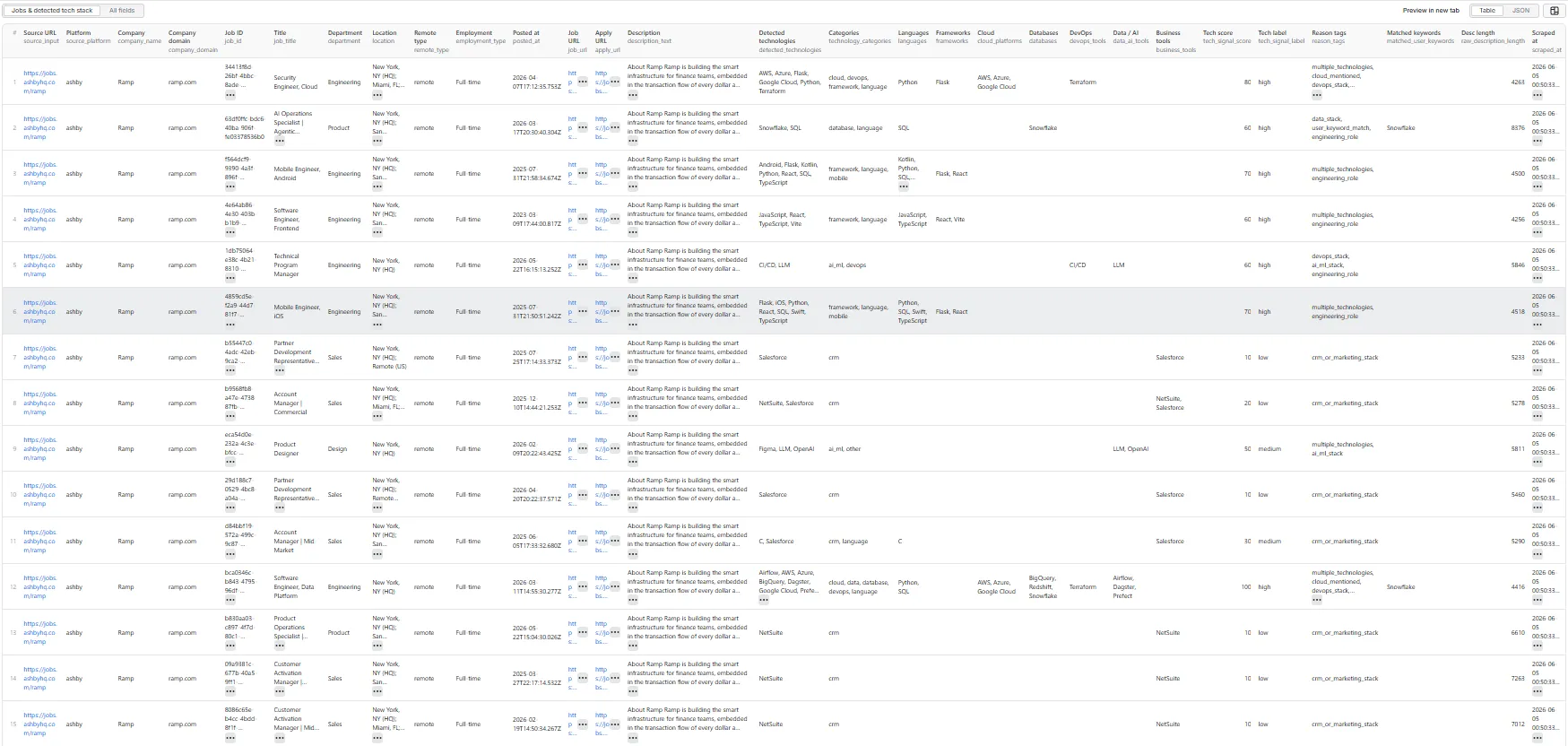
Output fields (29)
source_input, source_platform, company_name, company_domain, job_id, job_title, department, location, remote_type, employment_type, posted_at, job_url, apply_url, description_text, detected_technologies, technology_categories, languages, frameworks, cloud_platforms, databases, devops_tools, data_ai_tools, business_tools, tech_signal_score, tech_signal_label, reason_tags, matched_user_keywords, raw_description_length, scraped_at.
Sample record — Jobs & detected tech stack
(Real run output; description_text is truncated here for readability.)
🎯 Tech signal score
Transparent rule-based score (0–100) computed from the detected technologies and the role title — no AI, no external enrichment.
| Signal | Points |
|---|---|
| Each unique detected technology | +10 (capped at 50) |
| At least two technology categories detected | +10 |
| Cloud platform or DevOps tool detected | +10 |
| Database / data / AI-ML tool detected | +10 |
| Engineering / data / IT / security / product role title | +10 |
A user-supplied technologyKeywords term matched | +10 |
Score is capped at 100. Labels: high (60–100) · medium (30–59) · low (1–29) · none (0).
reason_tags explains the score — e.g. multiple_technologies, cloud_mentioned, devops_stack, data_stack, ai_ml_stack, crm_or_marketing_stack, user_keyword_match, engineering_role.
⚙️ Filters
| Filter | Effect |
|---|---|
keywordFilter | Case-insensitive substring on title + department + description. |
requireTechnologyMatch | Keep only rows with at least one detected technology. |
technologyCategories | Keep rows with at least one detected technology in the selected categories. |
locationFilter | Case-insensitive substring on location; jobs with no location are excluded when set. |
remoteFilter | any / remote / hybrid / onsite against the derived remote_type. |
minTechSignalScore | Keep rows with tech_signal_score ≥ threshold. |
dedupe | Drop duplicates by platform job ID, canonical job URL, and title/company/location. |
Filters are applied before any dataset push or event charge.
💰 Pricing
Pay-Per-Event. One flat event per saved row (the per-event price is configured on the Apify console):
| Event | Charged when |
|---|---|
job-result | Once per unique job row that passed all filters and was successfully written to the dataset. |
Your bill is simply results_saved × price_per_event. The actor honors the user-configured per-run spending cap (Apify eventChargeLimitReached): it caps how many results it collects up-front to what the limit can pay for, and stops cleanly the moment the cap is reached during charging.
Not charged: duplicates, rows filtered out, rows missing a title/durable identifier, and failed or blocked requests.
🚦 Proxy policy
Use Apify Datacenter proxy or no proxy for normal runs — both work reliably for the public ATS JSON APIs at this actor's conservative concurrency.
Apify Residential proxy is not supported. The actor will fail at startup if proxyConfiguration.apifyProxyGroups includes RESIDENTIAL. Reason: in pay-per-event actors, residential bandwidth (~/GB) is billed to the developer, not the run user, so a single bandwidth-heavy run could exceed the per-result event revenue.
If you genuinely need residential routing, supply your own residential provider via the proxy editor's Custom proxy URLs field — that traffic goes through your provider, not Apify, and is unaffected:
📊 Run summary
After each run, a RUN_SUMMARY entry is written to the key-value store:
charged_events equals the number of successfully saved unique rows.
🚧 Limitations (V1)
- Public data only: no login, cookies, or member-only content. The actor reads each ATS's public JSON board API.
- Supported sources: Greenhouse, Lever, and Ashby via public APIs; other career pages only when they expose
schema.org/JobPostingJSON-LD or embed one of those boards. - Technology detection uses a transparent local dictionary — it detects common languages, frameworks, cloud platforms, databases, DevOps, data/AI, analytics, CRM, security, and mobile tooling, not every niche tool.
company_domainis best-effort and is oftennullfor ATS-hosted boards (no company website is exposed).- No recruiter/contact extraction, email enrichment, company-site crawling, or AI scoring.
❓ FAQ
Do I need an account or cookies? No. The actor only uses public ATS JSON endpoints.
Which ATS platforms are supported? Greenhouse, Lever, and Ashby via their public APIs. Generic career pages work when they expose JSON-LD JobPosting data or embed one of those boards.
How are technologies detected? A local, transparent keyword dictionary with aliases and word-boundary rules runs against the job title, department, and description. Add your own terms with technologyKeywords.
Can I export to CSV? Yes — every field is flat (no nested objects). Use Apify's CSV / Excel export, or call the dataset API with format=csv.
🛠️ Technical notes
- Stack: Node.js 22 · Apify SDK 3 · Crawlee
CheerioCrawler(HTTP + JSON) · native fetch. No browser. - Endpoints: Greenhouse
boards-api, Leverv0/postings, Ashbyposting-api/job-board(all public, no auth). - Concurrency:
min=1,max=5(conservative; tune after real runs). - Memory: 1 GB min · 2 GB default · 4 GB max.
- Proxy: Apify Proxy enabled by default; custom configs accepted; Apify Residential rejected at startup.


