
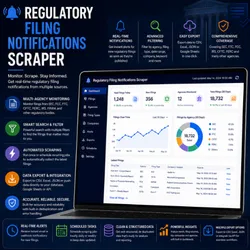
Regulatory Filing Notifications Scraper
Pricing
from $2.00 / 1,000 scraped results
Regulatory Filing Notifications Scraper
Search 8-K, 10-K, 10-Q, S-1, DEF 14A, SC 13D, and SC 13G filings from the last 7 days. Extract filing ID, company, form type, date, CIK, description, and direct SEC filing URL.upports multiple keywords, pagination, retries, and Residential Proxy.
Pricing
from $2.00 / 1,000 scraped results
Rating
0.0
(0)
Developer

Data Pilot
Maintained by CommunityActor stats
0
Bookmarked
2
Total users
1
Monthly active users
2 months ago
Last modified
Categories
Share
📜 Regulatory Filing Notifications Scraper is a powerful Apify Actor designed to discover, track, and collect newly filed SEC disclosures directly from the SEC's own EDGAR Full-Text Search API. This tool provides comprehensive Regulatory Filing Notifications intelligence including filing ID, entity name, form type, file date, CIK, and a direct link to the filing document for any keyword. Whether you're building a compliance monitoring dashboard, tracking industry disclosure activity, or conducting financial research, the Regulatory Filing Notifications Scraper delivers actionable Regulatory Filing Notifications insights efficiently.
With retry-resilient EDGAR API querying, keyword-based full-text search, automatic pagination, and reliable Apify Dataset delivery, the Regulatory Filing Notifications Scraper ensures comprehensive Regulatory Filing Notifications coverage across any list of search keywords. It focuses on key Regulatory Filing Notifications signals including form type, filer entity, and filing date, making it an essential tool for compliance monitoring and regulatory intelligence.
📋 Table of Contents
- Features
- Data Source
- How It Works
- Input
- Output
- Technical Stack
- Data Fields
- Use Cases
- Quick Start
- Configuration
- Performance
- Important Notes
- License & Legal
🔥 Features
- Direct EDGAR API Access – Queries the SEC's official Full-Text Search API (
efts.sec.gov) directly for fast, structured Regulatory Filing Notifications data. - Multi-Keyword Search – Accepts any number of search keywords and scans recent filings for each.
- Configurable Form Coverage – Searches across major form types by default: 8-K, 10-K, 10-Q, S-1, DEF 14A, SC 13D, and SC 13G.
- Rolling Date Window – Automatically searches the most recent 7-day filing window from the SEC's live index.
- Automatic Pagination – Pages through all available results for a keyword up to the configured maximum.
- Retry-Resilient Requests – Automatically retries on rate limits (429) and auth errors (401/403) with backoff delays.
- CIK & Filing URL Resolution – Extracts the filer's CIK number and builds a direct link to the filing document on EDGAR.
- Residential Proxy Support – Apify residential proxy for reliable Regulatory Filing Notifications access.
- Incremental Dataset Push – Pushes each batch of results to the Dataset as it's collected, not just at the end.
- Graceful Error Handling – Skips a failing page or keyword without stopping the whole run.
📊 Data Source
SEC EDGAR Full-Text Search API
- Authority: The U.S. Securities and Exchange Commission's official EDGAR Full-Text Search index (
efts.sec.gov/LATEST/search-index) - Access Method: Browser-impersonated HTTP requests via
curl_cffi, run through an executor for async compatibility - Coverage: Any publicly filed Regulatory Filing Notifications document matching the given keyword within the configured date range
- Data: Structured JSON search hits, including filer identity, form type, and filing metadata
- Access: Public API, no API key required (SEC requests a descriptive User-Agent, which is included)
- Update Frequency: Reflects EDGAR's current live filing index at time of run
⚙️ How It Works
The Regulatory Filing Notifications Scraper accepts a list of search keywords and queries the SEC EDGAR Full-Text Search API for each, restricted to a rolling 7-day date window and a fixed set of common form types. For each keyword, the Actor pages through all available results, retrying automatically on rate limits or transient auth errors with increasing backoff delays. Every search hit is normalized into a clean record, extracting the filer's CIK, entity name, form type, file date, and constructing a direct link to the filing document on SEC EDGAR. Results are pushed to the Apify Dataset incrementally, batch by batch, as they're collected across all keywords.
Key Processing Steps:
- Input Parsing – Accept a list of keywords (or a single keyword) to search for
- Proxy Setup – Configure Apify residential proxy for the impersonated HTTP session
- Date Window Calculation – Compute the rolling 7-day search window ending today
- Keyword Loop – Iterate through each Regulatory Filing Notifications search keyword
- Search Request – Query EDGAR's full-text search API with the keyword, forms, and date range
- Retry Handling – Back off and retry on rate limits (429) or auth errors (401/403)
- Hit Normalization – Extract filing ID, entity, form type, file date, CIK, and build the filing URL
- Pagination – Continue requesting subsequent pages until all available results are collected
- Incremental Push – Push each batch of normalized results to the Dataset as it's ready
- Rate Limiting – Apply a short delay between paginated requests
Key Benefits:
- Pull Regulatory Filing Notifications for any keyword without manually searching EDGAR
- Catch newly filed disclosures within a rolling weekly window
- Monitor multiple keywords or topics in a single run
- Feed compliance dashboards, investor research pipelines, or watchdog tools
- Automate recurring Regulatory Filing Notifications checks as new filings are published
📥 Input
The Actor accepts the following input parameters:
| Field | Type | Default | Description |
|---|---|---|---|
keywords | array | ["climate"] | List of search terms to scan for matching Regulatory Filing Notifications. |
keyword | string | "climate" | Optional single keyword, used if keywords is not provided. |
proxyConfiguration | object | {"useApifyProxy": true, "apifyProxyGroups": ["RESIDENTIAL"]} | Apify proxy configuration for the search session. |
Example Input:
Search a Single Keyword:
Search Multiple Keywords:
📤 Output
The Actor pushes Regulatory Filing Notifications records with the following structure:
| Field | Type | Description |
|---|---|---|
search_keyword | string | The keyword that matched this Regulatory Filing Notifications result |
filing_id | string | The filing's accession number (or internal hit ID as fallback) |
title | string | Form type plus file description, when available |
entity | string | Name(s) of the filer entity |
form_type | string | SEC form type (e.g., "8-K", "10-K", "DEF 14A") |
file_date | string | Date the filing was submitted to EDGAR |
filing_url | string | Direct URL to the filing document on SEC EDGAR |
cik | string | The filer's Central Index Key (CIK) number |
scraped_at | string | ISO 8601 timestamp of when the record was scraped |
Example Regulatory Filing Notifications Record:
🧰 Technical Stack
- HTTP Client:
curl_cffiwith Chrome impersonation for reliable access to the SEC EDGAR API - Concurrency:
asynciowith an executor bridge for running the impersonated client asynchronously - Pattern Matching:
refor extracting CIK numbers from display names when not directly provided - Date Handling:
datetimeandtimedeltafor computing the rolling search window - Proxy: Apify Proxy with
RESIDENTIALconfiguration by default - Logging: Apify Actor logging system
- Platform: Apify Actor serverless environment
📊 Data Fields Explained
Filing Identity
- filing_id: The SEC accession number uniquely identifying the filing
- title: A human-readable summary combining form type and file description
Filer Details
- entity: The display name(s) of the company or individual who filed
- cik: The SEC's Central Index Key identifying the filer
Filing Metadata
- form_type: The SEC form classification (8-K, 10-K, 10-Q, S-1, DEF 14A, SC 13D, SC 13G)
- file_date: The date the filing was submitted
- filing_url: Direct link to the filing document on EDGAR
- search_keyword: The keyword that surfaced this result, for traceability across multi-keyword runs
🎯 Use Cases
- Compliance Monitoring – Catch newly filed 8-Ks, proxy statements, or ownership disclosures for tracked companies
- Investor Research – Monitor disclosure activity around a specific topic or risk factor
- Competitive Intelligence – Track competitor filings for material agreements or leadership changes
- Legal & Regulatory Research – Search for filings referencing specific regulatory language or events
- Academic Research – Study public disclosure trends and language at scale
- Media Monitoring – Source primary filing documents for financial journalism
🚀 Quick Start
1. Prepare Input
Go to Apify Console and enter:
2. Run the Actor
Click Start. The Actor will:
- Search EDGAR's full-text index for each keyword within the last 7 days
- Page through all matching results, retrying on rate limits automatically
- Normalize each hit into a clean Regulatory Filing Notifications record
- Push batches to the Dataset incrementally as they're collected
3. Monitor Progress
Console shows:
4. View & Download Results
- Results Tab: All Regulatory Filing Notifications records
- Export: JSON, CSV, Excel, or HTML
- Filter: By form type or entity
- API Access: Available via the Apify API
⚙️ Configuration
Single keyword search:
Multiple keywords in one run:
Custom proxy group:
📈 Performance
Processing Speed
- One or more paginated requests per keyword, depending on total result volume
- 0.5 second delay between paginated requests to stay within SEC's fair-use expectations
- Automatic retry backoff (up to 3 attempts) on rate limits or transient errors
Resource Usage
- Memory: Low, since no browser instance is launched
- Network: Multiple lightweight JSON requests per keyword, scaling with result volume
- Proxy: One residential proxy tunnel shared across the impersonated session for the run
⚠️ Important Notes
Legal & Compliance
- Fair Use: Includes a descriptive
User-Agentper SEC's access guidelines and applies pacing delays between requests - Public Data Only: Retrieves only publicly filed Regulatory Filing Notifications already indexed by EDGAR
- Legal: Not legal advice — consult qualified professionals before using this data for compliance-sensitive decisions
Data Quality
- Freshness: Limited to the most recent 7-day filing window by default
- Completeness: CIK and filing URL resolution depend on what data EDGAR exposes per hit; some fields may be blank
- Accuracy: Sourced directly from the SEC's own EDGAR Full-Text Search API
- Verification: Cross-check high-stakes filings against the live SEC EDGAR website
Best Practices
- Update the contact email in the User-Agent header before running in production, per SEC's access guidelines
- Use specific keywords to keep result volume manageable and relevant
- Re-run periodically (e.g., daily) to catch new filings within the rolling 7-day window
- Expect some
cikvalues to be blank if a filer's CIK can't be resolved from the response - Search multiple related keywords in one run to broaden topic coverage
📄 License & Legal
Terms of Use:
- Use for legitimate research, compliance, and investor relations purposes
- Respect the SEC's EDGAR access guidelines, including fair-use request pacing
- Use Regulatory Filing Notifications data responsibly and in compliance with applicable laws
Disclaimer: Regulatory Filing Notifications Scraper is provided as-is for research and analytics purposes. Users are responsible for compliance with the SEC's terms and all applicable laws. This is not legal advice.
⚖️ Regulatory Filing Notifications Excellence
This Actor is optimized for Regulatory Filing Notifications research with:
- ✅ Direct, official EDGAR API access — no HTML scraping fragility
- ✅ Retry-resilient requests with automatic backoff
- ✅ Full pagination across all matching results
- ✅ Multi-keyword search in a single run
- ✅ Incremental Dataset push
- ✅ Production-ready code


