
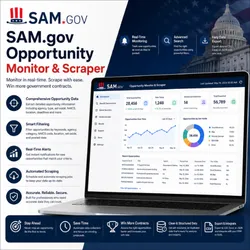
SAM.gov Opportunity Monitor & Scraper
Pricing
from $2.00 / 1,000 scraped results
SAM.gov Opportunity Monitor & Scraper
Extract opportunity titles, solicitation numbers, departments, response deadlines, opportunity types, and direct links. Uses , SAM.gov’s internal API, session warmup, and Apify Residential Proxy.
Pricing
from $2.00 / 1,000 scraped results
Rating
0.0
(0)
Developer

Data Pilot
Maintained by CommunityActor stats
0
Bookmarked
2
Total users
1
Monthly active users
3 months ago
Last modified
Security
Limited permissionsShare
🏛️ SAM.gov Opportunity Monitor & Scraper is a powerful Apify Actor designed to discover, track, and collect open contract opportunity data directly from SAM.gov's own internal search API using an authenticated browser session. This tool provides comprehensive SAM.gov Opportunity Monitor intelligence including opportunity title, notice ID, awarding department, response deadline, opportunity type, and direct listing link for any search keyword. Whether you're building a procurement pipeline tracker, hunting for new bid opportunities, or conducting federal contracting research, the SAM.gov Opportunity Monitor & Scraper delivers actionable SAM.gov Opportunity Monitor insights efficiently.
With session-warmed in-browser API fetching, automation-detection evasion, a resilient UI-search fallback, and reliable Apify Dataset delivery, the SAM.gov Opportunity Monitor & Scraper ensures comprehensive SAM.gov Opportunity Monitor coverage across any search keyword. It focuses on key SAM.gov Opportunity Monitor signals including response deadline, department, and opportunity type, making it an essential tool for active bid tracking and procurement intelligence.
📋 Table of Contents
- Features
- Data Source
- How It Works
- Input
- Output
- Technical Stack
- Data Fields
- Use Cases
- Quick Start
- Configuration
- Performance
- Important Notes
- License & Legal
🔥 Features
- Session-Warmed API Fetching – Visits SAM.gov's search page first to establish real session cookies, then calls the internal API directly from within the authenticated browser context.
- Direct In-Browser Fetch – Executes the API request using the page's own
fetch(), inheriting real cookies and headers for maximum reliability. - Automation Detection Evasion – Masks the
navigator.webdriverflag to reduce the chance of bot detection. - Keyword-Based Search – Scans SAM.gov Opportunity Monitor listings for any active opportunity matching a given keyword.
- Active-Status Filtering – Queries only currently active, open contract opportunities by default.
- Department Hierarchy Parsing – Builds the full organizational path for each SAM.gov Opportunity Monitor listing.
- Resilient UI Fallback – Automatically falls back to a live UI search interaction if the direct API fetch fails.
- Residential Proxy Support – Apify residential proxy for reliable SAM.gov Opportunity Monitor access.
- Configurable Item Cap – Control how many active opportunities are pulled per run.
- Real-Time Dataset Push – Pushes all collected SAM.gov Opportunity Monitor records to Apify Dataset in a single batch.
- Graceful Error Handling – Logs and continues past individual parsing failures without stopping the run.
📊 Data Source
SAM.gov Public Search Interface & Internal API
- Authority: SAM.gov's own public search page (
sam.gov/search) and its internal search API (sam.gov/api/prod/sgs/v1/search) - Access Method: Headless Chromium via , executing an in-browser
fetch()against SAM.gov's own API using session cookies obtained from the search page - Coverage: Any currently active, publicly listed SAM.gov Opportunity Monitor notice matching the given keyword
- Data: JSON search results returned directly from SAM.gov's internal API
- Access: Public search interface, no API key required
- Update Frequency: Reflects each SAM.gov Opportunity Monitor listing's current active state at time of run
⚙️ How It Works
The SAM.gov Opportunity Monitor & Scraper launches a real headless browser and first navigates to SAM.gov's public search page to warm up session cookies. Once the session is established, the Actor executes a direct fetch() call to SAM.gov's internal search API from within the authenticated page context, passing the search keyword and requesting only active opportunities sorted by most recently modified. The returned JSON is parsed into clean opportunity records including title, notice ID, department hierarchy, response deadline, and opportunity type. If the direct API fetch fails for any reason, the Actor automatically falls back to typing the keyword into the live search box and pressing Enter as a resilient backup path. Every successfully parsed SAM.gov Opportunity Monitor record is pushed to the Apify Dataset in a single batch at the end of the run.
Key Processing Steps:
- Input Parsing – Accept a search keyword, max item count, and proxy setting
- Proxy Setup – Configure Apify residential proxy for the browser session
- Browser Launch – Start a headless Chromium instance with automation-detection evasion
- Session Warmup – Navigate to SAM.gov's search page to establish real session cookies
- Direct API Fetch – Execute an in-browser
fetch()against SAM.gov's internal search API - Result Parsing – Extract title, notice ID, department, deadline, type, and link from each SAM.gov Opportunity Monitor result
- UI Fallback Trigger – Fall back to a live keyword search in the UI if the direct fetch returns no data
- Item Cap Enforcement – Respect the configured maximum item count when requesting results
- Dataset Push – Push all collected records from the run in a single batch
Key Benefits:
- Pull SAM.gov Opportunity Monitor listings for any keyword without manually searching the portal
- Catch newly posted federal opportunities as soon as they go active
- Monitor specific departments or opportunity types for new bid activity
- Feed procurement pipelines, bid-tracking tools, or business development dashboards
- Automate recurring SAM.gov Opportunity Monitor checks as new solicitations are posted
📥 Input
The Actor accepts the following input parameters:
| Field | Type | Default | Description |
|---|---|---|---|
searchKeyword | string | "software" | Keyword to search for within active SAM.gov Opportunity Monitor listings. |
maxItems | integer | 30 | Maximum number of SAM.gov Opportunity Monitor records to collect per run. |
useApifyProxy | boolean | true | Enable Apify residential proxies. |
Example Input:
Scrape a Single Keyword:
Pull a Larger Batch:
📤 Output
The Actor pushes SAM.gov Opportunity Monitor records with the following structure:
| Field | Type | Description |
|---|---|---|
title | string | Title of the active SAM.gov Opportunity Monitor notice |
notice_id | string | Solicitation number or internal notice ID |
department | string | Full organizational hierarchy issuing the opportunity |
response_deadline | string | Deadline for submitting a response to the SAM.gov Opportunity Monitor listing |
opportunity_type | string | Type of contract opportunity (e.g., "Solicitation", "Combined Synopsis/Solicitation") |
link | string | Direct URL to view the full opportunity listing on SAM.gov |
Example SAM.gov Opportunity Monitor Record:
🧰 Technical Stack
- Browser Automation: `` (Chromium) for real, session-authenticated access to SAM.gov
- In-Browser Fetching: JavaScript
fetch()executed viapage.evaluate()to inherit real session cookies - URL Handling:
urllib.parsefor building the API endpoint and parsing proxy URLs - JSON Parsing:
jsonfor handling API responses and structured result parsing - Async:
asynciofor non-blocking browser interaction - Proxy: Apify Proxy with
RESIDENTIALconfiguration, wired into 's launch options - Logging: Apify Actor logging system
- Platform: Apify Actor serverless environment
📊 Data Fields Explained
Opportunity Identity
- title: The public title of the SAM.gov Opportunity Monitor notice
- notice_id: The solicitation number or internal SAM.gov notice identifier
Issuing Details
- department: The full agency/department hierarchy issuing the opportunity
- opportunity_type: The classification of the contract opportunity notice
Timing & Access
- response_deadline: The date and time by which responses must be submitted
- link: Direct link to view the full SAM.gov Opportunity Monitor listing
🎯 Use Cases
- Bid Tracking – Catch newly posted SAM.gov Opportunity Monitor listings before deadlines pass
- Business Development – Identify active opportunities matching your company's capabilities
- Department Monitoring – Track which agencies are actively soliciting in your industry
- Pipeline Building – Feed a running list of open federal opportunities into a CRM or tracker
- Competitive Positioning – See what opportunity types and departments are most active
- Academic Research – Study public federal solicitation trends at scale
- Deadline Management – Build reminders around upcoming response deadlines
🚀 Quick Start
1. Prepare Input
Go to Apify Console and enter:
2. Run the Actor
Click Start. The Actor will:
- Warm up a real SAM.gov session by visiting the search page
- Fetch active opportunities directly from SAM.gov's internal API
- Fall back to a live UI search if the direct fetch fails
- Push all results to the Dataset
3. Monitor Progress
Console shows:
4. View & Download Results
- Results Tab: All SAM.gov Opportunity Monitor records
- Export: JSON, CSV, Excel, or HTML
- Filter: By department or opportunity type
- API Access: Available via the Apify API
⚙️ Configuration
Single keyword search:
Larger batch pull:
Run without proxy:
📈 Performance
Processing Speed
- One session-warmup navigation, followed by a single direct API fetch per run
- ~5 second warmup pause to allow cookies and Akamai/Cloudflare checks to settle
- Faster than repeated UI-based scraping since the direct API path avoids extra page interactions when it succeeds
Resource Usage
- Memory: Moderate, since a Chromium browser instance is launched to hold the authenticated session
- Network: One search page load plus one API fetch per run (or additional UI interaction on fallback)
- Proxy: One residential proxy tunnel shared across the browser context for the run
⚠️ Important Notes
Legal & Compliance
- Fair Use: Respects SAM.gov's public search interface and paces requests with a warmup delay
- Public Data Only: Retrieves only publicly listed SAM.gov Opportunity Monitor data
- Privacy: Collecting opportunity data may be subject to applicable regulations and SAM.gov's Terms of Use — use only for legitimate purposes
- Legal: Not legal advice — consult qualified professionals before using this data for compliance-sensitive decisions
Data Quality
- Freshness: Reflects each SAM.gov Opportunity Monitor listing's active state at time of run
- Completeness: Field availability depends on what SAM.gov has published for each notice; some records may return partial data
- Accuracy: Sourced directly from SAM.gov's own internal search API
- Verification: Cross-check high-stakes deadlines against the live SAM.gov website
Best Practices
- Always configure a residential proxy for the most reliable SAM.gov Opportunity Monitor access
- Use specific keywords to narrow large result sets to relevant opportunities
- Re-run periodically to catch newly posted solicitations before deadlines
- Expect the Actor to fall back to UI search automatically if the direct API path is ever blocked
- Adjust
maxItemsbased on how many active opportunities typically match your keyword
📄 License & Legal
Terms of Use:
- Use for legitimate research, procurement, and business development purposes
- Respect SAM.gov's Terms of Use
- Do not use for unsolicited contact, harassment, or unlawful purposes
- Use SAM.gov Opportunity Monitor data responsibly and in compliance with applicable laws
Disclaimer: SAM.gov Opportunity Monitor & Scraper is provided as-is for research and analytics purposes. Users are responsible for compliance with SAM.gov's ToS and all applicable laws. This is not legal advice.
⚖️ SAM.gov Opportunity Monitor Excellence
This Actor is optimized for SAM.gov Opportunity Monitor research with:
- ✅ Session-warmed, authenticated in-browser API access
- ✅ Automation-detection evasion for more reliable access
- ✅ Resilient UI-search fallback path
- ✅ Clean, structured opportunity output
- ✅ Real-time Dataset push
- ✅ Production-ready code


